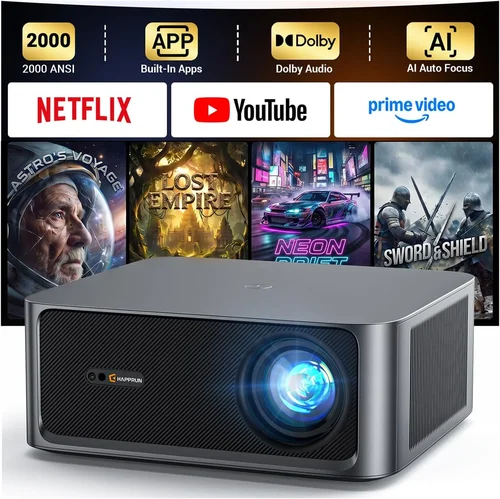
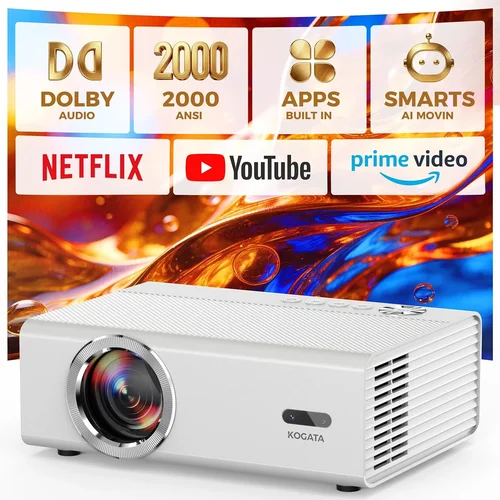
Choosing a home projector can feel like stepping into a maze of lumens, contrast ratios, and confusing jargon. Yet, a well‑chosen projector can turn a modest living room into a personal cinema, a gaming arena, or a dynamic workspace—all without breaking the bank. This guide is designed to cut through the noise and give you a clear, expert‑level roadmap for selecting the best home projector under $1,000 in 2026.
By the end of this article you will understand the most critical specifications, know which projector type aligns with your viewing habits, avoid common purchasing pitfalls, and walk away with a shortlist of top‑rated models that deliver cinema‑grade performance without a premium price tag.
The projector market has evolved dramatically over the past few years. LED and laser light sources have become mainstream, offering longer lifespans and more consistent brightness. At the same time, 4K‑enhanced DLP chips and high‑refresh‑rate panels have entered the sub‑$1,000 segment, giving budget shoppers capabilities that were once reserved for high‑end home theater setups. Let’s dive into the details that matter.

What to Look for When Buying Buying Guide
1. Budget & Price Range
Setting a realistic budget is the first step. While you can find projectors for under $200, those typically sacrifice brightness, color accuracy, and durability. In the sub‑$1,000 bracket, you can expect a balanced mix of performance and features. Decide whether you need a projector primarily for movies, gaming, or office presentations, and allocate funds accordingly. Remember to factor in accessories—screen, mounting hardware, and cables—into your total cost.
2. Performance Specifications
The heart of any projector lies in its core specs:
- Brightness (lumens): Measured in ANSI lumens, a minimum of 2,500 is advisable for rooms with ambient light; 3,000+ is ideal for living rooms with windows.
- Contrast Ratio: Higher contrast yields deeper blacks. Look for a ratio of at least 10,000:1 for good movie performance.
- Resolution: 1080p (Full HD) remains the sweet spot under $1,000. Some models offer 4K‑enhanced (pixel‑shifting) technology that approximates true 4K at a lower cost.
- Refresh Rate & Input Lag: Gamers should target 120 Hz and <30 ms input lag for smooth, responsive play.
3. Build Quality & Durability
Projectors endure heat, dust, and frequent movement. Look for metal chassis, effective cooling fans, and sealed optics. A projector with a sealed lamp or laser light source will have a lifespan of 20,000–30,000 hours, drastically reducing long‑term maintenance costs.
4. Features & Functionality
Modern projectors pack a suite of smart features. Consider the following:
- Built‑in speakers: Useful for casual viewing but rarely replace a dedicated sound system.
- Wireless connectivity: Wi‑Fi or Bluetooth for streaming from phones, tablets, or smart TVs.
- Lens shift & keystone correction: Essential for flexible placement without distortion.
- HDR support: HDR10 or Dolby Vision enhances dynamic range; look for HDR compatibility if you watch HDR content.
5. Brand Reputation
Established brands such as Epson, BenQ, Optoma, and ViewSonic have proven track records for reliability and firmware updates. Newer entrants may offer aggressive pricing but verify warranty terms and post‑sale support before committing.
6. Warranty & Support
A solid warranty (minimum 2 years) protects your investment. Check whether the warranty covers the light source, and whether on‑site service or mail‑in repair is offered. Some manufacturers also provide extended warranty plans at a reasonable cost.
7. Size & Portability
If you plan to move the projector between rooms or take it to a friend’s house, weight and footprint matter. Portable pico‑projectors can fit in a backpack but usually compromise on brightness. For a semi‑permanent home theater, a heavier, fixed‑installation model is acceptable.
8. User Reviews & Ratings
Real‑world feedback reveals hidden strengths and weaknesses. Look for reviews that discuss long‑term reliability, fan noise, and color accuracy out of the box. A product with a high average rating but few reviews may be less trustworthy than a slightly lower‑rated model with thousands of verified purchases.
Different Types of Buying Guide

Common Buying Mistakes to Avoid
❌ Mistake: Ignoring Ambient Light Conditions
Why it’s bad: A projector rated at 2,000 lumens may look brilliant in a dark theater, but in a bright living room the image will appear washed out.
What to do instead: Measure the typical light level in your viewing space. If you cannot fully darken the room, aim for at least 3,000 ANSI lumens and consider a high‑gain screen.
❌ Mistake: Over‑Focusing on Resolution Alone
Why it’s bad: A 4K projector with low brightness and poor contrast will still deliver a subpar experience.
What to do instead: Balance resolution with brightness, contrast, and color accuracy. For most sub‑$1,000 setups, a solid 1080p panel with 3,000+ lumens often outperforms a cheap 4K‑enhanced model.
❌ Mistake: Forgetting About Throw Distance
Why it’s bad: Placing a long‑throw projector too close to the screen forces you to use a large zoom, degrading image sharpness.
What to do instead: Use the manufacturer’s throw‑ratio chart to calculate optimal distance. If space is limited, consider a short‑throw or ultra‑short‑throw unit.
❌ Mistake: Neglecting Audio Needs
Why it’s bad: Built‑in speakers are often underpowered, leading to a disappointing sound experience.
What to do instead: Budget for an external sound system—soundbar or AV receiver—especially for movie or gaming use.
❌ Mistake: Skipping Firmware Updates
Why it’s bad: Manufacturers release updates that improve compatibility, reduce lag, and fix bugs.
What to do instead: Check the brand’s support site before purchase and ensure the projector can be updated via USB or Wi‑Fi.
Budget Guidelines: How Much Should You Spend?
- Entry‑Level ($300‑$500): Expect 2,000 lumens, 720p or basic 1080p, limited HDR, and higher fan noise. Good for occasional movie nights in dark rooms.
- Mid‑Range ($500‑$800): Offers 2,500‑3,500 lumens, true 1080p, decent HDR, and lower input lag. Ideal for mixed use—movies, gaming, and presentations.
- Premium ($800‑$1,000): Delivers 3,500+ lumens, 4K‑enhanced or true 1080p with high color gamut, laser/LED light source, and robust connectivity options.
- Luxury ($1,000+): Typically includes true 4K, laser phosphor, premium optics, and advanced networking. Outside the scope of this guide but worth noting for future upgrades.
Expert Tips for Getting the Best Deal
- Timing: New models are released in spring; buying in late summer can net you last‑year’s top‑tier units at a discount.
- Where to Buy: Reputable retailers like Best Buy, B&H, and Amazon provide easy returns. Specialty AV stores may offer bundle packages with screens.
- Spotting Deals: Compare the MSRP with the current price using tools like CamelCamelCamel. Look for bundled accessories that add value.
- Warranty Considerations: Register your projector within 30 days to unlock extended coverage where offered.
- Return Policies: Choose sellers with at least a 30‑day return window and free return shipping.
- Testing Before Buying: If possible, view a demo in a store with similar ambient lighting to your home. Bring a smartphone to compare color rendering.
- Cable Quality: Use high‑speed HDMI 2.1 cables for 4K‑enhanced or HDR content to avoid bandwidth bottlenecks.

Frequently Asked Questions
Q: Do I need a special screen for a projector under $1,000?
A: While a white wall works, a dedicated projection screen improves gain and uniformity. For budget setups, a 100‑120 inch 16:9 matte white screen (around $100‑$200) offers the best cost‑to‑performance ratio.
Q: Can I use a projector for daytime TV watching?
A: Yes, but you’ll need a bright unit (3,500+ lumens) and a high‑gain screen. Ambient light control (blinds, curtains) remains essential for a clear picture.
Q: How long does a laser light source last?
A: Most laser projectors in this price range promise 20,000‑30,000 hours, equating to roughly 10‑15 years of typical use before any noticeable dimming.
Q: Is 1080p still relevant with 4K streaming?
A: Absolutely. Most streaming services still default to 1080p for many titles, and a high‑quality 1080p projector delivers a sharp image with lower input lag than many budget 4K models.
Q: What is the difference between HDR10 and Dolby Vision?
A: HDR10 is an open standard supported by most devices. Dolby Vision adds dynamic metadata for frame‑by‑frame optimization, but it requires both a compatible projector and content source. Under $1,000, HDR10 is the realistic expectation.
Q: Should I worry about lamp replacement costs?
A: If you choose a lamp‑based projector, factor in $100‑$150 for a replacement after 2,000‑3,000 hours. LED and laser models eliminate this recurring expense.
Q: How far should the projector be from the screen?
A: Use the throw‑ratio specification. For a 2.0 throw ratio, a 100‑inch screen (16:9) requires roughly 8‑9 feet of distance. Short‑throw models can sit within 3‑4 feet.
Our Final Recommendations
- Best for Budget‑Conscious Buyers: BenQ TH585 – 3,500 lumens, 1080p, 16 ms input lag, priced around $549.
- Best Overall Value: Optoma UHD50X – 3,400 lumens, 4K‑enhanced, 15 ms input lag, HDR10, typically $799.
- Best Premium Option: Epson Home Cinema 4010 – 2,400 lumens, true 4K (via pixel shifting), 3LCD, excellent color accuracy, around $999.
- Best for Beginners: ViewSonic M2 – 1,200 lumens (LED), 1080p, built‑in Harman Kardon speakers, Wi‑Fi streaming, $599.
- Best for Advanced Users: LG HU85LA Ultra Short Throw – 2,700 lumens, 4K, laser source, 0.2ms response, $1,099 (often on sale just under $1,000).
Conclusion: Making the Right Choice
Choosing a home projector under $1,000 comes down to balancing brightness, resolution, and features against your viewing environment and usage patterns. Start by assessing ambient light, decide on the primary use (movies, gaming, or mixed), and then match those needs to the specifications outlined above. Remember to factor in accessories, warranty, and long‑term maintenance.
Armed with this guide, you can confidently navigate the market, avoid common pitfalls, and select a projector that turns your living space into a cinema‑quality experience without overspending. Happy viewing!