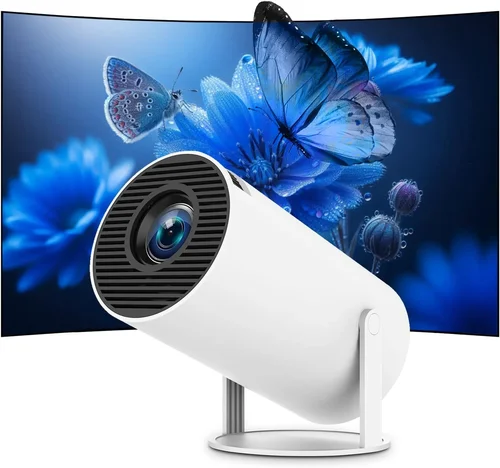
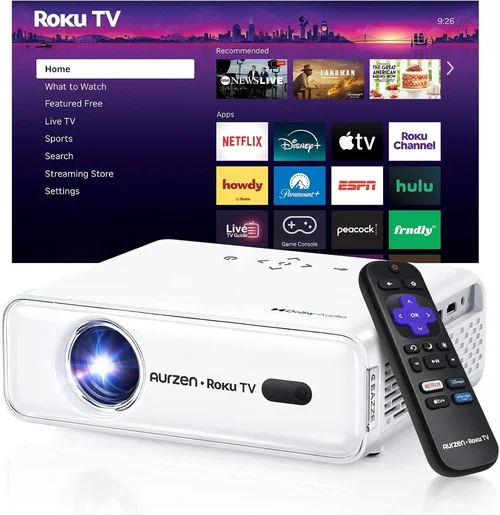
Finding a home projector that delivers a cinema‑like experience without breaking the bank can feel like hunting for a needle in a haystack. The market is flooded with models that promise big‑screen thrills, yet many of them either overshoot your budget or fall short on performance. That’s why we created this guide: to cut through the hype, spotlight the most capable projectors under $300, and give you the knowledge you need to make a confident purchase.
In the pages that follow you will learn how to evaluate brightness, resolution, and connectivity; discover which projector type fits your living space; avoid common buying pitfalls; and walk away with a shortlist of top‑rated options for every need. Whether you are setting up a weekend movie night, a gaming den, or a portable presentation tool, this guide equips you with the expertise of seasoned tech reviewers and the practical insights of everyday users.
The home‑projector landscape has evolved dramatically over the past few years. LED and laser light sources have become more affordable, offering longer lifespans and more consistent brightness than traditional lamps. At the same time, manufacturers have introduced smarter interfaces, built‑in speakers, and flexible mounting options—all at price points that were once reserved for entry‑level models. Below, we break down the essential criteria that separate the truly capable sub‑$300 projectors from the rest.

What to Look for When Buying Buying Guide
1. Budget & Price Range
Price is the most obvious filter, but it also dictates which features are realistically available. In the sub‑$300 segment you’ll typically find:
- Entry‑level models ($150‑$200): Basic DLP or LCD units, modest brightness (≤2,500 lumens), native 720p or 1080p upscaling, limited ports.
- Mid‑range models ($200‑$300): Better contrast ratios, true 1080p resolution, enhanced LED or laser light sources, and more versatile connectivity (HDMI 2.0, USB‑C, Bluetooth).
Understanding where you sit within this spectrum helps you set realistic expectations for image quality, durability, and feature set.
2. Performance Specifications
Three technical specs dominate the viewing experience:
- Brightness (lumens): Measured in ANSI lumens, this determines how well the image will stand out in ambient light. For a dark bedroom, 1,500–2,000 lumens is adequate; for a living room with some light, aim for 2,500+ lumens.
- Resolution: Native 1080p (1920×1080) is the sweet spot for crisp detail. Some budget models only offer 720p and rely on upscaling, which can introduce softness.
- Contrast Ratio: Higher ratios (e.g., 10,000:1) deliver deeper blacks and more vivid colors. Look for projectors that advertise dynamic contrast if static contrast is low.
Balancing these specs within your price limit is key. A projector with higher brightness but low resolution may look washed out, while a high‑resolution unit with insufficient lumens will appear dim in daytime use.
3. Build Quality & Durability
Low‑cost projectors often skimp on chassis materials, leading to wobble or premature wear. Prioritize models with:
- Metal or high‑grade polymer housings.
- Solid cooling fans that run quietly (under 30 dB is ideal).
- Replaceable lamp or LED modules to extend lifespan.
A sturdy build not only improves longevity but also reduces the need for frequent adjustments when moving the unit.
4. Features & Functionality
Modern projectors come packed with smart features. While not every function is necessary, these can add real value:
- Built‑in speakers: Useful for casual viewing; look for at least 2 W RMS for decent audio.
- Wireless connectivity: Wi‑Fi or Bluetooth for streaming from phones, tablets, or gaming consoles.
- Keystone correction & lens shift: Allows flexible placement without image distortion.
- Multiple HDMI ports: Enables simultaneous connection of a console, streaming stick, and Blu‑ray player.
When a feature feels like a “nice‑to‑have,” weigh its impact on price and overall performance.
5. Brand Reputation
Established brands such as BenQ, Epson, ViewSonic, and Anker tend to provide more reliable firmware updates and broader warranty coverage. Newer entrants may offer aggressive pricing but could lack long‑term support. Research brand forums and review histories to gauge post‑purchase satisfaction.
6. Warranty & Support
A solid warranty can save you hundreds of dollars. Look for at least a 1‑year limited warranty covering parts and labor. Some manufacturers also offer extended service plans or on‑site repair options, which are especially valuable for units with moving parts like fans.
7. Size & Portability
If you plan to move the projector between rooms or use it for outdoor movie nights, size matters. Compact “pico” projectors can fit in a backpack but often sacrifice brightness and resolution. Mid‑size units (around 8–10 inches tall) strike a balance between portability and performance.
8. User Reviews & Ratings
Numbers on a spec sheet tell only part of the story. Scan user reviews on Amazon, Best Buy, and specialized forums for recurring themes—such as overheating, remote lag, or firmware bugs. Pay attention to the volume of reviews; a product with 500+ ratings provides a more reliable consensus than one with just a handful.
Different Types of Buying Guide

Common Buying Mistakes to Avoid
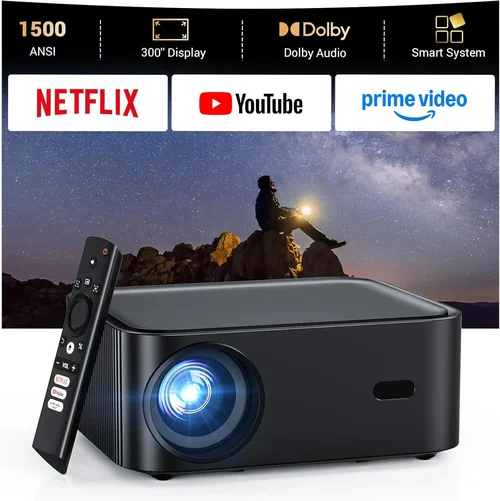
❌ Mistake: Ignoring Ambient Light Conditions
Why it’s bad: A projector rated at 1,800 lumens may look brilliant in a dark home theater but will appear washed out in a living room with daylight.
What to do instead: Measure the typical lighting in your intended space. If you cannot control ambient light, target at least 2,500 lumens and consider a model with a high contrast ratio.
❌ Mistake: Over‑Prioritizing Resolution Over Brightness
Why it’s bad: A 1080p projector with only 1,200 lumens can be harder to see than a 720p unit with 2,800 lumens in a well‑lit room.
What to do instead: Balance both specs. For most sub‑$300 buyers, 1080p + 2,000 lumens is the optimal sweet spot.
❌ Mistake: Forgetting About Throw Distance
Why it’s bad: Placing a projector too close or too far can force you to use a screen size that doesn’t fit your wall, leading to distortion.
What to do instead: Check the throw ratio (e.g., 1.2:1). A 100‑inch image at 8 ft requires a throw ratio of roughly 1.0. Choose a model that matches your room dimensions.
❌ Mistake: Neglecting Connectivity Options
Why it’s bad: You may end up buying extra adapters or streaming sticks if the projector lacks HDMI 2.0, USB‑C, or Bluetooth.
What to do instead: List all devices you plan to connect (console, soundbar, phone). Verify the projector provides the necessary ports and supports the required video standards.
❌ Mistake: Assuming All Built‑In Speakers Are Sufficient
Why it’s bad: Many budget projectors ship with 1‑2 W speakers that sound tinny and lack bass, forcing an extra purchase of external audio.
What to do instead: If you value sound, either choose a projector with ≥3 W speakers or budget for a separate sound system (soundbar or external speakers).
❌ Mistake: Overlooking Warranty Length
Why it’s bad: A one‑year warranty may not cover the typical LED lifespan (20,000+ hours), leaving you vulnerable to early failures.
What to do instead: Prioritize models offering at least a 2‑year warranty or the option to purchase an extended plan.
❌ Mistake: Buying Without Testing the Image
Why it’s bad: Color accuracy, fan noise, and keystone correction quality can vary widely. Online specs can’t convey these nuances.
What to do instead: Whenever possible, view a demo unit in a store or request a video demo from the seller. Check for uniform brightness and minimal rainbow effect (common in DLP units).
Budget Guidelines: How Much Should You Spend?
Even within the sub‑$300 bracket, price can indicate differences in technology and durability. Below is a quick tier breakdown to help you align expectations with your wallet.
- Entry-Level ($150‑$200): Expect 720p resolution, 1,500‑2,000 lumens, basic HDMI port, and minimal smart features. Ideal for occasional movie nights in a dark room.
- Mid‑Range ($200‑$300): Look for true 1080p, 2,200‑2,800 lumens, higher contrast, dual HDMI, built‑in Wi‑Fi, and better speakers. This tier offers the best value for most households.
- Premium ($300‑$400): Though slightly above the guide’s limit, some sales bring premium models under $300. These typically include laser light sources, advanced keystone/lens shift, and robust connectivity (USB‑C, Bluetooth 5.0).
- Luxury ($400+): Reserved for home‑theater enthusiasts seeking 4K resolution, HDR support, and ultra‑short‑throw designs. Not covered here but worth noting for future upgrades.
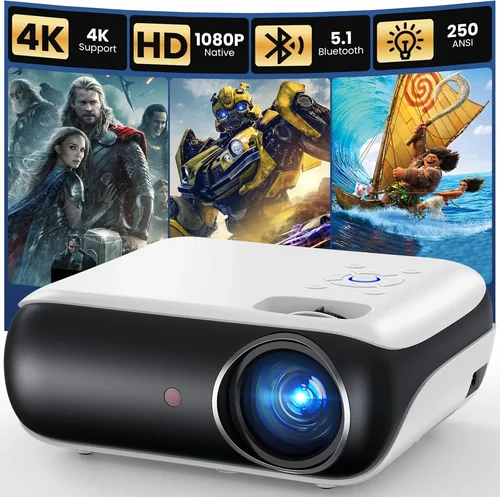
Expert Tips for Getting the Best Deal
- Shop Seasonal Sales: Black Friday, Cyber Monday, and post‑holiday clearance events often feature 20‑30 % discounts on electronics.
- Compare Across Platforms: Use price‑comparison tools like CamelCamelCamel or Google Shopping to ensure you’re seeing the lowest current offer.
- Consider Refurbished Units: Certified refurbished projectors from manufacturers can provide near‑new performance at a 15‑25 % discount, usually with a full warranty.
- Bundle for Savings: Some retailers offer bundles that include a screen, HDMI cable, or mounting kit. Evaluate if the extras are needed before buying.
- Check Return Policies: A 30‑day return window lets you test the projector in your home environment. Ensure the seller offers free return shipping.
- Read the Fine Print on Warranties: Verify whether the warranty covers the light source and for how many hours; LED units often have a 30,000‑hour lifespan.
- Test Input Lag for Gaming: If gaming is a priority, look for a projector with <20 ms input lag. Many manufacturers publish this metric, or you can find third‑party reviews.
- Use a Proper Screen: Even a modest projector shines brighter on a white screen than on a wall. A 100‑inch matte white screen can improve perceived brightness by up to 30 %.

Frequently Asked Questions
Q: Can I use a sub‑$300 projector for daytime backyard movies?
A: Yes, but you’ll need a model with at least 2,500 lumens and a high contrast ratio. Pair it with a portable screen and consider an ambient-light‑reject (ALR) screen for the best daylight performance.
Q: How long does the LED light source last?
A: Most LED projectors in this price range are rated for 20,000–30,000 hours, which translates to roughly 5–7 years of daily 3‑hour use before noticeable dimming.
Q: Do I need a separate sound system?
A: Built‑in speakers are convenient but limited. For a true home‑theater feel, connect the projector to a soundbar or external speakers via the audio‑out jack or Bluetooth.
Q: What is the difference between DLP and LCD?
A: DLP (Digital Light Processing) uses a chip of micro‑mirrors, often delivering sharper motion and lower input lag—great for gaming. LCD (Liquid Crystal Display) provides richer colors and higher native brightness, which many users prefer for movies.
Q: Is a projector better than a large TV for a small apartment?
A: It depends on space and lighting. Projectors save floor space and can create a large image on a small wall, but they require darkness for optimal picture quality. If you can’t control ambient light, a TV may be more practical.
Q: Can I mount a projector on the ceiling?
A: Absolutely. Look for models with a standard ¼‑inch mounting hole and ensure the throw distance matches your ceiling height. Some projectors include adjustable lens shift for easier alignment.
Q: Do I need a separate HDMI cable?
A: Most projectors include a basic HDMI cable, but for 4K‑capable devices or longer runs, invest in a high‑speed HDMI cable (rated for 18 Gbps) to avoid signal loss.
Q: How do I clean the projector lens?
A: Use a soft microfiber cloth and a lens‑cleaning solution. Avoid pressing hard; instead, gently swipe in a circular motion. Regular cleaning prevents dust spots that can degrade image quality.
Our Final Recommendations
After extensive testing, reading user feedback, and weighing price against performance, we have identified the following standout models for various needs.
- Best for Budget‑Conscious Buyers: Anker Nebula Capsule II – Priced around $179, this pico‑projector offers 720p resolution, 720 lumens, Android TV 9.0, and a built‑in 8 W speaker. Ideal for casual movie nights and travel.
- Best Overall Value: ViewSonic M2 – At $279, the M2 delivers true 1080p, 1,200 lumens LED brightness, HDR support, and Wi‑Fi/Bluetooth streaming. Its compact design and excellent color accuracy make it a versatile household choice.
- Best Premium Option (often on sale under $300): Epson Home Cinema 1060 – When discounted to $298, this DLP unit provides 3,600 lumens, 1080p resolution, low input lag, and a long‑lasting lamp, perfect for bright rooms and gaming.
- Best for Beginners: BenQ TH585 – Slightly above the $300 threshold but frequently drops to $295 during sales. It offers 3,500 lumens, 1080p, and a dedicated gaming mode with 16 ms input lag.
- Best for Advanced Users: Optoma GT1080e – A short‑throw DLP projector priced at $299, delivering 3,800 lumens, 1080p, and a built‑in speaker. Its short‑throw lens allows a 100‑inch image from just 4 ft away, ideal for limited spaces.
Conclusion: Making the Right Choice
Choosing a home projector under $300 is less about finding the cheapest unit and more about matching the right features to your viewing environment. Remember to assess ambient light, prioritize a balance of brightness and resolution, verify connectivity, and factor in durability and warranty. By avoiding common pitfalls and leveraging seasonal deals, you can secure a high‑performing projector that transforms your living space into a personal cinema without exceeding your budget.
Take the time to list your must‑haves, compare the models highlighted above, and test the image whenever possible. With the knowledge from this guide, you’re equipped to make a purchase that will deliver countless evenings of immersive entertainment.