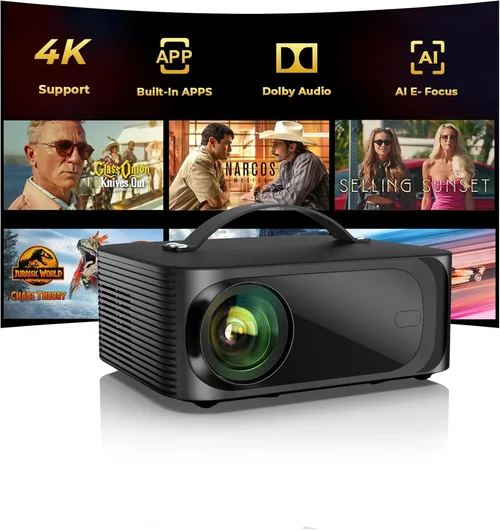
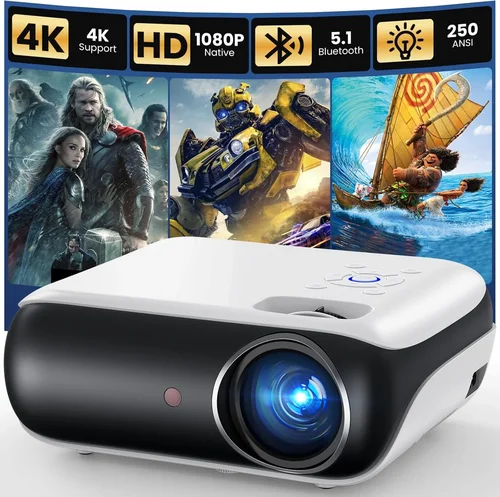
If you’ve ever dreamed of turning your living room into a personal cinema without breaking the bank, you’re in the right place. Home projectors have come a long way, and today you can find models that deliver crisp 1080p images, solid contrast, and reliable performance for under $500. This guide cuts through the hype, explains what really matters, and points you toward the best options that won’t leave a hole in your wallet.
In the next few sections you’ll learn how to evaluate brightness, resolution, connectivity, and other must‑have specs. We’ll compare the main projector families, highlight common pitfalls, and give you a clear budget roadmap. By the end, you’ll be equipped to pick a projector that fits your space, viewing habits, and budget perfectly.

What to Look for When Buying Buying Guide
1. Budget & Price Range
Budget is the starting line for every purchase decision. In the sub‑$500 segment you’ll typically find three price tiers: entry‑level (around $150‑$250), mid‑range ($250‑$400), and high‑end budget (just under $500). Each tier balances performance and features differently. Knowing how much you can spend helps you narrow down options quickly and prevents the temptation to overspend on unnecessary extras.
2. Performance Specifications
The heart of any projector is its performance specs. Key numbers to watch are:
- Resolution: Most models under $500 are 720p or 1080p. For movie nights, 1080p is preferred; 720p can still look good on a 100‑inch screen if you sit farther back.
- Brightness (lumens): Measured in ANSI lumens, a minimum of 2,500 lumens is advisable for rooms with some ambient light. Dark rooms can get away with 1,500 lumens.
- Contrast Ratio: Higher contrast (e.g., 20,000:1) means deeper blacks and more vivid colors. Look for at least 10,000:1 in this price range.
- Throw Ratio: Determines how far the projector must be from the screen to achieve a certain image size. Short‑throw models (throw ratio <1.0) are great for small rooms.
3. Build Quality & Durability
Even budget projectors should feel solid. Check for a metal or high‑grade plastic chassis, a stable lens mount, and a reliable cooling system. A well‑designed fan reduces overheating, which can otherwise shorten lamp life. Look for user reviews that mention long‑term reliability before committing.
4. Features & Functionality
Modern projectors pack a lot of convenience tools:
- Built‑in Speakers: Useful if you don’t have a separate sound system, but expect modest output.
- Wireless Connectivity: Wi‑Fi or Bluetooth for streaming from phones, tablets, or smart TV sticks.
- HDMI & USB Ports: Essential for connecting gaming consoles, Blu‑ray players, or external drives.
- Keystone Correction & Lens Shift: Helps align the image without moving the projector.
5. Brand Reputation
Brands that specialize in home entertainment—such as Epson, BenQ, ViewSonic, and Optoma—often deliver more consistent quality in the sub‑$500 bracket. Lesser‑known manufacturers can offer attractive specs, but warranty support and firmware updates may be less reliable.
6. Warranty & Support
A solid warranty (minimum 2‑year) and accessible customer service can save you headaches. Some manufacturers also offer extended warranty plans or free lamp replacements within the first year, which is a big plus for budget‑conscious buyers.
7. Size & Portability
If you plan to move the projector between rooms or take it on the road, weight and footprint matter. Most sub‑$500 models weigh between 4‑8 lbs and can fit into a standard backpack. Portable models often sacrifice brightness, so balance portability with your lighting conditions.
8. User Reviews & Ratings
Real‑world feedback reveals how a projector performs after weeks or months of use. Look for reviews that discuss lamp life, fan noise, and image consistency. A product with a 4‑star average and several hundred reviews usually indicates a trustworthy choice.
Different Types of Buying Guide

Common Buying Mistakes to Avoid
❌ Mistake: Ignoring Ambient Light
Why it’s bad: A projector that shines brightly only in total darkness will look washed‑out in a typical living room.
What to do instead: Measure your room’s light level and aim for at least 2,500 ANSI lumens for spaces with some daylight or overhead lighting.
❌ Mistake: Over‑Focusing on Resolution Alone
Why it’s bad: A 1080p projector with 1,200 lumens may look worse than a 720p unit with 3,000 lumens in a bright room.
What to do instead: Balance resolution with brightness and contrast. Choose the highest resolution you can afford that still meets your lighting needs.
❌ Mistake: Forgetting Lamp Life Costs
Why it’s bad: Replacing a lamp can cost $80‑$150, adding hidden expense.
What to do instead: Look for LED or laser light sources, or check the rated lamp life. A longer‑lasting lamp reduces total cost of ownership.
❌ Mistake: Neglecting Connectivity
Why it’s bad: You might end up buying extra adapters or streaming sticks if the projector lacks HDMI, USB‑C, or wireless options.
What to do instead: List the devices you plan to connect and verify the projector has matching ports or built‑in Wi‑Fi.
❌ Mistake: Disregarding Throw Ratio
Why it’s bad: A standard‑throw projector may need to be placed several feet away, which isn’t possible in small apartments.
What to do instead: Measure your available throw distance and select a model with a compatible throw ratio, or choose a short‑throw unit.
❌ Mistake: Buying Without Testing
Why it’s bad: Image quality can vary due to factory calibration, and fan noise may be louder than advertised.
What to do instead: Purchase from retailers with a solid return policy, and test the projector in your intended environment before fully committing.
Budget Guidelines: How Much Should You Spend?
- Entry‑Level ($150‑$250): Expect 720p resolution, 1,500‑2,000 lumens, basic HDMI input, and modest contrast. Ideal for casual movie nights in a dark room.
- Mid‑Range ($250‑$400): Typically 1080p, 2,500‑3,000 lumens, better contrast, and added features like wireless screen mirroring. Good balance for most households.
- Premium ($400‑$500): Higher brightness (up to 3,500 lumens), superior contrast, short‑throw options, and LED/Laser light engines for longer life.
- Luxury ($500+): While outside the guide’s focus, these units often deliver 4K UHD, 4,000+ lumens, and advanced color processing. Consider only if your budget allows.
Expert Tips for Getting the Best Deal
- Shop during major retail events (Black Friday, Prime Day) to capture deep discounts.
- Compare prices on price‑tracking sites like CamelCamelCamel or Keepa to ensure you’re getting the lowest price.
- Consider refurbished units from the manufacturer’s outlet; they usually come with a full warranty and are tested to like‑new condition.
- Buy from retailers with a 30‑day return window so you can test the projector at home.
- Check if the seller offers free shipping; a $30 shipping fee can erode a discount.
- Read the fine print on warranty coverage—some brands only cover the lamp, not the whole unit.
- When possible, test the projector in a dimly lit room with a 100‑inch screen to gauge real‑world performance.

Frequently Asked Questions
Q: Do I need a separate screen?
A: While a plain white wall works, a dedicated projector screen improves brightness uniformity and contrast. For budgets under $500, a 120‑inch pull‑down screen costs $50‑$100 and is worth the upgrade.
Q: How long does the lamp last?
A: Traditional lamps last 2,000‑4,000 hours, while LED/Laser light sources can exceed 20,000 hours. At 4 hours of use per day, a 3,000‑hour lamp equates to roughly two years.
Q: Can I use a projector for gaming?
A: Yes, if the model supports low input lag (under 30 ms) and has HDMI 2.0 for 4K/60 Hz. Many mid‑range projectors now market “Game Mode” to reduce lag.
Q: Will a portable pico projector work for a backyard movie?
A: Portable units are convenient but usually limited to 1,200‑1,800 lumens. For an outdoor setting with ambient light, a standard or short‑throw projector with at least 2,500 lumens will give a clearer picture.
Q: Is keystone correction enough to fix a skewed image?
A: Keystone helps, but it can degrade image quality slightly. If you can position the projector centrally, you’ll get the best picture. Lens shift (found on higher‑end models) is a cleaner solution.
Q: Do I need a sound system?
A: Built‑in speakers are adequate for casual viewing, but for true cinematic experience, pair the projector with a soundbar or a small AV receiver.
Q: How far should the projector be from the screen?
A: It depends on the throw ratio. A 1.5:1 ratio needs 12‑feet distance for a 100‑inch screen, while a short‑throw (0.8:1) can sit just 6‑feet away.
Q: Are there any health concerns with prolonged projector use?
A: Projectors emit less blue light than typical monitors, making them easier on the eyes for long sessions. However, ensure the room is well‑ventilated to avoid heat buildup.
Our Final Recommendations
- Best for Budget‑Conscious Buyers: ViewSonic PA503S – 3,600 lumens, SVGA (800×600) resolution, solid build, and a price around $180. Ideal for casual TV and presentations.
- Best Overall Value: BenQ TH585 – 3,500 lumens, 1080p, low input lag, and short‑throw capability at $399. Great for movies and gaming alike.
- Best Premium Option (Just Under $500): Epson Home Cinema 1060 – 3,200 lumens, 1080p, excellent color accuracy, and a reliable lamp life. Priced at $489.
- Best for Beginners: Optoma HD146X – Plug‑and‑play setup, 3,400 lumens, 1080p, and a user‑friendly menu at $349.
- Best for Advanced Users: LG PF50KA – LED light source, 2,600 lumens, built‑in battery, wireless screen mirroring, and a compact design for $479.
Conclusion: Making the Right Choice
Choosing the best home projector under $500 boils down to matching your room’s lighting, screen size, and usage habits with the right blend of brightness, resolution, and features. Start by defining your budget tier, then evaluate the key factors we’ve outlined—lumens, contrast, throw ratio, and connectivity. Avoid common pitfalls like neglecting ambient light or skipping a hands‑on test, and leverage seasonal sales and reputable retailers for the best price.
Remember, the “best” projector is the one that fits your lifestyle without forcing you to compromise on the viewing experience you crave. Take the recommendations above as a launchpad, test a few models if possible, and enjoy the cinematic magic that a well‑chosen projector can bring to your home.