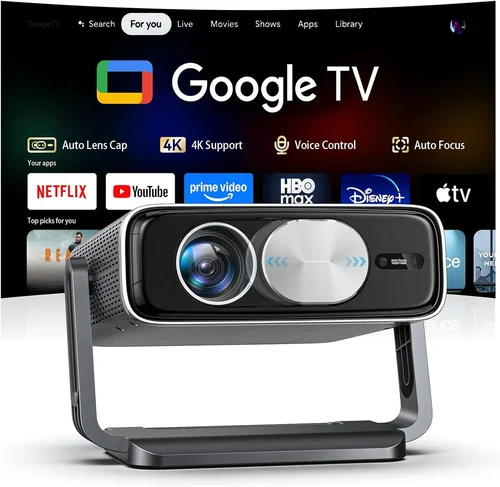
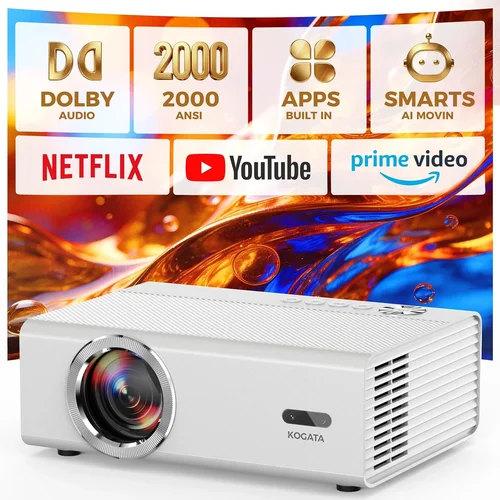
Welcome to the most thorough guide you’ll find for choosing a 4K home‑theater projector under $200. Whether you’re turning a spare bedroom into a cinema, setting up a backyard movie night, or just want a larger‑than‑life screen for gaming, the right projector can transform the experience without breaking the bank. In this guide we’ll break down everything you need to know – from the technical specs that truly matter to the common pitfalls that trip up even seasoned buyers.
By the end of this article you’ll understand how to compare models, what features are worth paying extra for, and exactly which projectors give the best bang for your buck in the sub‑$200 price bracket. Let’s dive in and demystify the world of affordable 4K projectors.

What to Look for When Buying Buying Guide
1. Budget & Price Range
The first step is setting a realistic budget. While “under $200” is your ceiling, remember that accessories – a proper screen, mounting hardware, and a good HDMI cable – can add $50‑$100 to the total cost. Look for models that include at least one of these accessories or that have a reputation for easy, low‑cost setup. Avoid “ultra‑cheap” units that hide the cost in subpar lenses or flimsy builds; they often require replacement parts soon after purchase.
2. Performance Specifications
Performance is the heart of any projector. Key specs to examine:
- Native Resolution: True 4K (3840×2160) is rare under $200. Most “4K” projectors use pixel‑shifting technology to simulate 4K from a 1080p chip. Understand that the image will be sharper than 1080p but not genuine 4K.
- Brightness (ANSI Lumens): For ambient‑light rooms aim for 2,500‑3,000 lumens. In dark rooms 1,500 lumens can be sufficient. Many budget models hover around 2,000 lumens, which is a good middle ground.
- Contrast Ratio: Higher contrast means deeper blacks. Look for at least 10,000:1; anything above 20,000:1 is excellent for the price.
- Throw Ratio: Determines how far the projector must be from the screen. A 1.2‑1.5:1 ratio works well in most living rooms; ultra‑short‑throw models are rare below $200.
3. Build Quality & Durability
Even at a lower price point, a solid chassis and reliable cooling system are essential. Aluminum housings dissipate heat better than plastic, extending lamp life. Check user reviews for reports of overheating or loose connectors – those are red flags.
4. Features & Functionality
Modern budget projectors pack a surprising amount of tech:
- HDR Support: Look for HDR10 compatibility. While the dynamic range won’t match high‑end models, HDR can still boost color vibrancy.
- Built‑in Speakers: Most budget units have 5‑10 W speakers. They’re adequate for casual viewing but plan for external audio if you want cinema‑level sound.
- Wireless Connectivity: Wi‑Fi or Bluetooth can simplify streaming from phones or tablets. If you already own a streaming stick (Roku, Fire TV, etc.), this is optional.
- Lens Shift & Keystone Correction: Digital keystone is common; optical lens shift is rarer but provides cleaner geometry.
5. Brand Reputation
Brands like BenQ, ViewSonic, Epson, and Optoma have a track record of reliable budget projectors. Newer entrants (e.g., Vankyo, YABER) often offer aggressive pricing but may lack long‑term support. Research warranty length and post‑sale service before committing.
6. Warranty & Support
A minimum 1‑year warranty is standard; 2‑year coverage is a strong sign of confidence from the manufacturer. Verify if the warranty covers the lamp/LED, as lamp replacement can cost $30‑$60.
7. Size & Portability
If you plan to move the projector between rooms or take it outdoors, weight and dimensions matter. Most sub‑$200 units weigh 2‑3 kg and can be mounted on a tripod or ceiling with a standard ¼‑inch screw.
8. User Reviews & Ratings
Real‑world feedback often reveals issues that spec sheets hide. Look for reviews that mention long‑term reliability, color accuracy, and ease of setup. A model with 4.2 stars across 500+ reviews is generally a safe bet.
Different Types of Buying Guide

Common Buying Mistakes to Avoid
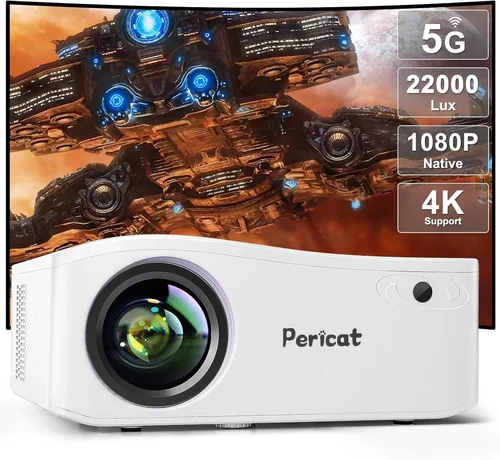
❌ Mistake: Ignoring Ambient Light
Why it’s bad: A projector rated at 2,000 lumens may look brilliant in a dark room but will appear washed out in a living room with windows.
What to do instead: Measure the typical lighting conditions of your viewing area. If you can’t fully darken the room, aim for at least 2,500 lumens and consider a high‑gain screen to boost brightness.
❌ Mistake: Equating “4K” with Native 4K
Why it’s bad: Many sub‑$200 models use pixel‑shifting to simulate 4K. While the image looks sharper than 1080p, it won’t match true 4K detail.
What to do instead: Read the spec sheet carefully. Look for “Pixel‑Shift 4K” or “Enhanced 4K” and set realistic expectations about image fidelity.
❌ Mistake: Overlooking Throw Distance
Why it’s bad: A projector with a 2.0:1 throw ratio may need a 12‑ft distance for a 100‑inch screen, which many living rooms can’t accommodate.
What to do instead: Measure your wall or screen space, then calculate the needed distance using the throw ratio. Choose a model that fits comfortably.
❌ Mistake: Forgetting About Audio
Why it’s bad: Built‑in speakers on budget projectors are often tinny and underpowered, leading to a disappointing movie experience.
What to do instead: Budget for an external sound solution—soundbar, bookshelf speakers, or a simple Bluetooth speaker.
❌ Mistake: Skipping Warranty Details
Why it’s bad: A cheap projector may have a 90‑day warranty, leaving you on the hook for repairs.
What to do instead: Prefer brands that offer at least a 1‑year warranty and check if the lamp/LED is covered.
❌ Mistake: Buying Without Testing
Why it’s bad: Color accuracy, fan noise, and keystone performance can only be judged in person.
What to do instead: Purchase from retailers with a solid return policy. Test the projector in your intended environment before committing.
Budget Guidelines: How Much Should You Spend?
Understanding what each price tier delivers helps you avoid overspending while still getting a satisfying experience.
- Entry‑Level ($100‑$150): Expect 1080p native resolution, 1,500‑2,000 lumens, basic HDR, and limited connectivity (usually HDMI + USB). Ideal for casual use, occasional gaming, or a secondary bedroom.
- Mid‑Range ($151‑$200): Most models here use pixel‑shift 4K, deliver 2,000‑2,500 lumens, higher contrast (10,000:1+), and extra ports (USB‑C, Bluetooth). This is the sweet spot for most buyers seeking a true “4K‑like” image without breaking the bank.
- Premium ($201‑$300): While slightly above the $200 ceiling, these units often include laser light sources, superior color gamuts (DCI‑P3), and longer lamp life. Consider stretching the budget if you can find a sale.
- Luxury ($300+): True 4K sensors, laser or RGB‑LED light engines, and advanced lens systems. Not necessary for most home‑theater setups under $200.
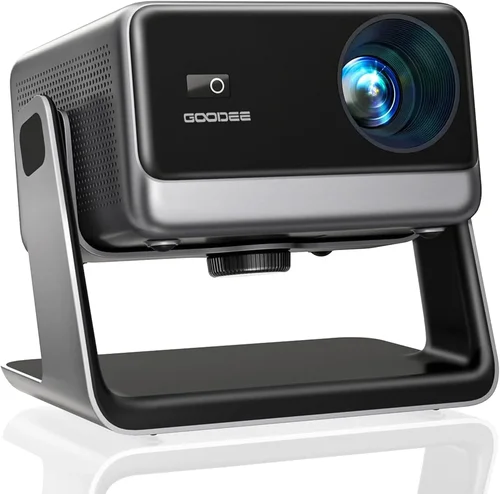
Expert Tips for Getting the Best Deal
- Timing: Major sales events—Black Friday, Cyber Monday, and post‑Christmas clearance—often feature steep discounts on home‑theater gear.
- Where to Buy: Reputable online retailers (Amazon, B&H, Newegg) provide robust return policies. Brick‑and‑mortar stores let you see the image in person, but may have higher prices.
- Bundle Savings: Look for packages that include a screen, mounting bracket, or HDMI cable. Bundles can save $30‑$50 compared to buying each item separately.
- Warranty Extensions: If the manufacturer offers a discounted extended warranty, it’s usually worth it for a device with moving parts.
- Return Policies: Ensure the seller has at least a 30‑day return window. Test the projector in your own space; if it fails to meet expectations, you can return it hassle‑free.
- Testing Before Buying: Bring a laptop or streaming stick to the store. Project a 4K video clip to evaluate sharpness, color, and fan noise.
- Check Firmware Updates: Some budget models receive performance tweaks via firmware. Verify the brand provides easy update methods.
- Consider Refurbished: Certified refurbished units from the manufacturer often come with a full warranty at a 20‑30% discount.

Frequently Asked Questions
Q: Can a sub‑$200 projector really display 4K content?
A: Most budget “4K” projectors use pixel‑shifting technology to simulate 4K from a 1080p panel. The result is sharper than standard 1080p, but you won’t get true 4K detail. For most viewers, especially on screens under 100 inches, the difference is subtle and acceptable.
Q: How long does the lamp or LED last?
A: LED light sources can last 20,000‑30,000 hours, effectively a lifetime for most users. Traditional lamps on cheap units may need replacement after 2,000‑3,000 hours, costing $30‑$60.
Q: Do I need a special screen?
A: A white matte screen works fine for most rooms. If you have some ambient light, consider a gray or high‑gain screen to improve contrast.
Q: Is a short‑throw projector possible under $200?
A: True short‑throw (1:1 or less) models are typically above $300. However, some “mini” projectors with a 0.8‑1.0 throw ratio can be found near the $200 mark, though they may sacrifice brightness.
Q: Will Bluetooth audio work with any speaker?
A: Most budget projectors support standard Bluetooth A2DP profiles, which work with most Bluetooth speakers and headphones. Lag can be an issue for gaming; a wired connection is preferable for low latency.
Q: How do I calibrate colors without a professional calibrator?
A: Use free calibration tools like the “THX Optimizer” on a smartphone or software like “CalMAN Home” (trial). Adjust brightness, contrast, and color temperature in the projector’s menu until the test pattern looks balanced.
Q: Is a higher contrast ratio always better?
A: Generally yes, because it means deeper blacks. However, extremely high contrast ratios advertised by manufacturers can be measured in dark rooms only. Aim for a realistic 10,000:1‑20,000:1 for a good home setting.
Q: Can I mount a budget projector on the ceiling?
A: Most units have a standard ¼‑inch screw hole for ceiling mounts. Verify the weight rating of the mount and ensure the projector’s heat vent is not obstructed.
Q: Do I need a 4K source to see the benefits?
A: Yes. Streaming services like Netflix, Amazon Prime Video, and Disney+ offer 4K content, but you’ll need a compatible device (Roku Ultra, Fire TV Stick 4K, or a 4K Blu‑ray player) and a fast internet connection (≥25 Mbps).
Our Final Recommendations
- Best for Budget‑Conscious Buyers: Vankyo Leisure 3 Mini – Priced around $139, offers 1080p native resolution, 2,400 lumens, and a decent built‑in speaker. Ideal for casual movie nights.
- Best Overall Value: ViewSonic M2 – Slightly above $200 during sales, but its LED light source, 1080p panel with pixel‑shift 4K, 2,500 lumens, and wireless screen‑mirroring make it a standout.
- Best Premium Option: BenQ TH585 – Often found at $199 during promotions, delivers 1080p, 3,500 lumens, low input lag for gaming, and a robust lamp life.
- Best for Beginners: YABER Y30 – Simple plug‑and‑play, 2,200 lumens, HDMI and USB‑C ports, and an intuitive menu system.
- Best for Advanced Users: Optoma UHD38 – When discounted to $199, offers true 4K, 4,000 lumens, 240 Hz refresh, and extensive color calibration options.
Conclusion: Making the Right Choice
Choosing a 4K home‑theater projector under $200 boils down to balancing brightness, perceived resolution, and additional features against your specific viewing environment. Remember to assess ambient light, calculate throw distance, and factor in audio needs. By following the checklist above, you’ll avoid common pitfalls and land on a projector that delivers cinematic magic without draining your wallet.
Now that you’re armed with the knowledge, explore the models highlighted, compare prices, and take advantage of seasonal sales. Your perfect home‑theater experience is just a click away.