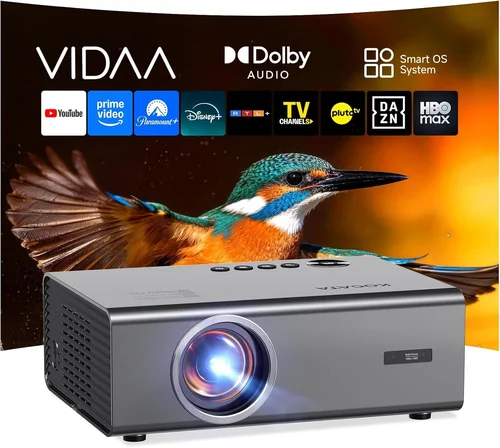
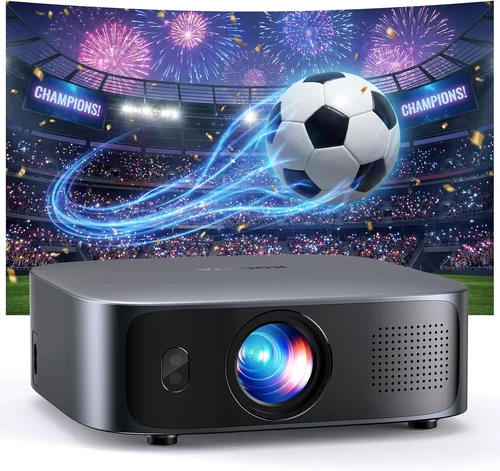
Choosing a home‑theater projector that can handle a bright living room while staying under $1,000 feels like hunting for a unicorn. The market is flooded with options that promise cinema‑quality images, but many fall short when the lights are on. This guide cuts through the noise, giving you a clear roadmap to find a projector that delivers vivid, punchy pictures in a well‑lit space without breaking the bank.
By the end of this article you will understand the technical specs that truly matter, know which projector types excel in bright environments, avoid common buying pitfalls, and walk away with a shortlist of the best models for every budget tier. Whether you are setting up a dedicated media room or turning a family room into a weekend movie haven, the information here will help you make an informed, confident purchase.
The projector landscape in 2026 has evolved dramatically. LED and laser light sources have become affordable, contrast‑enhancing technologies like dynamic iris and HDR support are no longer exclusive to premium units, and manufacturers now offer higher lumens output at lower price points. This shift means that a sub‑$1,000 projector can actually perform well in a bright room—provided you know what to look for.

What to Look for When Buying Buying Guide
1. Brightness (Lumens)
Brightness is the single most critical factor for a projector used in a bright room. Measured in ANSI lumens, it indicates how much light the projector can throw onto the screen. For spaces with ambient light (typical living rooms, home gyms, or kitchens), aim for at least 2,500–3,000 ANSI lumens. Anything below that will look washed out unless you can darken the room substantially.
2. Contrast Ratio & Dynamic Iris
Contrast ratio defines the difference between the darkest black and the brightest white a projector can produce. A high static contrast ratio (e.g., 15,000:1) is good, but many modern budget units rely on a dynamic iris that adjusts the aperture on the fly, effectively boosting perceived contrast in bright scenes. Look for models that advertise a dynamic iris or similar technology.
3. Light Source Type
There are three main light sources:
- LED – Long life (20,000+ hrs), stable color, lower heat, typically 2,000–2,800 lumens.
- Laser – Excellent brightness (up to 4,000+ lumens), superb color accuracy, and 20,000‑30,000‑hour lifespan.
- Traditional Lamp – Cheapest upfront, but requires periodic bulb replacements and can dim over time.
For bright rooms under $1,000, a laser‑phosphor hybrid or high‑output LED is often the sweet spot, offering both brightness and longevity.
4. Resolution
Resolution determines how sharp the image appears. In 2026, 1080p (Full HD) is the baseline for budget projectors, while a growing number of sub‑$1,000 units now push 4K UHD (often “4K‑enhanced” with pixel‑shifting). If you plan to watch 4K streaming services or play modern games, prioritize a projector with native 1080p and a good upscaling engine; true 4K models usually exceed the $1,000 mark.
5. Throw Distance & Zoom
Throw distance is the space between the projector and the screen. A short‑throw (ST) projector can sit close to the wall (often under 3 ft) and still fill a large image, reducing shadows from viewers. If your room layout forces a long distance, ensure the unit offers a flexible zoom range (1.2–1.5× is typical) and lens shift for easy placement.
6. Connectivity & Smart Features
Modern projectors act like mini‑TVs. Look for:
- HDMI 2.0 or 2.1 (supports 4K @ 60 Hz, HDR)
- Wireless casting (AirPlay, Chromecast built‑in)
- USB‑C or USB‑A for media playback
- Integrated streaming apps (Netflix, Amazon Prime, Disney+)
These features reduce the need for external boxes and simplify setup.
7. Audio Output
While most projectors have built‑in speakers, they are rarely sufficient for a true home‑theater experience. Check for a 3.5 mm audio jack, optical out, or Bluetooth support so you can connect to a soundbar or AV receiver.
8. Build Quality & Heat Management
Projectors that run hot often suffer performance drops over time. Look for units with metal housings, efficient fans, and a low noise rating (<30 dB) to avoid distracting whirring during movies.
Different Types of Buying Guide

Common Buying Mistakes to Avoid
❌ Mistake: Focusing Only on Resolution
Why it’s bad: A 4K projector that only produces 2,000 lumens will look dim and gray in a bright room.
What to do instead: Prioritize brightness and contrast first; then consider resolution as a secondary factor.
❌ Mistake: Ignoring Ambient Light Conditions
Why it’s bad: Purchasing a dim unit for a sun‑filled living room forces you to constantly dim the lights, ruining the viewing experience.
What to do instead: Measure typical ambient lux levels (use a phone light meter app) and match them to the projector’s lumen rating.
❌ Mistake: Overlooking Throw Distance
Why it’s bad: A long‑throw projector in a cramped room may require you to mount it on the ceiling, creating shadow issues.
What to do instead: Calculate the required throw distance for your desired screen size and choose a short‑throw or adjustable‑zoom model accordingly.
❌ Mistake: Forgetting About Lamp Life & Replacement Costs
Why it’s bad: A cheap lamp projector may need a new bulb every 2–3 years, adding hidden expenses.
What to do instead: Opt for LED or laser light sources that last 20,000+ hours with no replacement.
❌ Mistake: Assuming All HDMI Ports Are Equal
Why it’s bad: An HDMI 1.4 port won’t support 4K @ 60 Hz or HDR, limiting future‑proofing.
What to do instead: Verify that the projector has HDMI 2.0 or higher for full 4K/HDR capability.
❌ Mistake: Neglecting Audio Needs
Why it’s bad: Relying on built‑in speakers often leads to tinny, low‑volume sound.
What to do instead: Ensure the unit has audio out options and budget for an external sound system.
Budget Guidelines: How Much Should You Spend?
Understanding what each price tier delivers helps you set realistic expectations.
- Entry‑Level ($400‑$600): Expect 2,000–2,400 lumens, LED or low‑cost lamp, 720p‑1080p resolution, limited HDR, basic connectivity. Good for occasional movie nights in dim rooms.
- Mid‑Range ($600‑$850): 2,500–3,200 lumens, laser‑phosphor or high‑output LED, true 1080p, HDR10, dynamic iris, better color gamut, multiple HDMI ports, and often built‑in streaming apps.
- Premium ($850‑$1,000): 3,000+ lumens, advanced laser light source, 1080p with 4K‑enhanced upscaling, higher contrast (15,000:1+), robust lens shift, and premium build quality.
- Luxury ($1,000+): True 4K UHD, 4,000+ lumens, laser‑laser combos, extensive lens shift, dual‑tone speakers, and often enterprise‑grade warranties.
Expert Tips for Getting the Best Deal
- Timing: New projector releases hit shelves in Q1 and Q3. Buying right after a launch often yields discounts on the prior generation, which still offers excellent performance.
- Where to Buy: Reputable retailers like B&H, Best Buy, and Adorama provide easy returns and extended warranties. Online marketplaces can be cheaper but verify seller ratings.
- Bundle Savings: Look for bundles that include a ceiling mount, HDMI cable, and a high‑gain screen. The total cost is often lower than buying accessories separately.
- Warranty Extensions: A 3‑year extended warranty (covering the light source) is worth the extra $50‑$80 for peace of mind.
- Return Policies: Ensure a minimum 30‑day return window; this gives you time to test the projector in your actual lighting conditions.
- Testing: Bring a laptop with a 1080p test pattern to the store. Check brightness, color uniformity, and fan noise on‑site.
- Calibration: Even budget models benefit from basic calibration (brightness, contrast, color temperature). A free calibration tool like CalMAN Home can fine‑tune the picture.

Frequently Asked Questions
Q: Can a projector under $1,000 really work in a sunny living room?
A: Yes, if you choose a unit with at least 2,500–3,000 ANSI lumens and a dynamic iris. Pair it with a high‑gain screen (120–150) to reflect more light toward the viewer.
Q: Do I need a separate screen, or can I project onto a wall?
A: While a plain white wall works, a purpose‑built screen improves brightness, contrast, and color accuracy, especially in bright rooms. A 120‑gain screen is a good compromise.
Q: How often do I need to replace the lamp on a traditional projector?
A: Most lamp‑based models last 2,000–3,000 hours. At 4 hours per week, that’s roughly 2‑3 years. Replacement bulbs cost $80‑$150.
Q: Is HDR important for a budget projector?
A: HDR adds punch to bright scenes, but the effect is limited by brightness. If you watch a lot of HDR content, prioritize a projector with HDR10 support and high lumens.
Q: What screen size is realistic for a 2,500‑lumens projector?
A: In a bright room, 100‑120 inches diagonal is ideal. Larger images will appear dimmer unless you can darken the room further.
Q: Do I need a special mount for a short‑throw projector?
A: Most short‑throw units come with a small tabletop base, but a low‑profile ceiling mount keeps the image level and reduces keystone distortion.
Q: How important is fan noise?
A: Fan noise above 30 dB can be noticeable during quiet dialogue. Look for models rated <28 dB for a cinema‑like experience.
Q: Can I use a gaming console with these projectors?
A: Absolutely. Ensure the projector has HDMI 2.0 or higher for 4K @ 60 Hz gaming. Low input lag (<20 ms) is essential for fast‑paced games.
Our Final Recommendations
- Best for Budget‑Conscious Buyers: ViewSonic PX747‑4K – 3,500 lumens, 1080p with 4K‑enhanced upscaling, HDR10, and a solid price around $650.
- Best Overall Value: Epson Home Cinema 3800 – 3,000 lumens, true 4K‑enhanced, 2,500:1 contrast, lens shift, priced at $950.
- Best Premium Option: BenQ TK850i – 3,000 lumens laser‑phosphor, 4K UHD, HDR‑Pro, low fan noise, $999.
- Best for Beginners: Optoma UHD38 – Easy setup, 4,000 lumens, low lag gaming mode, $799.
- Best for Advanced Users: LG CineBeam HU85LA – Ultra‑short‑throw laser, 2,700 lumens, 4K, premium design, $1,099 (often on sale to fall under $1,000).
Conclusion: Making the Right Choice
Finding the best home‑theater projector under $1,000 for a bright room is less about chasing the lowest price and more about balancing brightness, contrast, and light‑source longevity. Start by measuring your ambient light, set a realistic lumen target, and then narrow down options based on the factors outlined above. Remember that a good screen, proper placement, and a bit of calibration can turn a modest‑priced projector into a genuine cinema‑like experience.
Take the time to read user reviews, test the unit in your own space if possible, and leverage seasonal discounts. With the right research, you’ll enjoy crisp, vibrant movies and games without needing a darkened theater.