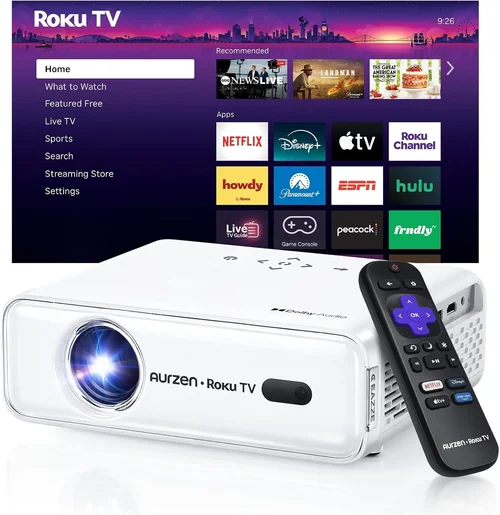
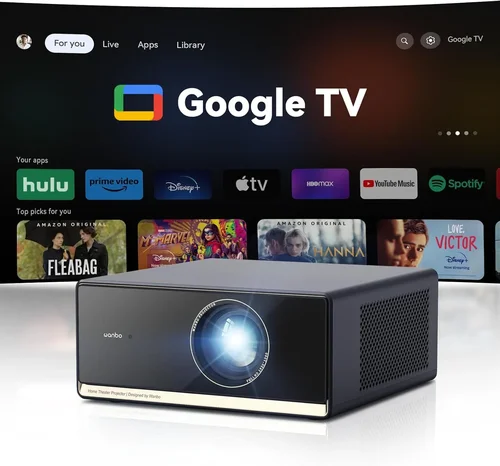
Choosing a home‑theater projector can feel like stepping into a maze of specs, brands, and price tags. With a budget of under $1,000, you’re not looking for a cinema‑grade beast, but you still want crisp images, reliable performance, and a set‑up that won’t make you pull your hair out. This guide cuts through the noise, showing you exactly what to look for, where to save, and which models consistently deliver the best bang for your buck.
By the end of this article you will understand the most important technical specs, know which projector type fits your room, avoid common buying pitfalls, and walk away with a shortlist of top‑rated options that won’t break the bank. Whether you’re a movie‑lover, a gamer, or someone who simply wants a big‑screen experience for family nights, we’ve got you covered.

What to Look for When Buying Buying Guide
1. Budget & Price Range
Sticking to a sub‑$1,000 budget forces you to prioritize. Some manufacturers pack premium features into lower‑priced units, while others trim the basics to hit a price point. Know the absolute maximum you’re willing to spend, then allocate portions of that budget to the specs that matter most to you—luminosity, contrast, or connectivity. Remember that accessories (screen, mounting brackets, cables) can add $100‑$200, so factor those in early.
2. Performance Specifications
Three specs dominate projector performance: brightness (lumens), contrast ratio, and resolution. For a dimly lit home theater, 1,800‑2,500 lumens is usually enough. If you plan to use the projector in a brighter living room, aim for 2,500+ lumens. Contrast ratio determines how deep the blacks appear; a ratio of at least 10,000:1 is desirable for cinematic depth. Finally, 1080p (Full HD) is the sweet spot under $1,000, while 4K UHD models are rare and often require a trade‑off in brightness.
3. Build Quality & Durability
Projectors are mechanical devices with moving parts (color wheels, fans). Look for robust housings, metal lens barrels, and reliable cooling systems. A well‑built projector will stay quiet and maintain performance over years of use. Reading user reviews for long‑term reliability can save you from a premature replacement.
4. Features & Functionality
Modern projectors come with a suite of extras: built‑in speakers, wireless HDMI, Bluetooth, and smart‑OS platforms (Android TV, Roku, etc.). While these can simplify your setup, they also add cost. Decide whether you need a built‑in streaming platform or if you’ll use an external device like a Roku stick. Lens shift, keystone correction, and zoom are valuable for flexible placement.
5. Brand Reputation
Brands such as Epson, BenQ, Optoma, and ViewSonic have a proven track record in the sub‑$1,000 segment. They tend to offer solid warranties, accessible firmware updates, and widespread service centers. Newer brands may offer aggressive pricing, but consider after‑sales support before committing.
6. Warranty & Support
A minimum one‑year warranty is standard; three years is ideal for peace of mind. Check what the warranty covers—lamp life, parts, labor—and whether you can extend it affordably. Good customer support (live chat, phone, forums) can make troubleshooting far less stressful.
7. Size & Portability (if applicable)
If you plan to move the projector between rooms or take it to a friend’s house, size and weight matter. Portable pico‑projectors are lightweight but usually lack the brightness needed for a true home theater. A mid‑size unit (around 5‑7 lbs) strikes a balance between portability and performance.
8. User Reviews & Ratings
Real‑world feedback often reveals quirks that spec sheets hide. Look for consistent praise (e.g., “stable color performance”) and recurring complaints (e.g., “fan noise at high brightness”). A high average rating with a large number of reviews is a good indicator of overall satisfaction.
Different Types of Buying Guide

Common Buying Mistakes to Avoid
❌ Mistake: Ignoring Ambient Light
Why it’s bad: A projector rated at 2,000 lumens will look great in a dark room but will appear washed‑out in a living room with windows.
What to do instead: Measure the typical light level in your viewing space and add at least 500‑1,000 lumens to the projector’s rating to compensate.
❌ Mistake: Overvaluing Megapixels
Why it’s bad: Megapixel counts are a marketing metric, not a true indicator of image quality. A 1080p projector with good contrast will outperform a “2‑megapixel” model with low contrast.
What to do instead: Focus on native resolution, contrast ratio, and color accuracy instead of megapixel hype.
❌ Mistake: Forgetting Lamp Life Costs
Why it’s bad: Some budget projectors use cheap lamps that need replacement every 1,500‑2,000 hours, adding $150‑$250 to ownership cost.
What to do instead: Look for lamp life warranties of 4,000+ hours or consider laser/LED models with virtually no lamp replacement.
❌ Mistake: Skipping the Throw Distance Calculation
Why it’s bad: Buying a projector that can’t fill your screen size at the available mounting distance leads to a cramped or overly large image.
What to do instead: Use the manufacturer’s throw‑ratio chart to confirm the projector can achieve a 100‑inch image from your intended placement.
❌ Mistake: Ignoring Audio Needs
Why it’s bad: Built‑in speakers are often weak, especially at higher volumes, resulting in a sub‑par movie experience.
What to do instead: Budget for a separate sound system (soundbar or AV receiver) if you care about audio fidelity.
Budget Guidelines: How Much Should You Spend?
- Entry‑Level ($500‑$650): Expect 1080p, 1,800‑2,200 lumens, basic connectivity (HDMI, VGA). Ideal for small rooms or occasional use.
- Mid‑Range ($651‑$850): Better contrast (10,000:1+), higher brightness, lens shift, and more HDMI ports. Good balance for most home‑theater setups.
- Premium ($851‑$1,000): Laser or high‑end LED light source, superior color accuracy, advanced motion processing, and robust build quality.
- Luxury ($1,001+): Typically outside the scope of this guide, but includes true 4K UHD, HDR10+, and ultra‑short‑throw models.
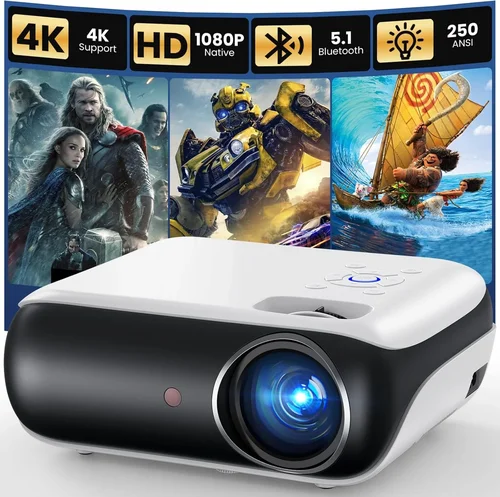
Expert Tips for Getting the Best Deal
- Timing: Black Friday, Cyber Monday, and post‑holiday sales are prime windows for deep discounts.
- Where to buy: Compare prices on Amazon, B&H Photo, and manufacturer sites. Use price‑tracking tools like CamelCamelCamel.
- Spotting deals: Look for “refurbished” units with full warranties—they’re often like‑new for 30‑40% less.
- Warranty considerations: Purchase an extended warranty only if the cost is less than 10% of the projector price.
- Return policies: Ensure a 30‑day return window; this gives you time to test in your actual room.
- Testing before buying: If possible, view a demo at a local retailer. Pay attention to color uniformity and fan noise.
- Bundle savings: Some retailers bundle a screen or mounting bracket at a reduced price—evaluate if you need those accessories.

Frequently Asked Questions
Q: Do I need a 4K projector under $1,000?
A: True 4K projectors are rare in this price range and often sacrifice brightness. For most viewers, a high‑quality 1080p projector with good HDR support provides a more enjoyable experience.
Q: How far away should the projector be from the screen?
A: It depends on the throw ratio. A typical 1.5‑2.0 throw ratio means you’ll need 12‑16 feet of distance for a 100‑inch image. Always check the spec sheet.
Q: Can I use a projector with a regular TV wall?
A: Yes, but a proper screen (gain 1.0‑1.2) improves contrast and reduces hotspotting. If you must use a wall, paint it matte white.
Q: What lamp life should I expect?
A: Most LED/Laser hybrids last 20,000+ hours. Traditional lamps range from 2,500‑5,000 hours. Factor replacement cost into total ownership.
Q: Is lens shift more important than zoom?
A: Lens shift allows you to move the image vertically/horizontally without keystone distortion, which is crucial for fixed‑mount setups. Zoom is helpful but less critical.
Q: Do I need a separate sound system?
A: Built‑in speakers are usually insufficient for immersive cinema. A modest soundbar or a 2.1 speaker system dramatically improves the experience.
Q: Will a portable projector work for a home theater?
A: Portable models often lack the brightness and contrast needed for a dedicated home theater. Choose a mid‑size unit if you plan to keep it in a fixed location.
Our Final Recommendations
- Best for Budget‑Conscious Buyers: BenQ TH585 – 3,500 lumens, 1080p, low input lag, and a price around $600.
- Best Overall Value: Epson Home Cinema 2150 – 2,500 lumens, 1080p, lens shift, and wireless mirroring for $800.
- Best Premium Option (Under $1,000): Optoma UHD38 – 4,000 lumens, true 4K UHD, 240Hz refresh, excellent for gaming at $990.
- Best for Beginners: ViewSonic M2 – LED light source, 1,200 lumens, built‑in Harman Kardon speakers, plug‑and‑play simplicity at $799.
- Best for Advanced Users: BenQ HT3550 – 2,000 lumens, 4K UHD, DCI‑P3 color gamut, lens shift, and advanced color calibration for $999.
Conclusion: Making the Right Choice
Finding the best home theater projector under $1,000 is less about chasing the highest specs and more about aligning the projector’s strengths with your viewing environment. Focus on brightness, contrast, and native resolution, then layer in features like lens shift or wireless connectivity based on your personal workflow.
Remember to measure your room’s ambient light, calculate throw distance, and budget for sound and screen accessories. By avoiding common pitfalls—like underestimating lamp costs or ignoring user reviews—you’ll end up with a projector that delivers cinematic moments without draining your wallet.
Ready to upgrade your movie nights? Use the recommendations above as a starting point, compare current prices, and grab a unit during the next sales window. Your new home‑theater experience is just a click away.