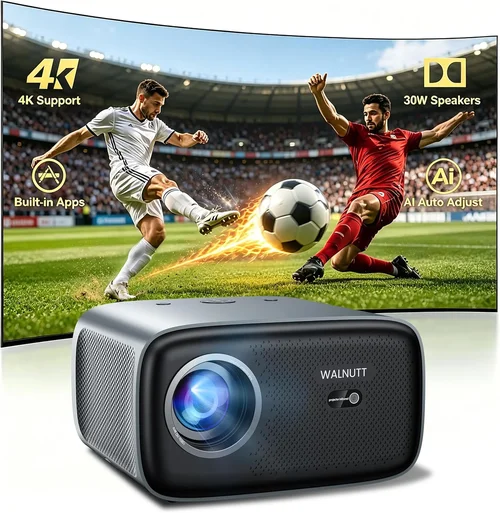
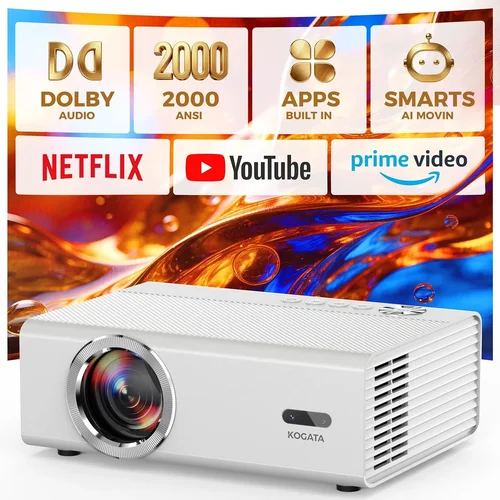
If you’re dreaming of cinema‑quality movies without leaving your living room, a home theater projector can be the game‑changer you need. Yet the market is crowded, and the $2,000 ceiling adds another layer of complexity. This guide cuts through the noise, giving you a clear roadmap to find the best home theater projector under $2,000 for your space, budget, and viewing habits.
By the end of this article you’ll understand the most important specs, know which projector type fits your room, avoid common pitfalls, and walk away with a shortlist of top‑rated models that deliver big‑screen thrills without breaking the bank.
In 2026 the projector landscape has matured: 4K‑compatible DLP chips, laser light sources, and HDR support are now commonplace even at sub‑$2,000 price points. With that in mind, let’s dive into the factors that truly matter.

What to Look for When Buying Buying Guide
1. Budget & Price Range
While you’ve set a $2,000 ceiling, it’s useful to think in tiers. Entry‑level units (around $800‑$1,200) often sacrifice brightness or color depth, whereas mid‑range models ($1,200‑$1,800) typically include HDR, higher contrast ratios, and more flexible connectivity. Knowing how much you’re willing to stretch can help you balance performance against cost.
2. Performance Specifications
Brightness (lumens) – Measured in ANSI lumens, this tells you how well the image will stand up to ambient light. For a dark home theater, 1,500–2,000 lumens is ample; for a living room with some light spill, aim for 2,200+ lumens.
Contrast Ratio – The difference between the darkest black and the brightest white. Higher contrast (e.g., 30,000:1) yields deeper blacks and more punchy colors, crucial for movie nights.
Resolution – 1080p is the baseline, but many $2,000 models now offer “4K UHD” (native 1080p with pixel‑shifting) or true 4K DLP chips. If you own a 4K TV or plan to stream 4K content, a 4K‑capable projector future‑proofs your setup.
Color Accuracy & HDR – Look for a projector that supports HDR10 or Dolby Vision, and check the color gamut (Rec. 709 vs. DCI‑P3). A wider gamut and good HDR handling make a dramatic difference in vividness.
3. Build Quality & Durability
Projectors are long‑term investments. Metal housings, sealed optics, and reliable cooling systems prolong life. Pay attention to the lamp or laser lifespan; laser sources often exceed 20,000 hours, while lamps may need replacement after 2,000–4,000 hours.
4. Features & Functionality
Smart integration (built‑in Wi‑Fi, Chromecast, AirPlay), lens shift, keystone correction, and multiple HDMI ports are must‑haves for a hassle‑free experience. Lens shift allows vertical/horizontal image placement without distortion, while keystone correction fixes trapezoidal images when the projector can’t be perfectly centered.
5. Brand Reputation
Companies like Epson, BenQ, Optoma, and ViewSonic have earned trust through consistent performance and service networks. Research after‑sales support, firmware update frequency, and community forums before committing.
6. Warranty & Support
A solid warranty (minimum 2‑year parts & labor) protects you from early failures. Some brands offer extended warranties or on‑site service for an additional cost—worth considering if you plan heavy usage.
7. Size & Portability (if applicable)
If you need a projector you can move between rooms or take to a friend’s house, weight and mounting flexibility matter. Short‑throw models can sit close to the screen, reducing shadow issues, but they’re generally bulkier.
8. User Reviews & Ratings
Real‑world feedback reveals reliability quirks, firmware bugs, and true brightness performance. Look for reviews that mention long‑term usage, not just first‑impression unboxing videos.
Different Types of Buying Guide

Common Buying Mistakes to Avoid
❌ Mistake: Ignoring Ambient Light
Why it’s bad: A projector rated at 1,800 lumens will look spectacular in a dark room but washed out in a bright living area.
What to do instead: Measure the typical light level in your intended space. If you can’t achieve near‑darkness, target a projector with at least 2,200 lumens and a high contrast ratio.
❌ Mistake: Over‑focusing on Resolution Alone
Why it’s bad: A 4K projector with poor brightness and low contrast will still produce a dull image, negating the resolution benefit.
What to do instead: Balance resolution with lumens, contrast, and color performance. For most home cinema fans, 1080p with high contrast can be more satisfying than low‑quality 4K.
❌ Mistake: Forgetting Lens Shift & Throw Distance
Why it’s bad: Without adequate lens shift, you may need to place the projector at an awkward angle, leading to keystone distortion.
What to do instead: Choose a model offering at least ±10% vertical lens shift and a flexible throw ratio that matches your room’s dimensions.
❌ Mistake: Skipping the Warranty Details
Why it’s bad: Projector lamps can fail unexpectedly; a short warranty leaves you footing a costly replacement.
What to do instead: Verify the warranty length, what it covers, and whether you can purchase an extended plan.
❌ Mistake: Assuming All HDMI Ports Are Equal
Why it’s bad: Some projectors only have HDMI 1.4, limiting 4K @ 60 Hz or HDR support.
What to do instead: Look for HDMI 2.0 or higher, and ensure at least one port supports HDCP 2.2 for streaming services.
❌ Mistake: Not Testing the Throw Ratio
Why it’s bad: Buying a standard‑throw projector for a tiny room can force you to place it far away, creating a small image or requiring a massive screen.
What to do instead: Calculate the required throw distance (Screen Width × Throw Ratio). If the result exceeds your room length, consider a short‑throw or ultra‑short‑throw model.
Budget Guidelines: How Much Should You Spend?
- Entry‑Level ($800‑$1,200): Expect 1080p resolution, 1,500–1,800 lumens, basic HDR, and a lamp life of ~3,000 hours. Ideal for true‑dark rooms or occasional movie nights.
- Mid‑Range ($1,200‑$1,800): Gains include higher contrast (20,000:1+), 2,200+ lumens, better color gamut (Rec. 709 + DCI‑P3), and often laser or LED light sources for longer life.
- Premium ($1,800‑$2,000): True 4K or 4K‑enhanced DLP, robust HDR10/Dolby Vision, laser light engines, and advanced connectivity (Wi‑Fi 6, Bluetooth).
- Luxury ($2,000+): While beyond this guide’s scope, high‑end laser projectors push 3,000+ lumens, 30,000:1 contrast, and premium lens optics.
Expert Tips for Getting the Best Deal
- Timing: New models launch early in the year; older inventory is discounted in Q3‑Q4.
- Where to buy: Authorized retailers (Best Buy, B&H) provide reliable return policies and warranty registration. Online marketplaces can be cheaper but verify seller authenticity.
- Spotting deals: Compare the MSRP with current listings on price‑tracking sites; look for bundled accessories (screen, ceiling mount) that add value.
- Warranty considerations: Register your projector within 30 days to activate extended coverage if offered.
- Return policies: Aim for a 30‑day return window; this gives you time to test in your actual room.
- Testing before buying: If possible, view a demo unit in a store with a calibrated screen. Bring a laptop or phone to test HDMI and streaming compatibility.
- Firmware updates: Choose a brand that releases regular firmware patches; they can improve color accuracy and fix bugs.

Frequently Asked Questions
Q: Can I use a projector in a room with some ambient light?
A: Yes, but you’ll need at least 2,200 lumens and a high contrast ratio. Adding blackout curtains or a low‑gain screen further improves picture quality.
Q: Do I need a separate audio system?
A: Most projectors have modest built‑in speakers. For a true home theater feel, pair the projector with a soundbar or a 5.1 surround system.
Q: How far should I place the projector from the screen?
A: Use the throw ratio (e.g., 1.5:1). Multiply your desired screen width by the ratio to get the distance. For a 100‑inch screen (≈87 in width) with a 1.5:1 ratio, you’d need ~130 in (≈3.3 ft) of throw distance.
Q: Is a laser projector worth the extra cost?
A: Laser light sources provide longer lifespan (20,000+ hours) and consistent brightness. If you plan heavy usage (daily movie nights, gaming), the higher upfront cost pays off.
Q: What screen should I buy?
A: A 120‑percent gain, white‑wall screen works well for most rooms. For HDR, a gray‑gain screen can boost perceived contrast.
Q: Will a 4K projector look better on a 100‑inch screen?
A: The difference is subtle at 100 inches; you need to sit close (under 8 ft) to notice the extra detail. If you plan a larger screen (150‑200 inches), 4K becomes more noticeable.
Q: Do I need a ceiling mount?
A: A mount provides a stable, aligned picture and frees up floor space. If you can’t mount, a sturdy tabletop stand with lens shift capability is essential.
Q: How often do I need to replace the lamp?
A: Lamp‑based models typically need replacement after 2,000–4,000 hours. Laser and LED units rarely need a part replacement within the product’s warranty period.
Our Final Recommendations
- Best for Budget‑Conscious Buyers: BenQ TH585 – 3,500 lumens, 1080p, low input lag for gaming, and priced around $850.
- Best Overall Value: Epson Home Cinema 3800 – 4,000 lumens, 4K‑enhanced, 2,700:1 contrast, lens shift, and sits at $1,499.
- Best Premium Option: Optoma CinemaX P2 – Ultra‑short‑throw laser, 4K UHD, 3,000 lumens, HDR10+, $1,999.
- Best for Beginners: ViewSonic PX701HD – Easy setup, 3,500 lumens, 1080p, and a user‑friendly remote, priced at $899.
- Best for Advanced Users: LG HU85LA – True laser 4K, 2,700 lumens, extensive keystone and lens shift, perfect for dedicated home theaters, $1,979.
Conclusion: Making the Right Choice
Choosing the best home theater projector under $2,000 boils down to matching your room’s lighting, your desired screen size, and the features that matter most to you. Prioritize brightness and contrast first, then layer in resolution, HDR support, and smart connectivity. Use the budget tiers as a guide, avoid the common mistakes listed, and take advantage of seasonal sales to stretch your dollars further.
Remember, the projector is only part of the experience—pair it with a decent screen, quality audio, and proper seating, and you’ll enjoy cinema‑level immersion without leaving home.
Ready to start your search? Grab a notebook, measure your space, and compare the models above. Happy viewing!