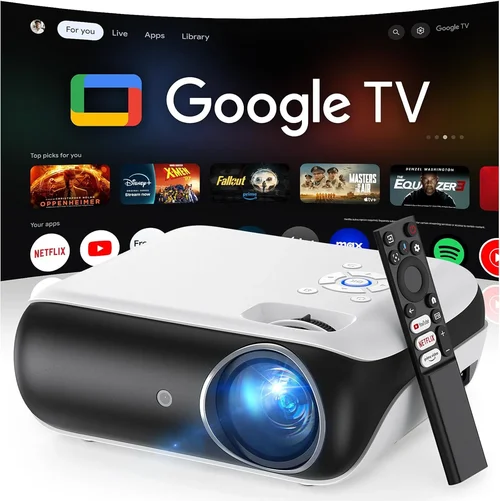
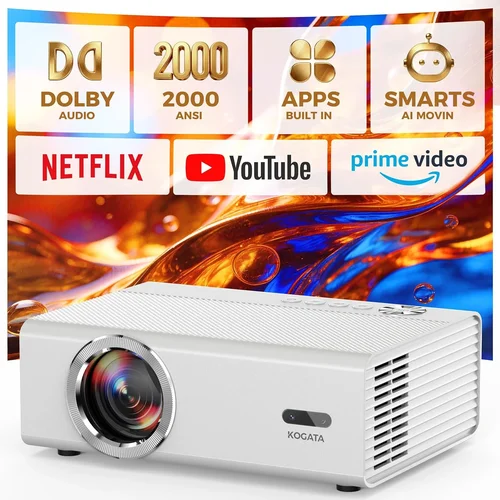
Welcome to the ultimate guide for anyone looking to bring cinema‑quality visuals into their living room without breaking the bank. In the past few years, home‑theatre projectors have evolved from niche gadgets to mainstream entertainment hubs, and the market now offers a surprising amount of power under $2,000. Whether you’re binge‑watching the latest series, gaming with friends, or hosting a movie night for the family, the right projector can transform a simple room into a personal theater.
In this guide we’ll walk you through everything you need to know before you click “add to cart.” You’ll learn how to evaluate key specifications, understand the different projector technologies, avoid common pitfalls, and match your budget to the features that truly matter. By the end, you’ll be equipped to pick the best home theatre projector under $2,000 that fits your space, viewing habits, and wallet.

What to Look for When Buying Buying Guide
1. Budget & Price Range
Even though we’re focusing on models under $2,000, there’s still a wide price spread. Entry‑level units around $500‑$800 often sacrifice brightness or colour accuracy, while premium sub‑$2,000 models can deliver near‑cinema performance. Decide early how much you’re willing to invest in features like 4K resolution, HDR support, or advanced lens shift. Remember that accessories—screen, mounting hardware, and a good audio system—can add $200‑$500 to the total cost.
2. Performance Specifications
The three pillars of projector performance are brightness (measured in lumens), contrast ratio, and resolution.
- Brightness: For a dark home theatre room, 1,500‑2,000 lumens is sufficient. If you plan to use the projector in a room with some ambient light, aim for 2,500‑3,000 lumens.
- Contrast Ratio: Higher contrast means deeper blacks and more vivid colours. Look for a native contrast of at least 10,000:1; many DLP models claim higher ratios through dynamic contrast, but native contrast is a more reliable metric.
- Resolution: 1080p (Full HD) is the baseline for a decent picture, but 4K UHD (3840 × 2160) is becoming common under $2,000 thanks to “pixel‑shift” technology. If you have a 4K TV and want consistency across devices, prioritize a true 4K projector.
3. Light Source Technology
Projectors today use three main light sources: lamp, laser, and LED.
- Lamp‑based: Cheapest, but bulbs typically last 2,000‑3,000 hours and need replacement, adding $150‑$250 to ownership cost.
- Laser: Offers longer life (20,000+ hours), instant on/off, and consistent colour performance. Laser models dominate the sub‑$2,000 market for their reliability.
- LED: Great colour gamut and low power draw, but usually capped at lower brightness levels (1,000‑1,500 lumens). Ideal for small rooms or daytime use.
4. Build Quality & Durability
A projector that feels solid will stay aligned and calibrated longer. Look for metal chassis, reinforced lens housings, and a reliable cooling system. Fan noise can be a hidden annoyance; models with “quiet mode” or advanced fan control keep sound below 30 dB, which is barely audible during movies.
5. Features & Functionality
Modern projectors are packed with smart features. Here are the most useful for a home theatre:
- HDR (High Dynamic Range): Enhances contrast and colour depth. HDR10 is common; Dolby Vision is rare at this price point.
- Lens Shift & Zoom: Allows flexible placement without keystone correction, preserving image quality.
- Keystone Correction: Useful if you can’t place the projector perfectly square, but it can degrade sharpness.
- Built‑in Speakers: Convenient for casual viewing, but usually lack the power and clarity of a dedicated sound system.
- Streaming Apps & Smart OS: Some projectors run Android TV, Roku, or proprietary platforms, eliminating the need for an external streaming box.
- Gaming Mode: Low input lag (≤16 ms) and high refresh rates (up to 120 Hz) are essential for serious gamers.
6. Brand Reputation & Support
Brands like Epson, BenQ, Optoma, and ViewSonic have built strong followings for reliability and service. Check the manufacturer’s warranty length (usually 2‑3 years) and read forums for real‑world experiences. A responsive support team can save you hours of troubleshooting.
7. Size & Portability
If you plan to move the projector between rooms or take it to a friend’s house, weight and footprint matter. Portable “short‑throw” units can sit just a foot from the screen and still fill a 100‑inch image, which is great for small apartments.
8. User Reviews & Ratings
Beyond the spec sheet, look at verified buyer feedback on sites like Amazon, B&H, and professional review sites. Pay attention to recurring themes—e.g., “fan gets loud after an hour” or “colour accuracy out of the box.” These insights often reveal issues that manufacturers don’t highlight.
Different Types of Buying Guide

Common Buying Mistakes to Avoid
❌ Mistake: Ignoring Ambient Light
Why it’s bad: A projector rated at 2,000 lumens can look dim in a room with windows or bright LED fixtures.
What to do instead: Measure the room’s typical light level. If you can’t fully black out the space, target at least 2,500 lumens and consider a high‑gain screen to boost perceived brightness.
❌ Mistake: Over‑relying on “Dynamic Contrast” Claims
Why it’s bad: Manufacturers inflate contrast numbers with software tricks that only work on static images.
What to do instead: Look for native contrast ratios and read independent lab tests. A true 10,000:1 native contrast will deliver deeper blacks than a “30,000:1 dynamic” claim.
❌ Mistake: Forgetting Throw Distance
Why it’s bad: Placing a standard‑throw projector too close to the screen can force you to use heavy keystone correction, softening the image.
What to do instead: Use the manufacturer’s throw‑ratio calculator. If your room is under 10 ft deep, a short‑throw model saves space and maintains sharpness.
❌ Mistake: Skipping Colour Calibration
Why it’s bad: Out‑of‑the‑box settings are often tuned for bright showroom environments, not home theatres.
What to do instead: Invest in a basic calibration tool (like a SpyderX) or use built‑in picture modes (Cinema, CinemaColor) and fine‑tune brightness, colour temperature, and gamma.
❌ Mistake: Buying Without Considering Audio
Why it’s bad: Built‑in speakers rarely deliver immersive sound, leading to a disappointing overall experience.
What to do instead: Budget for a soundbar or a 2.1/5.1 speaker system. Pairing a quality projector with a decent audio setup maximizes the home‑theatre effect.
❌ Mistake: Neglecting Warranty & Service Options
Why it’s bad: A lamp failure on a three‑year‑old unit can cost $200‑$300 to replace.
What to do instead: Choose a model with a solid warranty, and consider extended coverage if the projector uses a replaceable lamp.
Budget Guidelines: How Much Should You Spend?
Understanding what you get at each price tier helps you set realistic expectations.
- Entry‑Level ($500‑$800): Typically 1080p, lamp‑based, 1,500 lumens, limited HDR. Good for occasional movie nights in a dark room.
- Mid‑Range ($800‑$1,400): Brings you 2,500‑3,000 lumens, better contrast, some models with true 4K pixel‑shift, and laser light sources. This is where most “best under $2,000” picks live.
- Premium ($1,400‑$2,000): Expect 4K UHD, high‑gain screens, advanced lens shift, low fan noise, and robust gaming modes. Ideal for enthusiasts who want cinema‑grade performance without a commercial price tag.
- Luxury ($2,000+): Full‑laser, 4K native, HDR10+, Dolby Vision, and professional‑grade colour accuracy. These are usually out of scope for the “under $2,000” category but worth mentioning for future upgrades.
Expert Tips for Getting the Best Deal
- Seasonal Sales: Black Friday, Cyber Monday, and post‑Christmas clearance often shave 15‑30% off MSRP.
- Retailer Comparison: Check Amazon, B&H, Best Buy, and manufacturer websites. Some retailers offer bundled accessories that increase overall value.
- Open‑Box & Refurbished: Certified refurbished units from the manufacturer come with full warranty and can be 10‑20% cheaper.
- Price‑Drop Alerts:
- Use tools like CamelCamelCamel or Honey to monitor price history and receive alerts when a model dips below your target.
- Warranty Extensions: If you’re buying a lamp‑based projector, a 2‑year lamp warranty can save you money in the long run.
- Return Policies: Choose sellers with at least 30‑day return windows. Test the projector in your home environment to ensure brightness and colour meet expectations.
- Test Before You Buy: If possible, visit a showroom and project a 4K test pattern onto a screen. Pay attention to fan noise, colour uniformity, and edge‑to‑edge sharpness.
- Bundle with a Screen: Some brands offer a discounted screen when purchased with the projector. This can be a cost‑effective way to get both.

Frequently Asked Questions
Q: Do I need a 4K projector for a 1080p source?
A: Not necessarily. A high‑quality 1080p projector will display a 1080p source perfectly. However, a 4K projector can upscale lower‑resolution content, delivering a slightly sharper image and future‑proofing your setup.
Q: Can I use a projector as a gaming monitor?
A: Yes, but look for low input lag (≤16 ms) and a refresh rate of at least 60 Hz. Some models offer a dedicated “Game Mode” that disables image processing to keep latency low.
Q: How far should the projector be from the screen?
A: It depends on the throw ratio. A standard‑throw projector with a 1.5:1 ratio needs about 12 ft to fill a 100‑inch screen. Short‑throw units can achieve the same size from 4‑5 ft away.
Q: What screen material is best?
A: A matte white screen with a gain of 1.0‑1.1 works well in dark rooms. For brighter environments, a high‑gain (≥1.3) or ambient‑light‑reject (ALR) screen helps preserve contrast.
Q: Do laser projectors really last longer?
A: Yes. Laser light sources typically have a rated life of 20,000‑30,000 hours, which translates to many years of daily use without needing a replacement.
Q: Is HDMI 2.1 important?
A: HDMI 2.1 enables 4K at 120 Hz and supports variable refresh rate (VRR), which is beneficial for next‑gen consoles. If you plan to connect a PS5 or Xbox Series X, look for HDMI 2.1 ports.
Q: Should I worry about lamp replacement costs?
A: Only if you choose a lamp‑based model. Replacement lamps can cost $150‑$250 and require professional installation. Laser and LED models avoid this expense entirely.
Q: How loud are projector fans?
A: Quality units keep fan noise below 30 dB in “quiet mode.” In bright‑room mode, noise may rise to 35‑40 dB, which is still acceptable for most viewers.
Q: Can I mount the projector on the ceiling?
A: Absolutely. Ensure the mount supports the projector’s weight and provides tilt and swivel adjustments to align the image without excessive keystone correction.
Q: What’s the difference between HDR10 and Dolby Vision?
A: HDR10 is an open standard with static metadata, while Dolby Vision uses dynamic metadata for scene‑by‑scene optimisation. Dolby Vision offers better colour depth but is rarely found under $2,000.
Our Final Recommendations
Best for Budget‑Conscious Buyers
Model: BenQ TH585
Price: $799
Why: 1080p, 3,500 lumens, low input lag (16 ms), and a bright, high‑gain screen-friendly image. Ideal for gamers and casual movie nights.
Best Overall Value
Model: Optoma UHD50X
Price: $1,299
Why: True 4K UHD, 3,400 lumens, HDR10, and a 240 Hz refresh rate for smooth gaming. Laser‑enhanced lamp offers 6,000‑hour life.
Best Premium Option
Model: Epson Home Cinema 4010
Price: $1,899
Why: 4K PRO-UHD, 2,400 lumens, excellent colour accuracy with Epson’s 3‑LCD technology, and robust lens shift. Perfect for dedicated home theatres.
Best for Beginners
Model: ViewSonic PX706HD
Price: $649
Why: Short‑throw design fits small rooms, 3,200 lumens, and easy‑setup wizard. No‑keystone needed for most placements.
Best for Advanced Users
Model: LG CineBeam HU85LA
Price: $1,999
Why: Ultra‑short‑throw laser projector, 4K, 2,700 lumens, built‑in AI picture calibration, and smart TV OS. Offers cinema‑grade performance without a separate screen.
Conclusion: Making the Right Choice
Choosing the best home theatre projector under $2,000 boils down to three core questions: How bright does the room get? Do you need true 4K or is 1080p sufficient? And how much are you willing to spend on accessories like a screen and audio system?
By weighing the factors outlined above—budget, performance specs, light source, build quality, and key features—you can narrow the field to a handful of models that truly match your needs. Remember to test the projector in your actual viewing environment, calibrate the picture, and pair it with a decent sound solution for the full cinema experience.
Now that you’re armed with expert knowledge, go ahead and explore the options, compare prices, and enjoy the thrill of turning your living room into a personal movie palace. Happy viewing!