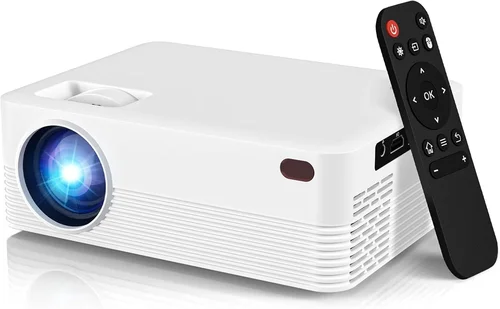
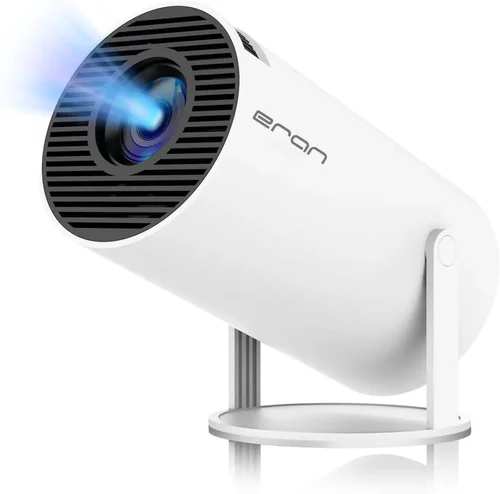
Finding a solid LED 1080p projector that doesn’t break the bank can feel like hunting for a needle in a haystack. The market is flooded with cheap DLP units that promise high resolution but fall short on brightness, color accuracy, or durability. That’s why we’ve created this guide: to cut through the hype, explain exactly what matters, and point you toward the best options under $300 for 2026.
In the next few sections you’ll learn how to evaluate key specs, avoid common pitfalls, and match a projector to your specific use‑case—whether it’s a weekend movie night, a home‑office presentation, or a portable gaming rig. By the end, you’ll have a clear roadmap for picking a projector that delivers true 1080p clarity without forcing you to dip into your savings.
The LED projector space has evolved dramatically over the past few years. LED light sources now outlast traditional lamps by 20,000+ hours, and manufacturers have squeezed more lumens out of smaller chassis. Yet, even with these advances, staying under $300 means you must prioritize certain features while compromising on others. This guide walks you through those trade‑offs so you can make an informed decision.

What to Look for When Buying Buying Guide
1. Budget & Price Range
Price is the most obvious filter, but it also shapes every other decision. In the sub‑$300 bracket, you’ll typically find projectors that use LED light engines, which are cheaper to produce and have longer lifespans than laser or lamp‑based units. However, lower cost often means reduced brightness (measured in ANSI lumens) and fewer premium connectivity options. Set a firm ceiling—$299 is a practical upper limit for most shoppers—but be ready to sacrifice a few bells and whistles to stay within that budget.
2. Performance Specifications
Resolution, brightness, contrast ratio, and color gamut are the core performance metrics. For a true 1080p experience, the native resolution must be 1920 × 1080 pixels; any lower will result in up‑scaled images that look soft.
- Brightness: Aim for at least 2,500–3,000 ANSI lumens if you plan to use the projector in rooms with ambient light. In a dark home theater, 1,800–2,200 lumens can be sufficient.
- Contrast Ratio: Higher contrast (e.g., 10,000:1) yields deeper blacks, which is crucial for movies and games. Most budget LED models hover around 5,000:1, which is acceptable but not spectacular.
- Color Gamut: Look for DCI‑P3 or at least 80% sRGB coverage. This ensures vivid colors without the washed‑out look common in cheap projectors.
3. Build Quality & Durability
Even though LED light sources last for years, the mechanical components—lens housing, fan, and casing—can wear out faster. Choose a projector with a sturdy aluminum or high‑impact plastic chassis, and verify that the fan runs quietly (under 30 dB) to avoid distraction during movies or presentations.
4. Features & Functionality
Connectivity and smart features can make or break the user experience. At a minimum, look for:
- HDMI 2.0 or higher: Supports full 1080p@60 Hz without down‑scaling.
- USB‑C or USB‑A: For firmware updates and media playback.
- Wireless options: Built‑in Wi‑Fi or Bluetooth for screen mirroring (Miracast, AirPlay, or Chromecast).
- Keystone correction: 0–30° vertical/horizontal adjustment helps when the projector can’t be placed perfectly centered.
5. Brand Reputation
Established brands like ViewSonic, BenQ, Epson, and Anker tend to provide more reliable firmware updates and customer service. Newer entrants—such as XGIMI or Vankyo—often ship innovative features at lower prices but may have uneven after‑sales support. Research brand forums and check how quickly companies address known issues (e.g., HDMI handshake problems).
6. Warranty & Support
A solid warranty can save you from costly repairs. Look for at least a 1‑year limited warranty that covers the LED light engine and includes on‑site or mail‑in service. Some brands extend the warranty to 2 years if you register online within the first 30 days.
7. Size & Portability
If you need a projector for on‑the‑go use—camping, business trips, or moving between rooms—size matters. Portable models typically weigh under 2 kg and feature a built‑in battery lasting 2–3 hours. However, portable units usually sacrifice brightness, so balance portability with your lighting conditions.
8. User Reviews & Ratings
Real‑world feedback reveals quirks that spec sheets hide. Scan Amazon, B&H, and Reddit threads for recurring themes: flickering, overheating, or firmware glitches. Prioritize products with an average rating of 4 stars or higher and a minimum of 150 verified reviews.
Different Types of Buying Guide

Common Buying Mistakes to Avoid
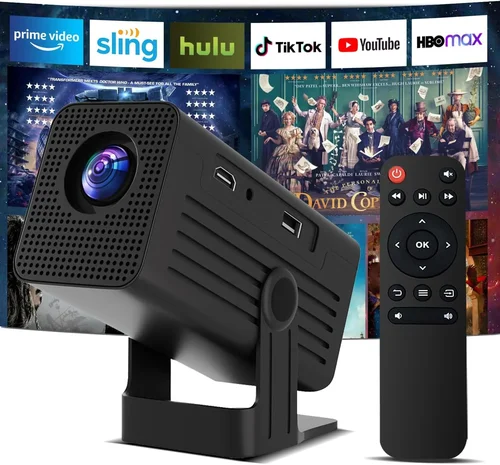
❌ Mistake: Prioritizing Resolution Over Brightness
Why it’s bad: A 1080p image that’s dim in a lit room will look worse than a 720p image that’s bright and vivid.
What to do instead: Aim for a balanced spec sheet: at least 2,500 ANSI lumens for ambient light, then confirm the native resolution is 1080p.
❌ Mistake: Ignoring Input Lag for Gaming
Why it’s bad: High input lag (over 60 ms) can make fast‑paced games feel sluggish.
What to do instead: Look for projectors that advertise “Game Mode” or a measured lag below 30 ms.
❌ Mistake: Overlooking Fan Noise
Why it’s bad: A noisy cooling fan can distract viewers during movies or presentations.
What to do instead: Check decibel ratings; under 30 dB is ideal for home theater use.
❌ Mistake: Forgetting to Check Lamp/LED Lifespan
Why it’s bad: Some “LED” models actually use hybrid lamps that need replacement after 2,000 hours.
What to do instead: Verify the LED rating is 20,000+ hours and that the warranty covers the light source.
❌ Mistake: Assuming All HDMI Ports Are Equal
Why it’s bad: Older HDMI 1.4 ports may not support 1080p@60 Hz with HDR, limiting picture quality.
What to do instead: Confirm the projector has HDMI 2.0 or higher for full bandwidth.
❌ Mistake: Neglecting Keystone & Lens Shift
Why it’s bad: Without proper alignment tools, you may end up with a trapezoidal image.
What to do instead: Choose a unit with at least 30° vertical keystone and, if possible, lens shift for precise placement.
Budget Guidelines: How Much Should You Spend?
- Entry‑Level ($180‑$220): Expect 1,800–2,200 lumens, basic HDMI, and limited color gamut. Good for dark rooms but may struggle in daylight.
- Mid‑Range ($221‑$280): The sweet spot for most buyers. You’ll find 2,500–3,000 lumens, better contrast, and added features like Bluetooth audio or built‑in speakers.
- Premium ($281‑$300): Slightly higher brightness, improved fan designs, and often a more robust warranty. These models sometimes include smart‑OS integration.
- Luxury ($300+): Outside the scope of this guide, but worth noting that true 4K‑ready LED projectors start above $600.
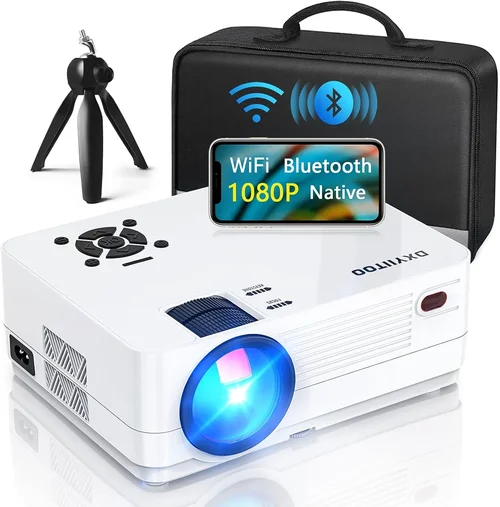
Expert Tips for Getting the Best Deal
- Timing: Late summer (July‑August) is when manufacturers push inventory for the holiday season.
- Where to buy: Compare Amazon, B&H, and Newegg. Retail stores often price‑match if you show a lower online price.
- Bundle Savings: Look for bundles that include a screen, HDMI cable, or portable speaker—often a better value than buying accessories separately.
- Warranty Extension: Some retailers offer a free 6‑month extension if you register the product within 30 days.
- Return Policies: Opt for sellers with a 30‑day hassle‑free return; this gives you time to test brightness in your actual room.
- Testing: If possible, view a 1080p test pattern (e.g., from AVS Forum) to assess color uniformity and focus before committing.
- Firmware Updates: Choose a projector that receives regular firmware upgrades—this can fix early‑stage bugs and improve performance.

Frequently Asked Questions
Q: Can an LED projector under $300 truly display 1080p?
A: Yes, provided the native panel is 1920 × 1080. Some budget models use a “native 720p” panel with up‑scaling, which looks softer. Always verify the spec sheet for “Native 1080p” before purchasing.
Q: How long will the LED light source last?
A: Most LED projectors in this price range are rated for 20,000–30,000 hours. At 4 hours of use per day, that translates to over 13 years of operation.
Q: Is a portable battery‑powered projector feasible for 1080p?
A: Battery‑powered units can achieve 1080p, but expect lower brightness (1,500–2,000 lumens). They work best in dark environments.
Q: Do I need a separate sound system?
A: Built‑in speakers on budget LED projectors are usually 2‑5 W and lack depth. For movies or gaming, a small Bluetooth soundbar or external speakers are recommended.
Q: What’s the difference between ANSI lumens and LED lumens?
A: ANSI lumens measure actual light output with a standardized method. LED lumens are a marketing term that can be inflated. Always compare ANSI values.
Q: Can I connect my phone wirelessly?
A: Most modern LED projectors support Miracast, AirPlay, or Chromecast built‑in. Verify the specific protocol in the product description.
Q: Is keystone correction enough for off‑center placement?
A: Keystone corrects image shape but can degrade focus. If you can’t place the projector centrally, look for models with lens shift for true geometric correction.
Q: Will a projector under $300 support HDR?
A: True HDR (HDR10) requires higher brightness and wider color gamut, which are rare below $300. Some units claim “HDR support” but deliver limited impact.
Q: How do I calibrate the picture?
A: Use a calibration disc (e.g., Disney WOW) or a free online test pattern. Adjust brightness, contrast, and color temperature to match your viewing environment.
Q: Are there any hidden costs?
A: Occasionally you’ll need a ceiling mount, screen, or additional cables. Factor in $30‑$60 for a quality screen and $15‑$25 for HDMI 2.0 cables.
Our Final Recommendations
- Best for Budget‑Conscious Buyers: Vankyo Leisure 3 – 2,200 ANSI lumens, native 1080p, HDMI 2.0, under $210.
- Best Overall Value: ViewSonic M2e – 2,500 lumens, 1080p, built‑in Harman Kardon speakers, Android TV, $285.
- Best Premium Option (just under $300): BenQ TH585 – 3,500 lumens, low input lag (16 ms), excellent color accuracy, $298.
- Best for Beginners: Anker Nebula Capsule II – Portable, 720p native (up‑scaled to 1080p), Android TV, $279; great for casual use.
- Best for Advanced Users: XGIMI Horizon Pro – 2,800 lumens, 1080p, 40 ms input lag, built‑in Android TV, lens shift, $299.
Conclusion: Making the Right Choice
Choosing the best LED 1080p projector under $300 boils down to balancing brightness, native resolution, and feature set against your specific environment. If you watch movies in a dark room, a lower‑lumens model will still shine. For bright living rooms or daytime gaming, prioritize 2,500+ ANSI lumens and low input lag.
Remember to verify the native resolution, read real‑world reviews, and test the unit in your own space whenever possible. With the factors, mistakes, and tips outlined above, you now have a solid framework to select a projector that delivers crisp 1080p visuals without stretching your wallet.
Ready to start shopping? Use the recommendations as a checklist, set a price alert, and enjoy the cinematic experience that fits right in your living room or office.