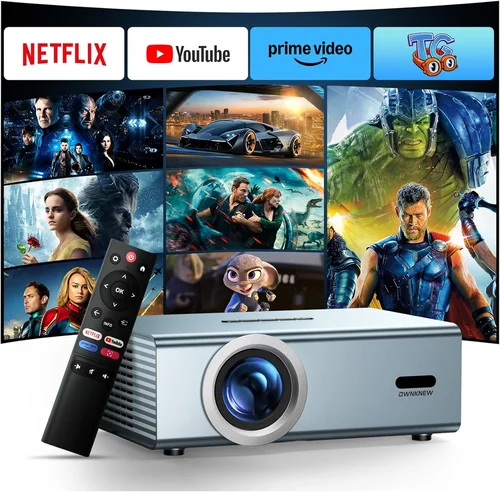
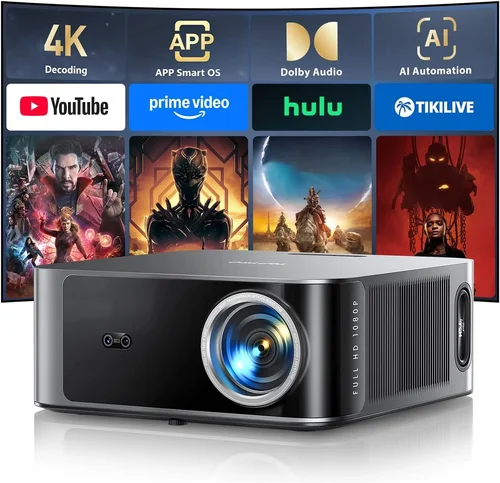
Choosing the right LED projector under $400 can feel like navigating a maze of specs, brand promises, and price tags. You want bright, crisp images for movie nights, gaming sessions, or impromptu presentations, but you also need to stay within a modest budget. This guide cuts through the noise, giving you a clear roadmap so you can pick a projector that truly fits your needs without breaking the bank.
In the pages that follow, you’ll learn which technical details matter most, how different projector categories stack up against each other, and what common pitfalls to avoid. We’ll also break down spending tiers, share insider tips on snagging the best deals, and answer the most frequently asked questions. By the end, you’ll be equipped to make a confident, informed purchase that delivers great performance for years to come.
The LED projector market has exploded over the past few years. Advances in LED light engines, improved optics, and smarter connectivity options mean you can now find a compact, low‑maintenance projector that rivals older lamp‑based models—all for under $400. Whether you’re setting up a home theater in a small apartment, creating a portable office solution, or simply looking for a family‑friendly entertainment hub, there’s a budget‑friendly LED projector ready to meet the challenge.

What to Look for When Buying Buying Guide
1. Budget & Price Range
Price is the first filter for most shoppers. In the sub‑$400 segment, you’ll encounter a wide spectrum of feature sets. While a lower price often means fewer bells and whistles, it doesn’t automatically translate to poor performance. Focus on the value each dollar brings—consider what you truly need (e.g., higher brightness vs. extra ports) and weigh that against the cost.
2. Performance Specifications
The heart of any projector is its performance specs. Key numbers to watch:
- Brightness (lumens): LED projectors typically range from 1,800 to 3,200 ANSI lumens. For dim rooms, 2,000 lumens is often enough; brighter spaces may need 2,800+.
- Resolution: 1080p (Full HD) is ideal, but many sub‑$400 models settle at 720p. If you plan to stream 4K content, a 1080p projector will still look sharp when downscaled.
- Contrast Ratio: Higher contrast yields deeper blacks. Look for at least 5,000:1 for decent movie performance.
- Throw Distance & Ratio: Determines how far you must place the projector from the screen. Short‑throw models (0.8–1.2) are great for small rooms.
3. Build Quality & Durability
Even budget projectors should feel solid. A sturdy chassis, good heat dissipation, and a quality fan system extend lifespan. LED light sources last 20,000–30,000 hours, but the surrounding components must be robust enough to handle continuous use without overheating.
4. Features & Functionality
Modern LED projectors pack a lot of convenience features:
- Connectivity: HDMI, USB‑C, and wireless (Wi‑Fi or Bluetooth) are common. Dual HDMI ports let you switch between a console and a streaming stick without unplugging.
- Built‑in Speakers: While not a replacement for a sound system, a decent 5‑10W speaker can handle casual movie nights.
- Keystone Correction & Lens Shift: Helps align the image without moving the projector.
- Smart OS: Some units run Android TV or Roku, turning the projector into a standalone streaming device.
5. Brand Reputation
Well‑known brands such as Epson, BenQ, ViewSonic, and Anker often provide more reliable firmware updates and better customer service. However, newer entrants like Vankyo or AuKing can surprise with strong specs at lower prices. Research brand forums and after‑sales support before committing.
6. Warranty & Support
A solid warranty (at least 1‑year) protects your investment. Look for manufacturers that offer easy RMA processes, responsive online chat, and accessible parts. Extended warranties may be worth the extra cost if you plan heavy usage.
7. Size & Portability
Portability matters if you’ll move the projector between rooms or travel. Compact models often weigh under 3 lb and feature a carry handle. Keep an eye on dimensions; a slimmer profile fits better on desks or small shelves.
8. User Reviews & Ratings
Real‑world feedback reveals how a projector performs beyond the spec sheet. Look for consistent praise (or complaints) about brightness, heat, and software stability. Sites like Amazon, B&H, and dedicated AV forums provide valuable insights.
Different Types of Buying Guide

Common Buying Mistakes to Avoid
❌ Mistake: Ignoring Brightness Requirements
Why it’s bad: A projector that’s too dim will look washed out in everyday lighting, ruining movie nights.
What to do instead: Measure your typical ambient light level. For living rooms with some natural light, aim for at least 2,500 lumens. If you can control lighting, 1,800‑2,000 lumens may suffice.
❌ Mistake: Overlooking Throw Distance
Why it’s bad: Buying a long‑throw unit for a tiny bedroom forces you to place the projector too far away, resulting in a tiny image.
What to do instead: Check the throw ratio. A 0.8‑1.2 short‑throw model lets you sit just a foot away and still get a 100‑inch picture.
❌ Mistake: Assuming All LED Projectors Are Low‑Maintenance
Why it’s bad: While LEDs last longer than lamps, dust buildup can still cause overheating and degrade image quality.
What to do instead: Choose a model with easy‑access filters and a clear cleaning schedule in the user manual.
❌ Mistake: Forgetting About Audio Needs
Why it’s bad: Built‑in speakers on budget projectors are often thin and tinny, leading to a subpar listening experience.
What to do instead: Allocate part of your budget for a small Bluetooth soundbar or external speakers, especially for home‑theater setups.
❌ Mistake: Buying Based Solely on Brand Name
Why it’s bad: A big name doesn’t guarantee the best specs for your price point; some lesser‑known brands offer better value.
What to do instead: Compare spec sheets side‑by‑side and read user reviews to see real‑world performance.
❌ Mistake: Neglecting Connectivity Options
Why it’s bad: Without the right ports, you may need extra adapters, adding clutter and latency.
What to do instead: List the devices you’ll connect (gaming console, laptop, streaming stick) and ensure the projector has compatible HDMI, USB‑C, or wireless options.
❌ Mistake: Skipping the Warranty Fine Print
Why it’s bad: Some “limited” warranties exclude the LED module, leaving you with costly repairs.
What to do instead: Verify that the LED light source is covered and understand the RMA process before purchase.
Budget Guidelines: How Much Should You Spend?
- Entry-Level ($250 – $300): Expect 720p resolution, 1,800‑2,200 lumens, basic HDMI connectivity, and modest speaker output. Ideal for casual viewing in dark rooms.
- Mid-Range ($301 – $350): Usually offers Full HD (1080p), 2,400‑2,800 lumens, better contrast, and added features like keystone correction and dual HDMI ports.
- Premium ($351 – $400): You’ll find short‑throw optics, built‑in Android TV, higher contrast ratios (5,000:1+), and stronger speakers. This tier balances performance and price for enthusiasts.
- Luxury ($401+): Though beyond the guide’s scope, luxury models push brightness above 3,500 lumens, include laser‑phosphor hybrids, and often come with premium warranties.
Expert Tips for Getting the Best Deal
- Timing: New models launch in spring; older inventory drops in late summer. Buying during these windows can net you a newer feature set at a reduced price.
- Where to Buy: Compare Amazon, B&H, and manufacturer sites. Retailers often have bundled accessories (wall mounts, cables) that add value.
- Spotting Deals: Look for “refurbished” units with a full warranty. They’re tested, often come with a discount of 15‑25%.
- Warranty Considerations: Register your projector within 30 days to activate extended coverage if offered.
- Return Policies: Choose sellers with at least a 30‑day return window. Test the unit in your typical lighting conditions before committing.
- Testing Before Buying: If possible, view a demo at a local electronics store. Bring a laptop or phone to check HDMI and wireless streaming.
- Bundling: Some bundles include a portable screen or HDMI cable—calculate the total cost to ensure the bundle truly saves money.
- Firmware Updates: After purchase, check the manufacturer’s website for firmware upgrades that can improve stability and add features.

Frequently Asked Questions
Q: Do LED projectors need lamp replacements?
A: No. LED light sources are solid‑state and typically last 20,000–30,000 hours, which translates to many years of occasional use. You’ll only need to replace the LED module if it fails, and most warranties cover that.
Q: Can I use a LED projector for gaming?
A: Absolutely, as long as the model offers low input lag (under 30 ms) and a refresh rate of 60 Hz or higher. Look for “Game Mode” settings that automatically optimize latency.
Q: Is a short‑throw projector necessary for a small apartment?
A: Not mandatory, but highly recommended. Short‑throw units let you achieve a 100‑inch image from just a foot or two away, avoiding the need to mount the projector on the ceiling.
Q: How important is the contrast ratio?
A: Contrast determines how deep the blacks appear. For movies, a ratio above 5,000:1 provides good depth; lower ratios can look grayish in darker scenes.
Q: Do I need a separate screen?
A: While a white wall works, a dedicated projector screen improves brightness uniformity and contrast. A 120‑inch matte white screen is a cost‑effective upgrade.
Q: Will Wi‑Fi connectivity affect video quality?
A: Streaming over Wi‑Fi can introduce compression artifacts if your network is slow. For the best picture, connect via HDMI or use a wired Ethernet adapter if available.
Q: Are there any health concerns with LED projectors?
A: LED projectors emit low blue‑light levels compared to traditional lamps, making them easier on the eyes for extended viewing. Still, maintain a reasonable viewing distance.
Q: Can I mount a portable LED projector on the ceiling?
A: Yes, most models come with a standard ¼‑inch mount. Ensure the ceiling mount can support the projector’s weight and provides adequate ventilation.
Q: What is the difference between ANSI lumens and LED brightness?
A: ANSI lumens is a universal measurement of light output. LED brightness is often quoted in “lumens” but can be marketed differently. Always compare ANSI lumens for an apples‑to‑apples assessment.
Q: How do I clean the projector’s filter?
A: Turn the projector off and let it cool. Remove the filter cover (usually a small clip), gently brush off dust, or wash with mild soap if the manufacturer allows. Let it dry completely before reinstalling.
Our Final Recommendations
- Best for Budget‑Conscious Buyers: Vankyo Leisure 3 – Offers 2,000 lumens, 720p resolution, and dual HDMI for under $260. Ideal for casual movie nights.
- Best Overall Value: Anker Nebula Capsule II – Compact, Android TV built‑in, 720p, 720 lumens, and a 8W speaker for $349. Great all‑in‑one solution.
- Best Premium Option: ViewSonic M1+G2 – Full HD, 2,400 lumens, short‑throw, built‑in Harman/Kardon speakers, and Wi‑Fi streaming for $399.
- Best for Beginners: BenQ GV1 – Portable, Bluetooth audio, 720p, and easy auto‑keystone, priced at $299.
- Best for Advanced Users: Epson EF‑100 – Laser‑phosphor hybrid (still under $400 during sales), 2,600 lumens, 1080p, and low input lag for gamers.
Conclusion: Making the Right Choice
Finding the best LED projector under $400 boils down to matching your environment, usage habits, and feature priorities with the right specifications. Remember to assess brightness, resolution, throw distance, and connectivity before narrowing down options. Avoid common pitfalls like ignoring ambient light or overlooking warranty details, and leverage seasonal sales to stretch your budget further.
Whether you’re setting up a cozy movie corner, a portable gaming rig, or a compact office presentation tool, the models highlighted above deliver solid performance without the hefty price tag. Take the time to compare specs, read user feedback, and test a demo if possible. With the knowledge from this guide, you’re now equipped to make an informed, confident purchase that will bring big‑screen enjoyment for years to come.