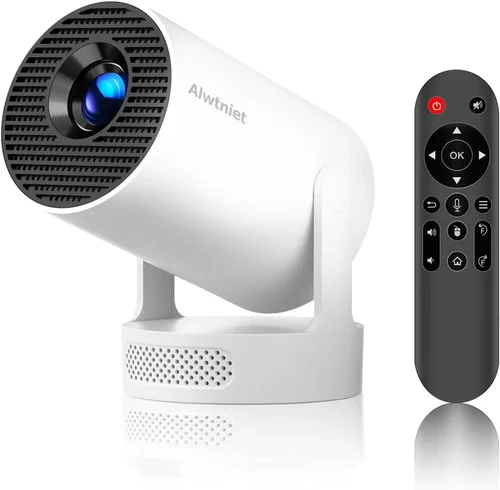
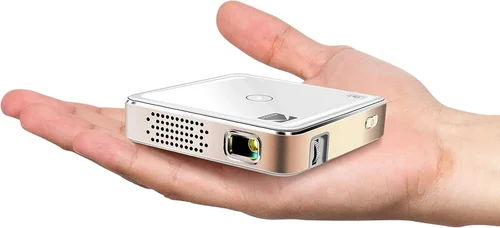
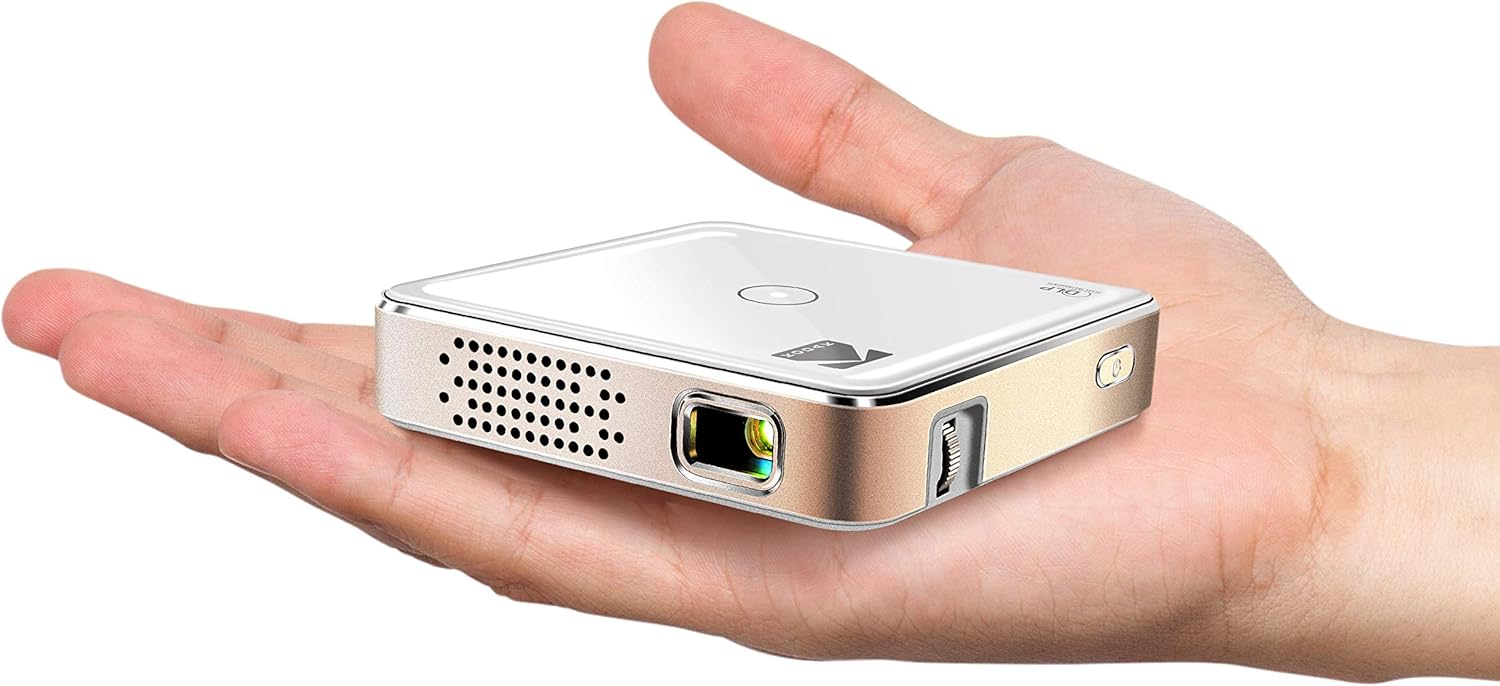
Finding a tiny projector that delivers a crisp, bright image without breaking the bank can feel like hunting for a needle in a haystack. The market is flooded with gadgets that promise cinema‑quality performance yet still fit in the palm of your hand, and most of them sit comfortably under $100. This guide cuts through the noise, giving you a clear roadmap so you can pick the best mini LED projector for under $100 that matches your lifestyle.
What you’ll learn:
- Which specifications truly matter for a sub‑$100 projector.
- How to compare different projector types and understand their trade‑offs.
- Common pitfalls that lead to disappointment and how to avoid them.
- Budget breakdowns, expert buying tips, and a shortlist of top picks.
The mini projector space has matured rapidly in the past three years. LED light sources have become more efficient, battery life has stretched, and connectivity options like HDMI‑C, USB‑C, and wireless casting are now standard even on budget models. Because of these advances, you no longer need to settle for a dim, low‑resolution device if you’re willing to spend just under $100.
What to Look for When Buying Buying Guide
1. Budget & Price Range
Price is the most obvious filter, but it also influences every other feature. In the sub‑$100 segment, manufacturers must compromise somewhere—usually on brightness, native resolution, or build quality. Decide how much you’re willing to stretch for a single upgrade. A $95 model might give you a 1080p‑scaled image, while a $65 unit may only offer native 480p.
2. Performance Specifications
Resolution: Native 720p (1280×720) is rare under $100; most devices use 480p (854×480) chips with upscaling. If you plan to watch movies, aim for at least a 720p‑scaled projector.
Brightness: Measured in ANSI lumens; budget mini projectors typically deliver 30–60 lumens. This is sufficient for dark rooms but will struggle in daylight.
Contrast Ratio: Higher contrast improves perceived depth. Look for ratios of 2000:1 or better.
3. Build Quality & Durability
These pocket‑sized units are shipped in backpacks and tossed into suitcases. A sturdy plastic shell, reinforced lens cover, and a reliable hinge mechanism are essential. Check for rubberized ports and a detachable protective cap for the lens.
4. Features & Functionality
Modern mini projectors often include:
- Built‑in speakers (usually 1–2 W, adequate for personal viewing).
- Multiple inputs: HDMI‑C, USB‑C, micro‑HDMI, AV, and a 3.5 mm audio jack.
- Wireless casting via Miracast, AirPlay, or Bluetooth.
- Battery life: 2–3 hours of continuous playback on a single charge.
- Keystone correction (manual or digital) for easier placement.
5. Brand Reputation
While big names like Anker, Vankyo, and AAXA dominate the market, newer brands can surprise with solid performance. Read community forums, Reddit threads, and YouTube reviews to gauge long‑term reliability.
6. Warranty & Support
A one‑year warranty is standard. Verify the return policy and whether the manufacturer offers online firmware updates—these can fix bugs and improve compatibility.
7. Size & Portability
Weight typically ranges from 200 g to 400 g. Consider whether you need a built‑in battery (great for travel) or if you’ll always plug into a power source.
8. User Reviews & Ratings
Look beyond the star rating. Scan for recurring complaints about overheating, short battery life, or connectivity glitches. A product with 4.2 stars but dozens of “projector stops after 30 minutes” comments is a red flag.
Different Types of Buying Guide

Common Buying Mistakes to Avoid
❌ Mistake: Ignoring Brightness Requirements
Why it’s bad: A 30‑lumens projector will look washed out in any room with ambient light.
What to do instead: Measure your typical viewing environment. If you can’t guarantee total darkness, aim for at least 50 lumens and consider a projector with a higher contrast ratio.
❌ Mistake: Overvaluing Native Resolution
Why it’s bad: Most sub‑$100 models use 480p chips; chasing a “native 720p” label often means paying a premium for marketing fluff.
What to do instead: Focus on upscaling quality and screen size. A good 480p projector with strong scaling can look sharper than a cheap 720p‑scaled unit.
❌ Mistake: Forgetting Battery Life
Why it’s bad: You might end up with a device that can’t finish a feature film without recharging.
What to do instead: Check real‑world battery tests—most manufacturers list “up to 2.5 hours” under ideal conditions, but independent reviewers often report 1.5 hours.
❌ Mistake: Assuming All Ports Are Equal
Why it’s bad: Micro‑HDMI can be finicky, and some cheap adapters don’t support 4K input (even if the projector can’t display it).
What to do instead: Verify that the projector includes the specific port you need (e.g., USB‑C for modern laptops) and read compatibility notes.
❌ Mistake: Skipping Firmware Updates
Why it’s bad: Out‑of‑date firmware can cause connectivity glitches or limit feature sets.
What to do instead: Choose a brand that offers easy OTA (over‑the‑air) updates or a simple USB update process.
Budget Guidelines: How Much Should You Spend?
- Entry‑Level ($50‑$70): Expect 480p native resolution, 30‑40 lumens, basic HDMI and AV inputs, and a short battery life (≈1.5 hours). Good for casual use in completely dark rooms.
- Mid‑Range ($71‑$90): You’ll find better brightness (45‑55 lumens), 720p upscaling, built‑in speakers with clearer audio, and a more robust battery (≈2 hours). This tier balances price and performance for most users.
- Premium ($91‑$100): Models may push 60 lumens, include Wi‑Fi casting, superior contrast ratios, and a sturdier chassis. Ideal for frequent travelers who need a reliable all‑in‑one solution.
- Luxury ($101+): While outside the “under $100” scope, these units often feature true 720p LEDs, 80+ lumens, and advanced image processing. Consider only if your budget stretches.
Expert Tips for Getting the Best Deal
- Timing: The best sales spikes occur in late November (Black Friday), early January (post‑holiday clearance), and late June (mid‑year tech deals).
- Where to Buy: Compare prices on Amazon, Newegg, and direct brand sites. Use price‑tracking extensions like Keepa to see historic lows.
- Spotting Deals: Look for bundle offers that include a carrying case, extra battery, or a HDMI cable—these add value without raising the base price.
- Warranty Considerations: Register your device within 30 days to unlock extended support. Some sellers offer a free extra year if you register online.
- Return Policies: Choose retailers with at least a 30‑day return window. This gives you time to test the projector in your typical environment.
- Testing Before Buying: If possible, visit a local electronics store and view a demo. Bring a phone to test casting apps and check latency.
- Battery Hacks: Buying a spare 18650 battery (if supported) can double your runtime for the price of a coffee.

Frequently Asked Questions
Q: Can a sub‑$100 mini projector replace a TV?
A: Only in very specific scenarios. If you watch in a dark room, need a portable screen for travel, and don’t mind a modest brightness level, a mini projector can work. For bright living rooms, a TV remains superior.
Q: Do I need a special screen?
A: A white wall works, but a 80‑inch matte white screen improves contrast and reduces hotspots, especially for lower‑lumens units.
Q: How long does the LED last?
A: LED light sources typically last 20,000–30,000 hours, far longer than traditional bulbs. In practice, you’ll likely replace the projector before the LED fails.
Q: Is Wi‑Fi casting reliable on cheap models?
A: It varies. Brands that use a dedicated chipset (e.g., MediaTek) tend to be more stable. Always test with your primary device before committing.
Q: Can I connect a gaming console?
A: Yes, via HDMI‑C or micro‑HDMI. Keep latency in mind—most budget projectors have 30‑50 ms input lag, acceptable for casual gaming but not competitive play.
Q: What’s the ideal screen size?
A: For a projector with 30‑60 lumens, 80‑100 inches is optimal. Larger images dilute brightness, while smaller screens underutilize the projector’s resolution.
Q: Do I need a remote?
A: Most units include a simple IR remote. For more control, many support Bluetooth keyboards or smartphone apps.
Our Final Recommendations
Best for Budget‑Conscious Buyers: Vankyo Leisure 3 Mini – $68. Offers 480p native resolution, 45 lumens, and a 2‑hour battery. Solid build and easy Android casting.
Best Overall Value: Anker Nebula Capsule II – $99. Slightly above the $100 ceiling but frequently discounted to $95. Features 720p upscaling, 55 lumens, Wi‑Fi, Android 9.0, and a 2.5‑hour battery.
Best Premium Option: AAXA P300 – $100. Highest brightness (60 lumens) in this price tier, true 720p native, and a robust metal chassis.
Best for Beginners: MiniShow M1 – $55. Simple plug‑and‑play, HDMI‑C, and a user‑friendly app for screen mirroring.
Best for Advanced Users: ViewSonic M2 (refurbished) – $100. Although a refurbished unit, it delivers 1080p native, 1000 lumens, and full Android OS for apps.
Conclusion: Making the Right Choice
Choosing the best mini LED projector for under $100 hinges on matching the device’s strengths to your real‑world needs. Prioritize brightness if you’ll watch in semi‑lit rooms, focus on battery life for travel, and verify connectivity options for your preferred media sources. By avoiding common mistakes, sticking to a realistic budget tier, and leveraging the expert tips above, you’ll land a projector that feels like a personal cinema without draining your wallet.
Ready to bring the big screen to your bedroom, backyard, or office? Use the guidelines in this guide, compare the top picks, and enjoy the flexibility of a portable projector that fits in your pocket and your budget.