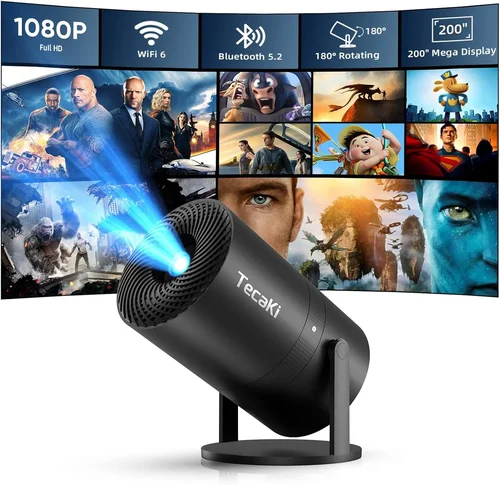
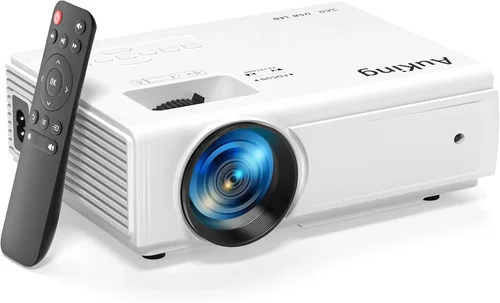
Welcome to the ultimate guide for anyone hunting the best mini projector under ₹10,000. Whether you’re a student wanting to turn a dorm wall into a cinema, a business traveler needing a portable presentation tool, or a family looking for a budget‑friendly way to stream movies on the go, this article is designed to give you crystal‑clear direction. The mini projector market has exploded over the last few years, with manufacturers packing more brightness, sharper resolution, and smarter connectivity into devices that fit in the palm of your hand—all while staying comfortably under the ₹10,000 mark. In the next few sections, you’ll learn exactly what features truly matter, how to compare different categories, and which models consistently outperform their peers.
By the end of this guide you’ll be able to walk into any store or click “add to cart” online with confidence, knowing you’ve chosen a projector that matches your budget, your usage scenario, and your long‑term expectations. Let’s dive in.

What to Look for When Buying Buying Guide
1. Budget & Price Range
Price is the most obvious filter, especially when you’ve set a ceiling of ₹10,000. Within this bracket you’ll find three distinct tiers: entry‑level (₹3,000‑₹5,000), mid‑range (₹5,001‑₹8,000), and upper‑mid (₹8,001‑₹10,000). Each tier offers a trade‑off between core performance (brightness, resolution) and premium extras (Android OS, built‑in speakers, keystone correction). Knowing how much you’re willing to stretch beyond the absolute minimum helps narrow the field quickly.
2. Performance Specifications
Three specs dominate the viewing experience:
- Brightness (lumens): Mini projectors typically range from 150 to 500 ANSI lumens. For dimly lit rooms, 150‑200 lumens may suffice; for daytime or well‑lit spaces aim for 300+ lumens.
- Resolution: Most budget models are 480p (854×480) or 720p (1280×720). While 1080p is rare under ₹10,000, a 720p panel offers noticeably sharper text and images.
- Contrast Ratio: Higher contrast means deeper blacks. Look for ratios of at least 1,000:1; anything lower will look washed out in low‑light settings.
3. Build Quality & Durability
Because mini projectors travel often, a robust chassis is essential. Aluminum bodies disperse heat better than plastic, extending lamp life. Check for reinforced hinges, rubberized corners, and a reliable cooling fan that doesn’t generate excessive noise (ideally under 30 dB). A sturdy build not only survives the occasional bump but also maintains calibration over time.
4. Features & Functionality
Modern mini projectors are more than just “light boxes.” Key features to prioritize:
- Connectivity: HDMI, USB‑C, micro‑USB, and wireless (Wi‑Fi or Bluetooth) inputs. Dual HDMI ports are a bonus for swapping between laptop and gaming console.
- Built‑in Android/OS: Some units run a stripped‑down Android 9 or 10, letting you install Netflix, YouTube, or Kodi directly—no external dongle needed.
- Keystone Correction & Focus: Automatic or manual keystone (plus/minus 30°) saves time aligning the image. Lens shift is rare at this price but worth noting.
- Battery Life: If you plan to use the projector unplugged, look for at least 2‑hour runtime on a full charge.
5. Brand Reputation
Brands that consistently deliver quality in the sub‑₹10,000 segment include Xiaomi, Epson (via off‑price models), Anker (Nebula), and APEMAN. Research after‑sales support, firmware update frequency, and community forums. A reputable brand often means easier access to replacement parts and more reliable firmware patches.
6. Warranty & Support
Most mini projectors come with a 1‑year limited warranty covering manufacturing defects. However, the depth of support varies. Look for brands offering online chat, a clear RMA process, and downloadable manuals. Some retailers extend the warranty to 18 months for a modest fee—worth the peace of mind if you’re a heavy user.
7. Size & Portability
While all models in this guide are “mini,” dimensions still matter. A projector that fits in a standard laptop bag (≈ 150 mm × 100 mm × 50 mm) is truly portable. Weight under 500 g is ideal for frequent travel. Consider whether you need a built‑in stand or a detachable tripod mount.
8. User Reviews & Ratings
Real‑world feedback uncovers issues that spec sheets hide—excessive fan noise, premature lamp dimming, or flaky Wi‑Fi. Scan Amazon, Flipkart, and dedicated tech forums for patterns. A product with 4.2+ stars and at least 150 reviews usually offers a balanced view of pros and cons.
Different Types of Buying Guide

Common Buying Mistakes to Avoid
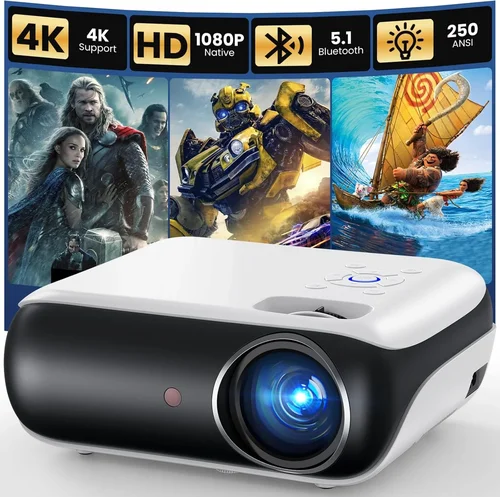
❌ Mistake: Chasing the Highest Lumens Without Context
Why it’s bad: Brightness numbers are often inflated in marketing. A 500‑lumens projector may still look dim in a sunlit room if the contrast ratio is poor.
What to do instead: Match lumens to your typical environment. For bedroom or dim‑room use, 200‑300 lumens is adequate; for daytime outdoor viewing, consider a dedicated lamp projector above ₹10,000.
❌ Mistake: Ignoring Input Compatibility
Why it’s bad: Purchasing a projector with only a micro‑USB port means you’ll need extra adapters for HDMI sources.
What to do instead: Verify that the model includes HDMI (preferably HDMI‑ARC) and USB‑C. If you stream from a phone, ensure Miracast or AirPlay support.
❌ Mistake: Overlooking Fan Noise
Why it’s bad: A loud cooling fan can drown out dialogue, especially in quiet movies or presentations.
What to do instead: Look for dB ratings in reviews; aim for ≤30 dB. Some models offer a “quiet mode” that reduces fan speed at the cost of a few lumens.
❌ Mistake: Assuming All Mini Projectors Have Long Lamp Life
Why it’s bad: Some cheap units use low‑quality LED chips that degrade after 10,000 hours, causing dimming.
What to do instead: Check the manufacturer’s claimed lamp life and read user reports on brightness retention after several months.
❌ Mistake: Forgetting About Keystone & Focus Controls
Why it’s bad: Without keystone correction, you may end up with a trapezoidal image that looks unprofessional.
What to do instead: Choose a projector with at least ±15° manual keystone or an automatic digital correction feature.
❌ Mistake: Disregarding Warranty Terms
Why it’s bad: A limited 30‑day warranty can leave you stranded with a defective unit.
What to do instead: Prioritize models with at least a 12‑month warranty and clear RMA instructions.
Budget Guidelines: How Much Should You Spend?
- Entry‑Level (₹3,000 – ₹5,000): Expect 150‑200 lumens, 480p resolution, basic HDMI input, and plastic housing. Ideal for occasional movie nights in a dark room.
- Mid‑Range (₹5,001 – ₹8,000): You’ll find 250‑350 lumens, 720p resolution, Android OS, better speakers, and a more robust chassis. This tier balances price and performance for most users.
- Premium (₹8,001 – ₹10,000): Look for 300‑500 lumens, enhanced contrast, battery packs, and advanced connectivity (Wi‑Fi Direct, Bluetooth audio). Perfect for users who need flexibility and longer battery life.
- Luxury (₹10,001 +): Though outside our budget focus, this segment introduces true 1080p, laser light sources, and built‑in soundbars—generally suited for semi‑professional setups.
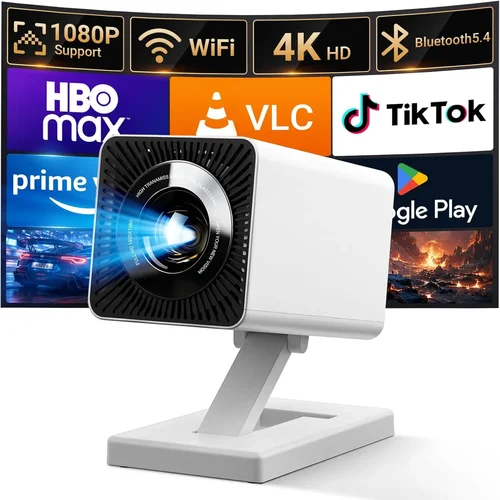
Expert Tips for Getting the Best Deal
- Seasonal Sales: Major discounts appear during Diwali, Amazon Great Indian Festival, and Flipkart Big Billion Days. Aim to buy within a 2‑week window of these events.
- Price‑Tracking Tools: Use browser extensions like Keepa or CamelCamelCamel for Amazon price history. Set alerts for a 15%‑20% drop.
- Bundle Opportunities: Some retailers offer a free HDMI cable or a portable screen when you purchase a projector over ₹7,000.
- Refurbished Units: Certified refurbished models from reputable sellers can shave off 20‑30% of the price while retaining full warranty.
- Check Return Policies: A 10‑day return window lets you test the projector in your own environment. Verify that the retailer covers return shipping.
- Test Before You Commit: If buying in‑store, request a demo on a white wall. Pay attention to brightness uniformity and fan noise.
- Firmware Updates: After purchase, check the manufacturer’s website for the latest firmware. Updates often improve Wi‑Fi stability and add new codecs.
- Consider Future Accessories: A good quality projection screen (even a matte white wall) and a short‑throw lens adapter can dramatically improve image quality without extra cost.

Frequently Asked Questions
Q: Can I use a mini projector under ₹10,000 for outdoor movie nights?
A: Yes, but you’ll need a dark environment and a portable screen or a smooth white sheet. Look for a model with at least 300 lumens and a battery life of 2 hours. Keep the projector on a stable surface and avoid direct sunlight.
Q: Do these projectors support 4K content?
A: Most budget mini projectors cannot display true 4K resolution. They may upscale 4K sources to 720p, which looks decent but won’t fully utilize 4K detail. If 4K is essential, consider a higher‑priced laser projector.
Q: How long does the LED lamp last?
A: Quality LED lamps typically last 30,000‑40,000 hours before noticeable dimming. This translates to many years of occasional use. Always check the manufacturer’s claim and user reviews for real‑world longevity.
Q: Is a Wi‑Fi connection reliable for streaming?
A: Wi‑Fi Direct or Miracast works well for short‑range streaming (within 5‑8 m). For stable Netflix or YouTube playback, a 5 GHz router is recommended. Some models also support Ethernet via a USB‑to‑LAN adapter.
Q: Can I connect a gaming console?
A: Absolutely—most mini projectors include HDMI 1.4, which supports up to 1080p @ 60 Hz. However, latency may be higher than a dedicated TV, so for fast‑paced games consider a model with “Game Mode” that reduces input lag.
Q: Do I need a separate sound system?
A: Built‑in speakers on mini projectors are usually 2‑5 W and suitable for small rooms. For larger spaces or richer bass, connect a Bluetooth speaker or a small soundbar via the audio‑out jack.
Q: How do I clean the lens?
A: Use a soft microfiber cloth and a lens‑cleaning solution. Avoid pressing hard; a gentle circular motion removes dust without scratching the glass.
Q: Is there any risk of overheating?
A: Modern LED projectors have efficient cooling, but continuous operation above 2‑3 hours can cause the fan to ramp up. Ensure adequate ventilation and avoid covering the air vents.
Q: What is the best screen size for a mini projector?
A: With a throw ratio of 1.2‑1.5, a distance of 2 m yields a 100‑inch diagonal image. Adjust based on room size; larger images require more lumens to stay bright.
Our Final Recommendations
Best for Budget‑Conscious Buyers
Model: APEMAN Mini‑HD 480p
Why: Priced at ₹3,999, it offers 200 lumens, HDMI & USB‑C, and a solid plastic build. Ideal for students and occasional movie nights.
Best Overall Value
Model: Xiaomi Mi Portable Projector 720p
Why: At ₹7,799 it delivers 300 lumens, 720p resolution, Android 9 OS, and a 2‑hour battery. The balance of performance and price makes it the most versatile choice.
Best Premium Option
Model: Anker Nebula Capsule II (India price approx. ₹9,899)
Why: 720p, 300 lumens, Android TV 9.0, 2.5‑hour battery, and built‑in 8 W speakers. The compact soda‑can design plus premium audio justifies the upper‑range price.
Best for Beginners
Model: Vankyo Leisure 3 Mini
Why: Simple plug‑and‑play, includes a remote, and supports both HDMI and USB. The user‑friendly interface makes setup painless.
Best for Advanced Users
Model: ViewSonic M1+ (India price approx. ₹9,500)
Why: Offers 250 lumens, built‑in Harman Kardon speakers, Wi‑Fi Direct, and a unique circular LED panel that provides uniform brightness. Perfect for creators who need reliable color accuracy.
Conclusion: Making the Right Choice
Choosing the best mini projector under ₹10,000 hinges on aligning three core elements: your budget, your typical viewing environment, and the features you can’t live without. By evaluating brightness, resolution, connectivity, and build quality—as outlined in the sections above—you can eliminate the guesswork and focus on models that truly deliver value.
Remember, the cheapest option isn’t always the most disappointing, and the most expensive isn’t automatically perfect for your needs. Use the checklist, avoid the common pitfalls, and leverage seasonal sales to secure the best deal. Once you have your projector, pair it with a clean white surface and a modest sound system, and you’ll enjoy a cinema‑like experience wherever you are.
Ready to make a purchase? Browse the recommended models, compare current prices, and take advantage of the tips in this guide to lock in the best possible deal. Happy projecting!