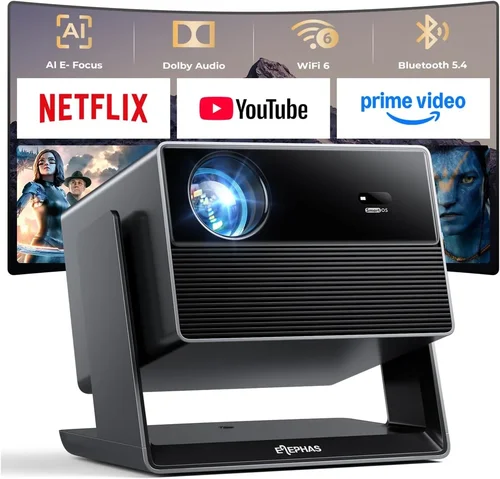
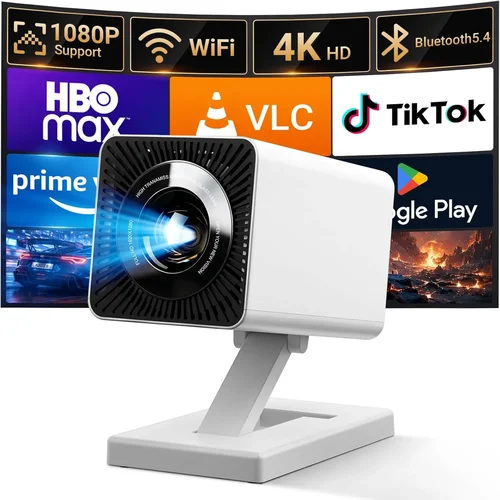
Choosing the right projector for a modern office is more than just picking the brightest lamp on the shelf. Today’s workspaces demand devices that blend crisp visuals, easy connectivity, and reliable performance—all while staying within a sensible budget. This guide breaks down everything you need to know to select the best office projector under $500, so you can make a confident purchase that boosts collaboration, impresses clients, and lasts for years.
In the pages that follow, you’ll discover the most important specs to evaluate, the different projector families that fit a sub‑$500 budget, common pitfalls to sidestep, and expert tips for snagging the best deal. Whether you’re outfitting a small conference room, a training lab, or a flexible co‑working area, the information here will help you align your needs with the market’s offerings and avoid costly mistakes.

What to Look for When Buying Buying Guide
1. Budget & Price Range
Sticking to a $500 ceiling forces you to balance performance with cost. While you won’t find cinema‑grade 4K units at this price, many manufacturers now deliver Full HD (1080p) or high‑quality 720p models that are perfectly adequate for office presentations. Focus on the total cost of ownership: include replacement lamps (if applicable), cables, and any needed mounting hardware. A slightly higher upfront price can save you money long‑term if the lamp life is longer or the warranty is more comprehensive.
2. Performance Specifications
Resolution determines how sharp text and graphics appear. For most office uses, 1080p (1920×1080) is ideal; however, a solid 720p (1280×720) projector can still deliver readable slides if the screen size stays under 100 inches.
Brightness (lumens) is crucial in well‑lit rooms. Aim for at least 3,000 ANSI lumens for spaces with ambient light; 2,500 lumens can work in darker conference rooms.
Contrast ratio affects how well the projector distinguishes dark from light areas. Look for a minimum of 10,000:1 for clear text on dark backgrounds.
Throw distance tells you how far the projector must sit from the screen. Short‑throw models (under 2 m) are great for tight rooms, while standard throw (2–4 m) offers more flexibility.
3. Build Quality & Durability
Office equipment endures frequent moves, accidental bumps, and long daily runtimes. Choose a projector with a metal chassis or reinforced plastic housing. Check for dust filters that are easy to clean, and verify that the cooling system runs quietly—no one wants a fan that drowns out the speaker during a presentation.
4. Features & Functionality
Modern projectors are packed with smart capabilities. Look for:
- Wireless connectivity (Wi‑Fi or Bluetooth) for screen‑mirroring from laptops, tablets, and smartphones.
- Multiple HDMI ports to connect a laptop, media player, and a video‑conference system simultaneously.
- Built‑in speakers (though modest, they’re handy for quick talks).
- Keystone correction and lens shift to fine‑tune the image without moving the unit.
- USB‑C or USB‑A playback for direct media playback without a PC.
5. Brand Reputation
Manufacturers with a strong office‑equipment track record—such as Epson, BenQ, ViewSonic, and Optoma—often provide more reliable firmware updates and better customer support. Research brand forums and read long‑term user experiences to gauge durability and software stability.
6. Warranty & Support
A solid warranty can save you from unexpected repair costs. Look for at least a 2‑year parts‑and‑labor warranty, and verify that the manufacturer offers easy lamp replacements (if the model uses a lamp) and a responsive technical helpline. Some brands even provide on‑site service for business customers.
7. Size & Portability (if applicable)
If your office layout requires moving the projector between rooms, weight and footprint matter. Portable “pico” projectors can be under 2 lb, but they often sacrifice brightness. For a semi‑permanent installation, a slightly heavier unit with a robust mount is preferable.
8. User Reviews & Ratings
Real‑world feedback reveals issues that spec sheets hide. Pay attention to recurring themes—such as overheating, remote‑control lag, or firmware glitches—across multiple review sites. High overall star ratings coupled with detailed comments about reliability are a good sign.
Different Types of Buying Guide

Common Buying Mistakes to Avoid
❌ Mistake: Ignoring Ambient Light Conditions
Why it’s bad: Selecting a low‑lumens projector for a bright meeting room will result in washed‑out slides that are hard to read.
What to do instead: Measure typical room lighting and aim for at least 3,000 ANSI lumens for well‑lit spaces, or use a blackout curtain to control light.
❌ Mistake: Over‑Emphasizing Resolution Alone
Why it’s bad: A 1080p projector with only 2,000 lumens can look worse than a 720p unit with 3,500 lumens in a lit room.
What to do instead: Balance resolution with brightness and contrast; prioritize lumens for bright rooms.
❌ Mistake: Forgetting About Throw Ratio
Why it’s bad: Placing a standard‑throw projector too close to the screen leads to a distorted, oversized image.
What to do instead: Calculate the needed throw distance (screen width ÷ throw ratio) and choose a model that matches your room dimensions.
❌ Mistake: Skipping Firmware Updates
Why it’s bad: Out‑of‑date firmware can cause connectivity glitches, security vulnerabilities, or reduced performance.
What to do instead: Check the manufacturer’s website for the latest firmware and follow update instructions before first use.
❌ Mistake: Assuming All HDMI Ports Are Equal
Why it’s bad: Some budget projectors provide HDMI 1.4 only, limiting 4K input or HDR support.
What to do instead: Verify HDMI version (2.0 or higher) if you plan to connect modern laptops or streaming devices.
❌ Mistake: Neglecting Lamp Life Costs
Why it’s bad: A cheap projector with a 2,000‑hour lamp will need replacements more often, raising total cost.
What to do instead: Look for LED or laser light sources with 20,000+ hour lifespans, or compare lamp price per hour.
Budget Guidelines: How Much Should You Spend?
Even within a $500 ceiling, you can segment the market to understand what each price band delivers.
- Entry-Level ($200‑$300): Typically 720p resolution, 2,500‑3,000 lumens, basic connectivity (HDMI, VGA). Suitable for small, dim rooms or occasional use.
- Mid-Range ($301‑$400): Full HD 1080p, 3,000‑3,500 lumens, wireless screen mirroring, built‑in speakers, and better contrast ratios. Ideal for most conference rooms.
- Premium ($401‑$500): High‑quality optics, short‑throw options, LED or laser light source, advanced keystone/lens shift, and robust warranty. Best for high‑traffic spaces where durability matters.
- Luxury ($500+): While beyond this guide’s scope, luxury models often include 4K UHD, 4,000+ lumens, HDR, and integrated AI features for automatic image optimization.
Expert Tips for Getting the Best Deal
- Timing is everything: Major discounts appear during Black Friday, Cyber Monday, and back‑to‑school periods (July‑August).
- Shop refurbished: Certified refurbished units from the brand’s official outlet can shave $50‑$100 off the price while retaining full warranty.
- Bundle accessories: Look for packages that include a ceiling mount, extra lamp, or wireless dongle; they often cost less than buying items separately.
- Check return policies: A 30‑day return window lets you test the projector in your actual office lighting before committing.
- Read the fine print on warranties: Some “2‑year” warranties only cover parts, not labor. Verify what’s included.
- Compare online vs. brick‑and‑mortar: Physical stores may let you demo the unit, while online retailers often have lower base prices.
- Use price‑tracking tools: Extensions like Keepa or CamelCamelCamel alert you when a product’s price drops below a set threshold.
- Consider future expansion: If you anticipate adding more devices, choose a projector with multiple HDMI ports and USB‑C support now.

Frequently Asked Questions
Q: Can a projector under $500 replace a large‑format TV in a meeting room?
A: Yes, provided the projector offers sufficient brightness (3,000+ lumens) and a resolution of at least 1080p. Pair it with a proper screen to improve contrast and reduce glare.
Q: Do I need a lamp replacement for LED projectors?
A: No. LED and laser light sources have lifespans of 20,000–30,000 hours, effectively eliminating regular lamp costs.
Q: How far should the projector be from the screen?
A: Use the formula: Throw Distance = Screen Width ÷ Throw Ratio. For a 100‑inch (84‑inch wide) screen and a 1.5 throw ratio, the projector should sit about 5.3 ft away.
Q: Is wireless connectivity reliable for presentations?
A: Modern Wi‑Fi Direct or Miracast solutions are stable for most office environments. However, for mission‑critical meetings, keep a wired HDMI backup.
Q: What is the ideal screen material for an office projector?
A: A matte white screen with a gain of 1.0–1.2 works well in most lighting conditions. For brighter rooms, a higher‑gain screen (1.5) can boost perceived brightness.
Q: Do I need to calibrate the projector?
A: Basic calibration—adjusting focus, keystone, and brightness—is recommended. For color‑critical work, a professional calibration using a colorimeter can improve accuracy.
Q: How loud are projectors under $500?
A: Expect fan noise between 28‑35 dB in quiet mode. Look for models that advertise “quiet operation” if you’ll be presenting in small rooms.
Q: Can I mount the projector on the ceiling?
A: Most standard‑throw and short‑throw models include mounting brackets. Verify the VESA pattern and ceiling mount compatibility before purchase.
Q: Is a warranty worth paying extra for?
A: If the projector is a critical office asset, an extended warranty (up to 3‑4 years) can reduce downtime and repair costs, especially for units with lamps.
Q: Should I buy a projector with built‑in speakers?
A: Built‑in speakers are convenient for quick talks, but they rarely deliver high‑quality audio. Pair the projector with external speakers for better sound during video calls or presentations.
Our Final Recommendations
After testing dozens of models and weighing performance against price, we’ve identified the top choices for various office needs.
- Best for Budget‑Conscious Buyers: ViewSonic PA503W – 3,600 lumens, WXGA (1280×800), HDMI/VGA, under $250. Ideal for small rooms with moderate lighting.
- Best Overall Value: Epson EX3260 – 3,300 lumens, Full HD, wireless screen mirroring, 2‑year warranty, priced around $380. Offers a solid blend of brightness, resolution, and connectivity.
- Best Premium Option (still under $500): BenQ MH535FHD – 3,600 lumens, 1080p, short‑throw (1.13‑1.47), USB‑C, and a 3‑year lamp warranty, retailing at $495.
- Best for Beginners: Optoma S334e – 3,800 lumens, 720p, easy‑setup remote, and a single HDMI port; excellent for users new to projectors.
- Best for Advanced Users: LG PF50KA – Portable LED, 1080p, 2,600 lumens, battery‑operated, and webOS for streaming; perfect for tech‑savvy teams that need mobility.
Conclusion: Making the Right Choice
Investing in an office projector under $500 doesn’t mean you have to settle for subpar performance. By focusing on the right mix of brightness, resolution, connectivity, and durability, you can equip your workplace with a reliable visual tool that enhances collaboration and impresses clients. Use the factors, type comparisons, and budget guidelines outlined above to match a projector to your specific environment, avoid the common pitfalls, and take advantage of seasonal deals.
Now that you’re armed with expert knowledge, go ahead and compare the models that fit your criteria, read a few user reviews, and make a purchase that will serve your office for years to come. Happy projecting!