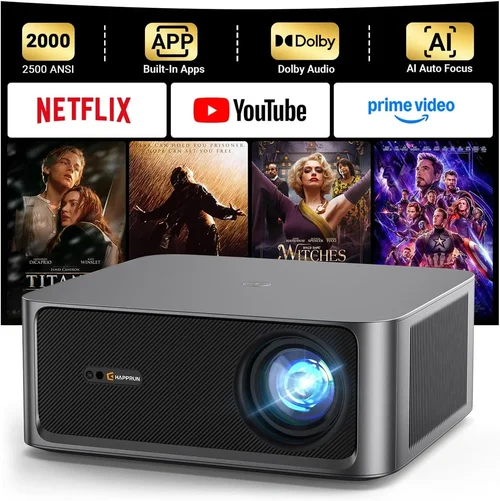
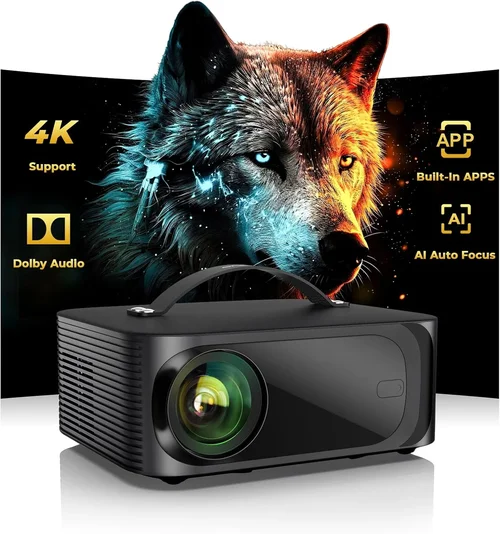
Choosing an outdoor projector that delivers cinema‑quality images without breaking the bank can feel like hunting for a needle in a haystack. The market is flooded with models that promise bright, vibrant pictures, yet many fall short when the sun sets or the wind picks up. This guide cuts through the noise, giving you a clear roadmap to find the best outdoor projector under $1,000 that actually performs where you need it most.
In the pages that follow you will learn how to evaluate brightness, contrast, durability, and connectivity—all the factors that matter when you set up a backyard movie night, a pool‑side sports screen, or a portable presentation for an outdoor event. We’ll also compare the main categories of projectors, flag common pitfalls, and hand you a set of expert tips so you can buy confidently and get the most bang for your buck.
The outdoor projector landscape has evolved dramatically over the past few years. LED and laser light sources have become more affordable, offering longer lifespans and better color accuracy than traditional lamps. Meanwhile, manufacturers are building weather‑resistant housings and integrating smart platforms that let you stream directly from a phone or voice assistant. All of this means that, even with a $1,000 ceiling, you can now choose from a surprisingly capable lineup.

What to Look for When Buying Buying Guide
1. Brightness (Lumens)
Brightness is the single most critical spec for outdoor use. Measured in lumens, it tells you how much light the projector can throw onto a screen. In a dark backyard, 2,500–3,000 lumens is usually sufficient for a 100‑inch image. If you expect some ambient light (e.g., a dusk setting or street lamps), aim for 3,500 lumens or more. Remember that LED and laser projectors often list “ANSI lumens,” which is a more realistic measure than “LED lumens.”
2. Contrast Ratio
Contrast ratio describes the difference between the darkest black and the brightest white a projector can produce. A higher ratio (e.g., 15,000:1) yields deeper blacks and more detail in dark scenes—essential for movie nights. While contrast is less critical for daytime presentations, it becomes a deciding factor for immersive cinema experiences.
3. Resolution
Resolution determines how sharp the picture looks. Full HD (1920×1080) is now the baseline for any projector under $1,000. Some newer models push into 4K‑enhanced or native 4K, but they often sacrifice brightness or push the price above the $1,000 mark. For outdoor viewing distances of 10–15 feet, Full HD provides a crisp image without visible pixelation.
4. Light Source Technology
There are three main light sources:
- UHP Lamp – Traditional, bright, but limited lifespan (2,000–4,000 hours) and expensive to replace.
- LED – Lower brightness but excellent color accuracy, instant on/off, and up to 30,000‑hour lifespan.
- Laser – Combines high brightness with long life (20,000+ hours) and consistent color performance. Often the best choice for outdoor use, though prices can hover near the $1,000 ceiling.
When budgeting under $1,000, laser models like the ViewSonic X10‑4K (often on sale) give you the best mix of brightness and durability.
5. Build Quality & Weather Resistance
Outdoor environments expose gear to moisture, dust, and temperature swings. Look for an IP rating (e.g., IP54) that guarantees protection against splashing water and dust ingress. A sealed enclosure, reinforced chassis, and rubberized feet reduce vibration and protect internal optics.
6. Portability & Setup Flexibility
If you plan to move the projector between patios, camping trips, or event venues, weight and form factor matter. Compact, short‑throw models can project a large image from a few feet away, eliminating the need for a long truss or pole. Integrated handles, detachable lenses, and wireless connectivity further streamline setup.
7. Connectivity Options
Modern outdoor projectors should support at least HDMI 2.0, USB‑C, and wireless casting (AirPlay, Miracast, Chromecast built‑in). Some also feature Bluetooth for external speakers—a must for an immersive audio experience. Ethernet ports are handy for stable streaming in areas with spotty Wi‑Fi.
8. Brand Reputation & Support
Established brands such as Epson, BenQ, ViewSonic, and Optoma tend to offer better firmware updates, reliable warranties, and accessible service centers. Even if a lesser‑known brand offers a lower price, verify the availability of spare parts and the responsiveness of customer support.
Different Types of Buying Guide

Common Buying Mistakes to Avoid
❌ Mistake: Ignoring Ambient Light Conditions
Why it’s bad: Buying a low‑lumens projector for a well‑lit patio results in a washed‑out image that ruins the viewing experience.
What to do instead: Assess the typical lighting of your outdoor space. If you often watch after sunset but before total darkness, target at least 3,500 lumens. For fully dark environments, 2,500 lumens can suffice.
❌ Mistake: Overlooking Weather Sealing
Why it’s bad: A projector without proper IP rating can short‑circuit from a sudden drizzle or accumulate dust that degrades image quality.
What to do instead: Choose models with at least an IP54 rating or invest in a protective canopy and a waterproof cover.
❌ Mistake: Buying the Cheapest Lamp Replacement
Why it’s bad: Cheap third‑party lamps may fit but often deliver lower brightness and can damage the projector’s optics.
What to do instead: Stick with OEM lamps or reputable third‑party brands that guarantee lumen output and have a solid warranty.
❌ Mistake: Forgetting Throw Distance
Why it’s bad: A long‑throw projector needs a lot of space; placing it too close yields a tiny image, too far and the image becomes blurry.
What to do instead: Measure your typical setup distance and use a throw‑ratio calculator. Short‑throw models are ideal for decks with limited depth.
❌ Mistake: Neglecting Audio Needs
Why it’s bad: Outdoor acoustics are unforgiving; built‑in speakers are often under‑powered, leading to a weak soundtrack.
What to do instead: Pair the projector with Bluetooth or wired outdoor speakers. Some projectors include audio‑out ports for easy integration.
❌ Mistake: Assuming All “4K” Are Equal
Why it’s bad: Many sub‑$1,000 projectors only offer “4K‑enhanced” processing, not true native 4K, which can be misleading.
What to do instead: Verify the native resolution in the spec sheet. If true 4K is essential, be prepared to stretch the budget or accept lower brightness.
❌ Mistake: Skipping Firmware Updates
Why it’s bad: Out‑of‑date firmware can cause connectivity glitches, reduced performance, and security vulnerabilities.
What to do instead: Choose a brand with a clear update schedule and easy access to firmware via USB or Wi‑Fi.
Budget Guidelines: How Much Should You Spend?
- Entry‑Level ($400‑$600): Expect LED or low‑lumens UHP lamp units. Brightness around 2,500 lumens, Full HD resolution, basic connectivity (HDMI, USB). Ideal for small patios or occasional use.
- Mid‑Range ($600‑$800): Laser or higher‑lumens LED models appear here. You’ll get 3,000‑3,500 lumens, better contrast, short‑throw options, and smart OS integration.
- Premium ($800‑$1,000): This tier includes true laser light sources, 4,000+ lumens, enhanced weather sealing, and robust wireless features. Best for frequent outdoor cinema or semi‑professional events.
- Luxury ($1,000+): While outside the scope of this guide, luxury units push 5,000+ lumens, native 4K, and advanced lens shift. Consider only if your budget allows.
Expert Tips for Getting the Best Deal
- Timing: New product cycles typically launch in early spring. Prices on previous‑generation models drop 15‑25% around June–July.
- Where to Buy: Authorized retailers (Best Buy, B&H, Adorama) provide extended warranties and easy returns. Online marketplaces can be cheaper but verify seller reputation.
- Bundle Savings: Look for bundles that include a portable screen, mounting bracket, or outdoor speaker system—often cheaper than buying items separately.
- Warranty Hacks: Register the projector within 30 days to unlock extended warranty options. Some brands offer a free lamp replacement for the first year.
- Return Policy: Ensure a 30‑day return window with free shipping. Test the unit outdoors before finalizing; most retailers accept returns if the image quality doesn’t meet expectations.
- Testing Before Buying: Bring a laptop with a 1080p test video to the store. Project onto a white wall to gauge true brightness and color accuracy.
- Negotiating: In brick‑and‑mortar stores, ask for a price match if you find a lower online price. Sales staff often have discretionary discount authority.

Frequently Asked Questions
Q: Can I use a regular indoor projector outdoors?
A: Technically you can, but indoor units lack the brightness and weather protection needed for reliable outdoor performance. Expect washed‑out images and a higher risk of damage from moisture.
Q: Do I need a separate screen?
A: A high‑gain white screen dramatically improves image quality, especially in low‑light conditions. If you have a smooth, light‑colored wall, you can manage, but a dedicated screen provides consistent results.
Q: How far should the projector be from the screen?
A: It depends on the throw ratio. For a 2.5:1 throw ratio, a 100‑inch image requires roughly 12‑13 feet of distance. Short‑throw models (0.5:1) can achieve the same size from just 4‑5 feet away.
Q: Will a battery‑powered projector run all night?
A: Most battery‑operated projectors offer 2‑4 hours of runtime. For longer events, keep a power outlet nearby or use a portable generator with proper voltage regulation.
Q: Is HDMI 2.0 necessary?
A: HDMI 2.0 supports 4K at 60 Hz and HDR, which future‑proofs your setup. For Full HD under 60 Hz, HDMI 1.4 suffices, but opting for 2.0 ensures better compatibility.
Q: How often do I need to replace the lamp?
A: Lamp life varies by technology. UHP lamps last 2,000‑4,000 hours, LEDs up to 30,000 hours, and lasers 20,000+ hours. Under typical weekend use, a lamp may last 3‑5 years.
Q: Can I connect my smartphone directly?
A: Yes—most modern projectors support wireless casting (AirPlay, Miracast, Chromecast). Some also have USB‑C ports for direct video input.
Q: What is the ideal screen material for outdoor use?
A: A matte white, high‑gain (1.2–1.5) screen resists glare and reflects enough light for bright images while maintaining color fidelity.
Q: Do I need a separate audio system?
A: Built‑in speakers are generally insufficient for outdoor spaces. Pair the projector with Bluetooth or wired outdoor speakers for a balanced soundstage.
Our Final Recommendations
- Best for Budget‑Conscious Buyers: BenQ TH585 – 3,500 lumens, Full HD, low price (~$550), solid gaming mode, decent weather tolerance.
- Best Overall Value: ViewSonic X10‑4K – 2,400 lumens laser, 4K‑enhanced, short‑throw, built‑in battery, IPX2 splash resistance, priced around $950.
- Best Premium Option: Epson PowerLite 1795F – 3,800 lumens, laser, Full HD, IP54 rating, robust connectivity, $999.
- Best for Beginners: LG PF50KA – 600 lumens LED, portable, smart TV interface, easy setup, $600.
- Best for Advanced Users: Optoma CinemaX P2 – 3,000 lumens laser, 4K native, ultra‑short‑throw, advanced color management, $1,000 (often on sale).
Conclusion: Making the Right Choice
Choosing the best outdoor projector under $1,000 comes down to balancing brightness, durability, and smart features against the specific environment you’ll use it in. Start by measuring your typical viewing distance, evaluate ambient light, and decide whether a short‑throw laser or a high‑lumens lamp best fits your space. Remember to verify weather sealing, check warranty terms, and test connectivity before you buy.
Armed with the factors, categories, and expert tips outlined above, you can confidently select a projector that turns any backyard into a cinema‑grade experience without blowing your budget. Happy watching!