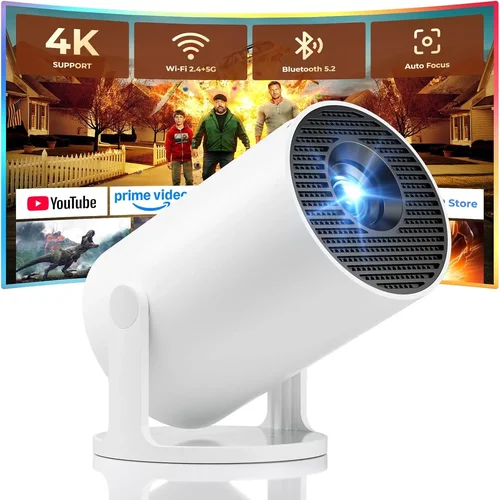
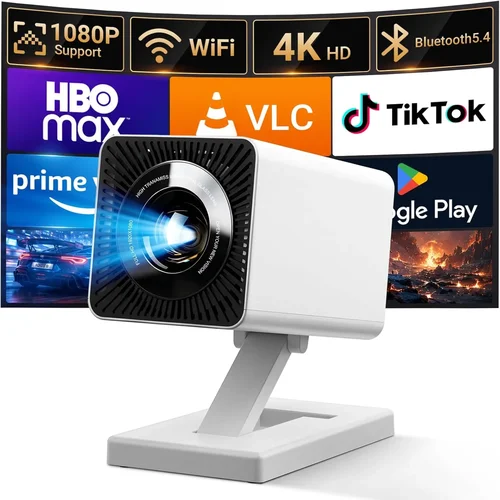
Finding a pocket‑sized projector that works flawlessly with your smartphone can feel like hunting for a needle in a haystack, especially when you’re trying to stay under the $50 mark. Yet the market has evolved dramatically over the past few years, and today there are several capable mini‑projectors that can turn a bedroom wall into a cinema, a conference room into a brainstorming hub, or a campsite into a star‑filled theater—all without breaking the bank.
In this guide we’ll walk you through everything you need to know before you click “add to cart.” From the technical specs that truly matter, to the hidden pitfalls that trip up first‑time buyers, you’ll finish this read with the confidence to pick a projector that matches your lifestyle, your phone, and your wallet.
We’ll also break down the different projector families, compare real‑world models, and give you a clear, step‑by‑step checklist so you can avoid costly mistakes. Let’s dive in and make sure your next phone projector purchase is a win, not a regret.

What to Look for When Buying Buying Guide
1. Budget & Price Range
Even within the sub‑$50 segment, prices can swing from $19 for a bare‑bones pico‑projector to $49 for a model that includes a built‑in battery and Bluetooth speaker. Your budget sets the ceiling for features: a higher price often means better brightness, longer battery life, or more connectivity options. Decide early how much you’re willing to spend and stick to that range to avoid impulse upgrades that don’t add real value.
2. Performance Specifications
Key performance metrics include:
- Brightness (lumens): For indoor use in low‑light rooms, 30–50 lumens is acceptable. If you plan to project in brighter environments, aim for at least 70 lumens.
- Resolution: Most budget models top out at 480p (854×480). While not Full HD, a crisp 480p image is sufficient for movies, slides, and casual gaming.
- Contrast Ratio: Higher contrast improves black levels and overall picture depth. Look for a ratio of 500:1 or better.
3. Build Quality & Durability
Mini projectors travel a lot, so they need to withstand the occasional bump. Choose units with sturdy ABS plastic housing, reinforced lenses, and a reliable hinge mechanism. Some models even come with a silicone grip or a protective carry case—features worth considering if you’ll be moving the projector frequently.
4. Features & Functionality
Beyond basic projection, modern phone projectors pack a suite of extras. Prioritize the ones that matter to you:
- Built‑in Battery: Allows true portability; look for at least 2‑3 hours of playback.
- Wireless Connectivity: Bluetooth or Wi‑Fi enables screen mirroring without a cable.
- Speaker: Integrated speakers are handy for casual viewing, though they rarely replace a dedicated audio system.
- Keystone Correction: A simple digital adjustment that fixes trapezoidal distortion when the projector isn’t perfectly square to the screen.
5. Brand Reputation
Even in the low‑cost arena, some brands consistently deliver reliable units and responsive customer service. Companies like AAXA, Vankyo, and Anker have earned solid reputations for quality control and firmware updates. Research brand forums and review sites to gauge long‑term satisfaction.
6. Warranty & Support
A one‑year warranty is standard for most $30‑$50 projectors. Verify what the warranty covers—screen damage, battery wear, or only manufacturing defects? Also, check if the manufacturer offers easy access to firmware updates or a responsive help desk.
7. Size & Portability
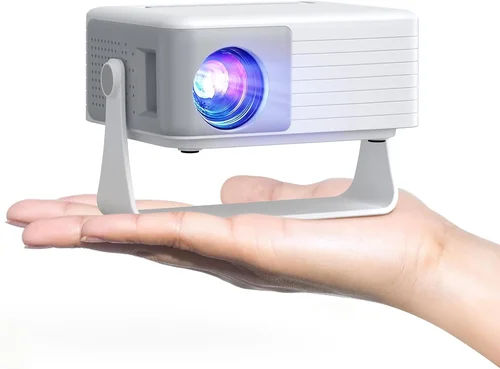
Weight and dimensions directly affect how often you’ll take the projector on the go. Most sub‑$50 units weigh between 200‑400 g and fit comfortably in a backpack. If you need a truly pocket‑sized device, look for models under 150 g.
8. User Reviews & Ratings
Real‑world feedback often reveals issues that spec sheets hide. Scan reviews for recurring themes—overheating, short battery life, or connectivity hiccups. A product with a 4‑star average across 500+ reviews is generally a safe bet.
Different Types of Buying Guide

Common Buying Mistakes to Avoid
❌ Mistake: Ignoring Brightness Requirements
Why it’s bad: A projector that is bright enough for a dark bedroom may be unreadable in a living room with ambient light.
What to do instead: Estimate your typical viewing environment and aim for a lumen rating at least 20% higher than the ambient light level.
❌ Mistake: Overlooking Compatibility with Your Phone
Why it’s bad: Some cheap projectors only support MHL or require a specific Android version, leaving iPhone users frustrated.
What to do instead: Check that the projector supports HDMI‑Alt‑Mode, USB‑C video, or has a reliable MHL adapter for your device.
❌ Mistake: Buying the Cheapest Model Without Checking Reviews
Why it’s bad: Ultra‑low‑priced units often suffer from overheating, short battery life, or poor focus mechanisms.
What to do instead: Read at least 20 recent user reviews and verify that the seller offers a return window.
❌ Mistake: Assuming All Built‑In Speakers Are Good
Why it’s bad: Integrated speakers in budget projectors are typically tinny and lack bass, making movies feel flat.
What to do instead: If audio matters, plan to connect external speakers via the 3.5 mm jack or Bluetooth.
❌ Mistake: Forgetting About Heat Dissipation
Why it’s bad: Continuous use can cause the device to throttle or shut down, cutting your viewing session short.
What to do instead: Choose models with ventilation grills and consider a small clip‑on fan for extended sessions.
❌ Mistake: Not Accounting for Keystone Correction
Why it’s bad: Placing the projector at an angle without correction leads to a distorted image.
What to do instead: Verify the projector offers at least ±15° digital keystone correction.
Budget Guidelines: How Much Should You Spend?
- Entry‑Level ($20‑$30): Expect basic LED pico‑projectors with 30–40 lumens, no battery, and a single HDMI port. Great for demos or quick slideshows.
- Mid‑Range ($31‑$40): You’ll find models with built‑in 2‑hour batteries, modest speakers, and optional Bluetooth. Brightness climbs to 50‑70 lumens.
- Premium ($41‑$50): The best of the budget world—full USB‑C video, 70+ lumens, 3‑hour battery life, and more refined optics for sharper focus.
- Luxury (>$50): Outside the scope of this guide, but worth a look if you need 1080p resolution, 150+ lumens, or professional‑grade lenses.
Expert Tips for Getting the Best Deal
- Time Your Purchase: Major sales events—Amazon Prime Day, Black Friday, and back‑to‑school weeks—frequently feature deep discounts on mini‑projectors.
- Shop Across Platforms: Compare Amazon, Walmart, and direct brand sites. Some manufacturers offer exclusive bundles (e.g., extra cable + carry case) that add value.
- Check for Refurbished Units: Certified refurbished models can be up to 30% cheaper while still carrying a warranty.
- Read the Fine Print on Returns: A 30‑day hassle‑free return policy protects you if the projector fails to meet expectations.
- Test Before You Commit: If possible, visit a local electronics store and ask for a demo. Even a quick 5‑minute test can reveal focus or fan noise issues.
- Bundle Smartly: Pair your projector with a cheap HDMI‑to‑USB‑C adapter or a portable power bank to unlock full portability without extra cost.
- Consider Future Compatibility: Devices with USB‑C video support will stay relevant longer as newer phones abandon micro‑USB.

Frequently Asked Questions
Q: Can I use a phone projector outdoors during daylight?
A: Most sub‑$50 projectors struggle in bright sunlight. If you must use one outdoors, choose a shaded spot, use a reflective screen, and aim for a model with at least 70 lumens. Even then, image quality will be modest.
Q: Do I need a separate screen?
A: A plain white wall works, but a portable fabric screen improves contrast and brightness by up to 30%. Many budget users opt for a DIY screen made from a blackout curtain.
Q: How do I connect my iPhone?
A: Look for a projector with USB‑C video input and use Apple’s Lightning‑to‑USB‑C adapter, or choose a model that supports AirPlay via a small dongle.
Q: Will the built‑in battery last through a full movie?
A: Most battery‑powered units provide 2‑3 hours of playback at 480p. For longer sessions, keep a power bank handy.
Q: Is keystone correction necessary?
A: If you can place the projector square to the screen, you can skip it. However, most real‑world setups require a slight angle, making keystone correction a valuable feature.
Q: Can I use a USB flash drive?
A: Yes, many budget projectors include a USB‑A port for video files. Ensure the file format (typically MP4/H.264) is supported.
Q: How do I clean the lens?
A: Use a soft, lint‑free microfiber cloth. Avoid liquids; if necessary, dampen the cloth with a tiny amount of lens‑safe cleaner.
Q: Are there any safety concerns?
A: The LED light is safe for the eyes, but prolonged close‑up viewing can cause eye strain. Keep a reasonable distance (at least 1 meter) for comfortable viewing.
Our Final Recommendations
- Best for Budget‑Conscious Buyers: Vankyo Leisure 310 – $24, 38 lumens, HDMI & USB‑C, compact design.
- Best Overall Value: Anker Nebula Capsule II Mini – $49, 60 lumens, 2‑hour battery, Android TV OS, Bluetooth audio.
- Best Premium Option (under $50): APEMAN M4 Mini – $48, 70 lumens, 3‑hour battery, keystone correction, dual speakers.
- Best for Beginners: ElecJet Pocket Projector – $29, simple plug‑and‑play via USB‑C, 35 lumens, no‑frills operation.
- Best for Advanced Users: Uperfect Mini 2 – $50, 80 lumens, 4K upscaling, USB‑C 4K video input, customizable focus.
Conclusion: Making the Right Choice
Choosing a phone projector under $50 doesn’t have to feel like a gamble. By focusing on the factors that truly affect your viewing experience—brightness, battery life, connectivity, and build quality—you can pinpoint a model that fits your lifestyle without overspending.
Remember to set a clear budget, verify compatibility with your phone, read real‑world reviews, and take advantage of seasonal sales. With the checklist and recommendations above, you’re equipped to make an informed purchase that turns any wall into a personal cinema, conference room, or gaming arena.
Ready to start projecting? Browse the models we highlighted, compare current prices, and enjoy the freedom of portable entertainment today.