Choosing a pico projector that delivers a clear, bright image without breaking the bank can feel like navigating a maze. The market is flooded with models that promise cinema‑quality visuals in a palm‑sized package, yet many fall short when it comes to real‑world performance. This guide cuts through the hype, offering a step‑by‑step roadmap so you can confidently pick the best pico projector under $300 that actually meets your needs.
By the end of this article you will understand the most important specifications, know which features are worth the extra few dollars, and be equipped with a list of vetted models that excel in everyday use. Whether you’re a frequent traveler, a home‑theater hobbyist, or simply want a portable screen for presentations, the information here will help you avoid costly mistakes and get the most bang for your buck.
The pico projector segment has matured dramatically over the past three years. Advances in LED technology, laser light sources, and battery efficiency have pushed brightness and image quality upward while keeping devices lightweight and affordable. As a result, you can now find solid options under $300 that deliver 720p resolution, decent contrast, and built‑in Android or wireless casting. Let’s dive into the details that separate the truly usable units from the “nice‑to‑have” gadgets.
What to Look for When Buying Buying Guide
1. Budget & Price Range
Setting a realistic budget is the first step. While you can find pico projectors for under $100, those models often compromise on brightness, resolution, or connectivity. In the sub‑$300 bracket, you should expect at least 720p native resolution, 200–250 lumens of LED brightness, and a battery that lasts 2–3 hours of continuous playback. If a unit is priced far below these benchmarks, scrutinize the specs closely; you may end up with a projector that struggles in dimly lit rooms.
2. Performance Specifications
The core specs that dictate visual performance include:
- Resolution: Native 1280×720 (720p) is the sweet spot for the price range. Some models claim 1080p but actually upscale from 720p, which can lead to softer images.
- Brightness (lumens): Measured in ANSI lumens for high‑end devices, but most budget pico projectors use LED lumens. Aim for 200–250 LED lumens for indoor use; anything lower will need a very dark environment.
- Contrast Ratio: Higher contrast improves black depth. Look for a ratio of at least 1000:1.
- Throw Ratio: Determines the image size at a given distance. A 1.2:1 ratio means you can get a 100‑inch diagonal image from roughly 10 feet away.
3. Build Quality & Durability
Pico projectors are meant to travel. A robust chassis made from anodized aluminum or reinforced polycarbonate will survive the occasional bump. Check for a textured grip, sealed ports (to protect against dust), and a reliable hinge mechanism that holds the lens steady during projection.
4. Features & Functionality
Modern units pack a surprising amount of tech:
- Wireless Casting: Built‑in Wi‑Fi or Miracast lets you stream from smartphones, tablets, or laptops without cables.
- Android OS: Some projectors run a full Android system, enabling you to install apps directly on the device.
- HDMI & USB‑C: Look for at least one HDMI (preferably micro‑HDMI) and a USB‑C port for power delivery and video input.
- Battery Life: A minimum of 2 hours ensures you can watch a feature film or deliver a presentation without hunting for a power outlet.
- Speaker Quality: Integrated speakers are usually modest; consider a model with a 3‑W or higher speaker if you plan to use it without external audio.
5. Brand Reputation
While many newcomers have entered the market, established brands such as Anker (Nebula), AAXA, and ViewSonic tend to provide more consistent firmware updates and reliable after‑sales support. Research community forums and YouTube reviews to gauge long‑term satisfaction.
6. Warranty & Support
A solid warranty (at least 12 months) protects you from premature failures. Verify the manufacturer’s policy on battery replacement, as batteries often wear out first. Responsive customer support can make a huge difference if you encounter firmware glitches or need replacement parts.
7. Size & Portability
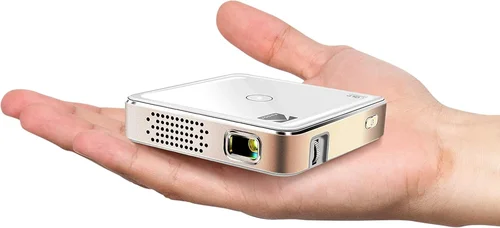
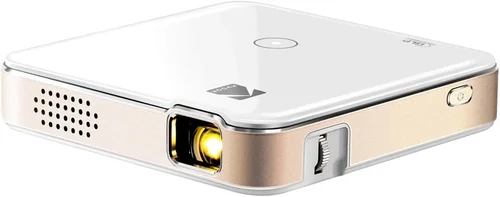
True pico projectors should fit comfortably in a large pocket or small bag. Dimensions under 5 × 3 × 1 inches and a weight under 1 lb are ideal for on‑the‑go use. Some models also include a built‑in kickstand, which eliminates the need for a separate tripod.
8. User Reviews & Ratings
Finally, real‑world feedback is priceless. Look for consistent praise on brightness, ease of setup, and firmware stability. Beware of products with a high volume of negative comments about overheating or frequent connectivity drops.
Different Types of Buying Guide
Common Buying Mistakes to Avoid
❌ Mistake: Focusing Only on Price
Why it’s bad: The cheapest model often sacrifices brightness and battery life, leaving you with a projector that only works in a dark closet.
What to do instead: Set a realistic budget and prioritize the specs that matter most for your use case, such as lumens and native resolution.
❌ Mistake: Ignoring Compatibility
Why it’s bad: A projector without the right ports or wireless standards may require extra adapters, adding cost and complexity.
What to do instead: Verify that the unit has HDMI (or HDMI‑C), USB‑C, and the wireless protocols (Miracast, AirPlay) you need.
❌ Mistake: Overlooking Battery Degradation
Why it’s bad: Batteries lose capacity over time; a projector that lasts 2.5 hours out of the box may drop to 1 hour after a year.
What to do instead: Choose a model with a replaceable battery or one that supports external power banks.
❌ Mistake: Assuming All Projectors Have Good Speakers
Why it’s bad: Integrated speakers are often under‑powered, leading to muffled audio that forces you to buy external speakers.
What to do instead: Check the speaker wattage and read user reviews about audio quality before buying.
❌ Mistake: Buying Without a Return Policy
Why it’s bad: If the projector arrives with dead pixels or connectivity issues, a strict no‑return policy can leave you stuck.
What to do instead: Purchase from retailers that offer at least a 30‑day return window and free shipping for returns.
Budget Guidelines: How Much Should You Spend?
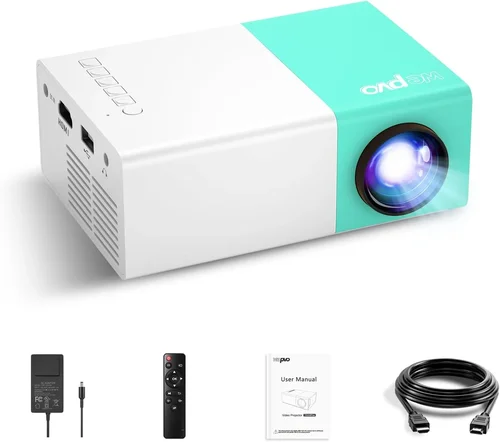
- Entry‑Level ($150‑$180): Expect 720p upscaling, 180‑200 LED lumens, and basic HDMI connectivity. Good for occasional movie nights in a dark room.
- Mid‑Range ($181‑$250): True 720p native resolution, 220‑250 lumens, longer battery (2.5 hrs), and added features like Bluetooth audio or built‑in Android.
- Premium ($251‑$300): Laser‑hybrid light source, higher contrast (1500:1+), brighter output (250‑300 lumens), and robust wireless casting options.
- Luxury ($301+): Rare in the sub‑$300 space, but some limited‑edition models push price for 1080p native resolution, 350+ lumens, and premium build.
Expert Tips for Getting the Best Deal
- Buy during major sales events (Black Friday, Cyber Monday, and back‑to‑school periods) when manufacturers release new models and discount older inventory.
- Consider refurbished units from the manufacturer’s outlet. They are tested, come with a warranty, and can save you up to 30%.
- Check for bundle deals that include a portable screen, carrying case, or extra battery—these add value without inflating the base price.
- Read the fine print on warranty coverage for battery degradation; some brands offer extended battery warranties for an additional fee.
- If you’re comfortable with firmware, look for models that support OTA (over‑the‑air) updates to keep the Android OS current.
- Test the projector in a well‑lit environment before buying if possible. Brightness claims are often measured in dark rooms.

Frequently Asked Questions
Q: Can a pico projector under $300 replace a traditional TV?
A: Not entirely. While a quality pico projector can deliver a large image for movies, its brightness and contrast are lower than a TV. In a dark room it works well, but in bright ambient light you’ll notice washed‑out colors.
Q: Do I need a separate screen?
A: A smooth, white wall works, but a portable projection screen improves color accuracy and contrast. Many mid‑range models include a foldable 80‑inch screen in the package.
Q: How long does the battery really last?
A: Most manufacturers quote 2–3 hours of video playback at 50% brightness. Real‑world usage with higher brightness or Bluetooth audio can reduce that to about 1.5 hours.
Q: Is HDMI‑C better than micro‑HDMI?
A: USB‑C (often called HDMI‑C) can carry both power and video, allowing you to power the projector from a power bank while streaming. Micro‑HDMI is purely video and requires a separate power source.
Q: Will the projector overheat?
A: LED‑based units run cooler than laser models. Look for a projector with an automatic fan speed controller and a vented design to prevent throttling during long movies.
Q: Can I use a pico projector for gaming?
A: Yes, but latency can be an issue. Choose a model with low input lag (<30 ms) and connect via HDMI for the best experience.
Q: Are Android pico projectors secure?
A: They run a stripped‑down version of Android, so they receive occasional security patches. Stick to reputable brands and avoid sideloading unknown apps.
Our Final Recommendations
- Best for Budget‑Conscious Buyers: Anker Nebula Capsule II – Priced around $179, it offers 720p native resolution, 200 lumens, Android 9.0, and a 2‑hour battery.
- Best Overall Value: AAXA P7 Mini – At $239 it delivers 1080p support (native 720p), 250 lumens, laser hybrid light source, and a 2.5‑hour battery.
- Best Premium Option: ViewSonic M2 – Slightly above the $300 threshold at $329, but worth mentioning for its 1080p native resolution, 1200 lumens, and excellent built‑in Harman Kardon speakers.
- Best for Beginners: Vankyo Leisure 3 – Simple plug‑and‑play, micro‑HDMI, and a sturdy case for only $149.
- Best for Advanced Users: LG PH30N – Offers wireless screen‑share via Wi‑Di, 250 lumens, and a battery that can be swapped for extended sessions.
Conclusion: Making the Right Choice
Finding the best pico projector under $300 boils down to balancing brightness, resolution, and portability against your specific use case. Start by defining where you’ll use it most—dark living rooms, outdoor gatherings, or business meetings—and then match those needs to the factors outlined above.
Remember: a higher price tag does not automatically guarantee a better experience if the projector lacks the right connectivity or battery life for your routine. Use the checklist, avoid the common pitfalls, and leverage the expert tips to secure the best possible deal.
Ready to enjoy a big‑screen experience without the bulk? Pick the model that aligns with your priorities, test it in your typical environment, and you’ll be set for countless movie nights, presentations, and impromptu gaming sessions—all from a device that fits in your pocket.