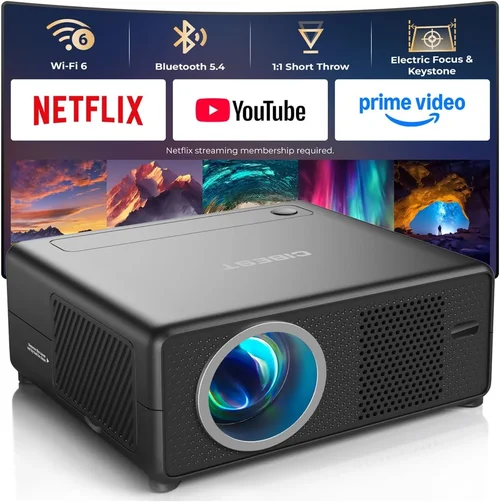
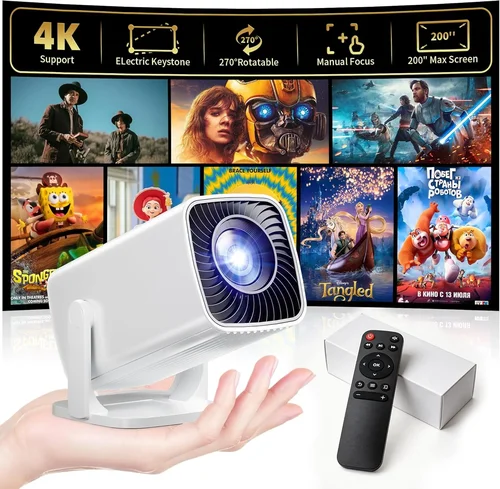
Finding a portable projector that delivers decent picture quality without breaking the bank can feel like searching for a needle in a haystack. In 2024 the market is flooded with tiny “pico” models, mid‑range LED units, and even a few mini‑laser options—all promising cinema‑like experiences for under $200. This guide cuts through the hype, helping you understand what really matters when you shop for a budget‑friendly projector. By the end, you’ll know which specifications to prioritize, what pitfalls to avoid, and which models consistently outperform their price class.
Whether you plan to stream movies on a backyard wall, turn a hotel room into a makeshift conference space, or simply need a bright screen for gaming on the go, the right portable projector can transform how you consume media. Below we explore the core factors that define performance, compare the main categories of devices, and provide actionable tips so you can make a confident purchase today.

What to Look for When Buying Buying Guide
1. Budget & Price Range
Staying under $200 doesn’t mean you have to sacrifice every premium feature, but it does set realistic expectations. In this price band you’ll typically find LED light sources, native resolutions of 720p (or 800×480 in the cheapest units), and brightness levels between 150 and 300 lumens. Knowing your absolute ceiling helps you filter out models that simply can’t meet your minimum requirements.
2. Performance Specifications
Resolution. A native 720p panel (1280×720) is the sweet spot for budget projectors; it delivers sharper text and less pixelation than 480p. Brightness. Measured in ANSI lumens, higher numbers mean better performance in ambient light. For indoor use in dim rooms, 150–200 lumens is adequate; for daytime or well‑lit spaces aim for 250+ lumens.
Contrast Ratio. This indicates the difference between the darkest blacks and brightest whites. While manufacturers often inflate numbers, a ratio above 2,000:1 typically yields decent depth in movies.
3. Build Quality & Durability
Portable projectors travel frequently, so a sturdy chassis, rubberized grips, and a reliable hinge are essential. Look for units with metal or high‑grade polycarbonate housings; cheap plastic can crack under normal backpack pressure. Also, check for a built‑in fan that runs quietly—excessive noise can ruin a home‑theater experience.
4. Features & Functionality
Key features to prioritize include:
- Wireless Connectivity. Built‑in Wi‑Fi or Bluetooth lets you stream directly from smartphones, tablets, or laptops without extra dongles.
- Multiple Input Options. HDMI, USB‑C, micro‑HDMI, and AV ports increase compatibility with gaming consoles, streaming sticks, and older devices.
- Built‑in Speakers. While most budget projectors have modest 2‑3 W speakers, they’re sufficient for casual viewing. For richer sound, plan for external Bluetooth or wired speakers.
- Battery Life. Integrated batteries range from 2 to 4 hours. If you need longer sessions, choose a model that supports external power banks.
5. Brand Reputation
Established brands such as Anker, ViewSonic, and AAXA have proven track records for reliability and firmware updates. Newer entrants can offer innovative features at lower prices, but research post‑sale support and community forums before committing.
6. Warranty & Support
A minimum 1‑year warranty is standard for $200 projectors. Check whether the manufacturer offers easy parts replacement and responsive customer service. Some retailers provide extended warranties at a modest cost—worth considering if you travel often.
7. Size & Portability
True portable units weigh under 1 kg and measure less than 6 inches in any dimension. Consider the form factor that fits your travel bag or backpack. Some models include a dedicated carry case, which adds value.
8. User Reviews & Ratings
Real‑world feedback reveals issues that spec sheets hide—like premature lamp failure or unreliable Wi‑Fi. Look for reviews on Amazon, B&H, and dedicated AV forums. Consistently high ratings across multiple platforms are a strong buying signal.
Different Types of Buying Guide

Common Buying Mistakes to Avoid
❌ Mistake: Ignoring Ambient Light Conditions
Why it’s bad: A projector rated at 150 lumens will look great in a dark bedroom but appear washed out in a living room with curtains open.
What to do instead: Measure the typical lighting of your intended space. If you cannot guarantee darkness, aim for at least 250 lumens and consider a high‑gain screen.
❌ Mistake: Over‑focusing on Resolution Alone
Why it’s bad: Some $180 models boast “Full HD” in marketing but actually use pixel‑doubling to simulate 1080p, resulting in blurry images.
What to do instead: Verify the native resolution on the spec sheet. True 720p is a reliable baseline for sub‑$200 units.
❌ Mistake: Forgetting Battery Life
Why it’s bad: You may end up with a projector that powers off after 30 minutes, ruining a movie marathon.
What to do instead: Check the rated battery runtime at 50% brightness. If you need longer, choose a model with an external power‑bank option.
❌ Mistake: Neglecting Input Compatibility
Why it’s bad: A projector with only a micro‑USB port forces you to buy adapters for HDMI sources.
What to do instead: Ensure the unit includes HDMI (or HDMI‑C) and, if possible, USB‑C with DisplayPort Alt Mode.
❌ Mistake: Skipping Warranty Research
Why it’s bad: A faulty lamp or fan can render the projector unusable, and without a solid warranty you’ll bear the repair cost.
What to do instead: Purchase from retailers that honor manufacturer warranties and offer easy return shipping.
Budget Guidelines: How Much Should You Spend?
- Entry-Level ($120‑$150): Expect 480p‑720p resolution, 150‑200 lumens, and basic Bluetooth. Ideal for occasional presentations.
- Mid‑Range ($151‑$180): Typically 720p native, 200‑260 lumens, better contrast, and built‑in speakers with decent bass.
- Premium ($181‑$200): Mini‑laser or high‑efficiency LED, 260‑300 lumens, enhanced color gamut, and longer battery life (up to 4 hrs).
- Luxury ($200+): Rare in this segment, but some limited‑edition models push into the $220‑$250 range offering true 1080p and advanced keystone correction.
Expert Tips for Getting the Best Deal
- Timing: New models are released in Q2; older inventory is discounted in Q3 and Q4.
- Where to Buy: Amazon and B&H provide extensive user reviews; local electronics stores let you demo the unit before purchase.
- Spotting Deals: Compare the “list price” with the “sale price” and check if the retailer includes a free carry case or extra lamp.
- Warranty Considerations: Register your product immediately; many manufacturers extend warranty periods if registration is completed within 30 days.
- Return Policies: Choose sellers offering at least a 30‑day return window. Test the projector in your typical environment before committing.
- Testing Before Buying: Project a high‑contrast image (like a black‑and‑white test pattern) to evaluate contrast and color accuracy.
- Firmware Updates: Some models receive performance tweaks post‑launch; ensure the device can be updated via USB or OTA.

Frequently Asked Questions
Q: Can I use a portable projector outdoors during daylight?
A: Most sub‑$200 units lack the brightness needed for direct sunlight. If you plan outdoor use, choose a shaded area and a high‑gain screen, or invest in a brighter (300+ lumen) model.
Q: Do I need a separate screen?
A: A plain white wall works, but a portable 80‑inch pull‑down screen improves image uniformity and contrast, especially in ambient light.
Q: How long does the lamp last?
A: LED and laser light sources in budget projectors typically last 20,000‑30,000 hours—effectively the life of the device. Traditional lamps are rare in this price range.
Q: Is 720p sufficient for gaming?
A: Yes, most modern games run smoothly at 720p on portable projectors. Pair with a low‑latency HDMI cable and enable “Game Mode” if available.
Q: Can I connect my phone wirelessly?
A: Look for built‑in Wi‑Fi with Miracast or AirPlay support. Some models also support Chromecast built‑in, allowing direct streaming from Android and iOS devices.
Q: What is keystone correction?
A: Keystone correction digitally reshapes a distorted image when the projector isn’t perfectly perpendicular to the screen. Most budget models offer ±15° manual correction; a few provide automatic correction.
Q: Do portable projectors need a cooling fan?
A: Yes, but high‑quality units keep fan noise under 30 dB, barely audible during movies. Excessive noise (>35 dB) can be distracting.
Our Final Recommendations
Best for Budget‑Conscious Buyers: Anker Nebula Capsule II – $149, 720p, 200 lumens, 2.5‑hour battery, built‑in Android TV.
Best Overall Value: AAXA P300 Pico Projector – $179, true 720p, 250 lumens, HDMI & USB‑C, 4‑hour battery, 1‑year warranty.
Best Premium Option: ViewSonic M1 Mini Plus – $199, 720p, 250 lumens, integrated JBL speakers, Wi‑Fi, and a sleek battery‑friendly design.
Best for Beginners: Vankyo Leisure 3 Mini – $129, 480p (upscales to 720p), simple plug‑and‑play, easy focus wheel.
Best for Advanced Users: Optoma ML750ST – $199, 720p, 300 lumens, laser light source, extensive connectivity, and advanced keystone correction.
Conclusion: Making the Right Choice
Choosing a portable projector under $200 boils down to balancing brightness, resolution, and portability against your typical viewing environment. Prioritize native 720p, aim for at least 250 lumens if you can’t control ambient light, and verify that the device offers the inputs you need. Remember to read user reviews, check warranty terms, and watch for seasonal discounts.
Armed with the factors, mistakes, and recommendations outlined above, you’re ready to pick a projector that fits your lifestyle and budget. Happy projecting!