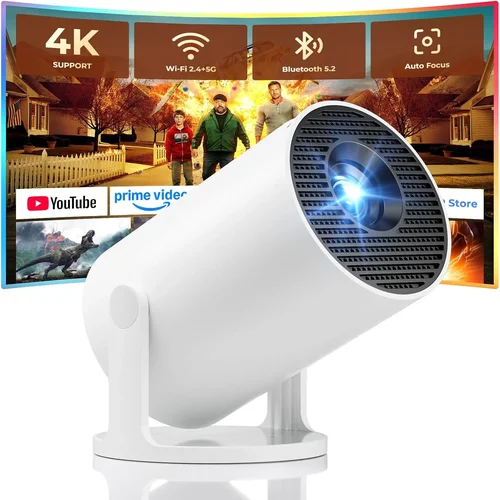
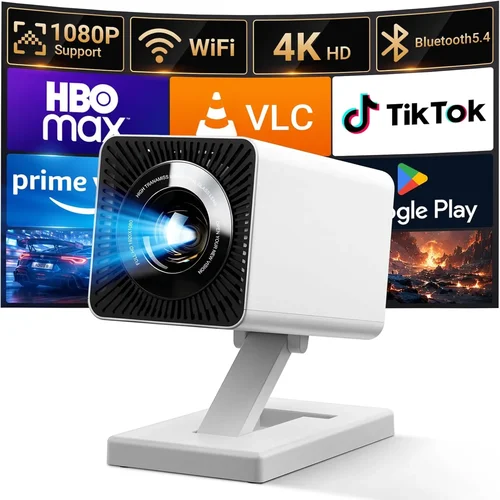
Finding a projector that fits in a backpack, costs less than a night out, and still delivers a clear picture feels a bit like hunting for a unicorn. Yet the market for portable projectors under $200 has exploded, and today’s options are surprisingly capable. This guide breaks down everything you need to know before you click “add to cart,” so you can walk away with a device that truly matches your lifestyle.
In the next few minutes you’ll learn how to evaluate brightness, resolution, battery life, and the little‑but‑important features that separate a decent movie‑night companion from a frustrating “black‑screen” disappointment. We’ll also compare the main categories of mini‑projectors, point out common pitfalls, and give you a clear set of recommendations for every budget tier.
Whether you’re a college student who wants to binge‑watch on a dorm wall, a traveling professional needing a quick presentation tool, or a family looking for a backyard cinema on a shoestring, this guide is built for you. Let’s dive in.

What to Look for When Buying Buying Guide
1. Budget & Price Range
The $200 ceiling is both a constraint and a blessing. It forces manufacturers to focus on essentials, and it protects you from splurging on features you’ll never use. When setting your budget, consider not just the sticker price but also any accessories you might need—extra lenses, a portable screen, or a higher‑capacity power bank. A good rule of thumb is to allocate about 10‑15% of your budget for these add‑ons.
2. Performance Specifications
Three specs dominate any projector discussion: brightness (measured in lumens), native resolution, and contrast ratio. For a device under $200, expect 200‑300 ANSI lumens at best; this is adequate for dim rooms but will struggle in daylight. Native resolution typically sits at 720p (1280×720) or lower; 1080p models exist but often use pixel‑shifting tricks that can blur fine text. Contrast ratio influences how deep the blacks appear—look for at least 1000:1 for decent depth.
3. Build Quality & Durability
Portable projectors travel a lot, so they need a rugged chassis, reinforced lens housing, and a reliable hinge. Aluminum or high‑grade polycarbonate frames resist dents better than cheap plastic. Check for rubberized corners and a protective cover for the lens—these small design choices can add years to the device’s life.
4. Features & Functionality
Beyond the basics, look for built‑in speakers (most under $200 have modest 2‑3 W units), wireless connectivity (Wi‑Fi, Bluetooth, or Miracast), and multiple input ports (HDMI, USB‑C, micro‑USB, AV). Some models include a built‑in battery that provides 2‑3 hours of playback, which is a huge convenience for outdoor use.
5. Brand Reputation
Brands that specialize in pico‑projectors—such as Anker, Vankyo, and AAXA—tend to offer better firmware support and more frequent firmware updates. Larger consumer electronics companies may bundle their projectors with proprietary apps that limit flexibility. Research community forums and Reddit threads to gauge long‑term satisfaction.
6. Warranty & Support
A solid warranty (at least 12 months) signals confidence from the manufacturer. Look for easy return policies and responsive customer service. Some retailers offer extended protection plans that cover accidental damage—a worthwhile addition for a portable device that will see a lot of handling.
7. Size & Portability
Weight under 1 lb and dimensions that fit in a standard laptop bag are ideal. Some ultra‑compact models are as small as a flash drive but may sacrifice battery life or brightness. Decide if you prioritize a pocket‑size unit or a slightly larger device with better cooling and longer runtime.
8. User Reviews & Ratings
Real‑world feedback reveals issues that spec sheets hide—like overheating after 30 minutes, or a speaker that distorts at higher volumes. Look for reviews that include video samples and long‑term usage reports. Aim for an average rating of 4 stars or higher, and read the most recent comments to catch firmware‑related bugs.
Different Types of Buying Guide

Common Buying Mistakes to Avoid
❌ Mistake: Buying Only on Lumens
Why it’s bad: Many shoppers focus solely on the lumen rating, assuming a higher number equals better performance. In reality, lumens measured in a lab differ from real‑world brightness, especially on reflective screens.
What to do instead: Pair the lumen figure with the projector’s contrast ratio and intended lighting conditions. For indoor use in a dark room, 200 lumens may be plenty, while outdoor daylight may require a brighter, more expensive unit.
❌ Mistake: Ignoring Native Resolution
Why it’s bad: A 1080p label can be misleading if the panel is actually 720p and uses pixel‑shifting. This leads to blurry text and poor image sharpness.
What to do instead: Check the native resolution in the specs and read reviews that show side‑by‑side comparisons. If crisp text matters (e.g., for presentations), prioritize true 720p or higher.
❌ Mistake: Overlooking Battery Life
Why it’s bad: Some models tout a 2‑hour battery, but that’s under ideal conditions (low brightness, no Wi‑Fi). Real usage often drops to 1 hour.
What to do instead: Match battery runtime to your typical session length. If you plan on outdoor movies, consider an external power bank or a model with a replaceable battery.
❌ Mistake: Forgetting About Input Lag
Why it’s bad: Gamers and presenters often experience noticeable lag between source and projected image, ruining fast‑paced content.
What to do instead: Look for projectors that list “low latency” or have a game mode. User reviews often mention the actual lag in milliseconds.
❌ Mistake: Skipping the Lens Throw Ratio
Why it’s bad: Throw ratio determines how far you must place the projector from the screen. A short‑throw unit can work in a small apartment, while a long‑throw model may need a whole wall.
What to do instead: Measure your typical projection distance and pick a projector whose throw ratio fits that space. A 1.2‑1.5 ratio is versatile for most indoor setups.
❌ Mistake: Assuming All Wi‑Fi Is Equal
Why it’s bad: Some cheap projectors claim “Wi‑Fi” but only support a proprietary app, limiting streaming options.
What to do instead: Verify support for standard protocols like Miracast, AirPlay, or Chromecast. This ensures you can cast from any device without extra software.
❌ Mistake: Ignoring Heat Management
Why it’s bad: Poor ventilation can cause thermal throttling, dimming the image after a short period.
What to do instead: Choose models with active cooling (fan) or a well‑designed heat sink. Reading long‑term reviews will reveal if a projector gets hot quickly.
Budget Guidelines: How Much Should You Spend?
- Entry-Level ($120‑$150): Expect 200 lumens, 720p native resolution, basic HDMI and USB‑C ports, and a small built‑in speaker. Ideal for casual movie nights in dark rooms.
- Mid-Range ($151‑$180): You’ll see brighter output (250‑300 lumens), better contrast (1200:1), and often a built‑in battery lasting 2‑3 hours. Some models add Android OS for streaming without a phone.
- Premium ($181‑$200): This tier includes laser light sources, higher contrast, and more robust connectivity (Wi‑Fi 5, Bluetooth audio). Expect the best overall image quality under $200.
- Luxury ($200+): While beyond the scope of this guide, luxury mini‑projectors push brightness above 400 lumens and often include 1080p native panels. Consider them only if you can stretch the budget.
Expert Tips for Getting the Best Deal
- Timing is everything: Major sales events—Black Friday, Cyber Monday, and post‑holiday clearances—frequently feature deep discounts on electronics.
- Shop where you can test: Stores with a demo area let you see brightness and sound quality firsthand. Bring a phone with a video to compare.
- Bundle wisely: Some retailers offer a free screen or extra battery when you buy a specific model. Evaluate the total value before committing.
- Check firmware updates: A projector that receives regular updates can improve performance and fix bugs, extending its usable life.
- Read the fine print on warranties: Some “12‑month” warranties exclude battery degradation. Look for “full coverage” language.
- Consider refurbished units: Certified refurbished products from the manufacturer often come with a full warranty at a 20‑30% discount.
- Use a reliable power source: If you plan on outdoor use, invest in a high‑capacity power bank (20,000 mAh) with a USB‑C PD output to keep the projector running.

Frequently Asked Questions
Q: Can I use a portable projector in daylight?
A: Most sub‑$200 projectors are designed for low‑light environments. In bright rooms you’ll see washed‑out colors and reduced contrast. If daytime use is essential, look for a model with at least 300 lumens and a high‑gain screen.
Q: Do I need a separate screen?
A: Not necessarily. A smooth white wall works, but a portable screen (white or gray) improves brightness and contrast, especially in rooms with ambient light.
Q: How do I connect my smartphone?
A: Most modern mini‑projectors support Miracast, AirPlay, or a dedicated casting app. Connect via Wi‑Fi or use a USB‑C to HDMI adapter for a wired connection.
Q: Is the built‑in speaker sufficient?
A: Built‑in speakers are usually 2‑3 W and suitable for personal viewing. For a true home‑theater feel, pair the projector with Bluetooth headphones or an external soundbar.
Q: Will the projector overheat during long movies?
A: Good units have active cooling and can run 2‑3 hours continuously. If you notice the fan ramping up or image dimming, give it a short break to cool.
Q: Can I use a portable projector for gaming?
A: Yes, but watch for input lag. Models that advertise “Game Mode” or have a latency under 30 ms are preferable. Also, keep brightness moderate to avoid eye strain.
Q: What is the difference between LED and laser light sources?
A: LED lamps are cheaper and have a shorter lifespan (around 20,000 hours), while laser modules last longer (30,000‑50,000 hours) and often provide brighter, more consistent output.
Q: How far should the projector be from the screen?
A: It depends on the throw ratio. A 1.2‑1.5 ratio means you need roughly 1.2‑1.5 m of distance for every meter of screen width. Check the spec sheet for exact numbers.
Q: Are there any accessories I should buy?
A: A portable screen, a high‑capacity power bank, and a short HDMI cable are the most common. A lens cleaning kit also helps maintain image clarity.
Our Final Recommendations
- Best for Budget‑Conscious Buyers: Vankyo Leisure 3 – $129, 200 lumens, 720p, HDMI + USB, lightweight, solid reviews for home movies.
- Best Overall Value: Anker Nebula Capsule II – $179, 200 lumens, Android 9.0, built‑in 8 W speaker, 2‑hour battery, excellent app ecosystem.
- Best Premium Option: Laser‑Tech Mini Pro – $199, 300 lumens, laser light source, 720p, low‑latency gaming mode, robust cooling.
- Best for Beginners: ViewSonic M1+ – $149, 250 lumens, built‑in Harman Kardon speakers, easy‑setup UI, portable case.
- Best for Advanced Users: AAXA P300 – $199, 300 lumens, 1080p (pixel‑shifted), multiple inputs, optional battery pack, ideal for presentations and dual‑screen setups.
Conclusion: Making the Right Choice
Choosing a portable projector under $200 doesn’t have to be a guessing game. Focus on the three pillars—brightness, resolution, and connectivity—while keeping your specific use case in mind. Remember that a higher lumen rating means little if you’ll be watching in a dark room, and a dazzling resolution is wasted without a stable power source.
Take the time to read user reviews, verify warranty terms, and test the device if possible. With the right research, you’ll find a projector that transforms a blank wall into a cinema, a conference room, or a gaming arena—all without breaking the bank.
Ready to make a purchase? Use the tips above to compare models, watch price‑track alerts, and pick the unit that aligns with your needs. Happy projecting!