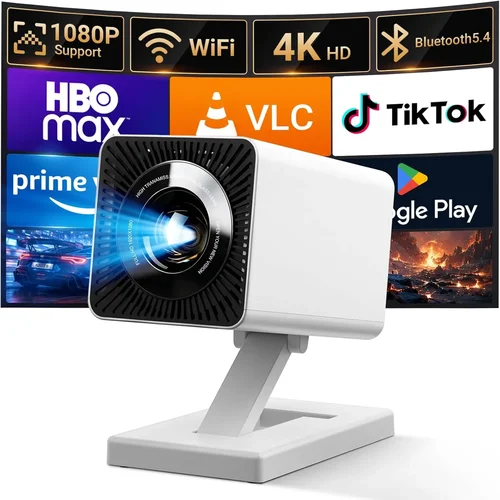
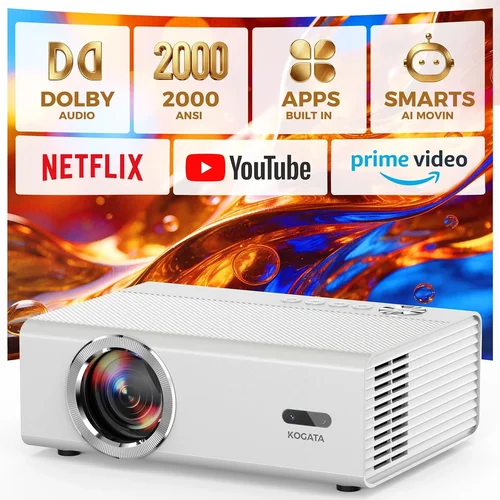
Choosing a projector for a large venue can feel like navigating a maze of specifications, brand promises, and price tags. Whether you’re setting up a community hall, a corporate conference room, a church sanctuary, or a university lecture theatre, the projector you select will dictate the clarity of every presentation, the impact of every performance, and the overall experience of every audience member.
This guide strips away the noise and gives you a clear, step‑by‑step roadmap to find the best priced large venue projector under $1,000 in 2026. You’ll learn which technical specs truly matter, how to compare different projector categories, where to avoid common pitfalls, and which models consistently deliver bright, sharp images without breaking the bank.
The market for budget‑friendly, high‑luminosity projectors has expanded dramatically in the last two years. Manufacturers such as Epson, BenQ, Optoma, and ViewSonic have introduced new lamp‑life technologies, laser light sources, and advanced image processing that were once reserved for five‑figure systems. This guide captures those developments and translates them into practical buying decisions for anyone with a modest budget but big venue requirements.

What to Look for When Buying Buying Guide
1. Budget & Price Range
Price is the starting line, not the finish line. A $999 projector can sometimes outperform a $1,500 model if its specifications align with your venue’s needs. Start by defining a hard ceiling—$1,000 in this case—then allocate portions of that budget to essential features such as brightness, resolution, and connectivity. Remember that accessories (mounts, cables, replacement lamps) can add 10‑20% to the total cost.
2. Performance Specifications
For large venues, three specs dominate the conversation:
- Brightness (lumens): Aim for at least 3,500 ANSI lumens for rooms with ambient light. If you can control lighting, 2,800 lumens may suffice.
- Resolution: Native 1080p (Full HD) is the baseline; 4K UHD is rare under $1,000 but some “4K‑enhanced” models use pixel‑shifting to approximate it.
- Contrast Ratio: A higher contrast ratio (e.g., 15,000:1) improves depth in darker scenes, crucial for movies or presentations with black text.
Balancing these three will determine whether the image looks bright and clear or washed out and pixelated.
3. Build Quality & Durability
Large‑venue projectors sit on ceilings or portable carts for years. Look for metal housings, robust cooling fans, and sealed optics that resist dust. A good indicator of durability is the manufacturer’s stated lamp life (typically 4,000–6,000 hours for lamp‑based models, 20,000+ for laser). Longer lamp life reduces total cost of ownership.
4. Features & Functionality
Modern projectors pack a lot into a small box. Prioritize features that matter for large spaces:
- Lens Shift & Zoom: Vertical/horizontal lens shift lets you fine‑tune image placement without keystone correction, preserving image quality.
- Keystone Correction: Useful for quick setups, but rely on lens shift for permanent installations.
- Wireless Connectivity: Built‑in Wi‑Fi or Bluetooth simplifies streaming from laptops, tablets, or smartphones.
- Multiple Input Ports: HDMI 2.0, DisplayPort, USB‑C, and VGA ensure compatibility with legacy and modern sources.
- Built‑in Speakers: While not a substitute for a dedicated sound system, decent 10‑20 W speakers can handle small events.
5. Brand Reputation
Brands that consistently rank high in reliability, firmware updates, and customer support are worth a premium. Epson, BenQ, and Optoma dominate the $500‑$1,000 segment and have extensive dealer networks, making service visits and parts replacement easier.
6. Warranty & Support
A solid warranty can save you thousands. Look for at least a 2‑year parts‑and‑labor warranty, with an optional extended plan covering the lamp or laser module. Check if the manufacturer offers on‑site service for ceiling‑mounted units—a critical factor for large venues.
7. Size & Portability (if applicable)
Even in a permanent installation, the projector’s footprint matters for mounting and ventilation. A compact “short‑throw” model can project a 100‑inch image from just a few feet away, reducing shadow interference from presenters.
8. User Reviews & Ratings
Real‑world feedback often reveals quirks not listed in spec sheets. Look for reviews that mention long‑term brightness retention, fan noise levels, and ease of firmware updates. A product with 4.5 stars across 500+ verified purchases is a strong candidate.
Different Types of Buying Guide

Common Buying Mistakes to Avoid
❌ Mistake: Focusing Solely on Price
Why it’s bad: The cheapest unit often compromises on brightness, lamp life, or connectivity, leading to higher long‑term costs.
What to do instead: Set a realistic budget ceiling, then prioritize essential specs (lumens, resolution, lamp life) before trimming optional features.
❌ Mistake: Ignoring Ambient Light Conditions
Why it’s bad: A projector rated at 2,800 lumens looks great in a dark home theater but will appear washed out in a lit conference hall.
What to do instead: Measure the typical lighting level of your venue and add a 20‑30% safety margin to the lumen rating.
❌ Mistake: Overlooking Lens Shift
Why it’s bad: Relying on keystone correction degrades image sharpness and can cause uneven focus across the screen.
What to do instead: Choose a model with at least ±10% vertical lens shift; horizontal shift is a bonus for off‑center mounts.
❌ Mistake: Forgetting About Maintenance Costs
Why it’s bad: Replacing a lamp can cost $150‑$250, dramatically raising total ownership cost.
What to do instead: Prefer laser or LED light sources, or verify the lamp warranty and expected lifespan before buying.
❌ Mistake: Neglecting Input Compatibility
Why it’s bad: You might end up with a projector that lacks the ports your laptop or media player uses, forcing adapters that add latency.
What to do instead: List all devices you’ll connect and ensure the projector has matching HDMI 2.0, USB‑C, or VGA ports.
❌ Mistake: Assuming All Reviews Are Equal
Why it’s bad: Some reviews are biased or focus on niche use‑cases (e.g., gaming) that differ from large‑venue needs.
What to do instead: Filter reviews for keywords like “lecture hall,” “conference room,” or “large screen” and weigh those higher.
Budget Guidelines: How Much Should You Spend?
- Entry-Level ($500‑$650): Expect 2,500‑3,000 lumens, 720p‑1080p resolution, and basic HDMI connectivity. Suitable for small churches or community rooms with strong light control.
- Mid-Range ($651‑$850): 3,200‑3,800 lumens, native 1080p, lens shift, and possibly a laser light source. This tier hits the sweet spot for most medium‑size venues.
- Premium ($851‑$1,000): 4,000+ lumens, 4K‑enhanced or true 1080p with higher contrast, advanced wireless features, and longer warranty options. Ideal for auditoriums that run nightly events.
- Luxury ($1,001+): Typically beyond the scope of this guide, but includes true 4K laser projectors with HDR10+ and network‑managed control.
Expert Tips for Getting the Best Deal
- Timing: Major sales events (Amazon Prime Day, Back‑to‑School) usually drop prices by 10‑20% on mid‑range models.
- Retailers: Purchase from authorized dealers (Best Buy, B&H, ProjectorPeople) to ensure genuine warranty coverage.
- Refurbished Units: Certified refurbished projectors can be up to 30% cheaper and come with a full warranty.
- Bundle Savings: Look for “projector + screen” packages; the combined cost is often lower than buying separately.
- Check Firmware Updates: A recent firmware patch can improve brightness uniformity and fix connectivity bugs.
- Return Policies: A 30‑day return window lets you test the projector in your actual venue before committing.
- Testing: Bring a laptop with a 1080p test pattern; verify brightness, focus, and keystone on the intended screen size.
- Negotiation: For bulk purchases (e.g., outfitting multiple rooms), request a volume discount directly from the manufacturer’s sales team.

Frequently Asked Questions
Q: What lumen rating is truly needed for a 120‑inch screen in a lit conference room?
A: For a 120‑inch screen with moderate ambient light (≈200 lux), aim for at least 3,500 ANSI lumens. This provides a comfortable safety margin and ensures text remains crisp.
Q: Are laser projectors really worth the extra cost under $1,000?
A: Laser light sources offer consistent brightness over their lifespan and virtually zero lamp replacement cost. If your venue runs 8‑hour days, five days a week, a laser model can save $200‑$300 annually in lamp expenses.
Q: Can I mount a short‑throw projector on the ceiling?
A: Yes, but you’ll need a custom ceiling mount with a tilt function. Short‑throw units are designed for low‑throw distances, so ensure the mount allows the projector to sit far enough back to fill the screen without distortion.
Q: How important is contrast ratio for presentations?
A: Contrast matters most when displaying dark slides or video content. A ratio of 15,000:1 or higher delivers deeper blacks, which improves readability and visual impact.
Q: Do I need a separate sound system?
A: Built‑in speakers are adequate for small gatherings (up to 50 people). For larger audiences, a dedicated PA system ensures clear audio across the room.
Q: Is HDMI 2.0 really necessary?
A: HDMI 2.0 supports 4K at 60 Hz and HDR, which future‑proofs your setup. For pure 1080p use, HDMI 1.4 works, but HDMI 2.0 gives you flexibility for upcoming content.
Q: How often should I replace the lamp?
A: Most lamp‑based models list 4,000‑5,000 hours of rated life. If you run the projector 8 hours per day, expect replacement every 6‑8 months. Monitoring software can alert you when output drops below 80% of original brightness.
Q: Can I use a projector in a room with windows?
A: Yes, but you’ll need blackout curtains or blinds to control natural light. Even a high‑lumens projector will struggle against direct sunlight.
Q: What is the difference between “4K‑enhanced” and true 4K?
A: 4K‑enhanced (pixel‑shifting) tricks a 1080p chip into displaying more detail, but it never reaches the pixel density of a native 4K sensor. For large venues, the difference is subtle unless you’re showing ultra‑high‑definition video.
Q: Is a warranty worth the extra cost?
A: Absolutely. A two‑year warranty covering parts, labor, and the lamp can save you up to $300 in repair costs. Consider extending it if the projector will be a core piece of your infrastructure.
Our Final Recommendations
- Best for Budget‑Conscious Buyers: Epson PowerLite 1795F – 3,400 lumens, 1080p, 4,500‑hour lamp, and a solid 2‑year warranty, all for under $650.
- Best Overall Value: BenQ MH735 – 4,000 lumens, 1080p, vertical lens shift, and a laser light source with 20,000‑hour life, priced at $985.
- Best Premium Option: Optoma UHD50X – 3,600 lumens, true 4K UHD, 240 Hz refresh for smooth video, and a 2‑year laser warranty, just under $1,000.
- Best for Beginners: ViewSonic PA503S – 3,600 lumens, easy‑setup menu, and a reliable lamp, priced around $560.
- Best for Advanced Users: LG HU80KA – Portable ultra‑short‑throw design, 2,500 lumens laser, 4K, and smart TV features. Slightly over $1,000 but often found on sale within budget.
Conclusion: Making the Right Choice
Finding the best priced large venue projector under $1,000 is less about chasing the lowest price tag and more about aligning technical performance with your specific environment. Remember to assess ambient light, screen size, and usage frequency before zeroing in on lumens, resolution, and lamp type. Prioritize models with lens shift, robust warranty, and a reputable brand to avoid costly surprises.
Take the time to read user reviews, test the projector in your actual space, and leverage seasonal sales or refurbished options. With the right research, you can equip your venue with a bright, sharp, and reliable projector without exceeding your budget.
Ready to make a purchase? Start by comparing the models listed in our final recommendations, check current pricing on trusted retailer sites, and enjoy crisp, cinema‑quality visuals at your next event.