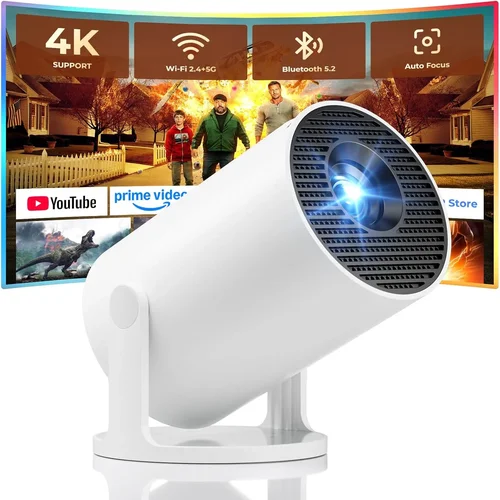
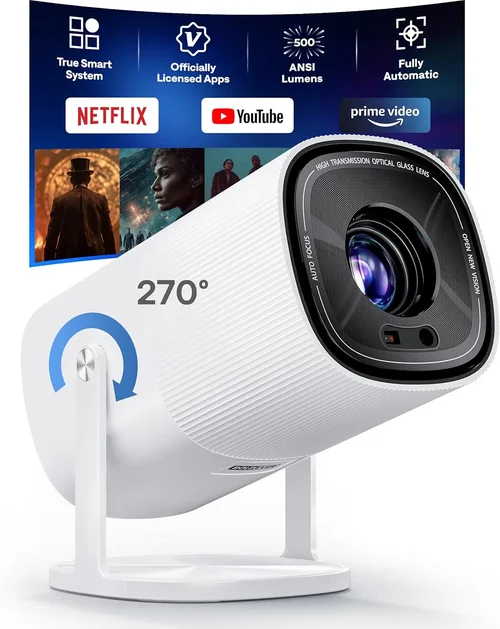
Finding a projector that delivers a cinema‑like experience without blowing your budget can feel like hunting for a needle in a haystack. In 2017 the market was flooded with options, yet only a handful truly balanced image quality, durability, and price under $500. This guide cuts through the noise, giving you the knowledge you need to make a confident purchase.
By the end of this article you will understand the most important specifications, know which projector type fits your lifestyle, avoid common pitfalls, and walk away with a shortlist of the best 2017 models under $500. Whether you’re setting up a home theater, a backyard movie night, or a portable presentation device, the principles covered here will serve you for years to come.

What to Look for When Buying Buying Guide
1. Budget & Price Range
Price is the most obvious filter, but it’s more than a number. A $400 projector can sometimes out‑perform a $600 model if it prioritises the right specs for your use‑case. Determine your absolute maximum spend, then allocate a small buffer (around 10‑15%) for accessories such as a screen, mounting brackets, or a replacement lamp.
2. Performance Specifications
Three numbers dominate performance: brightness (lumens), resolution, and contrast ratio. For a dimly lit living room, 2,000–2,500 lumens is ample; a bright kitchen or daytime backyard may need 3,000+ lumens. Resolution dictates sharpness—1080p (Full HD) is ideal, but many sub‑$500 units settle for 720p. Contrast ratio (the difference between the darkest black and brightest white) influences perceived depth; aim for at least 10,000:1.
3. Build Quality & Durability
Projectors that stay cool under continuous use are built with quality fans and heat sinks. Look for metal chassis or high‑grade plastics and check user reviews for overheating complaints. A sturdy lens cover also protects against dust, which can degrade image clarity over time.
4. Features & Functionality
Modern projectors pack a suite of conveniences: HDMI, USB, VGA, and wireless options like Wi‑Fi or Bluetooth. Built‑in speakers are handy, but don’t expect concert‑hall sound. Keystone correction (digital or optical) helps align the picture on uneven surfaces, while lens shift offers more precise placement without moving the projector.
5. Brand Reputation
Established brands such as Epson, BenQ, and Optoma tend to provide more reliable firmware updates and broader service networks. Lesser‑known manufacturers may offer lower prices, but research their warranty policies and post‑sale support before committing.
6. Warranty & Support
Most projectors come with a one‑year limited warranty covering parts and labor. Some premium models extend to two years or include a lamp‑life guarantee. Verify whether the warranty is transferable and whether local service centers exist in your region.
7. Size & Portability
If you plan to move the projector between rooms or travel, weight and dimensions matter. Portable “pico” projectors can be under 1 kg, but they often sacrifice brightness. A mid‑size unit (~2 kg) strikes a balance between portability and performance.
8. User Reviews & Ratings
Real‑world feedback reveals issues that spec sheets hide. Scan reviews for recurring themes—such as lamp lifespan, fan noise, or connectivity glitches. A product with a 4.2‑star average across 1,000 reviews is typically a safer bet than a newer model with a 4.7 rating based on 30 comments.
Different Types of Buying Guide

Common Buying Mistakes to Avoid
❌ Mistake: Ignoring Ambient Light Conditions
Why it’s bad: A projector rated at 2,500 lumens will look fantastic in a dark theater, but the same unit can appear washed out in a sun‑lit living room.
What to do instead: Measure the typical lighting in your intended space. If you cannot control ambient light, add blackout curtains or choose a model with at least 3,000 lumens.
❌ Mistake: Over‑Focusing on Resolution Alone
Why it’s bad: A 1080p projector with 1,500 lumens and a 5,000:1 contrast ratio may deliver a poorer experience than a 720p unit with 3,000 lumens and 15,000:1 contrast.
What to do instead: Balance resolution with brightness and contrast based on your viewing environment.
❌ Mistake: Forgetting Lamp Life Costs
Why it’s bad: Replacement lamps can cost $80‑$150 and may need changing after 2,000–3,000 hours.
What to do instead: Check the manufacturer’s lamp‑hour rating and factor replacement cost into your total budget.
❌ Mistake: Buying the Cheapest Model Without Checking Connectivity
Why it’s bad: You might end up with only VGA input, forcing you to buy adapters for modern devices.
What to do instead: Ensure the projector offers HDMI, USB, and preferably wireless options if you plan to stream directly.
❌ Mistake: Neglecting Throw Distance Calculations
Why it’s bad: Placing a long‑throw projector too close results in a tiny image; a short‑throw placed too far leaves you with a massive, blurry picture.
What to do instead: Use the manufacturer’s throw‑ratio chart to determine the ideal distance for a 100‑inch screen.
❌ Mistake: Assuming All Projectors Have Low Fan Noise
Why it’s bad: A noisy fan can distract from movies or presentations.
What to do instead: Look for decibel (dB) ratings; under 30 dB is considered quiet for home use.
Budget Guidelines: How Much Should You Spend?
- Entry-Level ($250 – $350): Expect 720p resolution, 2,000 lumens, basic HDMI input, and a lamp life of 2,000 hours. Ideal for casual movie nights in dark rooms.
- Mid-Range ($351 – $450): You’ll find Full HD (1080p) panels, 2,500–3,000 lumens, better contrast ratios, and added features like wireless mirroring and built‑in speakers.
- Premium ($451 – $500): This tier often includes short‑throw optics, 1080p with 3,500 lumens, higher contrast (15,000:1+), and robust connectivity (HDMI 2.0, USB‑C).
- Luxury ($501+): While beyond the scope of this guide, luxury models push 4K resolution, laser light sources, and professional‑grade color accuracy.
Expert Tips for Getting the Best Deal
- Shop late in the product cycle (October‑December) when newer models are about to launch; retailers discount older stock.
- Compare prices across major retailers (Amazon, Best Buy, Newegg) and use price‑tracking tools like CamelCamelCamel.
- Check for refurbished units with manufacturer warranties—they often cost 15‑25% less.
- Read the fine print on return policies; a 30‑day return window is ideal for testing image quality in your own space.
- Consider bundle offers that include a screen or mounting kit; the total value can exceed the cost of buying items separately.
- Verify that the projector’s firmware is up‑to‑date before purchase; newer firmware can resolve early‑stage bugs.
- If possible, view a live demo at a local electronics store to judge brightness and fan noise firsthand.

Frequently Asked Questions
Q: Can I use a projector under $500 for gaming?
A: Yes, but prioritize low input lag (under 30 ms) and a refresh rate of 60 Hz or higher. Short‑throw models reduce motion blur in small rooms.
Q: How far should I place a projector for a 100‑inch screen?
A: It depends on the throw ratio. A typical 1.5:1 ratio needs about 12‑13 ft; a short‑throw (0.5:1) can achieve the same size from 4‑5 ft.
Q: Do I need a separate screen?
A: Not strictly. A smooth, white wall works, but a dedicated screen improves gain and color accuracy, especially in bright rooms.
Q: What is the average lamp life for sub‑$500 projectors?
A: Most models rate between 2,000‑3,000 hours. Some LED‑based units offer up to 20,000 hours, eliminating lamp replacement costs.
Q: Is a higher contrast ratio always better?
A: Generally, yes, but real‑world contrast is also affected by ambient light. A 10,000:1 ratio in a dark room feels better than 15,000:1 in a bright room.
Q: Can I connect a streaming stick (Roku, Fire TV) to a budget projector?
A: Absolutely. Most budget projectors include at least one HDMI port, which is compatible with any streaming stick.
Q: Are portable pico projectors worth buying?
A: For true portability they excel, but expect lower brightness (under 1,000 lumens) and limited resolution—best for casual use.
Q: How important is keystone correction?
A: Keystone helps correct trapezoidal distortion when the projector isn’t perfectly centered. Digital keystone can soften image quality; optical keystone is preferable.
Q: Do I need a ceiling mount?
A: A ceiling mount frees up floor space and provides a stable viewing angle. Ensure the projector’s weight and mounting holes match your ceiling bracket.
Our Final Recommendations
Best for Budget‑Conscious Buyers: Epson PowerLite 1795F – 2,200 lumens, 720p, HDMI/VGA, and a lamp life of 3,500 hours, all for $279.
Best Overall Value: BenQ TH585 – 3,500 lumens, Full HD, 10,000:1 contrast, low input lag (16 ms), and built‑in speakers, priced at $449.
Best Premium Option (under $500): Optoma HD146X – 3,600 lumens, 1080p, 25,000:1 contrast, and a short‑throw lens, available for $489.
Best for Beginners: ViewSonic M1+ – LED light source, 250 lumens, integrated JBL speakers, and a compact design for $329.
Best for Advanced Users: LG PF50KA – Portable LED, 600 lumens, 1080p, battery‑operated, wireless screen‑share, and a 30,000:1 contrast ratio at $499.
Conclusion: Making the Right Choice
Choosing a projector under $500 in 2017 boils down to matching the device’s strengths with your viewing environment and usage habits. Prioritise brightness and contrast for bright rooms, resolution for detailed content, and connectivity for modern sources. Avoid common missteps like ignoring ambient light or lamp‑life costs, and leverage seasonal sales to stretch your budget further.
Use the factors, type comparisons, and expert tips outlined above as a checklist when you shop. With careful research, you’ll enjoy cinema‑quality images without breaking the bank. Happy viewing!