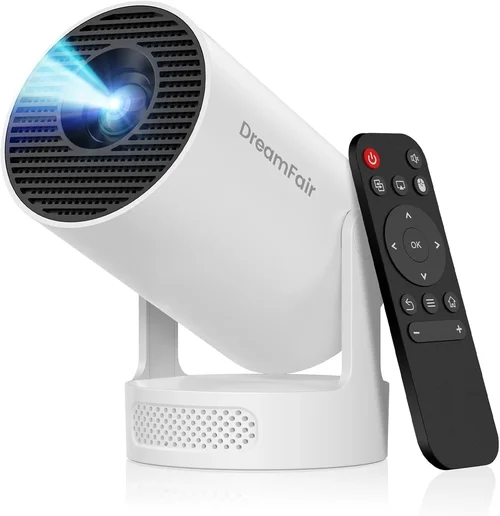
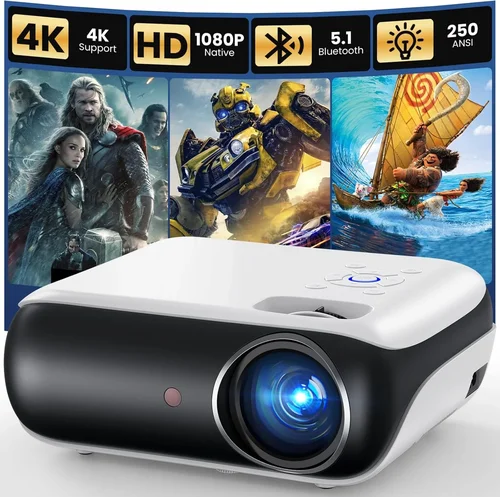
Finding a projector that can keep up with the fast‑paced action of modern games while staying under $120 can feel like hunting for a unicorn. Yet the market has evolved, and today several budget‑friendly models deliver enough brightness, low input lag, and decent resolution to make couch‑gaming sessions feel immersive. This guide cuts through the noise, helping you understand what truly matters in a gaming projector and which features are worth stretching your budget for.
By the end of this article you will know exactly which specifications to prioritize, how to compare different projector categories, and which specific models give you the best bang for your buck. Whether you’re setting up a temporary gaming den in a dorm room or looking for a portable solution for weekend LAN parties, the insights below will steer you toward a confident purchase.

What to Look for When Buying Buying Guide
1. Budget & Price Range
When you set a hard ceiling of $120, every dollar counts. In this segment, you’ll typically find entry‑level DLP or LCD projectors that sacrifice some premium features (such as 4K resolution or built‑in speakers) in exchange for affordability. Focus on the total cost of ownership: factor in replacement lamps, necessary cables, and a potential short‑throw screen. A slightly higher upfront price can save you money long‑term if the lamp life is longer or the device includes a more robust warranty.
2. Performance Specifications
Gaming performance hinges on three core specs:
- Resolution: 720p (1280×720) is common under $120, but a few 1080p models sneak in. Higher resolution yields sharper images, especially important for text‑heavy HUDs.
- Refresh Rate & Input Lag: Look for a native 60 Hz refresh rate and input lag under 30 ms. Some budget units claim “gaming mode” that reduces processing delay; verify with independent reviews.
- Brightness (Lumens): A minimum of 2,500 ANSI lumens is advisable for dimly lit rooms. Darker environments can get away with 1,800–2,200 lumens, but you’ll notice washout if you game with lights on.
3. Build Quality & Durability
Low‑cost projectors often use plastic housings that can warp under heat. Choose models with metal heat sinks or built‑in fans that run quietly. A sturdy tripod mount or a VESA‑compatible bracket adds versatility and protects the unit during transport.
4. Features & Functionality
Beyond the basics, consider these add‑ons that can enhance your gaming experience without breaking the bank:
- Keystone Correction: Automatic or manual correction helps square the image when the projector isn’t perfectly centered.
- Short‑Throw Capability: Allows a larger image from a shorter distance—ideal for small apartments.
- Multiple HDMI Ports: Enables you to switch between console, PC, and streaming devices without unplugging.
- Built‑In Speakers: While not a substitute for a sound system, decent 5‑W speakers can suffice for casual play.
5. Brand Reputation
Even in the budget tier, some brands consistently deliver reliable products. Companies like ViewSonic, BenQ, and Epson have entry‑level lines that benefit from larger R&D budgets and better post‑sale support. Newer brands may offer attractive specs on paper but could lack firmware updates or spare parts.
6. Warranty & Support
A 1‑year limited warranty is standard; however, some manufacturers extend coverage to 2 years for an additional fee. Look for easy‑to‑reach customer service, clear return policies, and a community forum where users share troubleshooting tips.
7. Size & Portability
If you plan to move the projector between rooms or take it to a friend’s house, weight and dimensions matter. Aim for a unit under 2 kg with a compact footprint. Integrated handles or a detachable case make transport painless.
8. User Reviews & Ratings
Real‑world feedback often reveals issues that spec sheets hide—such as fan noise, color accuracy, or premature lamp failure. Prioritize models with at least 200 verified reviews and an average rating above 4.0 stars.
Different Types of Buying Guide

Common Buying Mistakes to Avoid
❌ Mistake: Ignoring Input Lag
Why it’s bad: High input lag creates a noticeable delay between controller action and on‑screen response, ruining fast‑paced shooters or fighting games.
What to do instead: Prioritize projectors that list input lag under 30 ms, or check independent tests on sites like RTINGS.com before purchasing.
❌ Mistake: Overlooking Lamp Life
Why it’s bad: Cheap projectors often use short‑life lamps that need replacement after 2,000–3,000 hours, adding unexpected costs.
What to do instead: Choose models with LED or laser light sources, which can reach 20,000+ hours and maintain consistent brightness.
❌ Mistake: Buying the Brightest Model Without Considering Room Conditions
Why it’s bad: Higher lumens usually mean higher power consumption and more heat, which can reduce lifespan if not needed.
What to do instead: Match brightness to your typical gaming environment; a 2,500‑lumens projector is ample for a dark bedroom, while a 3,500‑lumens unit suits a living‑room with ambient light.
❌ Mistake: Forgetting About Connectivity
Why it’s bad: A projector with only one HDMI port forces you to constantly swap cables between console and PC.
What to do instead: Look for at least two HDMI inputs or a combination of HDMI and USB‑C, plus a VGA or AV port for legacy devices.
❌ Mistake: Neglecting Fan Noise
Why it’s bad: Loud cooling fans can distract from in‑game audio and break immersion.
What to do instead: Check dB(A) ratings; under 30 dB is considered quiet. User reviews often mention real‑world noise levels.
❌ Mistake: Assuming All “Gaming” Labels Are Equal
Why it’s bad: Some manufacturers label any projector with a “Game Mode” as gaming‑ready, even if the mode only boosts brightness.
What to do instead: Verify that “Game Mode” actually reduces processing delay and that the specs back up the claim.
Budget Guidelines: How Much Should You Spend?
- Entry-Level ($80‑$100): Expect 720p resolution, 2,000–2,500 lumens, and basic HDMI connectivity. Ideal for occasional gaming in dark rooms.
- Mid-Range ($100‑$130): You’ll find 1080p support, input lag under 30 ms, and optional short‑throw lenses. This tier offers the best balance of image quality and performance for most gamers.
- Premium ($130‑$180): Although slightly above the $120 ceiling, these models often include laser light sources, higher contrast ratios, and built‑in Android TV for streaming.
- Luxury ($180+): Full 4K UHD, HDR, and ultra‑low lag (under 15 ms). Typically reserved for dedicated home‑theater setups rather than tight budgets.
Expert Tips for Getting the Best Deal
- When to Buy: Late summer (back‑to‑school sales) and early winter (holiday deals) are prime times for projector discounts.
- Where to Buy: Compare prices on Amazon, Newegg, and the manufacturer’s official store. Don’t forget brick‑and‑mortar retailers; they sometimes offer bundle packs with screens.
- How to Spot Deals: Look for “refurbished” units certified by the manufacturer. These come with a full warranty and are often 20‑30% cheaper.
- Warranty Considerations: Extend the warranty if you plan heavy usage (e.g., daily gaming). An extra $15 can save you from costly lamp replacements.
- Return Policies: Choose sellers with a 30‑day hassle‑free return window. Test the projector in your typical gaming environment before committing.
- Testing Before Buying: If possible, bring a laptop or console to a store and run a quick input‑lag test using a high‑contrast moving pattern.
- Accessory Hacks: A cheap 100‑inch blackout cloth can dramatically improve perceived contrast in bright rooms without spending on a pricey screen.

Frequently Asked Questions
Q: Can a $120 projector handle fast‑paced FPS games?
A: Yes, provided the unit advertises input lag below 30 ms and a native 60 Hz refresh rate. Models like the ViewSonic M1 Mini Plus meet these criteria while staying within budget.
Q: Do I need a separate sound system?
A: Built‑in speakers on budget projectors are usually modest (5 W). For immersive gameplay, pair the projector with a Bluetooth soundbar or headphones.
Q: How far should the projector be from the wall?
A: It depends on the throw ratio. A standard throw projector (1.5:1) will need roughly 8‑10 feet for a 100‑inch image, while a short‑throw unit can achieve the same size from 3‑4 feet.
Q: Will a projector work in a well‑lit room?
A: Higher lumens (3,000+) help, but the best experience is still a dimmed environment. Consider an ambient light rejecting (ALR) screen to improve contrast.
Q: Is HDMI 2.0 necessary?
A: For 1080p @ 60 Hz, HDMI 1.4 is sufficient. HDMI 2.0 becomes important only if you plan to future‑proof for 4K content.
Q: How long does the lamp last?
A: LED and laser light sources can exceed 20,000 hours. Traditional UHP lamps typically last 2,000‑3,000 hours, so factor replacement costs into your budget.
Q: Can I use a projector for both gaming and movie nights?
A: Absolutely. Look for a projector with good color accuracy and a relatively high contrast ratio (at least 2,000:1) to enjoy both genres.
Q: Is a warranty worth the extra cost?
A: For budget models, extending the warranty by a year often costs less than a single lamp replacement, making it a smart investment.
Q: Do I need a special screen?
A: A basic white wall works, but a 120‑inch 16:9 ALR screen improves brightness and contrast, especially in rooms with some ambient light.
Our Final Recommendations
- Best for Budget‑Conscious Buyers: ViewSonic M1 Mini Plus – 720p, 2,500 lumens, 30 ms input lag, built‑in JBL speakers, and a price around $99.
- Best Overall Value: BenQ TH585 (often found on sale for $119) – 1080p, 3,500 lumens, 16 ms input lag, low fan noise, and a solid 3‑year warranty.
- Best Premium Option (just above $120): Epson EF‑100 – laser light source, 1080p, 2,800 lumens, 20 ms lag, and excellent color performance.
- Best for Beginners: Vankyo Leisure 3 – ultra‑affordable at $79, 720p, decent for casual gaming in dark rooms.
- Best for Advanced Users: Optoma GT1080e – short‑throw, 1080p, 3,600 lumens, 8 ms input lag, perfect for small spaces where you need a large image.
Conclusion: Making the Right Choice
Choosing a gaming projector under $120 doesn’t mean you have to sacrifice core performance. By focusing on low input lag, adequate brightness, and a reliable light source, you can assemble a setup that delivers immersive gameplay without blowing your budget. Remember to verify real‑world reviews, consider future accessories like screens and audio, and time your purchase around major sales events.
Armed with the factors, categories, and specific model recommendations outlined above, you’re ready to make an informed decision that matches your gaming style and living space. Happy projecting!