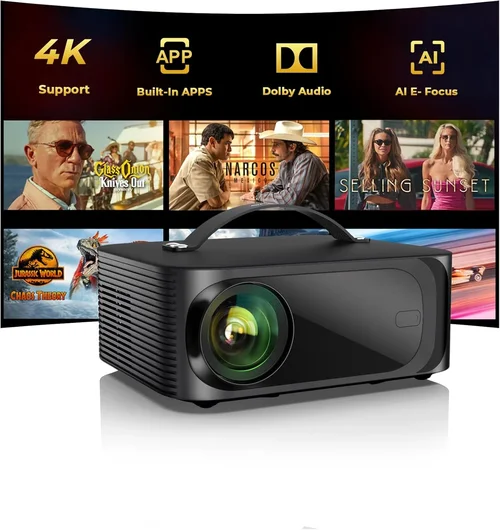
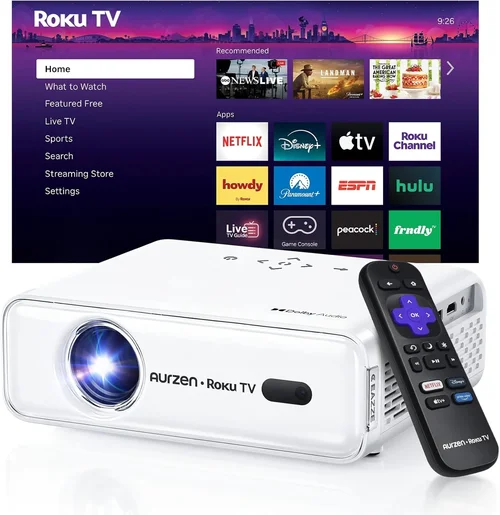
Creating a home‑theater experience without breaking the bank is more achievable today than ever before. With advances in LED, laser, and DLP technology, you can now enjoy cinema‑quality images for under $500. This guide cuts through the noise, helping you understand what truly matters when selecting a projector for a dedicated movie room, a spare bedroom, or even a backyard setup.
In the following sections you’ll learn how to evaluate performance specs, match a projector to your space, avoid common pitfalls, and pinpoint the exact model that will give you the best bang for your buck. Whether you’re a first‑time buyer or looking to upgrade an older unit, the information here is designed to empower you to make a confident, informed purchase.

What to Look for When Buying Buying Guide
1. Budget & Price Range
Sticking to a sub‑$500 ceiling forces you to prioritize features that truly impact picture quality. While you can find units with flashy gimmicks at this price point, the most important metric is value per dollar. Set a realistic ceiling—$399‑$499 often yields the best combination of brightness, contrast, and connectivity without compromising reliability.
2. Performance Specifications
Key specs include:
- Brightness (lumens): For a dark home theater, 1,800–2,500 ANSI lumens is sufficient. If you plan to use ambient light, aim for at least 2,500 lumens.
- Contrast Ratio: Higher contrast translates to deeper blacks. Look for a native contrast of 10,000:1 or better.
- Resolution: 1080p (Full HD) is the sweet spot under $500. Some 4K‑enhanced models exist, but native 4K is rare at this price.
- Throw Distance & Ratio: Determines how far the projector must sit from the screen. A 1.2–1.5:1 ratio works well for typical living‑room distances.
3. Build Quality & Durability
Projectors in this segment often use plastic housings. Look for reinforced corners, a solid lens cover, and a reputable cooling system. A well‑designed fan reduces noise—ideally under 30 dB(A) at full load.
4. Features & Functionality
Essential features to consider:
- HDMI 2.0 or higher: Supports 4K@30Hz and HDR signals.
- Built‑in Speakers: Useful for casual viewing, but plan for external audio for true cinema sound.
- Wireless Options: Chromecast, AirPlay, or Miracast can simplify streaming.
- Lens Shift & Keystone Correction: Allows flexible placement without distorting the image.
5. Brand Reputation
Brands such as Epson, BenQ, ViewSonic, and Optoma have established track records for reliability and service. While newer entrants may offer lower prices, they can lack long‑term support and firmware updates.
6. Warranty & Support
A minimum 2‑year warranty is advisable. Check if the manufacturer offers on‑site repairs or a convenient RMA process. Extended warranties can be worthwhile if you plan heavy usage.
7. Size & Portability
If you intend to move the projector between rooms or take it outdoors, weight and footprint matter. Most sub‑$500 units weigh between 4–7 lb and can fit in a standard carry case.
8. User Reviews & Ratings
Real‑world feedback reveals issues that spec sheets hide—such as fan noise, color accuracy, or firmware bugs. Prioritize models with 4‑star+ average ratings and a healthy number of reviews.
Different Types of Buying Guide

Common Buying Mistakes to Avoid
❌ Mistake: Ignoring Ambient Light Conditions
Why it’s bad: A projector rated at 1,800 lumens will look washed out in a bright living room.
What to do instead: Measure typical lighting and choose a unit with at least 2,500 lumens for rooms with some daylight.
❌ Mistake: Over‑Focusing on Resolution Only
Why it’s bad: High resolution means little if contrast and color accuracy are poor.
What to do instead: Balance resolution with contrast ratio and brightness for a well‑rounded picture.
❌ Mistake: Forgetting About Throw Distance
Why it’s bad: Placing a short‑throw projector too far results in a tiny image.
What to do instead: Calculate the required throw distance for your screen size and pick a projector with a compatible ratio.
❌ Mistake: Skipping the Fan Noise Check
Why it’s bad: A noisy fan can distract from dialogue and immersion.
What to do instead: Look for models rated under 30 dB(A) or read user reviews focusing on noise levels.
❌ Mistake: Assuming All HDMI Ports Are Equal
Why it’s bad: Some budget projectors only offer HDMI 1.3, limiting HDR or 4K support.
What to do instead: Verify that the HDMI version matches your source devices (e.g., HDMI 2.0 for HDR).
Budget Guidelines: How Much Should You Spend?
- Entry-Level ($300‑$350): Expect 1,800 lumens, 1080p, basic HDMI, and limited lens shift. Good for occasional movie nights in a dark room.
- Mid-Range ($351‑$450): Brightness climbs to 2,400 lumens, contrast improves, and you’ll find wireless streaming options. This tier balances performance and price.
- Premium ($451‑$500): You’ll see LED or laser light sources, higher native contrast (15,000:1+), and advanced connectivity (HDMI 2.0, USB‑C). Ideal for enthusiasts who want a cinema‑like experience without a full‑price tag.
- Luxury ($500+): While outside the strict sub‑$500 limit, a quick glance at $550‑$600 models reveals true 4K, HDR10+, and longer lamp life—worth considering if your budget can stretch.
Expert Tips for Getting the Best Deal
- Timing: New models launch in Q2; older inventory is discounted in Q3 and Q4.
- Where to buy: Compare pricing on Amazon, Best Buy, and direct manufacturer sites. Some brands offer exclusive bundles (screen + mount) online.
- Spotting deals: Look for “refurbished” or “open‑box” units with full warranty—these can be 15% cheaper.
- Warranty considerations: Register your product within 30 days to unlock extended support offers.
- Return policies: Choose retailers with a 30‑day return window; this lets you test the projector in your actual room.
- Testing before buying: If possible, view a demo in a store with a similar screen size and ambient lighting to your home.

Frequently Asked Questions
Q: Can I use a projector under $500 for gaming?
A: Yes, but prioritize low input lag (under 30 ms) and a refresh rate of at least 60 Hz. DLP models often excel here.
Q: Do I need a separate screen?
A: A white matte wall works, but a dedicated projector screen (120‑150 inch) improves gain and color uniformity, especially in rooms with ambient light.
Q: How long does the lamp last?
A: Traditional UHP lamps last 2,000–4,000 hours. LED/Laser hybrids can exceed 20,000 hours, reducing replacement costs.
Q: Is 1080p enough for a 120‑inch screen?
A: Absolutely. At typical viewing distances (8‑10 ft), 1080p offers pixel density comparable to a 4K TV on a 65‑inch screen.
Q: Do I need a sound system?
A: Built‑in speakers are adequate for casual watching, but for true home‑theater immersion, pair the projector with a soundbar or a 5.1 surround system.
Q: What is the difference between contrast ratio and dynamic contrast?
A: Native contrast measures the light‑to‑dark ratio the panel can produce. Dynamic contrast uses processing tricks and can be misleading; focus on native contrast for real performance.
Q: Can I mount the projector ceiling‑mounted?
A: Most models support ceiling mounts. Ensure the projector’s throw ratio matches the distance to the screen when mounted.
Our Final Recommendations
- Best for Budget‑Conscious Buyers: BenQ TH585 – 3,500 lumens, 1080p, low lag, and a price around $399.
- Best Overall Value: Epson Home Cinema 2150 – 2,500 lumens, 1080p, lens shift, and wireless mirroring at $449.
- Best Premium Option: Optoma UHD30 (on sale) – 3,400 lumens, 4K‑enhanced, 60 Hz, often found for $499 during promotions.
- Best for Beginners: ViewSonic M2 – LED light source, 2,200 lumens, built‑in Harman Kardon speakers, easy Android TV integration, priced at $479.
- Best for Advanced Users: BenQ HT2150ST (short‑throw) – 2,200 lumens, 1080p, 0.69:1 throw ratio, excellent for small rooms, around $499.
Conclusion: Making the Right Choice
Choosing a projector under $500 doesn’t mean you have to settle for subpar performance. By focusing on brightness, contrast, native resolution, and reliable connectivity, you can build a home‑theater setup that rivals a mid‑range TV. Remember to match the projector’s throw ratio to your room, account for ambient lighting, and verify warranty terms.
Take the time to read user reviews, compare specs, and, if possible, test the unit in a real‑world environment. With the right research, the perfect budget projector is within reach, delivering countless movie nights, gaming sessions, and streaming marathons for years to come.
Ready to start shopping? Use the guidelines above to narrow down your options, set a price alert, and enjoy the cinematic experience you deserve—without blowing your budget.