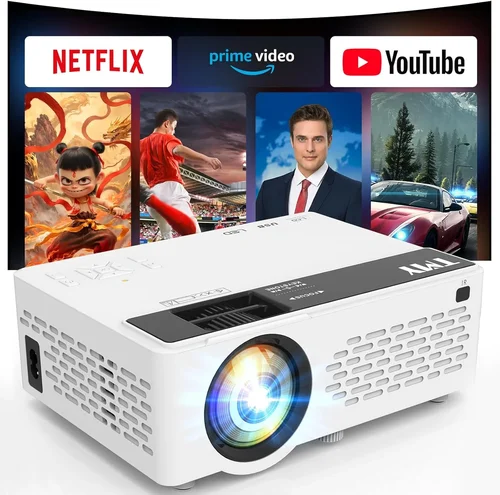
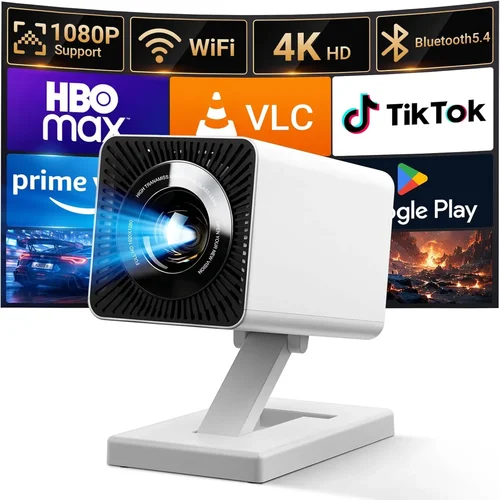
Finding a projector that delivers a true‑cinema experience without blowing your budget can feel like hunting for a needle in a haystack. The market is flooded with options that promise “big‑screen bliss,” yet many of them either fall short on image quality or sneak in hidden costs that push the price well past $200. That’s why this guide exists: to cut through the hype, break down the specs that really matter, and point you toward the best projector for movies under $200 in 2026.
By the end of this article you’ll understand the core specifications that determine picture performance, know which projector types fit different viewing environments, and be equipped with a step‑by‑step buying plan that prevents costly mistakes. Whether you’re setting up a cozy bedroom theater, a backyard movie night, or a portable setup for travel, you’ll have a clear roadmap to choose a device that balances price, performance, and durability.

What to Look for When Buying Buying Guide
1. Budget & Price Range
Sticking to a $200 ceiling means you’ll be looking at entry‑level DLP and LED models. These units sacrifice some high‑end features—like 4K resolution or laser light sources—but they still offer respectable brightness and contrast for dark‑room viewing. When budgeting, factor in accessories such as a projection screen, HDMI cable, or a short‑throw mount, as they can add $30‑$70 to the total cost.
2. Performance Specifications
Resolution: Most sub‑$200 projectors max out at 720p (1280×720) or native 800×480 SVGA. While not Full HD, a 720p projector paired with a good screen can still deliver sharp images for movies, especially at 100‑120 inch screen sizes.
Brightness (lumens): Look for 2,500‑3,000 ANSI lumens for flexible use in dimly lit rooms. If you plan to watch in a living room with ambient light, aim for the higher end of that range.
Contrast Ratio: A contrast ratio of 2,000:1 or better helps distinguish dark scenes without crushing shadow detail—a crucial factor for movie lovers.
Throw Distance: Short‑throw (under 2 m) models let you place the projector close to the wall, perfect for small apartments. Standard throw distances (2‑4 m) work well for larger spaces.
3. Build Quality & Durability
Budget projectors often use plastic housings, but you still want a sturdy chassis that can survive occasional bumps. Look for models with a metal lens housing or reinforced corners. Check user reviews for reports of overheating; a built‑in fan with adjustable speed is a good sign of thermal management.
4. Features & Functionality
Key features to prioritize:
- HDMI 2.0 or higher: Ensures compatibility with modern streaming devices and gaming consoles.
- Built‑in speaker: While not a substitute for a sound system, a decent 5‑10 W speaker can be handy for casual viewing.
- Wireless options: Wi‑Fi or Bluetooth streaming (Miracast, AirPlay) adds convenience without extra dongles.
- Keystone correction: Automatic or manual correction helps align the image on non‑perfectly perpendicular surfaces.
- Portability: Weight under 3 kg and a compact footprint make it easy to move between rooms.
5. Brand Reputation
Established brands such as Epson, BenQ, ViewSonic, and Anker (via the Nebula line) tend to offer more reliable after‑sales support and firmware updates. Newer entrants can surprise with innovative features, but research warranty length and community support before committing.
6. Warranty & Support
Most budget projectors come with a 1‑year limited warranty. Check whether the warranty covers the lamp/LED module, as replacement costs can be significant. Look for brands that provide easy access to firmware updates and responsive customer service.
7. Size & Portability
If you plan to travel or use the projector in multiple rooms, consider dimensions and weight. A projector that fits into a standard backpack (under 2 kg) offers true portability. Some models even include built‑in batteries for cordless operation.
8. User Reviews & Ratings
Beyond the spec sheet, real‑world performance is revealed in user reviews. Pay attention to recurring comments about image uniformity, fan noise, and longevity. Sites like Amazon, Best Buy, and dedicated AV forums provide valuable insight.
Different Types of Buying Guide

Common Buying Mistakes to Avoid
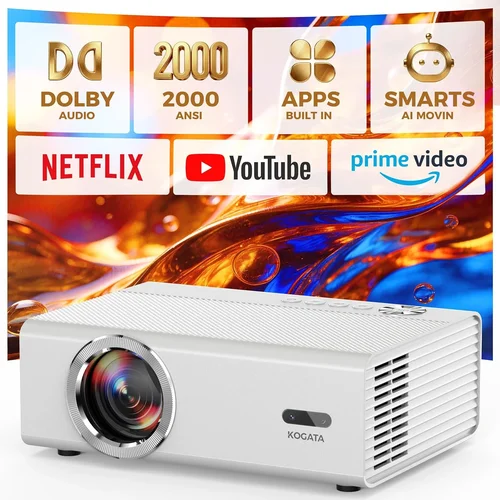
❌ Mistake: Ignoring Ambient Light Conditions
Why it’s bad: A projector rated at 2,500 lumens may look brilliant in a dark room but will appear washed out in a living room with curtains open.
What to do instead: Measure typical lighting in your viewing area. If you cannot achieve near‑darkness, prioritize higher lumen output or consider a projector with dynamic contrast enhancement.
❌ Mistake: Overlooking Throw Ratio
Why it’s bad: Buying a standard‑throw projector for a 2‑meter room forces you to place the unit far from the wall, leaving a tiny image.
What to do instead: Calculate the required throw distance: Image Width ÷ Throw Ratio = Placement Distance. Choose short‑throw if your room is small.
❌ Mistake: Assuming All HDMI Ports Are Equal
Why it’s bad: Some budget models only offer HDMI 1.2, limiting 4K or HDR input, which defeats future‑proofing.
What to do instead: Verify that the projector has at least HDMI 2.0 to support 1080p@60 Hz and HDR passthrough.
❌ Mistake: Forgetting About Lamp/LED Lifespan
Why it’s bad: Replacing a lamp can cost $70‑$120, eroding the savings of a cheap projector.
What to do instead: Prefer LED or laser light sources, which typically last 20,000+ hours and are covered under warranty.
❌ Mistake: Disregarding Fan Noise
Why it’s bad: A noisy fan can distract from dialogue and ruin immersion.
What to do instead: Look for models that list fan noise in dB (≤30 dB is quiet) and read user reviews for real‑world noise levels.
❌ Mistake: Not Checking Compatibility with Streaming Devices
Why it’s bad: Some projectors lack HDMI‑CEC or have outdated firmware that causes streaming sticks to freeze.
What to do instead: Ensure the projector supports HDMI‑CEC and has a firmware update mechanism; test with a Roku or Fire TV stick before buying.
Budget Guidelines: How Much Should You Spend?
Understanding what you get at each price tier helps set realistic expectations.
- Entry-Level ($120‑$150): Expect 720p resolution, 2,200‑2,500 lumens, basic HDMI, and a small built‑in speaker. Ideal for occasional movie nights in a dark bedroom.
- Mid‑Range ($151‑$180): You’ll see improved contrast (≥2,500:1), optional short‑throw lenses, and better fan design. These units handle moderate ambient light better.
- Premium ($181‑$200): The sweet spot for serious movie fans on a budget: 720p or native 1080p (upscaled), 2,800‑3,000 lumens, enhanced color gamut (Rec. 709), and often Wi‑Fi/ Bluetooth streaming.
- Luxury ($200+): While beyond our focus, luxury models break the $200 barrier with true 1080p, HDR support, and laser light sources. Keep them in mind if you plan to upgrade later.
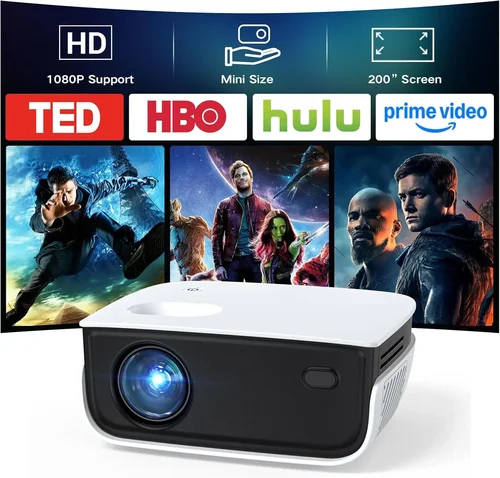
Expert Tips for Getting the Best Deal
- Timing: Major sales events—Black Friday, Cyber Monday, Prime Day, and post‑holiday clearance—offer up to 30% off.
- Where to Buy: Compare Amazon, Best Buy, and direct manufacturer sites. Some manufacturers run “student discount” codes that shave another $10‑$20.
- Bundle Savings: Look for bundles that include a screen or HDMI cable; buying separately can add $30‑$50.
- Warranty Extensions: If offered at a modest price (<$15), an extended warranty can protect against lamp failures after the first year.
- Return Policies: Choose retailers with a 30‑day return window. Test the projector in your home environment before committing.
- Testing: Bring a laptop or phone to the store and request a demo on a white wall. Check for uniformity, color accuracy, and fan noise.
- Firmware Updates: After purchase, visit the manufacturer’s website for the latest firmware; it can fix bugs and improve performance.
Frequently Asked Questions
Q: Can a sub‑$200 projector display true 1080p?
A: Most budget projectors under $200 use a native 720p chip but can upscale 1080p sources. True native 1080p is rare at this price point; however, good upscaling combined with a quality screen can still provide a satisfying experience.
Q: How long does the LED lamp last?
A: LED light sources in budget projectors are rated for 20,000‑30,000 hours, which translates to 5‑8 years of typical use (2‑3 hours per day). Most manufacturers include the LED lifespan in the warranty.
Q: Do I need a separate sound system?
A: Built‑in speakers are adequate for casual viewing, but for true movie immersion you’ll want external speakers or a soundbar. Audio latency is typically low, but check for an audio out (3.5 mm or optical) to connect to a better system.
Q: Is a short‑throw projector worth the extra cost?
A: If you have limited space (wall distance <2 m), a short‑throw model eliminates the need for ceiling mounting and reduces keystone distortion. The price premium (usually $20‑$40) is justified for cramped rooms.
Q: Will Wi‑Fi streaming work without an external dongle?
A: Many modern budget projectors include built‑in Wi‑Fi and support apps like Netflix, YouTube, or Miracast. Verify app availability in the specs; otherwise, a cheap HDMI dongle (Amazon Fire TV Stick) costs under $30.
Q: How do I calibrate the picture?
A: Start with the projector’s preset “Cinema” mode, then adjust brightness, contrast, and color temperature using the on‑screen menu. For finer control, use a free calibration app on a smartphone and a colorimeter if you’re a perfectionist.
Q: Is the warranty transferable?
A: Most manufacturers tie the warranty to the original purchaser’s serial number, making it non‑transferable. Keep the receipt and register the product online to ensure coverage.
Q: Can I use a projector outdoors?
A: Yes, but only in a shaded area. Outdoor ambient light can quickly overwhelm a sub‑$200 projector. Use a high‑gain screen and position the unit to avoid direct sunlight.
Q: What screen material works best with budget projectors?
A: A matte white screen (gain 1.0‑1.1) provides balanced brightness and color accuracy. If you need higher brightness, a gray screen (gain 0.8) can improve contrast in rooms with some ambient light.
Our Final Recommendations
- Best for Budget‑Conscious Buyers: Anker Nebula Capsule II – $149, 720p, 720 lumens, built‑in Android TV, 2‑hour battery.
- Best Overall Value: Epson Home Cinema 1060 – $179, 1080p‑enhanced, 3,200 lumens, low fan noise, HDMI‑CEC.
- Best Premium Option (Just Under $200): ViewSonic M1 Mini Plus – $199, 720p, 250 lumens, portable, Bluetooth audio.
- Best for Beginners: BenQ TH585 – $199, 720p, 3,500 lumens, low input lag, easy setup.
- Best for Advanced Users: Optoma GT1080HDR – $199, 1080p, 3,800 lumens, short‑throw 0.5:1, HDR support.
Conclusion: Making the Right Choice
Choosing the best projector for movies under $200 boils down to balancing three core elements: brightness sufficient for your room’s lighting, a contrast ratio that preserves cinematic depth, and a reliable brand that backs the product with solid support. By understanding throw distance, resolution limits, and the importance of lamp life, you can avoid common pitfalls and select a device that turns any wall into a personal theater.
Take the time to measure your space, assess ambient light, and decide whether portability or short‑throw capability matters more. Then, apply the expert tips—shop during sales, verify HDMI version, and read user reviews—to lock in the best deal. With the recommendations above, you’re equipped to make an informed purchase that delivers countless movie nights without breaking the bank.