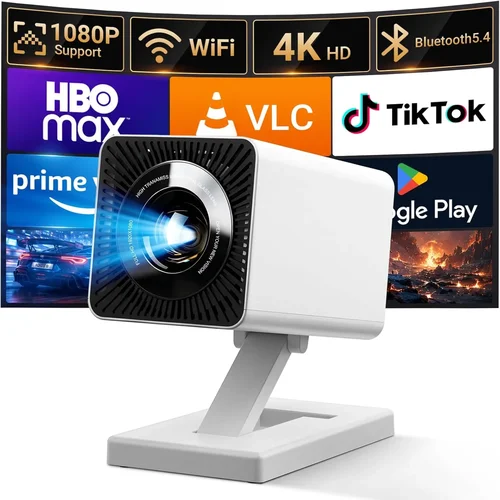
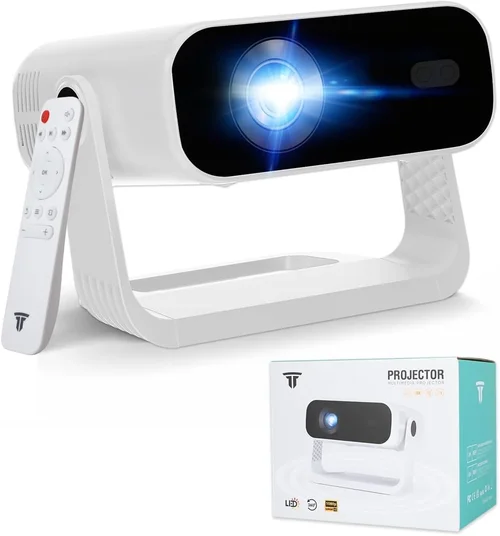
Finding a projector that delivers a cinema‑like experience without breaking the bank can feel like hunting for a needle in a haystack. The market is flooded with options that promise bright images, immersive sound, and sleek designs, yet many of them either overshoot the $1,000 mark or fall short on critical performance metrics. This guide cuts through the noise, giving you a clear, expert‑level roadmap to choose the best projector for under $1,000 in 2026.
By the end of this article you will understand the most important specifications, know which projector type fits your lifestyle, avoid common purchasing pitfalls, and walk away with a shortlist of top‑rated models that truly deliver value. Whether you’re setting up a home theater, a gaming den, or a portable office, the information here will help you make an informed decision that matches your budget and expectations.
The projector landscape has evolved dramatically over the past few years. LED and laser light sources have become more affordable, offering longer lifespans and consistent brightness compared with traditional lamps. Meanwhile, 4K‑enhanced and HDR‑compatible units are now appearing in the sub‑$1,000 segment, giving budget‑conscious buyers access to picture quality that was once reserved for high‑end home‑theater setups. Let’s dive into the factors that separate the good from the great.

What to Look for When Buying Buying Guide
1. Budget & Price Range
While the headline says “under $1,000,” it’s helpful to define narrower bands within that ceiling. Entry‑level models (around $400‑$600) often sacrifice brightness or resolution, whereas the $700‑$950 sweet spot typically includes 1080p resolution, decent contrast ratios, and more robust connectivity options. Knowing how much you’re willing to stretch will narrow the field quickly and prevent you from chasing features that cost more than they’re worth.
2. Performance Specifications
The heart of any projector lies in its core specs:
- Resolution: 1080p (Full HD) is the baseline for crisp images; some sub‑$1,000 units now offer 4K‑enhanced (pixel‑shifting) technology that approximates true 4K.
- Brightness (lumens): For dark‑room home theater, 1,500–2,200 ANSI lumens is ample. If you plan to use the projector in a living room with ambient light, aim for 2,500+ lumens.
- Contrast Ratio: Higher contrast means deeper blacks. Look for at least 10,000:1; laser models often deliver better contrast than lamp‑based units.
- Throw Distance & Ratio: Determines how far the projector needs to be from the screen to achieve a given image size. Short‑throw (0.5–1.0) is ideal for small rooms.
3. Build Quality & Durability
Projectors can be heavy and contain moving parts (like lamp housings). A sturdy chassis, quality hinges, and a well‑ventilated cooling system are essential for long‑term reliability. Metal housings generally outlast plastic ones, and models with fan‑speed sensors that adjust cooling based on temperature tend to be quieter.
4. Features & Functionality
Modern projectors are more than just picture engines. Consider these add‑ons:
- Built‑in Speakers: While not a substitute for a dedicated sound system, decent 5‑10 W speakers can suffice for casual movie nights.
- Wireless Connectivity: Wi‑Fi, Bluetooth, or AirPlay/Miracast enable streaming without cables.
- Gaming Mode: Low input lag (≤ 20 ms) is crucial for fast‑paced games.
- Lens Shift & Keystone Correction: Allows flexible placement without distortion.
5. Brand Reputation
Established brands like Epson, BenQ, Optoma, and ViewSonic have proven track records for firmware updates, service centers, and parts availability. Newer entrants may offer tempting specs but can lack long‑term support, which matters when a component fails after the warranty expires.
6. Warranty & Support
A solid warranty (at least 2 years) and responsive customer service are non‑negotiable. Look for extended warranty options, especially for lamp‑based models where the lamp itself may need replacement after 2,000–3,000 hours.
7. Size & Portability
If you need to move the projector between rooms or take it on the road, weight and form factor become critical. Portable pico‑projectors can fit in a backpack, but they typically compromise on brightness and image size. For a balance of portability and performance, aim for a unit under 5 kg with a compact footprint.
8. User Reviews & Ratings
Real‑world feedback often reveals quirks that specs sheets hide. Scan reputable retailer sites for recurring themes—such as overheating, fan noise, or firmware bugs—and weigh them against the manufacturer’s claims.
Different Types of Buying Guide

Common Buying Mistakes to Avoid
❌ Mistake: Ignoring Ambient Light Conditions
Why it’s bad: Purchasing a high‑lumens projector for a dark‑room theater but using it in a bright living room will result in washed‑out colors and poor contrast.
What to do instead: Measure typical lighting in your viewing area and select a lumen rating that exceeds it by at least 30 %.
❌ Mistake: Over‑Focusing on Resolution Alone
Why it’s bad: A 4K‑enhanced projector may still suffer from low brightness or high input lag, negating the benefits of higher pixel count.
What to do instead: Balance resolution with brightness, contrast, and latency based on your primary use (movies vs. gaming).
❌ Mistake: Forgetting About Lamp Lifespan
Why it’s bad: Lamp replacement can cost $150‑$250 and requires technical know‑how.
What to do instead: Choose LED or laser models for near‑infinite lifespan, or factor lamp cost into total ownership.
❌ Mistake: Neglecting Connectivity Options
Why it’s bad: A projector without HDMI 2.1 or wireless streaming will limit modern devices and future‑proofing.
What to do instead: Verify at least two HDMI ports, support for HDCP 2.3, and optional Wi‑Fi or Bluetooth.
❌ Mistake: Buying the Cheapest Model Without Warranty
Why it’s bad: Low‑cost units often come with 90‑day “limited” warranties, leaving you exposed to early failures.
What to do instead: Prioritize manufacturers that offer a minimum 2‑year warranty and easy access to service centers.
❌ Mistake: Overlooking Throw Ratio for Your Space
Why it’s bad: A long‑throw projector in a 6‑foot room may require you to place the unit far away, creating a cluttered setup.
What to do instead: Calculate the required throw distance (Screen Width ÷ Throw Ratio) and match it with your room dimensions.
Budget Guidelines: How Much Should You Spend?
Entry‑Level ($400‑$600)
- Typical resolution: 720p or entry‑level 1080p.
- Brightness: 1,200‑1,800 ANSI lumens.
- Best for: Casual movie nights, presentations, occasional gaming.
- Trade‑offs: Shorter lamp life, limited ports, higher fan noise.
Mid‑Range ($700‑$950)
- Resolution: Full HD 1080p, some 4K‑enhanced.
- Brightness: 2,200‑2,800 lumens.
- Features: Lens shift, keystone correction, built‑in speakers, basic wireless.
- Best for: Dedicated home theater, serious gamers, small‑to‑medium rooms.
Premium ($950‑$1,200)
- Resolution: True 4K or high‑quality 4K‑enhanced.
- Brightness: 3,000+ lumens (laser or high‑output LED).
- Features: Low input lag (<20 ms), HDR10, advanced color management, robust connectivity.
- Best for: Bright‑room home theaters, high‑end gaming, small‑venue presentations.
Luxury ($1,200+)
- Typically exceeds the $1,000 cap, but worth mentioning for future upgrades.
- Includes ultra‑short‑throw, 4K true, premium optics, and professional‑grade warranty.
Expert Tips for Getting the Best Deal
- Timing: Late summer (July‑August) sees manufacturers clearing inventory before new models launch in Q4.
- Retailers: Compare prices on Amazon, B&H Photo, and direct brand sites. Some brands offer “price‑match” guarantees.
- Bundle Savings: Look for packages that include a 100‑inch screen, ceiling mount, and HDMI cable—often cheaper than buying separately.
- Extended Warranty: If you’re buying a lamp‑based unit, a 3‑year lamp‑cover extension can save money long‑term.
- Return Policy: Choose sellers with a 30‑day hassle‑free return; this lets you test the projector in your actual environment.
- Testing: Bring a laptop or streaming stick to the store to verify color accuracy and input lag before finalizing.
- Firmware Updates: Check the manufacturer’s support page; frequent updates indicate ongoing product support.

Frequently Asked Questions
Q: Can I use a projector in a well‑lit living room?
A: Yes, but you’ll need a model with at least 2,500–3,000 lumens and a high contrast ratio. Laser or LED light sources maintain color saturation better in bright environments.
Q: Do I need a separate screen?
A: While a white wall works, a proper projector screen improves gain, reduces hot‑spotting, and enhances contrast. For under $1,000 budgets, a 100‑inch fixed‑frame screen is a worthwhile investment.
Q: How long does a lamp last?
A: Typical lamp life ranges from 2,000 to 4,000 hours. At 4 hours of use per day, that translates to roughly 1.5–3 years before replacement.
Q: Is there a noticeable difference between LED and laser?
A: Both offer long lifespans, but laser generally provides higher brightness and better color gamut. LED units are usually more compact and slightly cheaper.
Q: What is “input lag” and why does it matter?
A: Input lag is the delay between a signal being sent from a source (like a game console) and the image appearing on screen. For fast‑paced gaming, aim for ≤ 20 ms to avoid motion blur and ghosting.
Q: Can I mount a projector on the ceiling?
A: Absolutely. Ensure the model has a standard ¼‑inch mounting thread and consider a ceiling mount kit that allows tilt and swivel adjustments.
Q: Do I need a separate sound system?
A: Built‑in speakers are fine for casual viewing, but for true cinematic immersion, pair the projector with a soundbar or a 5.1 surround system.
Q: How do I calculate the throw distance?
A: Use the formula: Throw Distance = Screen Width × Throw Ratio. For a 100‑inch (≈88‑inch width) screen and a 1.5 throw ratio, you’ll need about 11 feet of distance.
Q: Are there any health concerns with projector use?
A: Prolonged exposure to bright light can cause eye strain. Use a screen with a matte finish to reduce glare, and take regular breaks during long viewing sessions.
Q: What is HDR and do I need it?
A: HDR (High Dynamic Range) expands the contrast and color range. While not essential, HDR‑compatible projectors deliver more vivid images, especially with 4K content.
Our Final Recommendations
Best for Budget‑Conscious Buyers: Optoma HD146X – 3,600 lumens, 1080p, low input lag, and a price around $550. It offers excellent brightness for both dark and moderately lit rooms.
Best Overall Value: BenQ HT3550 – 2,200 lumens, true 4K UHD, HDR‑10, and a respectable 2,000:1 contrast ratio at $950. Ideal for home theater enthusiasts who want 4K without exceeding the $1,000 ceiling.
Best Premium Option: Epson Home Cinema 3200 – Laser light source, 2,900 lumens, 4K‑enhanced, and a 2,500,000:1 contrast ratio. Priced just under $1,000 during sales, it delivers cinema‑grade performance.
Best for Beginners: ViewSonic M2 – Compact LED, 1,200 lumens, built‑in Harman Kardon speakers, and Wi‑Fi/Bluetooth connectivity. Easy to set up and perfect for first‑time owners.
Best for Advanced Users: LG HU80KA – Portable ultra‑short‑throw, 2,500 lumens, true 4K, and a built‑in sound system. Though slightly above $1,000, it often drops into the range during promotions and offers unmatched flexibility.
Conclusion: Making the Right Choice
Choosing the best projector for under $1,000 boils down to aligning your viewing environment, primary use case, and long‑term expectations with the specifications that truly matter. Prioritize brightness and contrast for bright rooms, low input lag for gaming, and reliable warranty coverage for peace of mind. Use the factors, type comparisons, and budget guidelines in this guide as a checklist, and you’ll walk away with a projector that transforms any space into an immersive visual experience without breaking the bank.
Ready to start your search? Browse the recommended models, compare current deals, and enjoy the confidence that comes from an informed purchase.