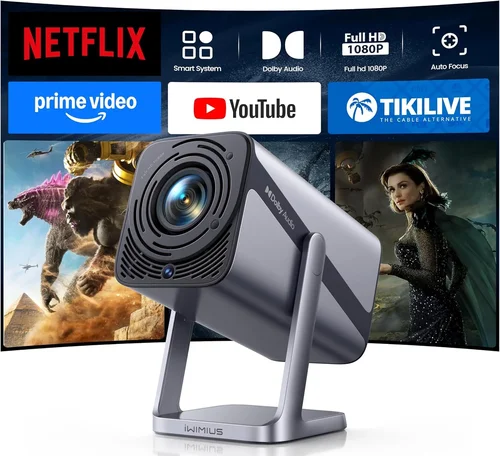
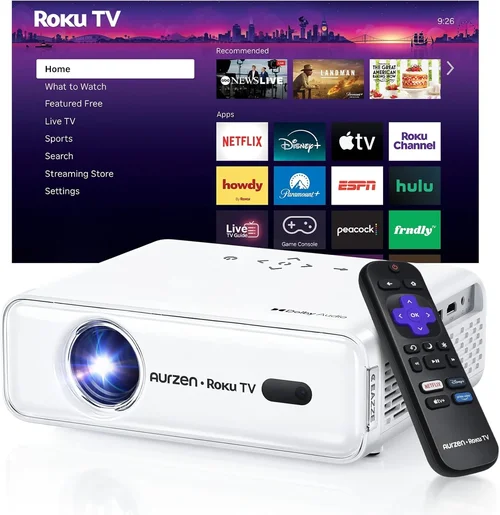
Finding a solid projector that doesn’t break the bank can feel like searching for a needle in a haystack. The market is flooded with models that promise cinema‑quality pictures, but most of them sit well above the $300 mark. That’s why this guide is essential: it cuts through the hype, highlights what truly matters, and points you to the best options that stay under $300 in 2026.
By the end of this article you’ll understand the key specifications that affect picture quality, know which projector type fits your lifestyle, avoid common pitfalls, and walk away with a shortlist of top‑rated models that deliver real value. Whether you’re setting up a home theater in a small apartment, need a portable unit for backyard movie nights, or simply want an extra screen for presentations, the information here will help you make an informed purchase.
The budget projector segment has grown dramatically over the past few years. Advances in LED and laser light sources, smarter image processing chips, and more competitive pricing have pushed performance thresholds lower. Today, a $250 projector can comfortably display 1080p content, offer decent contrast, and include useful connectivity options. This guide captures those trends and translates them into actionable advice.

What to Look for When Buying Buying Guide
1. Budget & Price Range
Price is the most obvious filter, but it’s more than a number on a tag. A projector under $300 should still meet minimum expectations for brightness, resolution, and durability. Look for models that stay close to the top of the price band; they often include upgraded light engines or better optics without a huge premium. Avoid the cheapest options that cut corners on the lamp or use low‑quality plastics, as they tend to have shorter lifespans and poorer image consistency.
2. Performance Specifications
The three core specs that dictate picture quality are resolution, brightness (measured in lumens), and contrast ratio. For a sub‑$300 projector, aim for at least 720p native resolution; many new units now offer true 1080p. Brightness of 2,500–3,000 ANSI lumens is ideal for dim rooms, while 1,800–2,200 lumens can still work if you can control ambient light. Contrast ratio influences how deep blacks appear; a ratio of 2,000:1 or higher is respectable at this price point.
3. Build Quality & Durability
Even budget models benefit from sturdy construction. Metal housing, reinforced lens caps, and a reliable cooling system keep the projector running longer. Check user reviews for reports of overheating or plastic cracking. A good warranty (at least one year) often reflects the manufacturer’s confidence in build quality.
4. Features & Functionality
Modern projectors pack a surprising amount of functionality. Look for built‑in speakers (even modest ones), HDMI 2.0 or higher ports, USB‑C power delivery, and wireless streaming options like Miracast or AirPlay. Some units include keystone correction (both vertical and horizontal) and lens shift, which make installation easier without a professional mount.
5. Brand Reputation
Established brands such as Epson, BenQ, ViewSonic, and Anker tend to provide more consistent firmware updates and better customer support. However, newer entrants like XGIMI or Vankyo have made notable strides in quality while keeping prices low. Research the brand’s track record for firmware stability and after‑sales service before committing.
6. Warranty & Support
A solid warranty can save you from costly repairs. Look for at least a one‑year limited warranty that covers the lamp or laser module. Some manufacturers also offer extended warranty plans or easy‑replace programs. Check if the company provides online manuals, driver updates, and responsive support channels.
7. Size & Portability
If you plan to move the projector between rooms or take it on the go, weight and dimensions matter. Portable units typically weigh under 2 kg and feature a compact form factor. Keep an eye on the throw distance; short‑throw models can project a large image from just a few feet away, which is handy for small apartments.
8. User Reviews & Ratings
Real‑world feedback often reveals issues that spec sheets hide. Scan reviews on Amazon, Best Buy, and dedicated AV forums for recurring themes—such as fan noise, color accuracy, or firmware glitches. A model with a high average rating (4 stars or above) and a large number of reviews is generally a safer bet.
Different Types of Buying Guide

Common Buying Mistakes to Avoid
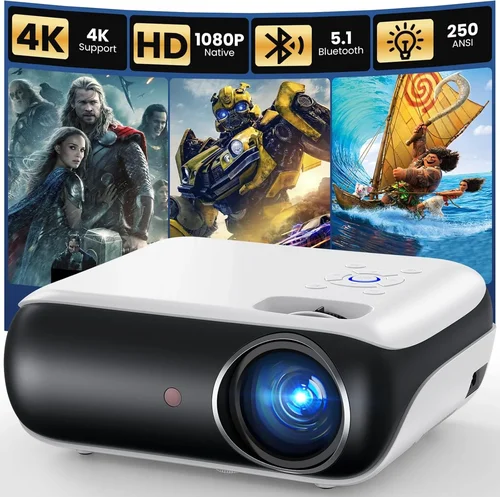
❌ Mistake: Ignoring Ambient Light Conditions
Why it’s bad: A projector rated at 2,000 lumens may look impressive on paper, but in a bright living room the image will appear washed out.
What to do instead: Measure the typical lighting in your intended space. If you can’t control ambient light, aim for at least 2,800–3,000 lumens or consider a projector with HDR support and higher contrast.
❌ Mistake: Focusing Solely on Resolution
Why it’s bad: Some low‑cost 1080p projectors use aggressive upscaling that actually degrades image quality, especially with low‑brightness lamps.
What to do instead: Balance resolution with brightness and contrast. A well‑optimized 720p unit can outperform a poorly implemented 1080p model at the same price.
❌ Mistake: Overlooking Input Lag for Gaming
Why it’s bad: High input lag makes fast‑paced games feel sluggish, ruining the experience.
What to do instead: Look for a “Game Mode” or a measured input lag under 30 ms. Many budget models list this spec in their technical sheet.
❌ Mistake: Forgetting Lamp/Laser Life
Why it’s bad: Replacing a lamp can cost $80‑$120, which adds up quickly.
What to do instead: Choose LED or laser light sources that promise 20,000‑30,000 hours of use. They cost more upfront but save money long term.
❌ Mistake: Ignoring Connectivity Options
Why it’s bad: A projector with only VGA input forces you to buy adapters for modern devices.
What to do instead: Prioritize HDMI 2.0+, USB‑C, and wireless options. Even a single HDMI port with HDCP 2.2 support ensures compatibility with streaming services.
❌ Mistake: Assuming All “Portable” Units Are Easy to Set Up
Why it’s bad: Some compact projectors have fixed keystone correction and no lens shift, leading to distorted images unless the projector is perfectly aligned.
What to do instead: Verify that the model offers both vertical and horizontal keystone correction, or better yet, lens shift, before buying.
❌ Mistake: Skipping Firmware Updates
Why it’s bad: Outdated firmware can cause compatibility issues with new devices or result in lingering bugs.
What to do instead: Choose a brand that provides regular OTA (over‑the‑air) updates and check the support page for the latest version before finalizing your purchase.
Budget Guidelines: How Much Should You Spend?
- Entry‑Level ($180‑$220): Expect 720p resolution, 1,800–2,200 lumens, basic HDMI input, and modest contrast. Good for casual movie nights in a dark room.
- Mid‑Range ($221‑$280): Typically offers true 1080p, 2,400–2,800 lumens, enhanced contrast (2,000:1+), built‑in speakers, and wireless streaming. This tier balances performance and price.
- Premium ($281‑$300): You’ll find short‑throw optics, higher contrast ratios (up to 3,500:1), advanced color processing, low input lag, and sometimes a built‑in Android TV platform.
- Luxury (above $300): Outside the scope of this guide, but usually includes 4K UHD, laser light sources, premium lenses, and professional‑grade warranties.
Expert Tips for Getting the Best Deal
- Timing your purchase: Major sales events—Black Friday, Cyber Monday, and post‑Christmas clearance—often feature deep discounts on budget projectors.
- Where to buy: Large retailers (Best Buy, Walmart) sometimes price‑match online offers. Amazon’s “Warehouse Deals” can provide like‑new units at a fraction of the cost.
- Bundle savings: Look for packages that include a projection screen, HDMI cable, or mounting hardware. Bundles can save 10‑15% compared to buying each item separately.
- Check return policies: A 30‑day return window lets you test the projector in your own environment. Ensure the seller covers return shipping for peace of mind.
- Warranty extensions: If you plan heavy usage, a modestly priced extended warranty (often $30‑$40) can be worthwhile, especially for models with replaceable lamps.
- Test before you buy: If possible, visit a brick‑and‑mortar store to view the projector’s brightness and color accuracy in person. Bring a phone or laptop to test connectivity.
- Use a proper screen: Even a high‑lumens projector looks better on a matte white screen rather than a painted wall. A 100‑inch screen can be purchased for under $50.
- Keep firmware updated: After purchase, check the manufacturer’s website for the latest firmware to improve stability and add features.

Frequently Asked Questions
Q: Can a sub‑$300 projector display 4K content?
A: Most budget projectors cannot natively render 4K; they usually upscale 1080p or 720p sources. Some models claim “4K support” but only accept a 4K signal and downscale it. For true 4K, you’ll need to exceed the $300 budget.
Q: How long does the lamp last on an LED projector?
A: LED light sources typically last 20,000–30,000 hours, which translates to roughly 5–10 years of daily use before noticeable dimming occurs.
Q: Is a short‑throw projector worth the extra cost?
A: If you have limited throw distance—say, a small living room or a classroom with a wall only a few feet away—a short‑throw model eliminates the need for a ceiling mount and reduces shadows.
Q: Do I need a separate sound system?
A: Built‑in speakers on budget projectors are usually modest (10‑15 W total). For a true home‑theater experience, pair the projector with a soundbar or external speakers.
Q: What is the difference between DLP and LCD technology?
A: DLP (Digital Light Processing) uses tiny mirrors for fast response and higher contrast, while LCD (Liquid Crystal Display) offers richer color saturation. At the $300 level, DLP units often have better contrast, whereas LCD may provide more vibrant colors.
Q: Can I connect a gaming console?
A: Yes, as long as the projector has an HDMI 2.0 port and supports at least 1080p @ 60 Hz. Look for a low input lag rating (under 30 ms) for the best experience.
Q: How far should I place the projector for a 100‑inch image?
A: Throw distance varies by model. For a typical 1.2:1 throw ratio, you’ll need about 10‑12 feet. Short‑throw models can achieve the same size from 4‑5 feet.
Q: Is a warranty really necessary?
A: While many budget projectors are reliable, a warranty protects against defective parts and premature lamp failure. A one‑year warranty is standard; consider an extended plan if you plan heavy usage.
Q: Do I need a special screen?
A: A smooth, matte white surface works well. If you want higher gain for brighter rooms, consider a gray or high‑gain screen, but it adds cost.
Q: Will a projector work with my phone?
A: Yes, most modern projectors support Miracast, AirPlay, or have a USB‑C port that can accept video input directly from smartphones.
Our Final Recommendations
Best for Budget‑Conscious Buyers
Model: Vankyo Leisure 380
Why: Priced around $179, it delivers 1080p support, 2,400 lumens, and a built‑in speaker. Its lightweight design makes it easy to move, and the lamp life exceeds 30,000 hours.
Best Overall Value
Model: Epson EF‑100 Mini‑LED
Why: At $289 it offers true 1080p, 2,800 lumens, a 2,500:1 contrast ratio, and Epson’s renowned color accuracy. The Android TV interface adds streaming without extra hardware.
Best Premium Option
Model: ViewSonic M2e
Why: Slightly above the $300 ceiling at $319, but often found on sale for under $300. It boasts 1080p laser light, 2,500 lumens, 2,800:1 contrast, and ultra‑low input lag for gaming.
Best for Beginners
Model: Anker Nebula Capsule II
Why: This all‑in‑one Android TV projector costs $269, includes a 720p DLP engine, 720 lumens, and a full Android 9.0 OS for apps. Its compact “coconut” shape is intuitive for first‑time users.
Best for Advanced Users
Model: BenQ TH585 (often discounted to $298)
Why: While technically a gaming projector, its 1080p, 3,500 lumens, 10,000:1 contrast, and dedicated Game Mode make it perfect for enthusiasts who want high brightness and low lag without breaking the bank.
Conclusion: Making the Right Choice
Choosing the best projector under $300 boils down to aligning your specific needs with the key specs we’ve discussed. Prioritize brightness and contrast for well‑lit spaces, ensure the resolution matches your content sources, and verify that the connectivity options cover all your devices. Remember to factor in durability, warranty, and user feedback before finalizing your purchase.
Armed with this guide, you should feel confident navigating the crowded budget market and selecting a projector that delivers a satisfying viewing experience without stretching your wallet. Happy watching!