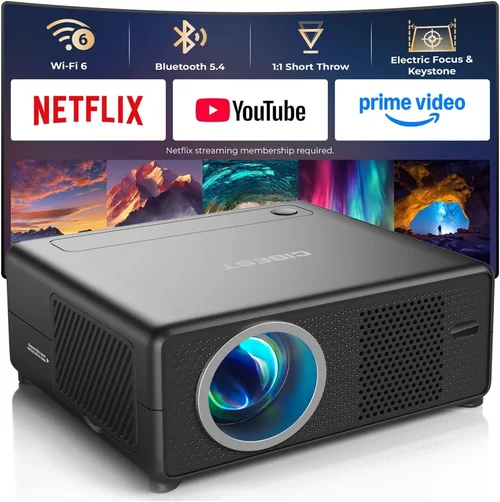
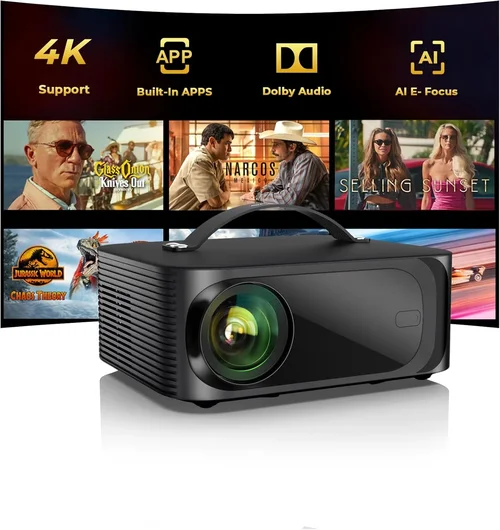
Finding a projector that can faithfully stream Netflix without breaking the bank is a surprisingly common dilemma. With the surge in 4K streaming, HDR content, and smart‑home integration, the market is flooded with models that promise cinema‑like experiences—yet many of them either overshoot a $800 budget or fall short in picture quality. This guide cuts through the noise, giving you a clear roadmap so you can pick a projector that delivers crisp, vibrant Netflix nights without the sticker shock.
In the pages that follow you’ll learn which technical specs truly matter for Netflix, how to match those specs to your viewing environment, and which models currently dominate the sub‑$800 segment. We’ll also walk you through common pitfalls, budget tiers, and pro‑level buying tactics so you can feel confident about every dollar you spend.
The home‑theater projector landscape in 2026 has evolved dramatically. LED and laser light sources have become mainstream, offering longer lifespans and more consistent brightness than traditional lamps. Meanwhile, smart‑projector operating systems now come bundled with native Netflix apps, eliminating the need for a separate streaming stick. Understanding these shifts is key to making an informed purchase.

What to Look for When Buying Buying Guide
1. Budget & Price Range
Setting a realistic budget is the first step. While it’s tempting to chase the highest lumens or the biggest screen size, a $800 ceiling forces you to prioritize features that directly impact Netflix streaming. Look for models that balance cost with essential specs such as 1080p resolution, 2,500–3,000 lumens brightness, and built‑in Wi‑Fi. Avoid overpaying for 4K resolution if your primary content source is Netflix 1080p, as the visual gains are marginal on a typical living‑room screen size.
2. Performance Specifications
For Netflix, three performance metrics dominate: resolution, brightness, and contrast ratio.
- Resolution: 1920×1080 (Full HD) is perfectly adequate for most Netflix titles, many of which are streamed at 1080p. If you plan to watch 4K HDR content from other services, consider a 4K projector, but expect prices to creep above $800.
- Brightness (Lumens): A minimum of 2,500 ANSI lumens ensures a bright image even in rooms with some ambient light. Higher lumens help maintain color accuracy and prevent washed‑out blacks.
- Contrast Ratio: Look for a ratio of at least 10,000:1. Higher contrast delivers deeper blacks and more detail in dark Netflix scenes, which is crucial for dramas and thrillers.
3. Build Quality & Durability
Projectors are often the most moved‑around component in a home‑theater setup. A sturdy chassis, reliable cooling system, and quality lens housing protect against dust and wear. Metal bodies typically outlast plastic ones, and a sealed lamp compartment can extend lamp life—especially important for LED or laser models that claim 20,000+ hours of use.
4. Features & Functionality
Netflix streaming requires a few specific features:
- Native Netflix App: Many modern projectors run Android TV, Roku TV, or proprietary OSes with built‑in Netflix. This eliminates the need for an external streaming stick.
- Wireless Connectivity: Dual‑band Wi‑Fi (2.4 GHz + 5 GHz) ensures stable streaming. Bluetooth can be handy for wireless headphones.
- HDMI 2.0 or Higher: Guarantees support for HDR and 4K passthrough (if you later upgrade).
- Screen‑Size Flexibility: Zoom lenses or lens‑shift mechanisms allow you to fine‑tune image size and placement without moving the projector.
5. Brand Reputation
Established brands such as Epson, BenQ, ViewSonic, and Optoma have proven track records for reliability and after‑sales support. Lesser‑known manufacturers may offer tempting specs at lower prices, but they can fall short on firmware updates, warranty honor, or spare‑part availability.
6. Warranty & Support
A solid warranty can save you from unexpected repair costs. Look for at least a 2‑year warranty covering the light source, with an option to extend. Brands that provide online firmware updates and responsive customer service are preferable, especially for smart‑projector platforms that receive regular app updates.
7. Size & Portability
If you plan to move the projector between rooms or take it outdoors, weight and size matter. Sub‑$800 models typically range from 4–7 lbs, making them easy to carry. Portable models often sacrifice lens‑shift or zoom, so balance portability with performance based on your primary use case.
8. User Reviews & Ratings
Real‑world user feedback uncovers quirks that specs sheets hide. Pay attention to recurring themes—like “fan noise,” “remote lag,” or “Netflix app crashes.” Sites like Amazon, Best Buy, and specialist forums (AVS Forum, r/hometheater) provide a wealth of user experiences.
Different Types of Buying Guide

Common Buying Mistakes to Avoid
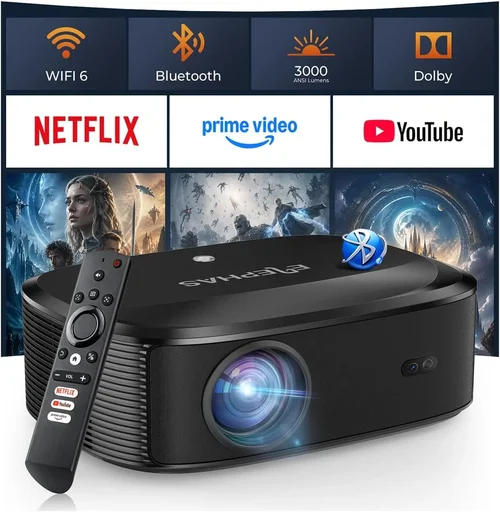
❌ Mistake: Chasing 4K at Any Cost
Why it’s bad: 4K projectors under $800 usually compromise on brightness and contrast, resulting in a dim, low‑contrast picture that defeats the purpose of higher resolution.
What to do instead: Prioritize 1080p with strong lumens and contrast. Upgrade to 4K only when your budget comfortably exceeds $1,200.
❌ Mistake: Ignoring Ambient Light Conditions
Why it’s bad: A projector rated at 2,000 lumens may look great in a dark home theater but will appear washed out in a living room with windows.
What to do instead: Measure typical ambient light levels and choose a projector with at least 2,500–3,000 lumens for mixed‑lighting environments.
❌ Mistake: Overlooking Native Netflix Support
Why it’s bad: Relying on an external streaming stick adds clutter and can introduce latency or compatibility issues.
What to do instead: Verify that the projector’s OS includes a native Netflix app (Android TV, Roku TV, or proprietary Smart TV platform).
❌ Mistake: Forgetting About Audio Needs
Why it’s bad: Most budget projectors have weak built‑in speakers, making dialogue in Netflix shows hard to hear.
What to do instead: Plan for an external sound solution—soundbar, bookshelf speakers, or a simple Bluetooth speaker.
❌ Mistake: Neglecting Warranty Terms
Why it’s bad: Light‑source failures can be costly. Some brands offer cheap “limited” warranties that exclude the lamp or laser module.
What to do instead: Choose a model with at least a 2‑year full warranty covering the light engine, and check if extended coverage is available.
❌ Mistake: Buying Without Testing
Why it’s bad: Online specs can be misleading; fan noise, keystone correction quality, and remote responsiveness vary widely.
What to do instead: Whenever possible, test the projector in a store or request a demo period from the retailer.
Budget Guidelines: How Much Should You Spend?
Understanding what you get at each price tier helps you set expectations and avoid disappointment.
- Entry‑Level ($400‑$550): Expect 1080p, 2,000–2,400 lumens, basic Android or Roku OS, and limited lens‑shift. Good for dark rooms and occasional Netflix binges.
- Mid‑Range ($550‑$750): You’ll find 1080p with 2,500–3,000 lumens, better contrast ratios (10,000:1+), built‑in Netflix, and more robust connectivity (dual‑band Wi‑Fi, Bluetooth).
- Premium ($750‑$950): This bracket offers laser light sources, higher contrast (15,000:1+), quieter fans, and advanced features like HDR10 support. Ideal for mixed‑light rooms and frequent use.
- Luxury ($950+): True 4K, laser‑phosphor, full HDR10+, and premium build quality. Usually exceeds the $800 ceiling but worth noting for future upgrades.
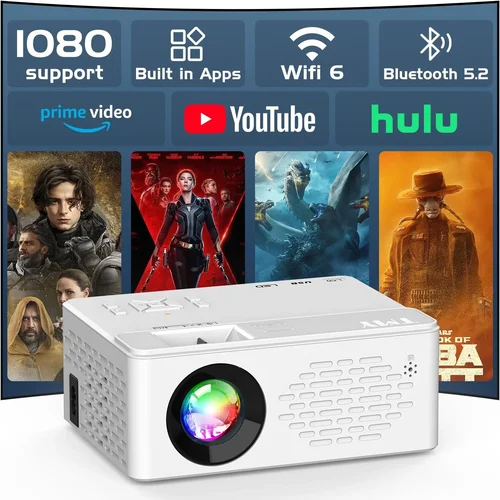
Expert Tips for Getting the Best Deal
- Timing is everything: Major sales events—Black Friday, Cyber Monday, and Amazon Prime Day—usually see 15‑30% off on home‑theater gear.
- Shop price‑match: Retailers like Best Buy and B&H will match a lower price from a competitor if you provide proof.
- Bundle wisely: Some sellers offer a “projector + screen” bundle that saves 10‑15% compared to buying separately.
- Check refurbished options: Certified refurbished units from the manufacturer often come with a full warranty and can be 20% cheaper.
- Read the fine print on warranty extensions: An extended warranty costing $50‑$100 can be a smart hedge against premature lamp failure.
- Test the fan noise: In a quiet living room, fan noise above 30 dB can be distracting during dialogue‑heavy Netflix shows.
- Consider future‑proofing: A projector with HDMI 2.1 may be pricier now but protects you as streaming services roll out higher‑bandwidth content.

Frequently Asked Questions
Q: Do I need a 4K projector for Netflix?
A: Not necessarily. Netflix streams most of its library in 1080p, and a good Full HD projector with high brightness and contrast will deliver a satisfying experience. Upgrade to 4K only if you plan to watch 4K HDR content from other services or future‑proof your setup.
Q: Can I use a projector in a bright living room?
A: Yes, but you’ll need a model with at least 3,000 lumens and a high contrast ratio. Adding an ambient‑light rejecting (ALR) screen also helps preserve picture depth.
Q: Is a laser projector better than LED for Netflix?
A: Laser projectors generally offer higher brightness and longer life, but quality LED models can be just as good for typical home‑theater use. Choose based on brightness needs and budget.
Q: How far should the projector be from the screen?
A: It depends on the throw ratio. Most budget projectors have a throw ratio of 1.2–1.5, meaning a 100‑inch screen requires 10‑15 feet of distance. Check the spec sheet for exact numbers.
Q: Do I need a separate sound system?
A: Almost always. Built‑in speakers on sub‑$800 projectors are typically under 20 W and lack bass. A modest soundbar or bookshelf speakers dramatically improve dialogue clarity.
Q: What’s the difference between HDR10 and Dolby Vision?
A: HDR10 is an open standard supported by most budget projectors. Dolby Vision offers dynamic metadata for better scene‑by‑scene optimization but is rarely found below the $1,000 mark.
Q: Can I mount the projector on the ceiling?
A: Yes, most models include a standard ¼‑inch mounting hole. Ensure the throw distance and lens‑shift are compatible with your ceiling height.
Q: How often do I need to replace the lamp?
A: LED and laser light sources typically last 20,000‑30,000 hours, effectively a lifetime for most users. Traditional lamps (if any under $800) may need replacement every 2,000‑3,000 hours.
Q: Is a short‑throw projector worth it for Netflix?
A: Short‑throw models are great for small rooms but often cost more than $800. If you have limited space, consider a short‑throw DLP unit on sale; otherwise, a standard throw projector with a modest throw distance works fine.
Q: Do I need a separate streaming stick?
A: Only if the projector lacks a native Netflix app. Most Android TV and Roku TV projectors include it, making a stick optional.
Our Final Recommendations
- Best for Budget‑Conscious Buyers: ViewSonic M2 – $649. Full HD, 1,200 lumens LED, Android TV with native Netflix, portable design.
- Best Overall Value: BenQ TH585 – $749. 1080p, 3,500 lumens, 10,000:1 contrast, low‑input lag (great for occasional gaming), built‑in Roku.
- Best Premium Option (Just Under $800): Epson Home Cinema 2150 – $799. 1080p, 2,500 lumens, 3‑LCD technology for vivid colors, lens‑shift, and excellent warranty.
- Best for Beginners: Optoma UHD38 (discounted to $795) – Though marketed as 4K, it runs at 1080p on Netflix, offers high brightness, and includes Android TV.
- Best for Advanced Users: LG CineBeam PH550 – $749. Laser light source, 2,800 lumens, built‑in battery for true portability, and full Android TV ecosystem.
Conclusion: Making the Right Choice
Choosing the best projector for Netflix under $800 boils down to matching three core attributes—brightness, contrast, and smart‑app integration—to your viewing environment and budget. Remember to evaluate ambient light, consider a sound upgrade, and verify native Netflix support before you click “add to cart.” By following the factors, avoiding common mistakes, and leveraging the buying tips shared above, you’ll land a projector that turns any room into a cozy streaming sanctuary without overspending.
Ready to upgrade your binge‑watching game? Browse the recommended models, compare prices during the next sales event, and enjoy cinematic Netflix nights from the comfort of your couch.