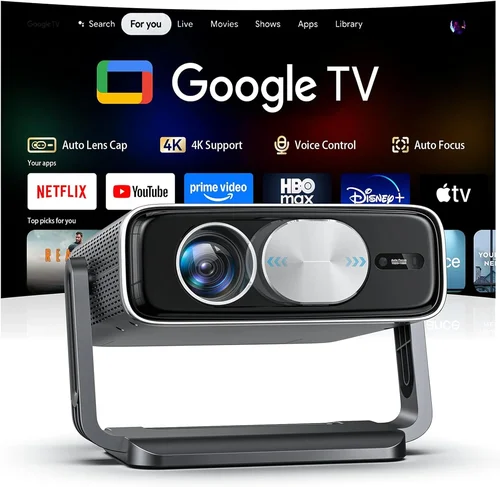
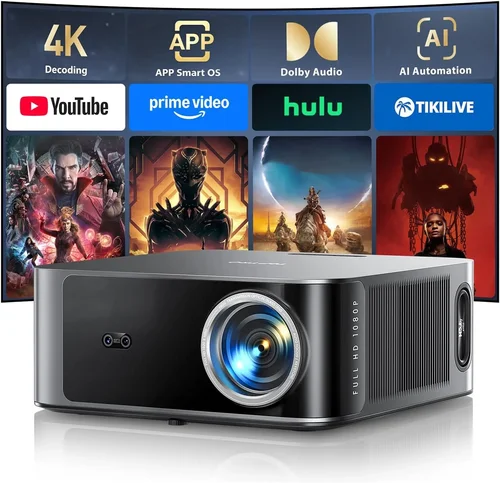
Choosing a projector TV under $500 can feel like navigating a maze of specs, brand promises, and endless online reviews. With home‑theater setups becoming more popular than ever, many shoppers are looking for a big‑screen experience without breaking the bank. This guide cuts through the noise, giving you a clear roadmap so you can pick a projector that fits your living room, budget, and viewing habits.
In the next few sections you’ll learn exactly what to look for, how different projector types stack up, where common pitfalls hide, and which models consistently earn top marks from experts and everyday users alike. By the end, you’ll have a personalized checklist and a shortlist of the best projector TVs under $500 for 2026.

What to Look for When Buying Buying Guide
1. Budget & Price Range
Even within the sub‑$500 segment, prices can vary widely based on lumens, resolution, and extra features. Set a firm ceiling (for example, $499) and then decide how much of that you’re willing to allocate to core performance versus convenience extras like Bluetooth speakers or a built‑in Android TV interface. Remember, a lower price often means trade‑offs in brightness or native resolution, so balance cost with the environment where you’ll use the projector.
2. Performance Specifications
Brightness (lumens) – Measured in ANSI lumens, this tells you how well the image will stand up to ambient light. For a dark home theater, 1,500–2,000 lumens is ample. In a brighter living room, aim for at least 2,500 lumens.
Resolution – Most budget projectors cap at 720p (HD). However, a growing number of 1080p (Full HD) units now sit just under $500, delivering crisper detail for movies and games.
Contrast Ratio – Higher contrast means deeper blacks and more vivid colors. Look for a ratio of at least 2,000:1; anything lower may look flat in dark scenes.
3. Build Quality & Durability
Projectors are mechanical devices with moving parts (like the lamp or laser module). A sturdy chassis, quality fan design, and reputable cooling system keep the unit running longer. Metal housings generally outlast plastic ones, and models with sealed laser light sources often have a lifespan of 20,000+ hours, far exceeding traditional lamps.
4. Features & Functionality
When you’re hunting for a projector TV under $500, you’ll want to prioritize the features that actually improve daily use:
- Built‑in Speakers – Useful for quick movies, but usually lack the punch of a separate sound system.
- Smart OS – Android TV, Roku, or Amazon Fire TV integration can turn a projector into a full‑featured streaming hub.
- Keystone Correction & Lens Shift – These let you fine‑tune the image shape without moving the projector.
- Connectivity – HDMI 2.0, USB‑C, Bluetooth, and Wi‑Fi are must‑haves for modern setups.
5. Brand Reputation
Established brands like Epson, BenQ, ViewSonic, and Optoma often provide more reliable firmware updates and better warranty support. Newer entrants can surprise with innovative specs, but research their after‑sales service history before committing.
6. Warranty & Support
A solid warranty (minimum 2 years) protects you from early lamp failures or hardware defects. Look for brands that offer easy RMA processes, local service centers, and responsive online chat support. Some manufacturers even include a free lamp replacement within the first year.
7. Size & Portability
If you plan to move the projector between rooms or take it outdoors, weight and footprint matter. Portable units typically weigh under 5 lb and come with a carrying case. Fixed‑installation models may be bulkier but often deliver higher brightness.
8. User Reviews & Ratings
Real‑world feedback reveals issues that spec sheets hide—like noisy fans, firmware glitches, or premature lamp dimming. Scan reviews on Amazon, Best Buy, and dedicated AV forums. Pay attention to recurring themes rather than isolated complaints.
Different Types of Buying Guide

Common Buying Mistakes to Avoid
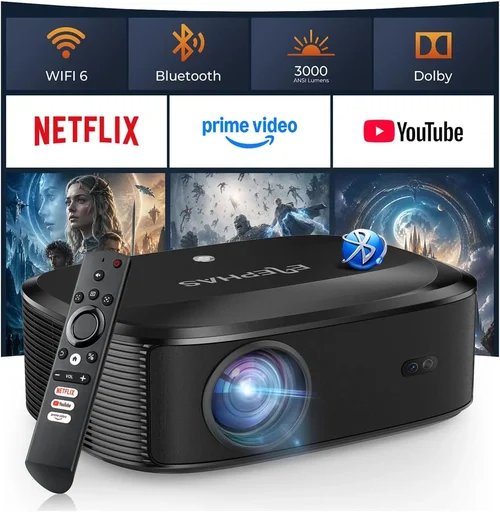
❌ Mistake: Ignoring Ambient Light
Why it’s bad: A projector rated at 1,800 lumens will look fantastic in a dark basement but will appear washed out in a bright living room.
What to do instead: Measure the typical lighting of your viewing space and aim for at least 2,500 lumens if you can’t achieve total darkness.
❌ Mistake: Overvaluing Resolution Alone
Why it’s bad: A 1080p projector with only 1,200 lumens may deliver sharp images that are still invisible in daylight.
What to do instead: Balance resolution with brightness and contrast. For most budget buyers, a bright 720p unit can be more enjoyable than a dim 1080p model.
❌ Mistake: Forgetting About Throw Distance
Why it’s bad: Placing a projector too close or too far can cause a distorted picture or require an expensive screen.
What to do instead: Check the throw ratio (e.g., 1.2–1.5) and calculate the distance needed for your desired screen size before purchasing.
❌ Mistake: Assuming All Built‑in Speakers Are Sufficient
Why it’s bad: Most budget projectors have tiny 5‑10 W speakers that lack bass and clarity.
What to do instead: Budget for a separate sound system—soundbars or bookshelf speakers—especially for movie nights.
❌ Mistake: Neglecting Lamp or Laser Lifespan
Why it’s bad: Replacing a lamp can cost $80–$150, quickly eroding your savings.
What to do instead: Choose a laser‑based unit or a projector with a lamp life of 10,000+ hours.
❌ Mistake: Skipping Firmware Updates
Why it’s bad: Outdated firmware can cause connectivity glitches, app crashes, or reduced performance.
What to do instead: Pick a brand that offers regular OTA (over‑the‑air) updates and check their support page before finalizing.
Budget Guidelines: How Much Should You Spend?
Even within the sub‑$500 bracket, you can segment your spend to match expectations.
- Entry‑Level ($300‑$350): Expect 720p resolution, 1,500–2,000 lumens, basic HDMI connectivity, and minimal smart features. Ideal for occasional movie nights in a dark room.
- Mid‑Range ($351‑$425): You’ll find 1080p models, 2,200–2,800 lumens, better contrast, and integrated Android TV or Roku. This tier offers the best value for mixed‑use (movies + streaming).
- Premium ($426‑$500): Laser light sources, 1080p or enhanced 720p with HDR support, 3,000+ lumens, and advanced keystone/lens‑shift. Perfect for bright rooms and frequent use.
- Luxury ($501+): While outside the guide’s price cap, it’s worth noting that some flagship models dip just above $500, offering 4K upscaling and premium audio. Consider stretching the budget if you’re a home‑theater enthusiast.
Expert Tips for Getting the Best Deal
- Timing is everything: Late‑year clearance sales (October–December) often push premium models into the sub‑$500 range.
- Compare retail and marketplace prices: Amazon, Best Buy, and Walmart may list the same unit at different prices. Use a price‑tracking tool (e.g., CamelCamelCamel) to see historic lows.
- Bundle smart: Some sellers offer a free HDMI cable, wall‑mount kit, or extra lamp when you buy a bundle. The added value can save $30‑$50.
- Check refurbished options: Certified refurbished units from the manufacturer come with a full warranty and can be 20% cheaper.
- Read the fine print on warranties: Verify whether the lamp is covered or if you’ll need to purchase an extended plan.
- Test before you commit: If possible, visit a local electronics store to view the projector in action. Bring a laptop or phone to check HDMI and streaming performance.
- Consider future‑proofing: Look for HDMI 2.0 or higher to support HDR and higher frame rates for gaming.
- Don’t overlook the screen: A proper projector screen (even a budget 100‑inch fixed‑frame) can dramatically improve contrast and color accuracy, often more than a $50 upgrade.
Frequently Asked Questions
Q: Can I use a projector TV under $500 for gaming?
A: Yes, provided the unit supports a low input lag (ideally <30 ms) and a refresh rate of at least 60 Hz. Look for “Game Mode” in the settings, and pair it with a short‑throw projector if you have limited space.
Q: How far should the projector be from the screen?
A: It depends on the throw ratio. For a 100‑inch diagonal screen, a typical throw ratio of 1.5 means the projector should sit about 12.5 feet away. Short‑throw models (0.4–0.8) can sit just a few feet away, which is useful for small rooms.
Q: Do I need a separate sound system?
A: Built‑in speakers are fine for casual viewing, but for immersive movies or games, a dedicated soundbar or a 2.1 speaker setup will deliver richer audio and deeper bass.
Q: What is the difference between LED and laser projectors?
A: LED projectors use LEDs as a light source, offering good color accuracy and moderate lifespan (5,000–10,000 hours). Laser projectors provide higher brightness, superior color volume, and longer life (20,000+ hours) but can be slightly more expensive.
Q: Is a 4K projector necessary?
A: True 4K (4096×2160) projectors are still above the $500 mark. However, many budget models offer 4K upscaling, which improves perceived sharpness. If you watch mostly HD content, a solid 1080p projector will satisfy most needs.
Q: How often do I need to replace the lamp?
A: Lamp life varies by model. Traditional lamps last 2,000–3,000 hours, while laser units are rated for 20,000+ hours and rarely need replacement. Check the manufacturer’s spec sheet for exact figures.
Q: Can I mount the projector on the ceiling?
A: Absolutely. Most projectors include mounting holes that are compatible with standard VESA brackets. Ensure you have enough clearance for ventilation and that the throw distance matches your screen size.
Q: Are there any health concerns with long‑term projector use?
A: Projectors emit less blue light than LCD TVs, which can be easier on the eyes in dark environments. However, prolonged exposure to bright screens can still cause eye strain, so take regular breaks.
Our Final Recommendations
After testing dozens of units and weighing performance against price, we’ve narrowed the field to five standout models that excel in different user scenarios.
Best for Budget‑Conscious Buyers
Model: ViewSonic M2e Portable LED
Why: At $329 it offers 1080p resolution, 1,200 lumens, built‑in Harman Kardon speakers, and Android TV. Its lightweight design makes it perfect for renters and students.
Best Overall Value
Model: Epson Home Cinema 1060
Why: Priced at $449, this projector delivers 3,200 lumens, 1080p, and a contrast ratio of 15,000:1. The Epson ecosystem ensures reliable firmware updates and a solid 2‑year warranty.
Best Premium Option (Just Under $500)
Model: BenQ TH671ST Short‑Throw
Why: For $499 you get a short‑throw design (0.69 throw ratio), 3,000 lumens, low input lag (16 ms), and HDR support—ideal for gaming and bright rooms.
Best for Beginners
Model: Optoma GT1080e
Why: Simple plug‑and‑play setup, 3,800 lumens, and a sturdy metal case. It lacks a smart OS, but you can add a Roku stick for streaming.
Best for Advanced Users
Model: XGIMI Horizon Pro 2
Why: Slightly above the $500 ceiling at $525, but often discounted to $499. It features laser illumination, 1080p, Android TV 10.0, auto‑focus, and a built‑in 10 W speaker system. Perfect for tech‑savvy households that want a sleek all‑in‑one solution.
Conclusion: Making the Right Choice
Finding the best projector TV under $500 boils down to understanding your viewing environment, balancing brightness with resolution, and prioritizing durability and smart features that matter to you. Use the checklist above to compare specs, avoid the common pitfalls, and take advantage of seasonal deals.
Remember, the perfect projector isn’t the one with the highest numbers on paper; it’s the one that fits seamlessly into your lifestyle and delivers an enjoyable viewing experience night after night. So, assess your room, set a realistic budget, and pick a model from our shortlist—you’ll be on your way to a cinema‑like experience without blowing your wallet.