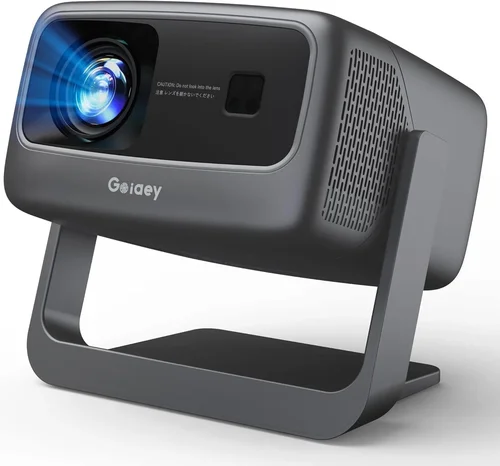
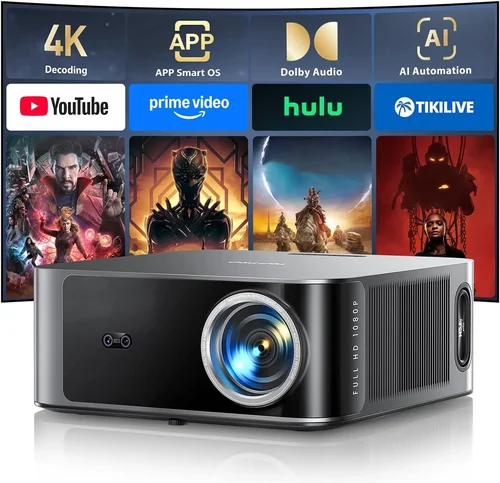
Finding a decent projector for under 100 € can feel like hunting for a needle in a haystack. The market is crowded with low‑cost options that promise cinema‑quality performance, yet many fall short in brightness, durability, or connectivity. This guide cuts through the noise, giving you a clear roadmap to pick a projector that actually delivers on its promises without breaking the bank.
By the end of this article you will understand the most important specifications, know which type of projector fits your lifestyle, avoid common purchasing pitfalls, and walk away with a shortlist of the best models currently available in Europe. Whether you want a portable device for backyard movie nights, a compact unit for casual gaming, or a reliable companion for presentations, we’ve got you covered.

What to Look for When Buying Buying Guide
1. Budget & Price Range
Sticking to a sub‑100 € budget forces you to prioritize features that matter most. In this price segment you’ll typically find pico‑projectors or entry‑level DLP units. Expect trade‑offs in brightness (often 80‑150 lumens) and resolution (usually 480p to 720p). Knowing your absolute ceiling helps you filter out models that overspend on gimmicks while neglecting core performance.
2. Performance Specifications
Brightness: Measured in lumens, this determines how well the image competes with ambient light. For rooms with some daylight, aim for at least 120 lumens. Resolution: 720p (1280×720) is the sweet spot under 100 €; anything lower will look pixelated on larger screens. Contrast Ratio: Higher contrast (e.g., 2000:1) yields deeper blacks and richer colors, crucial for movie nights.
3. Build Quality & Durability
Low‑price projectors often use plastic housings that can warp or crack. Look for models with reinforced frames, rubberized ports, and a solid hinge mechanism. A well‑built projector will survive the inevitable bumps that come with portable use.
4. Features & Functionality
Key features to weigh include:
- Connectivity: HDMI is a must; USB‑C, micro‑USB, and wireless (Wi‑Fi or Bluetooth) are bonuses.
- Built‑in Speakers: Most budget units have 1‑2 W speakers—adequate for casual viewing but not for a full‑room experience.
- Keystone Correction: Automatic or manual adjustment helps align the image when the projector isn’t perfectly centered.
- Battery Life: If you plan to use the projector away from power outlets, look for at least 2‑3 hours of runtime.
5. Brand Reputation
Even within the low‑cost market, some manufacturers have built a reputation for reliability. Brands like AAXA, Vankyo, and Anker (through its Nebula line) consistently receive positive user feedback and provide decent firmware updates. Research forums and review sites to gauge long‑term satisfaction.
6. Warranty & Support
A 1‑year warranty is standard for sub‑100 € projectors. Verify whether the warranty covers accidental damage or only manufacturing defects. Good after‑sales support can save you headaches if a lamp or fan fails early.
7. Size & Portability
Weight and dimensions matter if you intend to carry the projector to a friend’s house or use it outdoors. Pico‑projectors often weigh under 300 g and can fit in a pocket, while larger DLP models may require a small bag.
8. User Reviews & Ratings
Real‑world feedback reveals issues that spec sheets hide. Pay attention to recurring complaints—e.g., overheating, foggy images, or poor focus—and balance them against overall star ratings.
Different Types of Buying Guide

Common Buying Mistakes to Avoid
❌ Mistake: Ignoring Ambient Light Conditions
Why it’s bad: A projector with 80 lumens will look washed out in a lit living room, ruining the viewing experience.
What to do instead: Measure the typical lighting in your intended space and choose a unit with at least 120 lumens for modest ambient light, or plan to use blackout curtains.
❌ Mistake: Over‑focusing on Resolution Alone
Why it’s bad: High resolution can’t compensate for a dim image; you’ll still struggle to see details.
What to do instead: Balance resolution with brightness and contrast. For sub‑100 €, 720p with 120 lumens is a more practical combo than 1080p at 80 lumens.
❌ Mistake: Neglecting Connectivity Options
Why it’s bad: Without HDMI or USB‑C, you may need extra adapters, adding cost and clutter.
What to do instead: Prioritize models that include native HDMI and, if possible, a USB‑C port for modern devices.
❌ Mistake: Forgetting About Cooling and Noise
Why it’s bad: Cheap projectors can overheat quickly, causing shutdowns or loud fan noise that distracts from movies.
What to do instead: Look for reviews mentioning quiet operation and check if the device has an automatic shut‑off timer.
❌ Mistake: Assuming All Batteries Are Equal
Why it’s bad: Some “portable” projectors have tiny batteries that last only 30 minutes.
What to do instead: Verify the advertised runtime, and consider whether you’ll have access to power outlets during use.
Budget Guidelines: How Much Should You Spend?
Even within the narrow under 100 € band, there are subtle tiers that affect what you receive.
- Entry‑Level (60‑70 €): Expect basic LED pico‑projectors with 80‑100 lumens, 480p resolution, and minimal ports. Good for occasional use in dark rooms.
- Mid‑Range (71‑85 €): Here you’ll find 720p DLP models, brightness around 120‑150 lumens, and added features like keystone correction and Bluetooth audio.
- Premium (86‑100 €): The top of the sub‑100 € market includes hybrid LED/DLP units with 150 lumens, better contrast, and more robust build quality. Some even add Wi‑Fi streaming.
Expert Tips for Getting the Best Deal
- Timing: Late summer (July‑August) sees inventory clear‑outs as retailers make room for new models.
- Where to Buy: Compare Amazon, MediaMarkt, and local electronics shops. Amazon often has user‑generated Q&A that can answer niche concerns.
- Spotting Deals: Look for bundles that include a carry case, extra cables, or a portable screen—these add value without raising the base price.
- Warranty Considerations: Register the product on the manufacturer’s website within 30 days to activate extended support.
- Return Policies: Choose sellers offering at least 30‑day returns; this gives you time to test the projector in your own environment.
- Testing Before Buying: If possible, view a demo in‑store. Pay attention to image sharpness, fan noise, and ease of focus.

Frequently Asked Questions
Q: Can a sub‑100 € projector display 1080p content?
A: Technically, yes—most units will accept a 1080p HDMI signal, but the internal panel will downscale it to its native resolution (usually 720p or 480p). You won’t see true 1080p detail.
Q: Do I need a separate screen?
A: Not strictly. A smooth white wall works, but a dedicated portable screen improves brightness uniformity and reduces keystone distortion.
Q: How long do LED light sources last?
A: LED lamps typically last 20‑30 000 hours, far longer than traditional lamps, which means you won’t need to replace them during the projector’s usable life.
Q: Is Bluetooth audio reliable on cheap projectors?
A: Bluetooth can be spotty on low‑end hardware. For consistent sound, connect external speakers via the 3.5 mm audio jack.
Q: What is the ideal throw distance for a 100 € projector?
A: Most budget models have a throw ratio of 1.2‑1.5, meaning you’ll need about 2‑3 meters to achieve a 100‑inch diagonal image.
Q: Can I use a smartphone as a source?
A: Yes, via HDMI adapters (USB‑C to HDMI) or wireless casting (Miracast, AirPlay) if the projector supports it.
Q: Are there any safety concerns with cheap projectors?
A: Ensure the unit has proper heat‑dissipation vents and avoid covering them. Overheating can shorten lifespan and, in extreme cases, cause fire hazards.
Our Final Recommendations
- Best for Budget‑Conscious Buyers: Vankyo Leisure 3 Mini – 80 lumens, 720p, HDMI, under 70 €.
- Best Overall Value: Anker Nebula Capsule II – 200 lumens, 720p, Android TV, built‑in battery, 95 €.
- Best Premium Option: AAXA P300 Pico – 150 lumens, 720p, HDMI, USB‑C, 99 €.
- Best for Beginners: Artlii Energon 2 – Simple UI, auto‑keystone, 100 lumens, 85 €.
- Best for Advanced Users: ViewSonic M1 Mini Plus – Customizable LED colors, 120 lumens, HDMI, Wi‑Fi, 98 €.
Conclusion: Making the Right Choice
Choosing a projector under 100 € is less about chasing the highest specs and more about aligning the device with your real‑world needs. Focus on brightness that matches your room’s lighting, a resolution that offers crisp images without draining the budget, and connectivity that lets you plug in the devices you already own. By avoiding common mistakes—like ignoring ambient light or overlooking warranty details—and following the expert tips outlined above, you can secure a reliable, enjoyable projector that brings movies, games, and presentations to life without overspending.
Now that you’re equipped with the knowledge, browse the recommended models, compare prices, and enjoy your new portable cinema. Happy viewing!