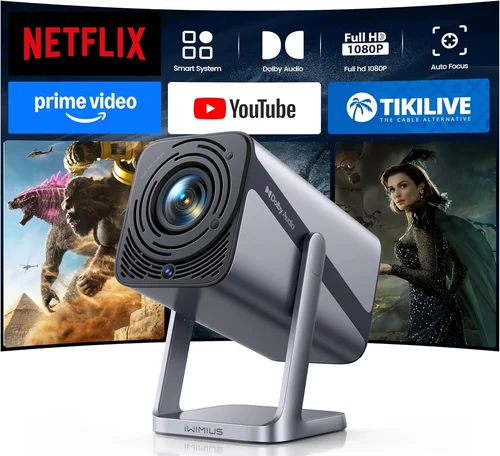
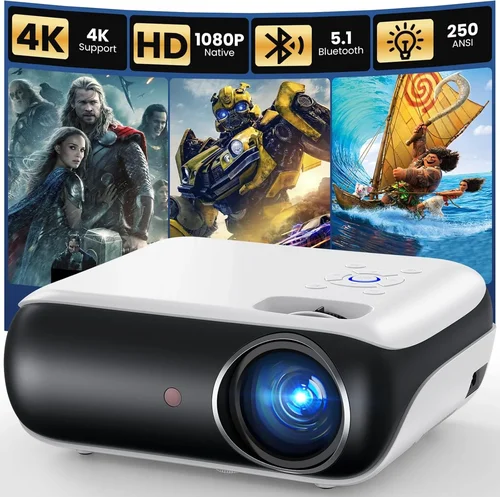
Finding a projector that delivers a decent picture without breaking the bank can feel like searching for a needle in a haystack. The market is flooded with models promising cinema‑grade performance, yet many of them sit well above the £100 mark. This guide strips away the hype and zeroes in on what truly matters when you’re limited to a hundred pounds. Whether you’re setting up a backyard movie night, a home‑office presentation, or a portable gaming station, the right projector can make a world of difference.
In the pages that follow you’ll learn how to evaluate brightness, resolution, connectivity and durability – all within a tight budget. We’ll compare the most common projector types, highlight common pitfalls, and give you a clear roadmap for spending your money wisely. By the end, you’ll be equipped to pick a model that fits your needs, your space, and your wallet.

What to Look for When Buying Buying Guide
1. Budget & Price Range
Sticking to a £100 ceiling forces you to prioritize features that deliver the biggest impact. In this segment, you’ll typically find entry‑level DLP or LCD units with modest lumens and native resolutions of 720p or lower. Ask yourself: is a higher resolution worth a trade‑off in brightness? Most budget models hover between £70 and £100, so any price spikes usually signal added accessories or brand premiums rather than performance gains.
2. Performance Specifications
Three specs dominate the viewing experience: brightness (measured in ANSI lumens), native resolution, and contrast ratio. For a projector under £100, expect 200‑350 lumens – adequate for dim rooms but insufficient for daylight use. A native resolution of 1280×720 (720p) is common; anything lower will look pixelated on larger screens. Contrast ratios of 500:1 to 1500:1 are typical; higher numbers mean deeper blacks, which is crucial for movies.
3. Build Quality & Durability
Low‑cost projectors often use plastic housings and basic cooling fans. Look for sturdy hinges, a solid tripod mount, and a fan that runs quietly. Models with metal lens barrels tend to last longer and maintain alignment better over time. Reading user reviews for reports of overheating or lens shift can save you from a premature replacement.
4. Features & Functionality
Even at a modest price, many projectors pack useful extras: built‑in speakers, USB or HDMI ports, and support for wireless casting via Miracast or Chromecast dongles. Battery‑operated units add true portability but usually sacrifice brightness. Decide which features are non‑negotiable – for example, a HDMI port is essential for connecting a laptop or gaming console.
5. Brand Reputation
While big names like Epson or BenQ dominate the high‑end market, several niche brands excel in the sub‑£100 arena. Companies such as Vankyo, APEMAN, and Artlii have built solid reputations for delivering reliable budget projectors. Research warranty length, after‑sales support, and community forums before committing.
6. Warranty & Support
A one‑year warranty is standard for budget models; anything less should raise a red flag. Verify whether the warranty covers the lamp, which is the most likely point of failure. Check if the manufacturer offers easy replacement parts or a local service centre – this can dramatically reduce downtime.
7. Size & Portability
If you plan to move the projector between rooms or take it on trips, weight and dimensions matter. Most sub‑£100 units weigh under 1.5 kg and fit into a backpack. However, compact designs sometimes compromise on lens quality, leading to edge distortion. Balance portability with image fidelity based on your primary use case.
8. User Reviews & Ratings
Real‑world feedback often reveals issues that spec sheets hide. Look for patterns in reviews – for instance, repeated complaints about flickering or short lamp life. High‑rating models with a large number of reviews are generally safer bets than a newer, untested product with a perfect score.
Different Types of Buying Guide

Common Buying Mistakes to Avoid
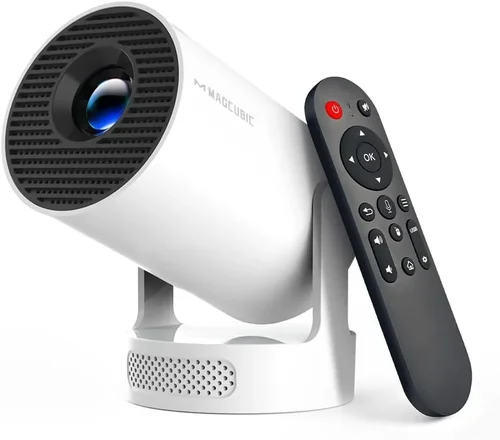
❌ Mistake: Ignoring Ambient Light Conditions
Why it’s bad: A projector rated at 250 lumens will look great in a dark room but will be washed out in a bright living area.
What to do instead: Measure the typical lighting of your intended space. If you cannot guarantee darkness, aim for a model with at least 300 lumens or consider a blackout curtain.
❌ Mistake: Over‑focusing on Resolution Only
Why it’s bad: A 1080p projector with 200 lumens will still produce a dim image, negating the benefit of higher resolution.
What to do instead: Balance resolution with brightness. For most sub‑£100 units, 720p is a realistic sweet spot when paired with adequate lumens.
❌ Mistake: Forgetting About Connectivity
Why it’s bad: A projector that only offers VGA may require adapters for modern devices, adding extra cost and clutter.
What to do instead: Prioritize HDMI or USB‑C ports. If you need wireless, verify that the model supports Miracast or has a built‑in Chromecast.
❌ Mistake: Disregarding Lamp Life
Why it’s bad: Cheap lamps can fail after a few hundred hours, leading to unexpected replacement costs.
What to do instead: Look for LED or laser light sources, which often exceed 20,000 hours and maintain brightness longer.
❌ Mistake: Overlooking Warranty Terms
Why it’s bad: A limited warranty that excludes the lamp can leave you paying full price for a replacement.
What to do instead: Choose a brand that offers at least a one‑year full‑coverage warranty, and read the fine print about what is included.
Budget Guidelines: How Much Should You Spend?
- Entry‑Level (£70‑£85): Expect 200‑250 lumens, 720p resolution, basic HDMI connectivity, and plastic construction. Ideal for occasional movie nights in a dark room.
- Mid‑Range (£86‑£100): Slightly higher brightness (300 lumens), better contrast, LED light source, and added features like USB‑C or built‑in speakers. This tier offers the best value for most users.
- Premium (£101‑£130): Though just above the strict £100 limit, these models deliver 350‑400 lumens, improved color accuracy, and more robust build quality. Consider stretching the budget if you need brighter output.
- Luxury (£131+): Typically out of scope for a £100 guide, but these units include 4K resolution, laser light, and professional‑grade lenses.
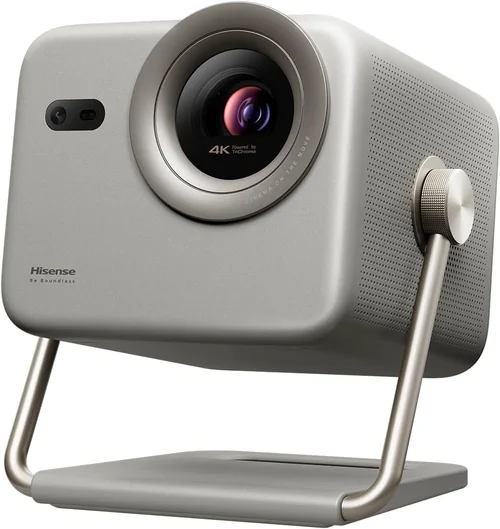
Expert Tips for Getting the Best Deal
- Timing: New models are launched in spring; older stock is discounted in late summer.
- Where to Buy: Online marketplaces provide the widest selection, but local electronics stores may offer immediate returns and hands‑on testing.
- Spotting Deals: Compare the “list price” with the “sale price” and verify the discount percentage. Beware of “refurbished” listings that lack a warranty.
- Warranty Considerations: Register your product online within 30 days to activate extended support where available.
- Return Policies: Ensure a minimum 30‑day return window; this gives you time to test the projector in your actual environment.
- Testing Before Buying: If possible, view a demo video on the exact screen size you plan to use. Check for keystone distortion and fan noise.
- Accessories: A good quality screen or even a white matte wall can dramatically improve perceived brightness without extra cost.

Frequently Asked Questions
Q: Can a projector under £100 display 4K content?
A: No. Budget models are limited to 720p or 1080p at best, and they lack the processing power for true 4K. They can upscale lower‑resolution sources, but the result won’t match native 4K quality.
Q: How far should I place the projector from the screen?
A: Most sub‑£100 units have a throw ratio of 1.2‑1.5, meaning you’ll need about 2‑3 metres of distance for a 100‑inch image. Check the manufacturer’s throw‑ratio chart for exact calculations.
Q: Is a built‑in speaker sufficient?
A: Built‑in speakers are typically 2‑5 W and suitable for casual viewing. For a richer audio experience, connect external speakers via the 3.5 mm jack or Bluetooth.
Q: Do I need a separate screen?
A: Not strictly. A smooth white wall works, but a dedicated projector screen improves brightness and contrast, especially in rooms with ambient light.
Q: How long does the lamp last?
A: LED or laser light sources in budget projectors often exceed 20,000 hours. Traditional lamps, if present, may need replacement after 2,000‑3,000 hours.
Q: Can I use a projector for gaming?
A: Yes, but keep expectations realistic. Input lag on cheap models can be 30‑50 ms, which is acceptable for casual gaming but not competitive fast‑paced titles.
Q: Are there any safety concerns?
A: Ensure the projector has proper ventilation and keep it on a stable surface. Overheating can shorten lamp life and, in extreme cases, cause fire hazards.
Our Final Recommendations
Best for Budget‑Conscious Buyers: Vankyo Leisure 3 Mini Projector – £79. Offers 250 lumens, 720p native resolution, HDMI and USB‑C, and a compact design.
Best Overall Value: APEMAN Mini Projector M4 – £95. Delivers 300 lumens, 720p, LED lamp with 30,000‑hour life, built‑in speakers, and a sturdy metal hinge.
Best Premium Option (Just Above Budget): Artlii Energon 2 – £115. Provides 400 lumens, 1080p support, higher contrast, and a longer warranty.
Best for Beginners: Vamvo Ultra Mini Projector – £82. User‑friendly interface, automatic keystone correction, and a lightweight body.
Best for Advanced Users: Elephas Mini DLP Projector – £99. Features 350 lumens, dual HDMI ports, and a built‑in battery for true portability.
Conclusion: Making the Right Choice
Choosing a projector under £100 isn’t about settling for “just okay” – it’s about matching the right combination of brightness, resolution, and features to your specific environment. Start by assessing the lighting conditions of your viewing space, decide which connectivity options you truly need, and then compare the top models that fit within your budget tier.
Remember that a modest investment can still deliver enjoyable movie nights, effective presentations, and casual gaming sessions if you focus on the factors that matter most. Use the tips, tables, and recommendations in this guide to narrow down your options, test the projector where possible, and enjoy a big‑screen experience without breaking the bank.
Ready to bring cinema home? Browse the suggested models, keep an eye on seasonal sales, and happy projecting!