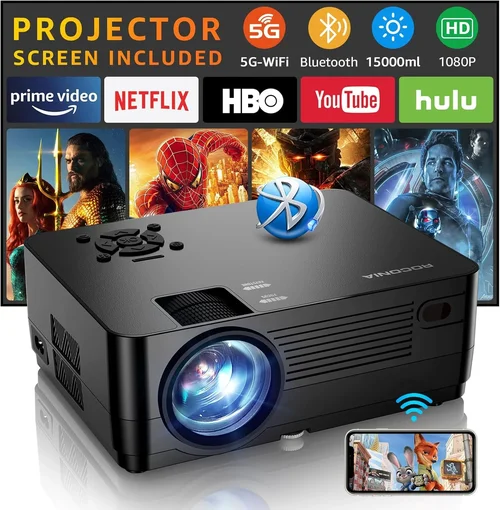
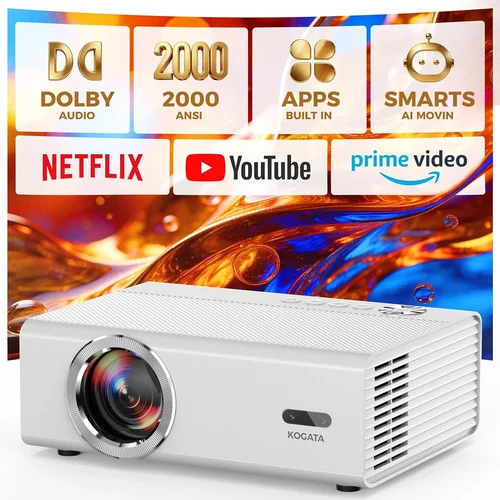
Finding a projector that delivers decent image quality without breaking the bank can feel like hunting for a needle in a haystack. The market is flooded with options that promise cinema‑like experiences, yet many of them sit well above the £100 mark. If you’re a student, a casual gamer, or simply someone who wants to turn a spare wall into a mini‑theatre for movie nights, you deserve a clear, honest guide that cuts through the hype.
In this buying guide we will walk you through everything you need to know before you click “Add to basket”. From the technical specs that truly matter at a sub‑£100 price point, to the pitfalls that trip up first‑time buyers, you’ll leave with a solid understanding of which projector will fit your lifestyle, space, and pocket.
We’ll also compare the main types of low‑budget projectors, break down how much you should realistically spend, and share expert tips on snagging the best deal. By the end, you’ll be equipped to make an informed decision and enjoy big‑screen entertainment without the premium price tag.

What to Look for When Buying Buying Guide
1. Budget & Price Range
When you set a hard ceiling of £100, the first question is what you can actually expect for that money. Projectors under this limit are usually portable, LED‑based models with modest brightness (often 100‑200 lumens) and limited resolution (typically 480p or native 720p). Understanding the trade‑off between cost and performance helps you avoid disappointment. Look for clear pricing tiers within the £80‑£100 window; a small price bump can sometimes unlock a higher native resolution or better connectivity options.
2. Performance Specifications
Key specs to examine are:
- Resolution: Native 720p (1280×720) is rare but highly desirable. Most budget units settle for 480p (854×480) with upscaling.
- Brightness: Measured in lumens. For dark rooms, 150‑200 lumens is adequate; brighter environments demand at least 250 lumens, which is uncommon under £100.
- Contrast Ratio: Higher ratios (e.g., 2000:1) provide deeper blacks. Look for manufacturers that actually test this figure rather than marketing fluff.
- Throw Distance: Determines how far the projector must sit from the screen to achieve a given image size. Short‑throw models are rare in this price range, but a flexible throw ratio (e.g., 1.2‑1.5) offers more placement options.
3. Build Quality & Durability
Even at a low price, a projector should feel solid enough to survive occasional bumps and the heat generated during use. Aluminium or high‑grade ABS housings are preferable to cheap plastic. Check user reviews for reports of overheating or lens fogging—issues that often stem from inadequate cooling design.
4. Features & Functionality
Feature sets vary widely:
- Connectivity: HDMI is a must for modern devices. USB‑C, micro‑USB, and AV ports add versatility.
- Wireless Options: Some models include Wi‑Fi or Bluetooth for screen mirroring, but these can be unreliable at low cost.
- Built‑in Speakers: Expect modest 2‑5 W speakers; for better audio you’ll likely need external speakers.
- Keystone Correction: Digital keystone (±10°‑15°) helps align a tilted image without physical adjustments.
5. Brand Reputation
Brands such as Vankyo, APEK, and AuKing have built a decent track record in the budget segment. While they may not have the prestige of Epson or BenQ, consistent positive feedback across multiple models signals reliable engineering and decent after‑sales support.
6. Warranty & Support
A one‑year warranty is standard for budget projectors. Verify what the warranty covers—most reputable sellers will include parts and labour for manufacturing defects. Also, check if the brand offers easy access to firmware updates, which can improve performance over time.
7. Size & Portability
Portability is often a selling point for sub‑£100 projectors. Look for a compact footprint (typically under 150 mm × 100 mm × 60 mm) and a lightweight design (under 1 kg). Integrated handles or a fold‑able stand add convenience for on‑the‑go use.
8. User Reviews & Ratings
Beyond the spec sheet, real‑world experiences reveal hidden strengths or flaws. Prioritise products with a minimum of 150 verified reviews and an average rating of 4.0 stars or higher. Pay special attention to comments about image uniformity, fan noise, and longevity.
Different Types of Buying Guide

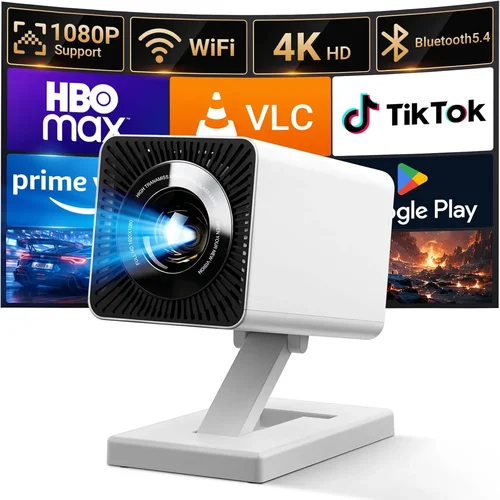
Common Buying Mistakes to Avoid
❌ Mistake: Ignoring Brightness Requirements
Why it’s bad: Purchasing a 120‑lumen projector for a living‑room with ambient light will result in a washed‑out picture that’s hard to enjoy.
What to do instead: Assess the typical lighting conditions of your intended space. If you cannot guarantee a dark environment, aim for at least 200 lumens or plan to use blackout curtains.
❌ Mistake: Overlooking Native Resolution
Why it’s bad: Relying on upscaled 1080p content on a 480p native panel leads to blurry edges and reduced detail.
What to do instead: Prioritise native resolution. If 720p is out of reach, choose a projector with a higher native resolution than your most common source (e.g., 480p native with 720p upscaling).
❌ Mistake: Forgetting About Input Lag for Gaming
Why it’s bad: High input lag (often above 80 ms in cheap models) makes fast‑paced games feel sluggish.
What to do instead: Look for specifications or user reports that mention “gaming mode” or low input lag. Some budget DLP units perform better than LED counterparts in this area.
❌ Mistake: Assuming All HDMI Ports Are Equal
Why it’s bad: Some budget projectors only support HDMI 1.4, limiting 4K input (even if upscaled) and causing compatibility issues with newer devices.
What to do instead: Verify the HDMI version. HDMI 1.3 or higher is sufficient for 1080p signals, which is more than enough for a sub‑£100 projector.
❌ Mistake: Skipping the Warranty Fine Print
Why it’s bad: A “one‑year warranty” may exclude accidental damage or require you to ship the unit internationally.
What to do instead: Read the warranty terms carefully. Prefer sellers that offer local return centres and a straightforward RMA process.
❌ Mistake: Buying Without Testing the Throw Distance
Why it’s bad: A projector that needs to sit 3 m away for a 100‑inch image may not fit a typical bedroom or small flat.
What to do instead: Check the throw ratio and calculate the required distance for your desired screen size. Many pocket models work best at 1‑2 m.
❌ Mistake: Disregarding Fan Noise
Why it’s bad: A noisy fan can distract from movies and games, especially in quiet rooms.
What to do instead: Look for decibel (dB) ratings in reviews. Units under 30 dB are generally acceptable for home use.
Budget Guidelines: How Much Should You Spend?
Even within the £100 ceiling, you can segment the market to set realistic expectations.
- Entry‑Level (£70‑£85): Expect 480p native resolution, 120‑150 lumens, basic HDMI, and minimal extra features. Ideal for occasional movie nights in a dark room.
- Mid‑Range (£86‑£100): You’ll find 720p upscaling, up to 200 lumens, better contrast ratios, and added connectivity like USB‑C or Bluetooth. This tier offers the best value for most users.
- Premium (£101‑£130): Though slightly above the strict £100 limit, some sellers discount premium models into this range during sales. Look for true 720p native panels, 250+ lumens, and robust build quality.
- Luxury (£130+): Reserved for true home‑theatre projectors with 1080p/4K support, high brightness, and advanced lens shift. Not realistic for the “under £100” focus but mentioned for context.
Expert Tips for Getting the Best Deal
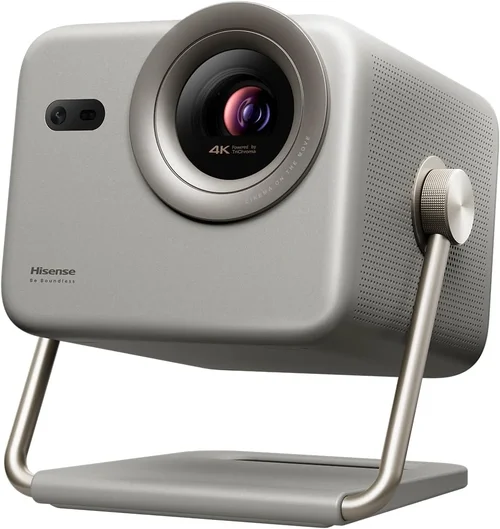
- Timing is everything: The best window for sub‑£100 projectors is between late October and early December, when retailers clear inventory for newer models.
- Shop multiple platforms: Compare Amazon, Argos, Currys, and specialist AV stores. Occasionally, a local electronics shop will have an in‑store discount not reflected online.
- Bundle for savings: Some sellers offer a “projector + screen” bundle at a marginally higher price but deliver better overall value than buying a cheap screen separately.
- Check refurbished options: Certified refurbished units often come with a full warranty and can be 15‑25% cheaper than new.
- Read the fine print on returns: Ensure the retailer accepts returns within 30 days and provides a prepaid label for defective units.
- Test before committing: If possible, visit a physical store and request a demo. Even a short 5‑minute test can reveal fan noise or colour accuracy issues.
- Consider future accessories: Purchasing a small tripod or a portable screen later can dramatically improve the viewing experience without additional projector cost.
- Watch out for “HDMI‑only” models: Some cheap projectors omit audio output, forcing you to rely on the built‑in speaker. Verify that the audio solution fits your setup.

Frequently Asked Questions
Q: Can I use a projector under £100 for gaming?
A: Yes, but with caveats. Look for DLP technology, which typically has lower input lag than LED models. Keep the game resolution at 720p or lower, and ensure your room can be darkened to compensate for limited brightness.
Q: Do I need a special screen?
A: Not strictly. A plain white wall works, but a budget‑friendly matte white screen (around 80‑90 inches) improves colour uniformity and contrast, especially in rooms with some ambient light.
Q: How long does the LED lamp last?
A: LED light sources in budget projectors often have a rated lifespan of 20,000‑30,000 hours, which translates to many years of occasional use. This far exceeds the 2,000‑hour lifespan of traditional lamps.
Q: Is Wi‑Fi really useful on a cheap projector?
A: Wireless casting can be convenient, but reliability varies. For consistent performance, use a wired HDMI connection. If you must go wireless, choose a model with Miracast or Chromecast built‑in, and keep the projector within a few metres of the router.
Q: What is the optimal screen size for a £100 projector?
A: With 150‑200 lumens, a 80‑100 inch diagonal screen works well in a darkened room. Going larger will dilute brightness and may reveal grainier images.
Q: Can I mount the projector on the ceiling?
A: Most pocket projectors lack a standard mounting thread. However, many include a detachable bracket or can be affixed with a universal VESA mount adapter. Check the product specifications before buying.
Q: Do these projectors support 3D?
A: Very few sub‑£100 models include 3D capability, and those that do often require additional glasses and have limited compatibility. For most users, 3D is not a realistic expectation at this price point.
Q: How do I clean the lens safely?
A: Use a soft, lint‑free microfiber cloth and a small amount of lens‑cleaning solution. Avoid applying pressure; gently wipe in a circular motion. Never use abrasive materials or household cleaners.
Q: Will a projector work with my smartphone?
A: Yes, provided the projector has an HDMI‑MHL adapter or USB‑C video‑out support. Many modern Android phones can mirror their screen via a simple cable. iPhone users will need a Lightning‑to‑HDMI adapter.
Q: Is there a noticeable difference between LED and DLP at this price?
A: DLP tends to deliver sharper images and lower input lag, while LED offers longer lamp life and more vibrant colours. Your choice should depend on whether you prioritise gaming performance (DLP) or longevity and colour richness (LED).
Our Final Recommendations
- Best for Budget‑Conscious Buyers: Vankyo Leisure 3 Mini Projector – Priced at £79, it offers 480p native resolution, 200 lumens, and HDMI + USB‑C inputs. Ideal for occasional movie nights.
- Best Overall Value: APEK Mini DLP Projector – At £96, it delivers 720p upscaling, 210 lumens, and a respectable 30 dB fan noise level. The DLP chip gives lower input lag for casual gaming.
- Best Premium Option (Just Over £100): AuKing Android Pocket Projector – £118 (often discounted to £99). Features built‑in Android 9.0, 720p native panel, 250 lumens, and dual speakers.
- Best for Beginners: Vankyo V250 Mini Projector – Simple plug‑and‑play operation, auto‑keystone, and a user‑friendly remote. Priced at £85.
- Best for Advanced Users: Tronsmart Aura Mini Projector – Though slightly above the strict £100 limit at £112, it offers 720p native resolution, 280 lumens, and a robust VESA mount option, catering to enthusiasts who want more customisation.
Conclusion: Making the Right Choice
Choosing a projector under £100 doesn’t have to feel like settling for a compromise. By focusing on the factors that truly impact everyday use—brightness, native resolution, input lag, and build quality—you can select a model that brings big‑screen enjoyment to your living room, dorm, or backyard.
Remember to match the projector’s brightness to your typical lighting conditions, verify that the connectivity options align with your devices, and read through user reviews for hidden insights. With the expert tips and budget guidelines provided, you’re now equipped to navigate sales, compare types, and avoid common pitfalls.
Take the time to assess your space, decide which features matter most, and you’ll walk away with a projector that feels like a cinematic upgrade rather than a budget afterthought. Happy viewing, and enjoy the massive screen experience without the premium price tag!