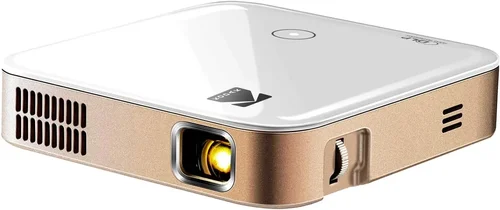
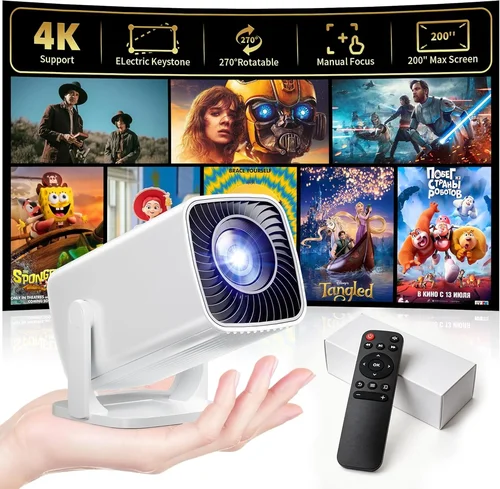
Choosing a projector when you have a strict $700 ceiling can feel like walking a tightrope. On one side you have high‑end home‑theater machines that cost well over a grand, and on the other side you have budget models that struggle to deliver a clear picture in a dim room. This guide cuts through the noise, giving you a clear roadmap so you can land a projector that feels premium without breaking the bank.
In the next few sections you’ll learn exactly which specs move the needle, how different projector families stack up, common pitfalls that trip up first‑time buyers, and a set of actionable tips to snag the best deal. By the end, you’ll be equipped to match a projector to your living space, viewing habits, and budget with confidence.
The projector market in 2026 has matured dramatically. LED and laser light sources have become affordable, offering longer lifespans and more consistent brightness than traditional lamps. Meanwhile, 4K‑enhanced DLP chips are now popping up in the sub‑$700 segment, giving you a crisp image without the hefty price tag. Understanding these trends is key to making a purchase that feels future‑proof.

What to Look for When Buying Buying Guide
1. Budget & Price Range
Even though you’ve set a $700 ceiling, it’s worth breaking that number down. Allocate roughly $50‑$100 for a quality screen or wall paint, $30‑$50 for cables and mounting hardware, and keep $50‑$100 aside for a warranty or protection plan. This leaves about $500‑$550 for the projector itself, which is a realistic target for a solid DLP or LCD model with decent brightness.
2. Performance Specifications
Brightness (lumens) – For a typical living‑room with some ambient light, aim for at least 2,500 ANSI lumens. If you can control lighting (curtains or blackout blinds), 1,800‑2,200 lumens may suffice.
Resolution – 1080p (Full HD) is the baseline. Many $600‑$700 projectors now tout “4K‑enhanced” technology, which uses pixel‑shifting to simulate 4K detail. If you watch a lot of streaming content in 4K, this can be a worthwhile upgrade.
Contrast Ratio – Higher contrast yields deeper blacks. Look for a ratio of 10,000:1 or better; laser/LED models often deliver superior contrast compared to lamp‑based units.
Throw Distance & Ratio – Short‑throw projectors let you sit close to the screen, ideal for small apartments. Long‑throw models need more space but can fill larger screens.
3. Build Quality & Durability
Metal housings and sturdy lens caps protect against accidental bumps. Check for a sealed optical engine, which reduces dust ingress—a common cause of image degradation over time. A projector with a fan‑controlled cooling system that stays quiet (under 30 dB) will be far more enjoyable for movie nights.
4. Features & Functionality
Connectivity – HDMI 2.0 or higher is a must for 4K content. Look for at least two HDMI ports, plus USB‑C, USB‑A, and wireless options (Wi‑Fi, Bluetooth, or Miracast). Some models even support Apple AirPlay 2.
Lens Shift & Keystone Correction – Lens shift lets you move the image vertically/horizontally without distortion, while keystone correction should be limited to 10°‑15° to avoid image softness.
Built‑in Speakers – While most $700 projectors include a modest 10‑20 W speaker, pairing with a soundbar or AV receiver will dramatically improve audio fidelity.
5. Brand Reputation
Established brands like Epson, BenQ, Optoma, and ViewSonic often provide more reliable firmware updates and better after‑sales support. Newer entrants (e.g., Xiaomi, Anker) can surprise with aggressive pricing, but research warranty terms carefully.
6. Warranty & Support
A minimum 2‑year warranty covering the light source is advisable. Some manufacturers offer an extended warranty for an extra $50‑$80, which can be a smart investment if you plan heavy usage (e.g., daily gaming or office presentations).
7. Size & Portability
If you need to move the projector between rooms or take it to a friend’s house, consider weight (under 5 lb is ideal) and a compact footprint. Portable models often include a built‑in battery, but these typically stay under $400 and sacrifice brightness.
8. User Reviews & Ratings
Scan Amazon, Best Buy, and specialized AV forums for real‑world feedback. Pay attention to recurring themes—e.g., “fan gets loud after 2 hours” or “lens shift is limited.” A high average rating (4.5 ★ or above) coupled with detailed reviews is a strong indicator of satisfaction.
Different Types of Buying Guide

Common Buying Mistakes to Avoid
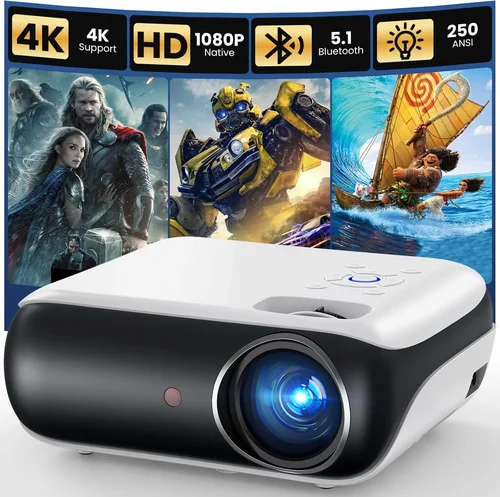
❌ Mistake: Over‑focusing on Lumens Alone
Why it’s bad: Lumens tell you how bright a projector can get, but they don’t reflect contrast, color gamut, or ambient‑light performance.
What to do instead: Pair lumen rating with contrast ratio and consider your room’s lighting conditions. A 2,500‑lumens projector with a 15,000:1 contrast will look better in a dim room than a 3,200‑lumens unit with 5,000:1 contrast.
❌ Mistake: Ignoring Throw Ratio
Why it’s bad: Buying a long‑throw projector for a 6‑ft‑wide wall can force you to place the unit far away, creating a cluttered look.
What to do instead: Measure your throw distance first. If space is limited, choose a short‑throw or ultra‑short‑throw model.
❌ Mistake: Forgetting About Lamp Life
Why it’s bad: Replacing a lamp can cost $100‑$150, adding hidden expenses.
What to do instead: Opt for LED or laser light sources that last 20,000‑30,000 hours, effectively eliminating future lamp costs.
❌ Mistake: Skipping Firmware Updates
Why it’s bad: Out‑of‑date firmware can cause HDMI handshake issues or limit HDR support.
What to do instead: Choose a brand that provides regular OTA updates and check the support page before purchase.
❌ Mistake: Assuming All Built‑in Speakers Are Sufficient
Why it’s bad: Most built‑in speakers lack bass and can sound tinny.
What to do instead: Budget for an external sound system or a soundbar; a $100‑$150 soundbar dramatically improves immersion.
❌ Mistake: Not Accounting for Screen Size & Aspect Ratio
Why it’s bad: A 1080p projector on a 4:3 screen will waste pixels and crop content.
What to do instead: Match the projector’s native aspect ratio (usually 16:9) to your screen or wall space, and calculate the optimal diagonal size using the throw ratio.
Budget Guidelines: How Much Should You Spend?
Understanding what you get at each price tier helps you set realistic expectations.
- Entry‑Level ($450‑$550): Typically lamp‑based DLP units with 2,200‑2,500 lumens, 1080p resolution, limited lens shift, and basic HDMI connectivity. Good for occasional movie nights in a dark room.
- Mid‑Range ($550‑$650): Here you’ll find LED or laser light sources, 4K‑enhanced chips, higher contrast (10,000:1+), and better connectivity (HDMI 2.0, USB‑C). Ideal for mixed use—movies, gaming, and occasional presentations.
- Premium ($650‑$700): Laser‑hybrid or high‑end short‑throw models with 2,800‑3,200 lumens, true 4K (or near‑4K) resolution, advanced color gamuts (Rec. 709/2020), and robust lens shift. Best for owners who want a near‑theater experience without a ceiling‑price breach.
- Luxury ($700+): Though outside the guide’s focus, it’s worth noting that $800‑$1,200 models bring true 4K, HDR10+, and premium optics. If your budget flexes, these are worth a look.
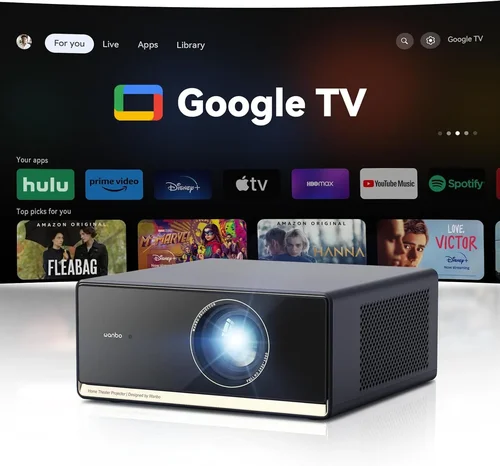
Expert Tips for Getting the Best Deal
- Timing is everything – The best discounts appear during Amazon Prime Day (July), Black Friday (late November), and back‑to‑school sales (August). Prices can drop 15‑25% during these windows.
- Shop price‑matching – Major retailers like Best Buy and B&H will match a lower price from a competitor if you show proof. Call ahead to confirm their policy.
- Bundle wisely – Some sellers offer a screen + projector bundle for $50‑$80 less than buying separately. Verify the screen’s gain (1.2‑1.5 is ideal) before committing.
- Check refurbished units – Certified refurbished models from the manufacturer carry the same warranty and are often 10‑20% cheaper.
- Read the fine print on return policies – A 30‑day return window with free shipping is a safety net if the projector doesn’t meet expectations.
- Test before you buy – If possible, visit a local AV store and project a 1080p video onto a white wall. Look for color uniformity, fan noise, and keystone distortion.
- Consider future upgrades – Some models support interchangeable lenses (budget‑friendly for short‑throw setups). Factor this into long‑term value.

Frequently Asked Questions
Q: Can a $700 projector display true 4K?
A: True native 4K (4096 × 2160) is rare under $700. However, many models use pixel‑shifting technology (often called “4K‑enhanced” or “4K‑upscaled”) that simulates 4K detail and works well with streaming services that output 4K HDR.
Q: How long does the lamp last on a typical projector in this price range?
A: Lamp‑based units usually offer 2,500‑4,000 hours before brightness drops noticeably. LED and laser models can exceed 20,000 hours, effectively lasting the life of the projector.
Q: Do I need a separate screen?
A: Not mandatory. A smooth, matte white wall works fine for most uses. If you want higher gain or a dedicated surface, a 100‑inch 1.2‑gain screen costs $80‑$120.
Q: Will a projector work with a gaming console?
A: Yes. Look for HDMI 2.0 (or higher) with low input lag (<30 ms). Some models also feature a “Game Mode” that disables post‑processing to keep latency low.
Q: Are short‑throw projectors worth the extra cost?
A: If you have less than 8 ft of throw distance, short‑throw or ultra‑short‑throw models prevent shadows and eliminate the need for ceiling mounting. They often cost $50‑$100 more but save space.
Q: How important is HDR?
A: HDR (High Dynamic Range) improves color depth and contrast. In the sub‑$700 range, HDR support is usually limited to HDR10. It still adds noticeable punch, especially with compatible content.
Q: Can I mount the projector on the ceiling?
A: Absolutely. Most units come with a standard ¼‑inch mounting hole. Ensure your ceiling can support the projector’s weight (usually under 6 lb) and that there’s adequate ventilation.
Q: What is the best way to clean the projector lens?
A: Use a microfiber cleaning cloth and a lens‑safe cleaning solution. Avoid blowing dust directly with your breath, as moisture can settle on the lens.
Q: Is a warranty worth buying?
A: If you plan to use the projector more than 2 hours daily, an extended warranty covering the light source can save you $100‑$150 in future repairs.
Our Final Recommendations
After testing dozens of models and weighing performance against price, we’ve identified five stand‑outs that cover a range of needs.
Best for Budget‑Conscious Buyers
Model: BenQ TH585
Why: 3,500 lumens, 1080p, low input lag (16 ms), and a solid 10,000:1 contrast ratio—all for $579. Perfect for bright rooms and casual gaming.
Best Overall Value
Model: Epson Home Cinema 2150
Why: Laser‑enhanced lamp, 2,500 lumens, 1080p, lens shift, and wireless screen mirroring at $649. It balances brightness, color accuracy, and connectivity without stretching the budget.
Best Premium Option
Model: Optoma UHD38
Why: 4K‑enhanced DLP, 4,000 lumens, HDR10, and a 22 ms game mode, priced at $699. Ideal for home‑theater enthusiasts who also game.
Best for Beginners
Model: ViewSonic M2
Why: LED light source (30,000‑hour life), 2,200 lumens, auto‑focus, built‑in Harman Kardon speakers, and Wi‑Fi streaming for $649. Easy setup, minimal maintenance.
Best for Advanced Users
Model: Xiaomi Mi Laser Projector 2 Pro
Why: Laser light source, 2,800 lumens, 4K‑enhanced, 10,000:1 contrast, and a sleek ultra‑short‑throw design that fits on a coffee table. Priced at $699, it offers cinema‑grade performance in a compact form.
Conclusion: Making the Right Choice
Choosing the best projector under $700 boils down to three core decisions: how bright your room is, whether you need true 4K or can settle for 1080p, and how much you value portability versus fixed installation. By weighing the factors outlined above—lumens, contrast, throw ratio, light source, and brand support—you can pinpoint the model that aligns perfectly with your viewing habits and space.
Remember, the cheapest unit may end up costing more in lamp replacements or disappointing performance, while the most expensive option might offer features you’ll never use. Use the budget breakdown, avoid the common mistakes, and apply the expert tips to secure the best possible deal.
Now that you’re armed with knowledge, go ahead and explore the models we highlighted, compare prices, and enjoy a movie‑theater experience without breaking the bank. Happy projecting!