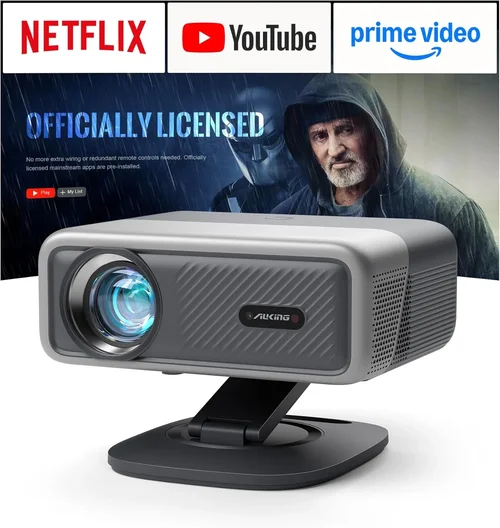
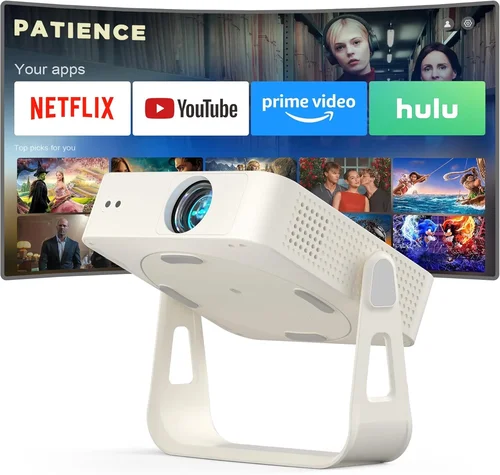
When the price of 4K home‑theater projectors finally slipped below the $2,000 mark, the market changed forever. No longer were you forced to choose between a tiny 1080p TV and a $5,000 cinema‑grade behemoth. Today, a well‑balanced 4K projector can sit on a bookshelf, deliver a crisp 120‑inch image, and still leave enough money for a soundbar or a screen. This guide walks you through every decision point so you can pick the best 4K projector under $2,000 without feeling overwhelmed.
In the next few minutes you’ll learn how to read brightness specs, why contrast matters more than you think, what “true 4K” really means, and which features are truly worth paying for. We’ll also compare the most popular projector families, flag common pitfalls, and give you a clear, tiered budget roadmap. By the end, you’ll be equipped to match a projector to your room, your viewing habits, and your wallet.
The 4K projector market in 2026 is crowded but surprisingly friendly. Major brands such as Epson, BenQ, ViewSonic, and Optoma have all introduced sub‑$2,000 models that use DLP, LCD, or the newer laser‑phosphor light sources. Meanwhile, niche manufacturers like XGIMI and Hisense have entered the space with hybrid smart‑projector designs. Because each technology has its own strengths, the “best” projector is always a balance of your personal priorities—whether that’s peak brightness for a bright living room, deep blacks for a dark home cinema, or built‑in Android TV for streaming convenience.

What to Look for When Buying Buying Guide
1. Budget & Price Range
Even within the sub‑$2,000 bracket, prices can vary by several hundred dollars. Understanding how much you’re willing to spend helps narrow the field quickly. A $1,200 unit may lack a high‑end laser light source but could still deliver excellent color accuracy with an LCD panel. Meanwhile, a $1,900 model might include a premium lens, higher lumen output, and better warranty coverage. Set a firm ceiling, then allocate a small portion (usually 10‑15%) for accessories such as a high‑gain screen, mounting hardware, or a calibration kit.
2. Performance Specifications
Key specs include native resolution, brightness (lumens), contrast ratio, and color gamut. A true 4K DLP chip (4096 × 2160) offers the sharpest image, but many “4K‑enhanced” LCDs use pixel‑shifting to reach the same resolution at a lower cost. Brightness is measured in ANSI lumens; for rooms with ambient light, aim for at least 2,500 lumens. Contrast ratio (the difference between the darkest black and the brightest white) directly influences perceived depth—laser‑phosphor models often hit 1,500:1 or better, while budget LCDs may sit around 800:1.
3. Build Quality & Durability
Projectors are mechanical devices with moving parts (fans, lamp housings, lens barrels). Look for a solid metal chassis, well‑engineered cooling, and a reputable lamp life rating. Laser and LED light sources dramatically extend lifespan—often 20,000‑30,000 hours—reducing long‑term maintenance costs. If you plan to move the projector frequently, check for a sturdy carry handle and a compact footprint.
4. Features & Functionality
Modern 4K projectors pack a lot of “extra” features: HDR10 / HLG support, wide‑color gamut (DCI‑P3), built‑in speakers, Android TV or Roku integration, lens shift, keystone correction, and multiple HDMI 2.1 ports. Determine which of these are essential. For a dedicated home theater, lens shift and low‑profile keystone are vital. For a living‑room setup that doubles as a streaming hub, built‑in smart OS can save you an external box.
5. Brand Reputation
Brands with a long‑standing projector division—Epson, BenQ, Optoma—typically offer more consistent firmware updates and broader service networks. Newer entrants may innovate faster but can lack extensive warranty options. Research each brand’s after‑sales reputation by scanning forums, Reddit threads, and consumer reports. A brand that stands behind its product with free firmware upgrades and responsive tech support can be worth a few hundred dollars more.
6. Warranty & Support
Warranty length varies from 1 to 3 years, with some manufacturers offering lamp‑free guarantees for laser models. Check what the warranty covers: light source, optics, and labor. Some retailers provide extended protection plans that include accidental damage. A longer, comprehensive warranty can offset a slightly higher upfront cost, especially if you’re buying a high‑usage unit.
7. Size & Portability (if applicable)
If you need a projector for both home and occasional presentations, weight and dimensions matter. Portable “pico” projectors often sacrifice true 4K resolution, but there are compact laser models that stay under 5 kg while still delivering 4K. For a fixed installation, consider whether the projector can be ceiling‑mounted and how much clearance the lens requires.
8. User Reviews & Ratings
Beyond the spec sheet, real‑world performance is revealed in user reviews. Look for consistent praise (or complaints) about color accuracy out of the box, fan noise levels, and firmware stability. Pay attention to the number of reviews—a product with 500+ verified purchases gives a more reliable picture than one with only a handful.
Different Types of Buying Guide

Common Buying Mistakes to Avoid
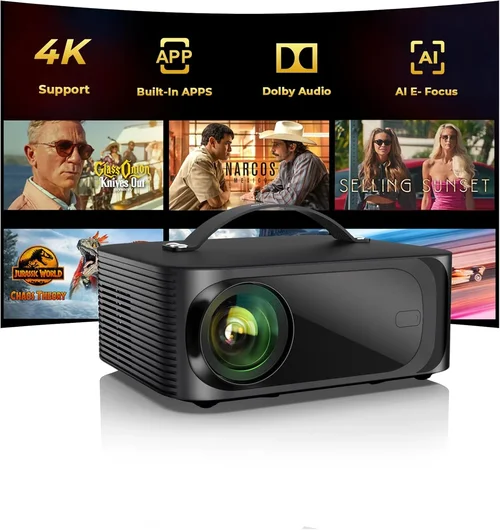
❌ Mistake: Ignoring Ambient Light Conditions
Why it’s bad: Selecting a low‑lumens projector for a bright living room will result in washed‑out images, making HDR content impossible to enjoy.
What to do instead: Measure the typical lux level in your viewing area. If you can’t darken the room, aim for at least 2,500‑3,000 ANSI lumens and consider a high‑gain screen.
❌ Mistake: Over‑focusing on “4K‑Enhanced” Labels
Why it’s bad: Some manufacturers market pixel‑shifted 1080p chips as “4K‑enhanced,” which can be misleading for pixel‑critical gamers or cinephiles.
What to do instead: Verify the native resolution. True 4K DLP chips (4096 × 2160) deliver genuine pixel density, while pixel‑shifted LCDs may suffice for casual viewing.
❌ Mistake: Forgetting Lens Shift & Keystone
Why it’s bad: Without adequate lens shift, you may need to place the projector at an odd angle, leading to distortion and limited placement options.
What to do instead: Choose a model with at least ±10% vertical and horizontal lens shift, and limit keystone correction to <5° for optimal image quality.
❌ Mistake: Neglecting Audio Needs
Why it’s bad: Built‑in speakers are often under‑powered and tinny, forcing an extra purchase of a sound system anyway.
What to do instead: Plan your audio budget early. If you need a simple solution, look for a projector with a decent 10‑W speaker or an HDMI ARC output for easy soundbar integration.
❌ Mistake: Buying the Cheapest Lamp‑Based Model
Why it’s bad: Lamp‑based projectors may be cheap initially, but lamp replacements cost $150‑$300 and the lifespan is only 2,000‑3,000 hours.
What to do instead: Opt for a laser or LED light source when possible. The higher upfront cost pays off in lower maintenance and consistent brightness over time.
❌ Mistake: Skipping Firmware Updates
Why it’s bad: Out‑of‑date firmware can cause HDMI handshake issues, HDR glitches, or unstable smart‑OS performance.
What to do instead: Check the manufacturer’s support page regularly and apply updates, especially before major releases of streaming apps.
Budget Guidelines: How Much Should You Spend?
- Entry-Level ($1,000 – $1,300): Expect 1080p native resolution or 4K‑enhanced LCD, 1,800‑2,200 lumens, and a basic lamp life of 2,500 hours. Good for casual movie nights in a dim room, but limited HDR and no laser source.
- Mid‑Range ($1,300 – $1,700): True 4K DLP or high‑quality 4K‑enhanced LCD, 2,300‑2,800 lumens, and laser or long‑life LED light engines. This tier usually includes lens shift, HDR10, and a decent smart‑OS.
- Premium ($1,700 – $2,000): Laser‑phosphor DLP with 2,800‑3,200 lumens, contrast ratios above 1,500:1, dual HDMI 2.1 ports, and robust warranty. Ideal for bright rooms, gaming at 120 Hz, and long‑term reliability.
- Luxury ($2,000+): While outside the scope of this guide, luxury models push beyond 3,500 lumens, feature 4K native DLP with 4K60/120, and include premium optics. Consider only if you have a dedicated home‑theater space.
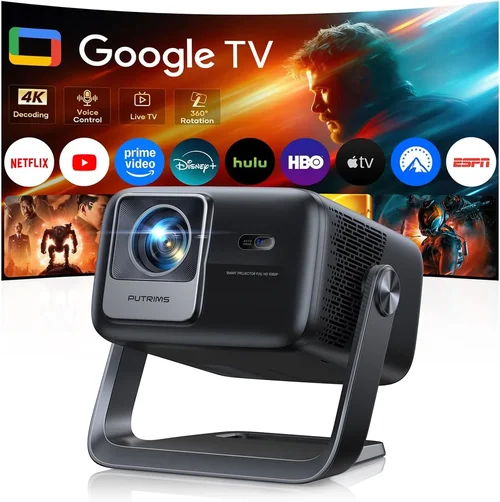
Expert Tips for Getting the Best Deal
- Timing: New model cycles typically launch in Q2 (April‑June). Buying a few weeks after launch can net you a discount on the previous year’s flagship.
- Where to Buy: Authorized dealers (e.g., B&H, Adorama, Amazon) provide warranty validation and easy returns. Brick‑and‑mortar stores let you test the image before purchasing.
- Bundle Savings: Look for bundles that include a high‑gain screen, ceiling mount, or calibration disc. These often save $100‑$200 compared to buying separately.
- Warranty Extensions: If the manufacturer offers a 2‑year laser warranty for $100, it’s usually worth it. The cost of a lamp replacement can exceed that amount.
- Return Policies: Choose retailers with at least a 30‑day return window and free shipping on returns. This gives you time to test the projector in your own environment.
- Testing Before Buying: Bring a laptop with a 4K test pattern to the store. Check for uniform brightness, color bleeding, and fan noise levels.
- Calibration: Even the best projector benefits from basic calibration. A low‑cost colorimeter (e.g., X‑Rite i1Display) and free software like CalMAN can fine‑tune brightness and gamma.
- Future‑Proofing: Ensure the projector has at least one HDMI 2.1 port if you plan to connect next‑gen consoles for 4K/120 Hz gaming.

Frequently Asked Questions
Q: Do I need a separate 4K screen?
A: While a plain white wall works, a dedicated projection screen improves gain, contrast, and color accuracy. For bright rooms, a high‑gain gray screen reduces reflections; for dark rooms, a low‑gain white screen preserves deep blacks.
Q: Is HDR really noticeable on a sub‑$2,000 projector?
A: Yes, if the projector supports HDR10 and has sufficient peak brightness (≥2,500 lumens). HDR performance also depends on the source content and a screen that reflects colors accurately.
Q: Can I use a gaming console at 4K/120 Hz?
A: Look for HDMI 2.1 ports and a projector that advertises 4K60/120 support. Laser‑phosphor DLP models often meet this requirement, while many LCDs are limited to 4K60.
Q: How far should the projector be from the screen?
A: It depends on the throw ratio. A standard throw (1.5‑2.0) needs 10‑12 ft for a 120‑inch image. Short‑throw models can achieve the same size from 3‑4 ft.
Q: Do I need a separate sound system?
A: Most 4K projectors have modest speakers (5‑10 W). For immersive audio, pair the projector with a soundbar, AV receiver, or a 2.1 speaker set via HDMI ARC or optical out.
Q: What maintenance does a laser projector require?
A: Very little. Keep the air filter clean (once every 3‑6 months) and ensure proper ventilation. The laser module itself is sealed and typically lasts 20,000‑30,000 hours.
Q: Is lens shift more important than zoom?
A: Lens shift lets you move the image vertically/horizontally without distortion, which is critical for ceiling mounts. Zoom is useful for fine‑tuning size, but shift offers more flexibility in placement.
Q: How do I calibrate color accuracy?
A: Use a colorimeter and calibration software to set white point (D65), gamma (2.2 for movies, 2.4 for HDR), and adjust the color wheel or RGB gains according to the measured values.
Our Final Recommendations
- Best for Budget‑Conscious Buyers: BenQ TH585 (LCD, 4K‑enhanced, 3,500 lumens, $1,199). Offers bright output for daylight rooms and a low‑noise fan.
- Best Overall Value: Epson Home Cinema 4010 (True 4K DLP, 2,400 lumens, laser light source, $1,799). Balanced brightness, excellent color gamut, and robust lens shift.
- Best Premium Option: Optoma CinemaX P2 (Laser‑phosphor DLP, 3,000 lumens, HDR10, built‑in Android TV, $1,999). Ideal for sleek living‑room installs with minimal cables.
- Best for Beginners: XGIMI Horizon Pro (Hybrid smart projector, 4K‑enhanced LCD, Android TV, $1,299). Simple UI, portable size, and decent brightness for dim rooms.
- Best for Advanced Users: ViewSonic PX747‑4K (True 4K DLP, 3,500 lumens, dual HDMI 2.0, extensive keystone, $1,699). Offers high lumen output and fine‑tune controls for calibration enthusiasts.
Conclusion: Making the Right Choice
Choosing the best 4K projector under $2,000 is less about chasing the highest specs and more about matching performance to your environment. Start by measuring ambient light, decide whether true 4K or 4K‑enhanced will satisfy your viewing habits, and prioritize features like lens shift, HDR support, and a laser light source for longevity. Remember that a solid warranty, reputable brand, and thoughtful accessories (screen, mount, calibration tools) are just as important as the projector itself.
Take the time to compare a few models side‑by‑side, read user feedback, and, if possible, test them in your own space. With the right research, you’ll walk away with a projector that delivers cinema‑grade 4K images, fits comfortably within your budget, and provides years of reliable entertainment.