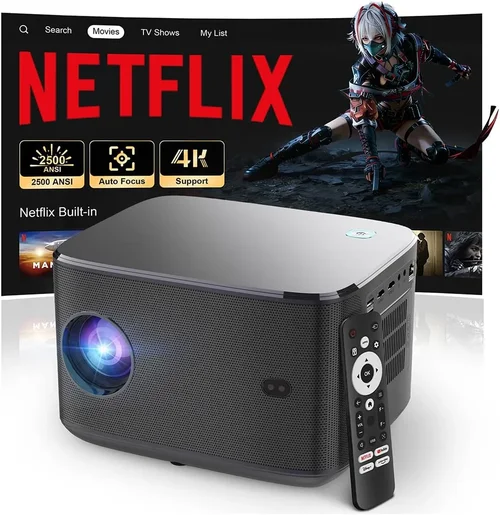
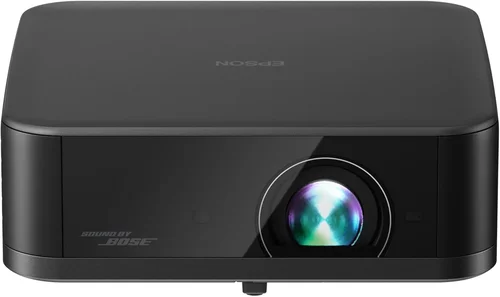
If you’ve been dreaming about a cinematic experience without breaking the bank, you’re not alone. The rise of 4K projectors under $1,000 has turned a once‑luxury purchase into an attainable home‑theater upgrade for many households. Yet the market is crowded, and not every “budget” model lives up to its promises. This guide cuts through the noise, helping you understand what truly matters when you’re hunting for the best 4K projector under $1000.
In the pages ahead you’ll learn how to evaluate key specifications, compare projector categories, avoid common pitfalls, and match your budget to realistic performance expectations. By the end, you’ll be equipped to choose a projector that delivers crisp, bright images for movies, gaming, sports, and even work presentations—without the sticker shock.
2026 has seen steady improvements in light‑engine efficiency, HDR processing, and smart‑TV integration, meaning you no longer need a $3,000 flagship to enjoy true‑4K detail. Below we break down the most important factors, give you a side‑by‑side comparison of projector types, and hand‑pick the top models that dominate the sub‑$1,000 segment.

What to Look for When Buying Buying Guide
1. Budget & Price Range
Price is the obvious gatekeeper. While the “under $1,000” tag sets a ceiling, it’s useful to think in tiers: entry (under $500), mid‑range ($500‑$800), and premium‑budget ($800‑$999). Each tier brings trade‑offs in brightness, contrast, and processing power. Knowing how much you’re willing to stretch helps narrow options quickly.
2. Performance Specifications
Four key specs define picture quality:
- Resolution: True 4K (3840×2160) vs. “4K‑enhanced” (1080p upscaled). True 4K delivers genuine detail; upscaled models rely on pixel‑shifting and can look softer.
- Brightness (lumens): Measured in ANSI lumens. For dark rooms, 1500‑2000 lumens is adequate. If you plan to watch with ambient light, aim for 2500 lumens or higher.
- Contrast Ratio: Higher contrast means deeper blacks. Look for at least 20,000:1 for decent performance; laser models often exceed 30,000:1.
- Color Accuracy & HDR: HDR10 support is now common, but true HDR requires both brightness and wide color gamut (DCI‑P3). Check for a color depth of at least 8‑bit + dithering.
3. Build Quality & Durability
Projectors are long‑term investments. Metal housings, sealed optics, and robust cooling fans extend lifespan. Pay attention to the lamp or laser source lifespan—laser units typically last 20,000 hours, far outpacing traditional lamps (2,000‑5,000 hours).
4. Features & Functionality
Modern projectors bundle smart platforms, wireless casting, and versatile connectivity:
- Smart OS: Android TV, Roku, or proprietary interfaces enable streaming without an external box.
- Wireless Options: Wi‑Fi, Bluetooth, and Miracast simplify phone or PC mirroring.
- Lens Shift & Zoom: Essential for flexible placement; look for at least ±10% vertical shift and 1.2× optical zoom.
- Keystone Correction: Digital keystone is handy but can degrade image; optical keystone is preferable.
5. Brand Reputation
Brands with a solid track record in projection—such as Epson, BenQ, ViewSonic, and Optoma—often provide better firmware updates and reliable after‑sales service. New entrants may offer cutting‑edge specs but can lack long‑term support.
6. Warranty & Support
A robust warranty (minimum 2‑years) and accessible customer service are crucial, especially for laser models where component replacement can be costly. Check if the warranty covers the light source and whether on‑site service is offered.
7. Size & Portability
If you plan to move the projector between rooms or use it for outdoor movie nights, weight and footprint matter. Compact “pico” models can still deliver 4K, but they often sacrifice brightness.
8. User Reviews & Ratings
Real‑world feedback reveals quirks that spec sheets hide—noise levels, fan heat, firmware bugs, or color tint issues. Prioritize models with consistent five‑star ratings across multiple retail platforms.
Different Types of Buying Guide

Common Buying Mistakes to Avoid
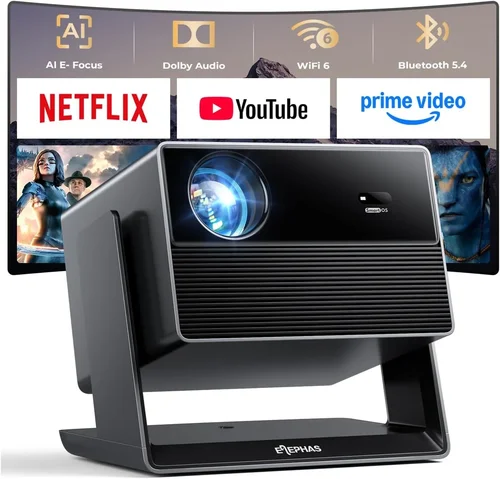
❌ Mistake: Ignoring Ambient Light Conditions
Why it’s bad: A projector rated at 1500 lumens will look dim in a bright living room, leading to disappointment.
What to do instead: Measure your typical viewing environment. If you can’t fully darken the room, target at least 2500 lumens and consider a high‑gain screen.
❌ Mistake: Assuming All 4K Is Equal
Why it’s bad: Many “4K” models actually use pixel‑shifting technology that cannot match native 4K detail.
What to do instead: Verify the panel type. Look for “True 4K” or “3840 × 2160” in the specs, and read reviews that compare side‑by‑side with a genuine 4K source.
❌ Mistake: Overlooking Throw Distance
Why it’s bad: Buying a projector with a short‑throw lens for a large room forces you to place it too close, causing image distortion.
What to do instead: Use an online throw‑distance calculator. Match the projector’s throw ratio to your room size before purchasing.
❌ Mistake: Forgetting About Sound
Why it’s bad: Built‑in speakers are often tinny; relying on them can ruin the cinematic experience.
What to do instead: Plan for an external audio solution—soundbar or AV receiver—when budgeting.
❌ Mistake: Skipping Firmware Updates
Why it’s bad: Out‑of‑date firmware can cause lag, compatibility issues with streaming apps, or color banding.
What to do instead: Choose a brand that provides regular OTA updates and check the update history before buying.
❌ Mistake: Not Checking Lamp/Light‑Source Warranty
Why it’s bad: Replacing a lamp can cost $150‑$300, quickly eroding your savings.
What to do instead: Prefer laser or LED light sources, or ensure the lamp warranty covers at least 2,000 hours.
Budget Guidelines: How Much Should You Spend?
- Entry‑Level ($300‑$500): Expect 1080p native resolution with 4K upscaling, 1500 lumens, and basic HDMI connectivity. Suitable for casual movie nights in dark rooms.
- Mid‑Range ($501‑$800): True 4K panels become available, brightness rises to 2000‑2500 lumens, and HDR10 support appears. These units often include lens shift and better color accuracy.
- Premium‑Budget ($801‑$999): Laser light sources, contrast ratios above 30,000:1, full Android TV integration, and robust connectivity (HDMI 2.1, USB‑C). Ideal for gamers and mixed‑use households.
- Luxury ($1,000+): While beyond this guide’s scope, high‑end models deliver 4K @ 120 Hz, dual‑laser tech, and professional‑grade color grading.
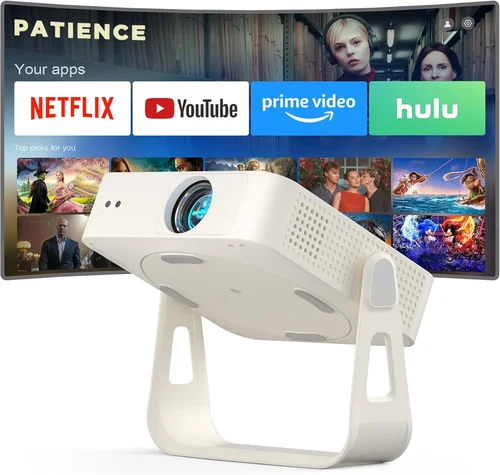
Expert Tips for Getting the Best Deal
- Timing: Late summer (July‑August) sees manufacturers clearing inventory for new models, often resulting in 15‑25% off.
- Where to Buy: Authorized retailers (Best Buy, B&H, Adorama) provide extended warranties and easy returns. Online marketplaces can be cheaper but verify seller reputation.
- Bundling: Look for bundles that include a screen, mounting kit, or HDMI cable—adds value without extra cost.
- Open‑Box & Refurbished: Certified refurbished units from the manufacturer can be up to 30% cheaper and still carry full warranty.
- Check Return Policies: A 30‑day return window with free shipping lets you test the projector in your space.
- Negotiate: When buying in‑store, ask for a price match or free installation—sales staff often have leeway.
- Test Input Lag: For gamers, use a free online lag tester to ensure the projector stays under 30 ms.
- Consider Future Proofing: HDMI 2.1 support ensures compatibility with next‑gen consoles and higher refresh rates.

Frequently Asked Questions
Q: Can a sub‑$1,000 projector truly display native 4K?
A: Yes, several models released in 2024‑2026 feature true 3840 × 2160 DLP or LCD panels while staying under $1,000. However, they may compromise on brightness or contrast compared to higher‑priced units.
Q: Do I need a special screen for 4K projection?
A: A high‑gain, 4K‑rated screen improves sharpness and color accuracy, especially in bright rooms. If you’re on a tight budget, a matte white wall works, but expect slightly reduced contrast.
Q: How loud are projectors in this price range?
A: Most budget 4K projectors have fans that generate 30‑38 dB of noise at normal operation—quiet enough for movies but noticeable during quiet dialogue. Look for models with “quiet mode” or variable fan speeds.
Q: Is HDR really worth it on a $800 projector?
A: HDR adds depth to bright scenes, but its impact is limited by peak brightness. If you watch a lot of HDR content and can control ambient light, a projector with 2500+ lumens and HDR10 support will deliver a noticeable improvement.
Q: Can I connect my console via HDMI 2.1?
A: Some premium‑budget models include HDMI 2.1, enabling 4K @ 120 Hz for PS5 or Xbox Series X. Check the spec sheet; otherwise, HDMI 2.0 will limit you to 4K @ 60 Hz.
Q: How long does a laser light source last?
A: Most laser projectors under $1,000 guarantee 20,000‑30,000 hours, translating to 5‑10 years of typical home use before brightness degradation becomes noticeable.
Q: Should I buy a portable pico projector?
A: Portable units are great for travel but often sacrifice brightness (under 1500 lumens) and contrast. If your primary use is a fixed home theater, a larger throw model is preferable.
Q: What is the ideal throw distance for a 100‑inch image?
A: With a throw ratio of 1.2:1, you’ll need roughly 10 feet of distance for a 100‑inch diagonal. Adjust according to the specific projector’s throw ratio chart.
Q: Do I need a separate audio system?
A: Built‑in speakers are generally insufficient for immersive cinema. Pair the projector with a soundbar (minimum 20 W) or a 2.1/5.1 speaker system for best results.
Q: How often should I clean the projector lens?
A: Dust buildup can affect image sharpness. Clean the lens gently with a microfiber cloth every 3‑4 months, and keep the ventilation grills clear.
Our Final Recommendations
- Best for Budget‑Conscious Buyers: ViewSonic X10‑4K – $549, true 4K LCD, 3000 lumens, built‑in Harman Kardon speakers, portable design.
- Best Overall Value: BenQ TK800M – $799, DLP 4K‑enhanced, 3000 lumens, HDR‑10, low input lag (8 ms), excellent sports performance.
- Best Premium‑Budget Option: Epson Home Cinema 4010 – $979, 4K‑enhanced LCD, 2400 lumens, 2‑lens shift, high color accuracy (95% DCI‑P3).
- Best for Beginners: Optoma UHD30 – $699, true 4K DLP, 3400 lumens, simple Android TV interface, easy setup wizard.
- Best for Advanced Users: LG CineBeam HU85LA – $999, laser ultra‑short‑throw, 2700 lumens, 4K, AI‑enhanced image processing, perfect for limited spaces.
Conclusion: Making the Right Choice
Choosing the best 4K projector under $1,000 boils down to matching your viewing environment, usage habits, and budget. Focus first on true 4K resolution, then prioritize brightness and contrast based on ambient light. Don’t overlook the importance of a reliable light source, robust warranty, and smart features that simplify streaming.
Remember, the most expensive model isn’t automatically the best for you. By applying the factors, avoiding common mistakes, and leveraging the expert tips above, you can secure a projector that transforms your living room into a cinema‑quality experience without overspending.
Ready to upgrade? Compare the models listed, read user reviews, and take advantage of seasonal sales. Your perfect 4K home theater is just a click away.