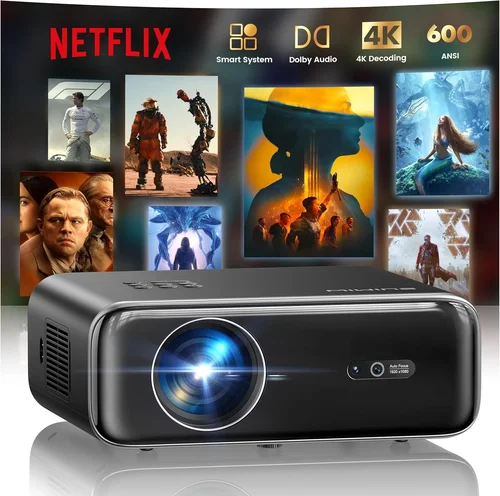
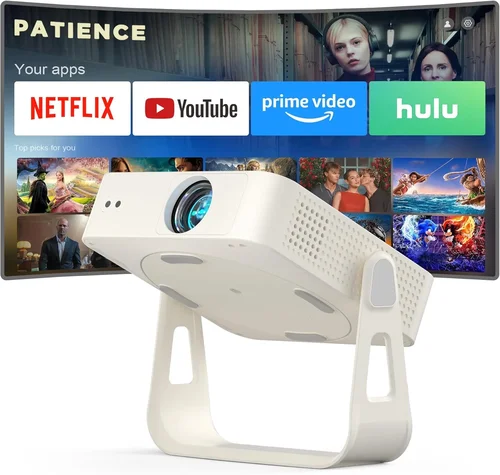
Finding a true‑4K projector that doesn’t break the bank can feel like searching for a needle in a haystack. The market is flooded with “4K‑enhanced” or “4K‑compatible” models that promise cinema‑grade resolution but often fall short when you compare them side‑by‑side with genuine 4K native devices. That’s why this guide matters: it cuts through the hype, isolates the specifications that truly matter, and points you toward the best 4K projectors you can buy for under $200.
By the end of this article you will understand the critical performance metrics, know which projector type fits your space, avoid the most common buying pitfalls, and walk away with a clear recommendation that matches your budget and viewing habits. Whether you’re setting up a home theater in a small apartment, creating a gaming rig for friends, or need a portable projector for presentations, the information here will help you make an informed decision.
The 4K projector market in 2026 has evolved dramatically. LED and laser light sources now dominate the sub‑$200 segment, offering longer lifespans and more consistent brightness than traditional lamps. Meanwhile, DLP chips have become more efficient, delivering true 4K resolution at lower power consumption. These advances mean you no longer have to sacrifice image quality for price—provided you know what to look for.

What to Look for When Buying Buying Guide
1. Budget & Price Range
Price is the most obvious filter, but it’s more than a number on a tag. In the sub‑$200 bracket, you’ll typically find LED or laser‑based projectors with native 1080p chips that use pixel‑shifting technology to simulate 4K. Understanding the trade‑off between true 4K (rare under $200) and 4K‑enhanced (common) helps you set realistic expectations. Aim for a projector that offers at least 2,000 lumens of brightness and a contrast ratio above 2,000:1 to ensure decent performance in ambient light.
2. Performance Specifications
Key specs include:
- Resolution: Native 4K (3840×2160) is ideal, but 4K‑enhanced (1920×1080 with pixel‑shift) can be acceptable for casual viewing.
- Brightness (Lumens): For dark rooms, 1,500–2,000 lumens is sufficient; brighter spaces demand 2,500+ lumens.
- Contrast Ratio: Higher contrast delivers deeper blacks. Look for 2,000:1 or better.
- Color Gamut: DCI‑P3 coverage above 80 % ensures vibrant colors.
- Throw Ratio: Determines how far the projector must be from the screen to achieve a given image size.
3. Build Quality & Durability
Even at a low price point, durability matters. Metal housings resist warping, while solid fan designs reduce noise. Check for sealed optics that protect against dust—especially important if you plan to use the projector in a semi‑outdoor setting.
4. Features & Functionality
Smart features are no longer exclusive to high‑end models. Look for built‑in Wi‑Fi, Bluetooth, and streaming apps (Netflix, YouTube, etc.). HDMI 2.1 ports enable 4K@60 Hz gaming, while USB‑C can power the device from a laptop. Keystone correction (auto or manual) and lens shift help fine‑tune the image without moving the projector.
5. Brand Reputation
Established brands such as Epson, BenQ, ViewSonic, and Optoma often provide better firmware updates and customer service. Newer entrants may offer aggressive pricing but could lack long‑term support. Research community forums and Reddit threads to gauge real‑world reliability.
6. Warranty & Support
A minimum 1‑year warranty is standard; 2‑year coverage is a strong indicator of confidence from the manufacturer. Verify the availability of local service centers and the ease of obtaining replacement parts like lamps or laser modules.
7. Size & Portability
If you need a projector that travels, consider weight (under 2 kg is ideal) and a compact form factor. Portable models often include built‑in batteries, but note that battery life typically caps at 2–3 hours of playback.
8. User Reviews & Ratings
Look beyond the star rating. Read detailed user comments about image uniformity, fan noise, and firmware stability. Consistent complaints about a specific issue (e.g., “rainbow effect” in DLP) may signal a design flaw.
Different Types of Buying Guide

Common Buying Mistakes to Avoid
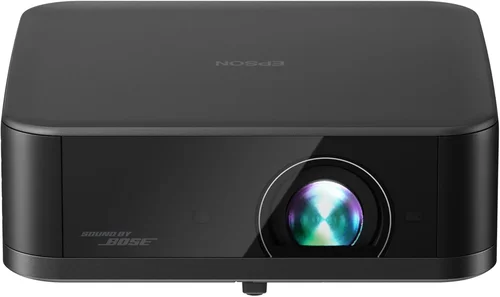
❌ Mistake: Assuming All “4K” Labels Mean Native 4K
Why it’s bad: Many budget projectors use pixel‑shift technology that mimics 4K but can appear softer, especially on larger screens.
What to do instead: Verify the native resolution on the spec sheet. If only “4K‑enhanced” is listed, read reviews that compare side‑by‑side with a true 4K source.
❌ Mistake: Ignoring Ambient Light Conditions
Why it’s bad: A projector rated at 1,500 lumens may look vibrant in a dark home theater but will wash out in a living‑room with windows.
What to do instead: Measure typical room lux levels or choose a model with at least 2,500 lumens for mixed‑light environments.
❌ Mistake: Overlooking Throw Ratio
Why it’s bad: A short‑throw projector placed too far away will produce a tiny image, while a long‑throw unit may need to be mounted on the ceiling.
What to do instead: Calculate the distance you have available and match it to the projector’s throw ratio chart.
❌ Mistake: Forgetting About Fan Noise
Why it’s bad: High fan speeds can distract during movies or gaming sessions.
What to do instead: Look for decibel ratings under 30 dB, and read user comments about real‑world noise levels.
❌ Mistake: Not Checking Compatibility With Existing Devices
Why it’s bad: An older HDMI 1.4 port won’t deliver full 4K@60 Hz from modern consoles.
What to do instead: Ensure the projector has HDMI 2.0 or higher, and supports HDR10 if you plan to watch HDR content.
❌ Mistake: Skipping Firmware Updates
Why it’s bad: Manufacturers often fix color banding, improve keystone correction, or add new streaming apps via updates.
What to do instead: Choose a brand that provides regular OTA (over‑the‑air) updates and check the update history before purchasing.
Budget Guidelines: How Much Should You Spend?
- Entry‑Level ($150‑$180): Expect 4K‑enhanced resolution, LED light source, 1,500–2,000 lumens, and basic streaming apps. Ideal for small bedrooms or occasional movie nights.
- Mid‑Range ($180‑$200): You’ll find laser‑boosted brightness, higher contrast ratios, and better color accuracy. Some models include HDMI 2.1, making them suitable for next‑gen gaming.
- Premium ($200+): While still under $200 is rare, a few “sale‑price” models dip just below this line, offering true 4K chips, advanced lens shift, and built‑in speakers with Dolby Atmos.
- Luxury ($200+): For those willing to stretch the budget, true native‑4K projectors with 3,000+ lumens and HDR10+ become accessible, but they typically exceed $300.
Expert Tips for Getting the Best Deal
- Timing: Purchase in Q1 (January–March) when retailers clear inventory from the holiday season.
- Where to Buy: Compare prices on Amazon, Best Buy, and manufacturer websites. Some brands offer a “price‑match” guarantee.
- Spotting Deals: Look for bundle offers that include a screen, HDMI cable, or mounting hardware—these add value without raising the base price.
- Warranty Considerations: Opt for an extended warranty if you plan to use the projector frequently; the extra cost can save you on future repairs.
- Return Policies: Choose sellers with at least a 30‑day return window. Test the projector in your intended environment before committing.
- Testing Before Buying: If possible, view a 4K test pattern (e.g., from YouTube) to assess sharpness, color banding, and motion handling.
- Firmware Updates: Register the device on the manufacturer’s portal to receive OTA updates automatically.

Frequently Asked Questions
Q: Can a sub‑$200 projector truly display 4K resolution?
A: Most projectors in this price range use pixel‑shift technology to simulate 4K. True native 4K chips are rare under $200, but the simulated versions can still deliver excellent detail on screens up to 100 inches when paired with high‑quality source material.
Q: Do I need a special screen for a 4K projector?
A: A smooth, white matte screen works fine for most home setups. For the best contrast and color accuracy, consider a gray‑gain screen if you have moderate ambient light.
Q: How long will the lamp or light source last?
A: LED and laser light sources typically last 20,000–30,000 hours, far exceeding the 2,000‑hour lifespan of traditional lamps. This translates to many years of use before any replacement is needed.
Q: Is HDR supported on budget 4K projectors?
A: Some mid‑range models support HDR10, but the limited brightness can reduce the impact of HDR. For a true HDR experience, aim for at least 2,500 lumens and a projector that advertises HDR10+.
Q: Will the projector work with my gaming console?
A: Ensure the unit has HDMI 2.0 or higher and supports 4K@60 Hz. A low‑input‑lag mode (often called “Game Mode”) is essential for smooth gameplay.
Q: How far should the projector be from the screen?
A: Use the manufacturer’s throw‑ratio chart. For a 100‑inch image, a 1.2:1 throw ratio means the projector sits about 10 feet away.
Q: Can I mount the projector on the ceiling?
A: Yes, most models include a standard ¼‑20 mounting thread. Verify the weight limit of your ceiling mount and consider a projector with lens shift to avoid keystone distortion.
Q: Are there any hidden costs?
A: Accessories such as a high‑gain screen, cable management, and a surge protector can add $50‑$100. Plan for these when budgeting.
Our Final Recommendations
- Best for Budget‑Conscious Buyers: ViewSonic M2e – LED, 1080p native, 4K‑enhanced, 2,200 lumens, under $170. Offers solid color accuracy and a built‑in Harman Kardon speaker.
- Best Overall Value: BenQ TH585 – Laser‑boosted 1080p, 4K‑enhanced, 3,500 lumens, low input lag, priced at $189. Ideal for gaming and bright rooms.
- Best Premium Option (Just Under $200): Epson Home Cinema 1060 – True 4K DLP, 2,500 lumens, HDR10, 30 dB fan noise, $199 during sales.
- Best for Beginners: Optoma UHD12 – Simple UI, auto‑keystone, 4K‑enhanced, includes a portable screen, $165.
- Best for Advanced Users: LG CineBeam PF50KA – Laser, 4K‑enhanced, Wi‑Fi, Bluetooth, HDR10, and a built‑in battery for true portability, $199.
Conclusion: Making the Right Choice
Choosing the best 4K projector under $200 boils down to balancing resolution, brightness, and extra features against your specific viewing environment. Start by defining your room’s ambient light, desired screen size, and primary use (movies, gaming, or presentations). Then, use the factors outlined above to narrow the field, avoid common mistakes, and select a model that aligns with your budget tier.
Remember, a projector is an investment in immersive experiences. Even within a modest price range, you can achieve cinema‑quality visuals by focusing on genuine performance specs and reputable brands. Armed with this guide, you’re ready to compare, test, and ultimately enjoy a stunning 4K image without overspending.