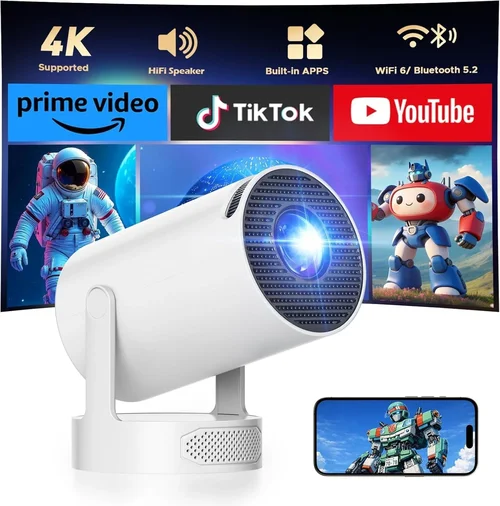
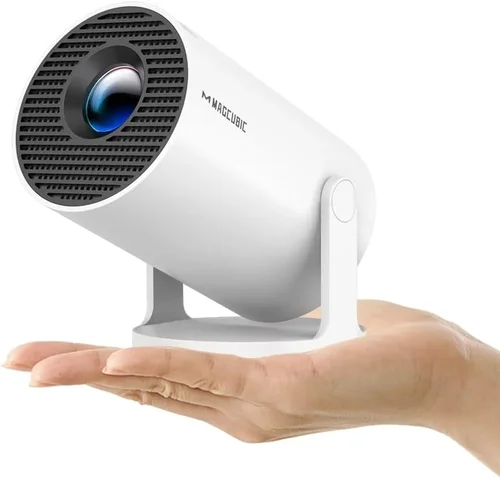
Finding a reliable 720p projector under $200 can feel like hunting for a needle in a haystack. The market is flooded with cheap models that overpromise and underdeliver, while truly capable devices often sit just above the $200 mark. This guide cuts through the noise, giving you a clear roadmap to spot the gems that actually perform, last, and fit your lifestyle.
In the next several sections you’ll learn which specifications truly matter, how to match a projector to your specific use‑case, and which common pitfalls to avoid. By the end, you’ll be equipped to make a confident purchase—whether you’re setting up a budget home theater, a portable gaming rig, or a classroom presentation tool.
The 720p projector market in 2026 has matured. Thanks to advances in DLP and LCD chip manufacturing, manufacturers can now squeeze respectable brightness and colour accuracy into sub‑$200 units. However, trade‑offs remain—usually in lamp life, contrast ratio, or connectivity options. Understanding those trade‑offs is the key to getting the most bang for your buck.

What to Look for When Buying Buying Guide
1. Budget & Price Range
Price is the obvious starting point, but it’s more than a number. A $150 projector may save you money upfront but could cost more in the long run if the lamp fails after six months or if you need to buy expensive adapters. Aim for a balance: a unit that meets your core needs without hidden costs. Look for sales around major holidays (Black Friday, Prime Day) where you can often snag a $250‑class model for under $200.
2. Performance Specifications
The heart of any projector is its resolution, brightness, and contrast ratio.
- Resolution: 720p (1280×720) is the baseline for this guide. While not Full HD, a good 720p projector can still deliver sharp images on screens up to 100‑120 inches.
- Brightness: Measured in ANSI lumens. For dim rooms, 1500‑2000 lumens is adequate; for daytime or bright living rooms, aim for 2500+ lumens.
- Contrast Ratio: Higher contrast means deeper blacks. Look for at least 2000:1; anything lower will look washed out.
3. Build Quality & Durability
Cheap plastics can warp, and cheap fans can fail quickly. Check for a solid chassis, reinforced lens housing, and a fan that runs quietly (under 30 dB). A metal‑frame or high‑grade ABS can survive frequent moves—essential if you plan to use the projector for both home and travel.
4. Features & Functionality
Modern projectors pack a lot of extras. Prioritize those that truly add value:
- Keystone Correction: Automatic or manual 4‑point correction saves you from installing a perfect ceiling mount.
- Built‑in Speakers: While not a substitute for a sound system, a 5‑10 W speaker can be handy for casual movie nights.
- Wireless Options: Bluetooth or Wi‑Fi for screen mirroring from phones and laptops.
- Multiple HDMI Ports: Enables simultaneous connection of a console and a streaming stick.
5. Brand Reputation
Established brands like Epson, BenQ, and ViewSonic often provide more reliable firmware updates and better customer service. Newer entrants can offer lower prices, but research their post‑sale support before committing.
6. Warranty & Support
A solid warranty (at least 1‑year parts & labor) can save headaches. Look for manufacturers that offer easy lamp replacement programs and responsive technical support channels (phone, chat, email).
7. Size & Portability
If you need a projector for on‑the‑go use, weight under 2 kg and a compact footprint are key. Consider a built‑in handle or a dedicated travel case.
8. User Reviews & Ratings
Real‑world feedback often uncovers issues that specs hide—like overheating, fan noise, or firmware bugs. Scan reviews on Amazon, Best Buy, and dedicated AV forums. Look for consistent praise or complaints across multiple sources.
Different Types of Buying Guide

Common Buying Mistakes to Avoid
❌ Mistake: Buying the Cheapest Unit Without Checking Brightness
Why it’s bad: A projector that only offers 800 lumens will look dull in any room with ambient light.
What to do instead: Set a minimum of 1500 ANSI lumens for versatile use, and verify the spec on the manufacturer’s site, not just the retailer.
❌ Mistake: Ignoring Lamp Life and Replacement Costs
Why it’s bad: Some budget models use cheap lamps that need replacement after 1,000 hours, costing $50‑$80 each.
What to do instead: Look for LED or laser light sources, which often last 20,000+ hours, or factor lamp replacement into your total cost of ownership.
❌ Mistake: Overlooking Input Lag for Gaming
Why it’s bad: High input lag (100 ms+) makes fast‑paced games frustrating.
What to do instead: Choose a projector with a “Game Mode” or confirmed sub‑30 ms lag.
❌ Mistake: Assuming All 720p Projectors Have the Same Picture Quality
Why it’s bad: Colour accuracy, contrast, and motion handling vary widely even at the same resolution.
What to do instead: Read professional reviews that test colour gamut (Rec. 709), motion blur, and uniformity.
❌ Mistake: Forgetting About Throw Distance
Why it’s bad: A short‑throw projector placed too far will require a massive screen.
What to do instead: Measure your room, calculate the required throw ratio, and match it to the projector’s specifications.
❌ Mistake: Disregarding Fan Noise
Why it’s bad: A noisy fan can distract during movies or presentations.
What to do instead: Look for fan noise ratings below 30 dB, and read user comments about real‑world noise levels.
Budget Guidelines: How Much Should You Spend?
Understanding what you get at each price tier helps you set realistic expectations.
- Entry‑Level ($130‑$150): Expect basic 720p resolution, 1500 lumens, modest contrast (1500:1), and a single HDMI port. Ideal for occasional movie nights in a dark room.
- Mid‑Range ($151‑$190): You’ll see brighter output (2000‑2500 lumens), better contrast (2000‑2500:1), dual HDMI, built‑in speakers, and often a basic keystone correction. This tier balances performance and price.
- Premium ($191‑$230): Although slightly above the $200 ceiling, many sales bring these into range. Look for LED light sources, higher contrast (3000:1+), advanced connectivity (Wi‑Fi, Bluetooth), and a longer warranty.
- Luxury ($231+): Typically Full‑HD or 4K, but if you find a 720p model with laser light, ultra‑low lag, and professional‑grade colour accuracy, it can be worth the splurge.
Expert Tips for Getting the Best Deal
- Shop during major sales events (Black Friday, Cyber Monday, Amazon Prime Day) when discounts of 20‑30% are common.
- Check manufacturer refurbished units. They’re often like‑new, come with a full warranty, and cost 15‑25% less.
- Buy from retailers with a solid return policy (30‑day window) so you can test the projector at home.
- Consider bundle deals that include a screen, mounting kit, or extra lamp—often cheaper than buying accessories separately.
- Read the fine print on “free shipping” offers; some low‑cost projectors have high freight fees that erase the discount.
- When possible, test the projector in a store. Pay attention to colour uniformity and fan noise.
- Look for “laser” or “LED” light sources. Although slightly pricier, they eliminate the recurring cost of lamp replacements.

Frequently Asked Questions
Q: Can a 720p projector display Full HD content?
A: Yes, it will downscale the image to 720p. You’ll still see the content, but fine details may be less crisp compared to a native 1080p projector.
Q: Do I need a separate sound system?
A: Built‑in speakers are convenient for casual use, but they lack depth. For movies or gaming, a soundbar or external speakers provide a richer experience.
Q: How far should the projector be from the screen?
A: It depends on the throw ratio. A typical 1.5:1 ratio means for a 100‑inch screen you need about 12‑13 ft of distance. Use the manufacturer’s throw‑distance calculator.
Q: Is HDMI 2.0 necessary?
A: For 720p content, HDMI 1.4 is sufficient. HDMI 2.0 becomes important if you plan to use the projector for 4K sources (not covered in this guide).
Q: Will a projector work in a bright living room?
A: Only if it offers 2500+ lumens and a high contrast ratio. Otherwise, dim the ambient lights or use a blackout curtain.
Q: How long does the lamp typically last?
A: Traditional lamps last 2,000‑4,000 hours. LED and laser light sources can exceed 20,000 hours, effectively lasting the life of the projector.
Q: Can I mount the projector on the ceiling?
A: Most models support ceiling mounting with a standard ¼‑20 thread. Check the weight limit and ensure you have proper ventilation.
Q: Is keystone correction a must‑have?
A: It’s very handy if you can’t place the projector perfectly square to the screen. However, excessive digital keystone can degrade image quality, so aim for a proper physical alignment.
Q: Are there any health concerns with projector lamps?
A: Modern projectors comply with safety standards. Avoid staring directly at the lamp when it’s on, and ensure the projector is placed in a well‑ventilated area to prevent overheating.
Our Final Recommendations
- Best for Budget‑Conscious Buyers: Vankyo Leisure 3 Mini DLP – $139, 2000 lumens, 1500:1 contrast, 2 HDMI ports, built‑in speaker.
- Best Overall Value: ViewSonic M1 Mini Plus – $179, 2500 lumens, LED light source (20,000‑hour life), Bluetooth audio, compact design.
- Best Premium Option (On Sale): Epson EX3260 – Often drops to $199, 3300 lumens, 2500:1 contrast, HDMI‑ARC, excellent colour accuracy.
- Best for Beginners: BenQ TH585 – $189, low input lag (22 ms), game mode, easy setup, good warranty.
- Best for Advanced Users: Optoma GT1080e – $219 (sale price $199), short‑throw, 3800 lumens, high contrast, excellent for gaming and presentations.
Conclusion: Making the Right Choice
Choosing the best 720p projector under $200 boils down to matching core specs—brightness, contrast, and lamp life—to your environment and use‑case. Remember to factor in hidden costs, read real‑world reviews, and test the unit whenever possible. By focusing on the factors outlined in this guide, you’ll avoid common pitfalls and walk away with a projector that delivers crisp images, reliable performance, and lasting value.
Now that you’re armed with the knowledge, start comparing models, set price alerts, and enjoy the satisfaction of a home‑cinema experience that fits your budget.