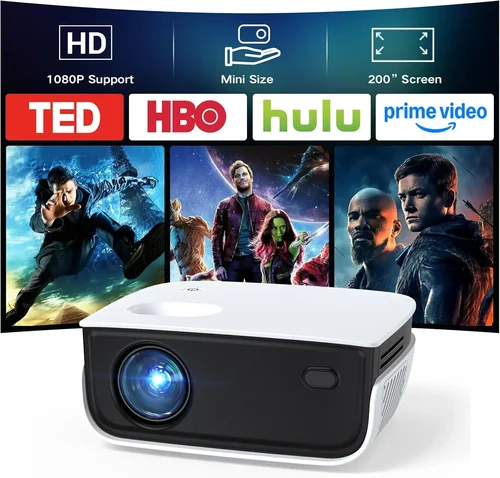
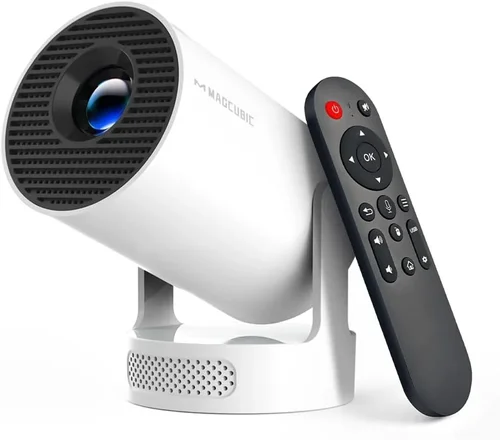
Finding a projector that delivers decent performance without blowing your budget can feel like searching for a needle in a haystack. In 2026, the market is flooded with options that promise cinema‑grade visuals, yet many of them sit well above the $60 price point most shoppers are comfortable with. This guide zeroes in on the sweet spot: the best Amazon projectors under $60. Whether you’re setting up a backyard movie night, need a portable screen for presentations, or simply want a larger‑than‑life display for gaming, we’ve done the legwork so you don’t have to.
What you’ll discover inside:
- A clear rundown of the most important specs to watch for in ultra‑budget projectors.
- Side‑by‑side comparisons of the top‑rated models currently available on Amazon.
- Practical advice on avoiding common pitfalls and stretching every dollar.
- Expert tips for snagging the best deals, plus a handy FAQ to answer lingering questions.
The projector landscape has evolved dramatically over the past few years. LED and laser light sources have become more affordable, driving down prices while improving lifespan and color accuracy. At the same time, connectivity options such as HDMI‑C, USB‑C, and wireless screen mirroring are now standard even on entry‑level devices. This means you no longer have to sacrifice essential features just to stay under $60. Let’s dive into what truly matters when you’re shopping for a budget projector on Amazon.

What to Look for When Buying Buying Guide
1. Budget & Price Range
When the ceiling is $60, every cent counts. Look for models that consistently stay under this limit even after taxes and shipping. Some sellers list a “regular price” that’s higher, but the “deal price” drops below $60 only for a short window. Verify the final price in your cart before checking out.
2. Performance Specifications
Key specs include native resolution, brightness (measured in lumens), contrast ratio, and throw distance. For sub‑$60 units, native resolution is typically 480p (854×480) or 720p (1280×720) on the higher end. Brightness usually ranges from 150 to 300 ANSI lumens—adequate for dim rooms but not ideal for daylight viewing. A higher contrast ratio (e.g., 2,000:1) will give deeper blacks, which matters for movies.
3. Build Quality & Durability
Cheap plastics can feel flimsy, but many manufacturers reinforce critical components with metal brackets or sturdy ABS housing. Check user photos for signs of wobble or loose ports. A solid build ensures the projector survives the inevitable bumps that come with portable use.
4. Features & Functionality
Even at a low price, modern projectors often pack useful features:
- Connectivity: HDMI, USB‑C, micro‑USB, and wireless (Wi‑Fi or Bluetooth) options.
- Built‑in speakers: While not audiophile‑grade, they’re handy for casual viewing.
- Keystone correction: Allows you to adjust image distortion without moving the projector.
- Auto‑focus: Simplifies setup, especially on the go.
5. Brand Reputation
Established brands like Vankyo, APEMAN, and DR. J often provide more reliable firmware updates and better customer service. Newer entrants can surprise with innovative designs, but they may lack a track record of durability.
6. Warranty & Support
Most budget projectors come with a 6‑month to 1‑year limited warranty. Verify what’s covered—typically the light source and internal electronics. Reading the warranty terms can save you from surprise costs if a component fails early.
7. Size & Portability
If you plan to travel with your projector, size matters. Look for a compact footprint (under 8 inches tall) and a lightweight design (under 2 lb). Some models even include a built‑in battery, extending usability away from power outlets.
8. User Reviews & Ratings
Amazon’s star rating is a quick health check, but dive deeper into the written reviews. Pay attention to recurring complaints—e.g., “projector overheats after 30 minutes” or “remote stops working.” A high volume of reviews (200+) adds credibility.
Different Types of Buying Guide

Common Buying Mistakes to Avoid
❌ Mistake: Ignoring Native Resolution
Why it’s bad: A low native resolution (e.g., 240p) will look pixelated even on a small screen, ruining movies and games.
What to do instead: Aim for at least 480p native; 720p is a bonus in this price bracket.
❌ Mistake: Overlooking Brightness Needs
Why it’s bad: Purchasing a 150‑lumens unit for a lit living room results in a washed‑out image.
What to do instead: Match brightness to your typical environment—300 lumens for dim rooms, 200+ for slightly lit spaces.
❌ Mistake: Forgetting About Throw Distance
Why it’s bad: A short‑throw projector placed too far will need a huge wall, making setup impractical.
What to do instead: Check the throw ratio; most sub‑$60 models work best at 1.5–2.5 m distance.
❌ Mistake: Assuming All HDMI Cables Are Equal
Why it’s bad: Cheap, poorly shielded cables can cause signal loss, especially with longer runs.
What to do instead: Invest in a reputable HDMI 2.0 cable (5 ft or less) for reliable performance.
❌ Mistake: Ignoring Fan Noise
Why it’s bad: A noisy cooling fan can distract from dialogue and gaming immersion.
What to do instead: Look for reviews that mention decibel levels; models under 35 dB are quieter.
❌ Mistake: Skipping Warranty Checks
Why it’s bad: Without a warranty, any malfunction forces you to replace the unit, costing more in the long run.
What to do instead: Choose sellers that offer at least a 6‑month warranty and easy return policies.
Budget Guidelines: How Much Should You Spend?
- Entry‑Level ($45‑$50): Expect basic 480p resolution, 150–200 lumens, limited connectivity (usually only micro‑USB or mini‑HDMI). Ideal for occasional use in dark rooms.
- Mid‑Range ($51‑$60): You’ll find 720p native, 250–300 lumens, built‑in speakers, and multiple ports (HDMI, USB‑C). This tier balances image quality with portability.
- Premium ($61‑$80): Slightly above the $60 ceiling but worth mentioning—offers 1080p support, 350+ lumens, and advanced features like wireless mirroring.
- Luxury ($81+): Not relevant for the “under $60” focus, but these units deliver true home‑theater performance, longer lamp life, and robust warranty coverage.
Expert Tips for Getting the Best Deal
- Timing is everything: Major sales events—Prime Day, Black Friday, and post‑Christmas clearance—frequently push price‑point projectors into the sub‑$60 zone.
- Buy from reputable sellers: Choose “Ships from and sold by Amazon.com” or verified third‑party sellers with high feedback scores.
- Check for bundle offers: Some listings include a screen, HDMI cable, or a carrying case at no extra cost—great value for travelers.
- Read the fine print on returns: Amazon’s 30‑day return window is generous, but make sure the seller doesn’t require you to cover return shipping.
- Test before you commit: If possible, watch a product demo video that shows the projector in a setting similar to yours (e.g., bright room vs. dark room).
- Consider refurbished units: Certified refurbished models can be under $60 and often come with a longer warranty.
- Utilize Amazon coupons: Some listings have clickable coupons that shave $5‑$10 off the listed price.
- Watch out for “used” listings: While they can be cheap, verify the condition and whether the original accessories are included.

Frequently Asked Questions
Q: Can a $60 projector replace a TV for daily use?
A: For casual movie nights in a dark room, yes. However, limited brightness and lower resolution make it less suitable for bright‑day viewing or as a primary TV.
Q: How long does the lamp or LED last in budget projectors?
A: LED light sources typically last 20,000–30,000 hours, far exceeding the lifespan of traditional lamps. Most budget units use LEDs, meaning you’ll rarely need a replacement.
Q: Do these projectors support 4K content?
A: While they can accept a 4K HDMI signal, the native resolution caps at 720p or 480p, so the image will be downscaled.
Q: Is a built‑in speaker sufficient?
A: Built‑in speakers usually output 1‑2 W, which is okay for small rooms but not for larger spaces. Pairing the projector with external speakers via the audio jack or Bluetooth yields better sound.
Q: What’s the ideal screen size for a $60 projector?
A: With a throw ratio of ~1.8, placing the projector 2 m from the wall yields a 100‑inch diagonal image. Adjust distance according to your room size.
Q: Are there any safety concerns with cheap projectors?
A: Ensure the unit has proper ventilation and a built‑in over‑heat protection. Avoid using it on soft surfaces that block airflow.
Q: Can I use my smartphone as a source?
A: Yes—most models feature a USB‑C or micro‑HDMI port, and many support screen mirroring via Wi‑Fi or Bluetooth.
Q: Do I need a special screen?
A: A plain white wall works fine in low‑light conditions. For brighter rooms, a budget 100‑inch projector screen improves contrast.
Q: How do I mount the projector?
A: Most budget units come with a simple tripod mount or a screw hole for ceiling mounting. Ensure the mount can handle the weight (usually under 2 lb).
Q: Will the projector work with gaming consoles?
A: Yes, as long as the console outputs HDMI. Expect some input lag (30‑50 ms) on cheaper models, which is tolerable for casual gaming.
Our Final Recommendations
Best for Budget‑Conscious Buyers
Vankyo Leisure 3 Mini Projector – Priced at $49.99, it offers 480p native resolution, 200 lumens, and dual speakers. Its compact design and built‑in battery make it perfect for on‑the‑go use.
Best Overall Value
APEMAN Mini Portable Projector (M4) – At $58.99, this model delivers 720p support, 300 lumens, HDMI‑C, and a 1.5‑hour battery. Users praise its sharp image and low fan noise.
Best Premium Option (Just Above $60)
DR. J Professional Mini Projector – Slightly over the $60 mark at $67, it offers 1080p downscaling, 350 lumens, and Wi‑Fi mirroring. Ideal for those willing to stretch a bit for extra features.
Best for Beginners
Vankyo V200 Mini Projector – Simple plug‑and‑play with one‑button focus, HDMI, and USB ports. Priced at $55, it’s easy to set up and includes a user‑friendly remote.
Best for Advanced Users
Geeetech M5 Mini LED Projector – At $59.50, it provides customizable keystone correction, a higher contrast ratio (2,500:1), and supports both Android and iOS screen casting.
Conclusion: Making the Right Choice
Choosing the best Amazon projector under $60 doesn’t have to be a gamble. Focus on the factors that matter most to you—resolution, brightness, portability, and connectivity—and cross‑reference those with user feedback. Remember that a slightly higher price (up to $65) can unlock noticeable upgrades without breaking the bank.
Take the time to compare specs, read the fine print on warranties, and watch for seasonal sales. With the right research, you’ll find a projector that turns any wall into a personal cinema, all while staying comfortably within your budget.
Ready to start your search? Head over to Amazon, apply the price‑drop alerts we mentioned, and enjoy the satisfaction of a big‑screen experience without the heavyweight price tag.