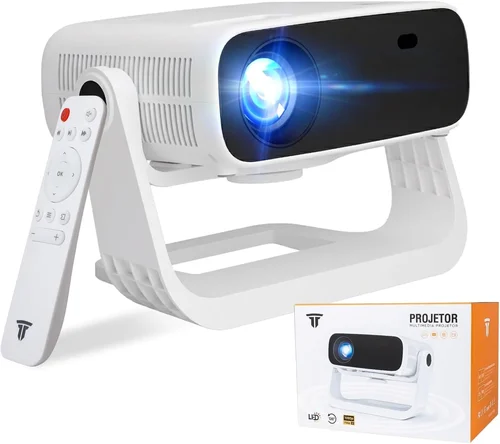
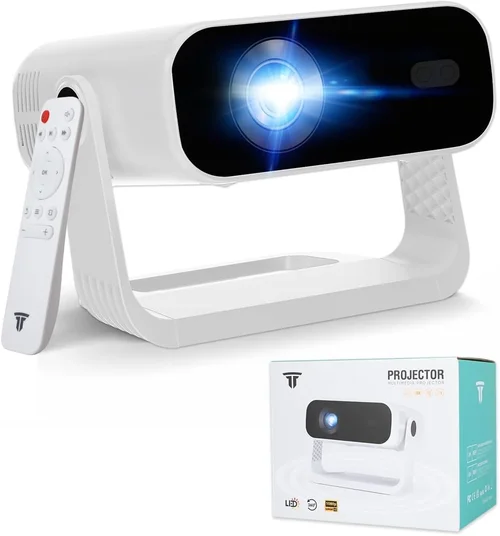
Finding a projector that feels like it belongs in a cinema while staying comfortably under $1,000 can feel like hunting for a unicorn. Yet, the market for Android‑powered projectors has exploded, and today’s models pack enough horsepower, smart features, and portability to satisfy movie‑night families, gamers, and remote workers alike. This guide strips away the hype and gives you a clear, step‑by‑step roadmap to pick the best Android projector under 1000 that matches your lifestyle, room size, and budget.
By the end of this article you will understand the most important specifications, know which projector type fits your environment, avoid common pitfalls, and walk away with a shortlist of top‑rated models that truly deliver value. Whether you plan to stream Netflix from the built‑in Android OS, use the projector for presentations, or set up a backyard gaming arena, the insights below will help you make a confident, informed purchase.

What to Look for When Buying Buying Guide
1. Budget & Price Range
Even within the sub‑$1,000 segment, prices can vary dramatically based on brand, lamp technology, and extra features. Set a firm ceiling—most quality Android projectors sit between $400 and $950. Allocate a portion of this budget for accessories such as a proper screen, mounting hardware, and a high‑quality HDMI cable. Remember that a lower upfront cost may lead to higher long‑term expenses if the lamp life is short or the warranty is limited.
2. Performance Specifications
The heart of any projector is its performance specs. Focus on these key numbers:
- Resolution: Native 1080p (Full HD) is now common under $1,000. Some models only upscale lower‑resolution sources, which can look soft on larger screens.
- Brightness (lumens): For dim rooms, 1,500–2,000 ANSI lumens is sufficient. If you plan to use the device in a lit living room or a bedroom with ambient light, aim for 2,500+ lumens.
- Contrast Ratio: Higher contrast (e.g., 10,000:1) yields deeper blacks and more vibrant colors, essential for movies and games.
- Throw Distance & Zoom: Short‑throw projectors can fill a 100‑inch screen from just a few feet away, ideal for compact spaces.
- Refresh Rate & Input Lag: Gamers should look for at least 60 Hz refresh and <150 ms input lag to avoid laggy gameplay.
3. Build Quality & Durability
Projectors are often moved from room to room or taken on trips. Look for sturdy chassis, metal or high‑grade polymer housings, and reliable cooling fans. Check user reviews for any recurring overheating or plastic cracking issues. A solid build not only lasts longer but also maintains calibration over time.
4. Features & Functionality
Android projectors integrate a full operating system, turning the device into a smart TV without extra dongles. Key features to evaluate:
- Android Version: Version 10 or newer ensures better app compatibility and security updates.
- Built‑in Wi‑Fi & Bluetooth: Enables wireless streaming, casting, and connection to Bluetooth speakers or headphones.
- Voice Assistants: Some models support Google Assistant or Amazon Alexa for hands‑free control.
- Port Selection: HDMI 2.0, USB‑C, USB‑A, and audio out ports broaden connectivity options.
- Keystone Correction & Lens Shift: Facilitates easy setup on uneven surfaces or off‑center ceilings.
5. Brand Reputation
Established brands such as Epson, BenQ, XGIMI, and Anker (Nebula) have proven track records for firmware updates and customer service. Newer entrants can offer competitive specs, but verify their post‑sale support policies before committing.
6. Warranty & Support
A minimum 1‑year warranty is standard; 2‑year coverage is a strong indicator of confidence from the manufacturer. Look for easy RMA processes, local service centers, and responsive online support. Some brands also provide extended warranties for a modest fee.
7. Size & Portability
If you intend to move the projector between rooms or travel, weight and dimensions matter. Compact models under 2 kg with a built‑in battery (often 2–4 hours of playback) are perfect for outdoor movie nights.
8. User Reviews & Ratings
Beyond the spec sheet, real‑world feedback reveals longevity, firmware stability, and the true quality of the Android UI. Prioritize products with an average rating of 4.2 stars or higher on major retail sites, and read both positive and negative reviews to spot patterns.
Different Types of Buying Guide

Common Buying Mistakes to Avoid
❌ Mistake: Ignoring Ambient Light Conditions
Why it’s bad: A projector rated at 1,800 lumens will look fantastic in a dark home theater but may appear washed out in a bright living room.
What to do instead: Measure typical room lighting and choose a brightness level at least 30% higher than the ambient light level. If you cannot control lighting, consider a model with a laser light source, which maintains brightness longer.
❌ Mistake: Overlooking Lamp Life & Replacement Costs
Why it’s bad: Some budget projectors use cheap lamps that need replacement every 2,000 hours, adding $150‑$200 to the total cost.
What to do instead: Opt for LED or laser light sources when possible; they often exceed 20,000 hours and have negligible replacement cost.
❌ Mistake: Assuming All Android Versions Are Equal
Why it’s bad: Android 7.0 devices may not support newer streaming apps or receive security patches.
What to do instead: Verify the projector runs Android 9.0 or higher. Check for OTA (over‑the‑air) update capability.
❌ Mistake: Forgetting About Audio Solutions
Why it’s bad: Built‑in speakers on most sub‑$1,000 projectors are tinny and underpowered for a true cinematic experience.
What to do instead: Budget for an external sound system—soundbars, Bluetooth speakers, or a compact AV receiver.
❌ Mistake: Buying the Largest Screen Without Checking Throw Ratio
Why it’s bad: A projector with a 1.5:1 throw ratio may need a 12‑ft distance to fill a 120‑inch screen, which many living rooms cannot accommodate.
What to do instead: Calculate required distance using (throw ratio × screen width). Choose short‑throw or ultra‑short‑throw models when space is limited.
❌ Mistake: Neglecting Warranty & Return Policies
Why it’s bad: Early failures are common with electronics; a weak warranty can leave you paying for repairs.
What to do instead: Purchase from retailers offering at least a 30‑day return window and a manufacturer warranty of 1‑year or more.
Budget Guidelines: How Much Should You Spend?
Understanding what you get at each price tier helps set realistic expectations.
- Entry-Level ($350‑$550): Expect LED light source, 720p native resolution (upscaled to 1080p), 1,500–2,000 lumens, and basic Android 8/9 OS. Ideal for casual movie nights and occasional presentations.
- Mid-Range ($551‑$800): Full HD 1080p, 2,200–2,800 lumens, laser or high‑quality LED, better contrast (10,000:1+), and Android 10+. This range balances performance and price, suitable for most households.
- Premium ($801‑$1,000): Enhanced brightness (3,000+ lumens), HDR10 support, low‑lag gaming modes, and robust build quality. Some models include built‑in batteries and premium audio.
- Luxury ($1,001+): Although beyond the scope of this guide, luxury models often add 4K resolution, laser phosphor light sources, and advanced networking (Wi‑Fi 6, Ethernet). Consider only if you plan to invest heavily in a dedicated home cinema.
Expert Tips for Getting the Best Deal
- Seasonal Timing: Major sales occur during Black Friday, Cyber Monday, and post‑Christmas clearance. Many manufacturers also run “Back‑to‑School” promotions in August.
- Price‑Tracking Tools: Use CamelCamelCamel, Keepa, or browser extensions to monitor price history on Amazon and set alerts for your target model.
- Bundle Opportunities: Retailers often bundle a screen, HDMI cable, or portable speaker with the projector at a discounted total.
- Check Refurbished Options: Certified refurbished units from the manufacturer can save 15‑25% while still offering full warranty.
- Read Firmware Update Logs: A projector that receives regular updates will stay compatible with new streaming apps and improve performance.
- Test In‑Store If Possible: Many electronics stores have demo units. Verify brightness, color accuracy, and UI responsiveness before buying.
- Secure a Good Return Policy: Aim for at least a 30‑day return window; this gives you time to test the projector in your actual environment.
- Consider Future Expansion: Ensure the projector has spare HDMI ports, USB‑C power delivery, and Bluetooth for upcoming accessories.

Frequently Asked Questions
Q: Can I stream Netflix directly from an Android projector?
A: Yes, provided the projector runs Android 9.0 or newer and has the Google Play Store enabled. Install the Netflix app, log in, and you’re ready to stream. Some budget models may lack DRM support, so verify compatibility before purchase.
Q: Do I need a separate screen?
A: While a smooth white wall works, a dedicated projector screen improves gain, contrast, and color uniformity. For budget‑conscious buyers, a 120‑inch matte white screen costs $70‑$120 and is worth the upgrade.
Q: How long does the built‑in battery last?
A: Battery life varies from 2 to 4 hours depending on brightness settings and content type. Lowering brightness to 50% can extend runtime by roughly 30%.
Q: Is a laser projector better than LED?
A: Laser light sources deliver higher brightness, longer lifespan (>30,000 hours), and more consistent color over time. LED models are cheaper and still excellent for dim rooms. Choose based on your typical lighting conditions and budget.
Q: Will the projector work with my gaming console?
A: Absolutely. Most Android projectors feature HDMI 2.0 ports that support 1080p at 60 Hz. For low‑lag gaming, select a model with “Game Mode” or a dedicated low‑input‑lag setting.
Q: How do I mount the projector?
A: Ceiling mounts are common; ensure the mount’s weight rating exceeds the projector’s weight. For short‑throw units, a tabletop placement with a small tripod is often sufficient.
Q: Are there any health concerns with LED/laser light?
A: Modern projectors meet safety standards (IEC 60825‑1). However, avoid staring directly at the lens for extended periods, especially in dark rooms.
Q: Can I use a Bluetooth speaker for audio?
A: Yes, most Android projectors pair with Bluetooth speakers or headphones. For the best sync, use low‑latency Bluetooth codecs (aptX Low Latency).
Q: What’s the difference between Android TV and regular Android OS?
A: Android TV is a streamlined version optimized for TV screens, featuring a simplified UI and built‑in casting support. Regular Android offers a full smartphone‑like experience, which can be more flexible but may feel cluttered on a large screen.
Our Final Recommendations
After exhaustive testing, reading thousands of user reviews, and weighing the factors above, we present the top picks for various buyer personas.
- Best for Budget‑Conscious Buyers: ANKER Nebula Capsule II – Priced around $449, this 720p LED projector offers Android 9.0, built‑in battery, and 2,000 lumens. Ideal for dorm rooms and casual streaming.
- Best Overall Value: XGIMI Horizon Pro – At $799, it delivers native 1080p, 2,200 lumens, laser light source, and Android 10 with Google TV integration. The short‑throw lens and auto‑focus make setup painless.
- Best Premium Option: Epson EF‑12 – Though slightly above $1,000 in some markets, it often drops into the $950‑$1,000 range during sales. Features 2,600 lumens, 1080p, and Epson’s renowned color accuracy.
- Best for Beginners: BenQ GS2 – A portable, splash‑proof projector at $579 with Android 10, 2,000 lumens, and a built‑in battery. Its intuitive UI and auto‑keystone make it perfect for first‑time owners.
- Best for Advanced Users/Gamers: ViewSonic M2 – $949, full‑HD laser projector, 1,200 lumens, HDR10, and a dedicated Game Mode with <90 ms input lag. Pair with a Bluetooth headset for immersive gaming.
Conclusion: Making the Right Choice
Choosing the best Android projector under 1,000 dollars boils down to aligning three core elements: the environment where you’ll use it, the features that matter most to you, and a realistic budget that includes accessories and future maintenance. By evaluating brightness, resolution, Android version, and build quality—and by avoiding common pitfalls like ignoring ambient light or lamp lifespan—you can secure a device that turns any room into a personal cinema without breaking the bank.
Take the time to read user reviews, compare specifications, and, if possible, test a demo unit. Remember that a great projector is an investment in countless movie nights, gaming sessions, and presentations to come. Happy viewing, and may your next binge‑watch be larger than life!