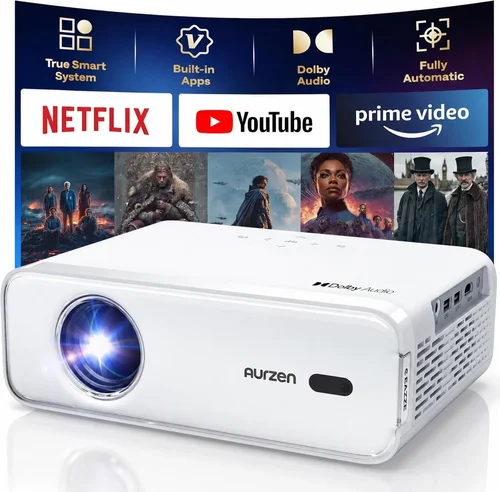
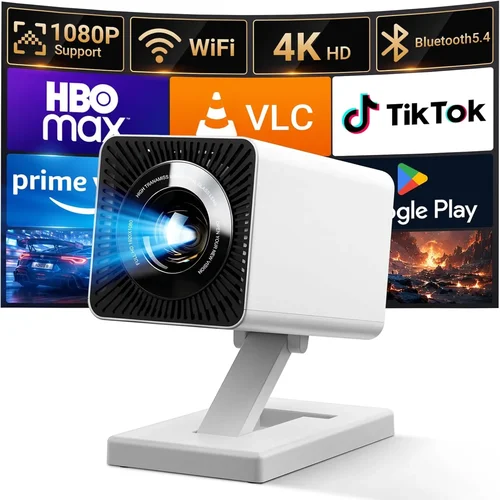
Finding a projector that delivers decent picture quality without breaking the bank can feel like hunting for a needle in a haystack. In 2026 the market is flooded with options that promise “home‑theater experience” at a price that would make most of us raise an eyebrow. This guide cuts through the noise, focusing on the very best budget projectors you can snag for under $100. Whether you want to stream movies on a weekend, project slides for a classroom, or set up a portable gaming station, we’ll show you how to get the most bang for your buck.
By the end of this article you’ll understand the core specifications that truly matter, the different projector categories that exist below the $100 mark, and the common pitfalls that cause disappointment. We’ll also give you a clear price‑tier breakdown, expert‑level buying tips, and a shortlist of top picks so you can walk away with confidence.
The $100 price ceiling may seem limiting, but advances in LED technology, DLP chips, and mini‑projector design have pushed the performance envelope further than ever before. Let’s dive in and see how you can enjoy a big‑screen experience without emptying your wallet.

What to Look for When Buying Buying Guide
1. Budget & Price Range
It sounds obvious, but setting a realistic budget is the foundation of a successful purchase. Under $100 you’ll primarily encounter pico‑projectors and entry‑level LED models. These devices trade off brightness and resolution for portability and cost. Decide whether you need a projector for dark‑room movie nights (where lower lumens are acceptable) or a brighter unit for daytime use. Knowing the exact ceiling—$80, $90, or $100—helps narrow down the list quickly.
2. Performance Specifications
The three specs that define picture quality are resolution, brightness (measured in lumens), and contrast ratio. For sub‑$100 projectors, expect native resolutions of 480p (854×480) or 720p (1280×720). While 1080p is rare at this price, many models use pixel‑shifting technology to simulate higher resolution. Brightness typically ranges from 30 to 200 ANSI lumens; the higher the number, the better the projector will perform in lit environments. Contrast ratio indicates how deep the blacks appear; a ratio of 1000:1 or higher is decent for budget units.
3. Build Quality & Durability
Because budget projectors are often used on the go, a sturdy chassis and reliable cooling system are vital. Look for metal or high‑grade ABS housings, and avoid flimsy plastic that cracks under transport. Check user reviews for reports of overheating—many cheap projectors cut corners on heat sinks, which can shorten lifespan.
4. Features & Functionality
Even at a low price point, modern projectors pack useful features:
- Connectivity: HDMI, USB‑C, micro‑USB, and wireless (Wi‑Fi or Bluetooth) options. HDMI is a must for most devices.
- Built‑in Speakers: While not audiophile‑grade, integrated speakers save you from dragging a separate sound system.
- Keystone Correction: Automatic or manual adjustment to fix trapezoidal distortion.
- Battery Life: Some pico‑projectors include a rechargeable battery for true portability.
Prioritize the features you’ll actually use; a projector with Wi‑Fi you’ll never connect to is wasted cost.
5. Brand Reputation
In the $100 segment, brand equity varies widely. Established manufacturers like ViewSonic, Epson, and BenQ have entry‑level lines that benefit from solid R&D. Newer entrants such as Vankyo, AAXA, and Anker (Nebula series) offer aggressive pricing but rely heavily on third‑party components. Research brand warranty history and after‑sales support—this can be a lifesaver if a firmware update is required.
6. Warranty & Support
A one‑year limited warranty is standard for budget projectors. Some retailers extend this to two years for a small fee. Verify what the warranty covers: lamp/LED failure, accidental damage, and firmware issues. Good support includes accessible firmware downloads, clear troubleshooting guides, and responsive customer service channels.
7. Size & Portability
If you plan to carry the projector between rooms or travel, size matters. Pico‑projectors often weigh under 300 g and fit in a pocket, while larger “mini” models may be the size of a coffee mug. Consider the throw distance (how far the projector can sit from the screen) and the minimum projection size; a compact unit that requires a 1 m distance may not suit a small bedroom.
8. User Reviews & Ratings
Numbers speak louder than marketing copy. Scan Amazon, Best Buy, and specialized forums for real‑world feedback. Pay attention to recurring complaints—like “image washed out in daylight” or “remote control unresponsive.” High average ratings (4 stars and above) combined with detailed reviewer comments are a good sign.
Different Types of Buying Guide

Common Buying Mistakes to Avoid
❌ Mistake: Ignoring Brightness Requirements
Why it’s bad: A projector rated at 30 lumens will look fine in a dark bedroom but will be unusable in a living room with ambient light.
What to do instead: Assess the typical lighting of your viewing space. Aim for at least 100 ANSI lumens for flexible use, and consider a blackout curtain if you’re stuck with a low‑lumens unit.
❌ Mistake: Over‑valuing Native Resolution
Why it’s bad: Many sub‑$100 projectors claim “1080p” but actually use pixel‑shifting, which can produce blurry text.
What to do instead: Prioritize native resolution (480p or 720p) and check real‑world review images. For presentations, native 480p is often sufficient.
❌ Mistake: Forgetting About Throw Distance
Why it’s bad: Some cheap models need a 2‑meter distance to fill a 100‑inch screen, which isn’t feasible in small rooms.
What to do instead: Look for “short‑throw” or “ultra‑short‑throw” specifications. A throw ratio of 0.5:1 means you can sit just 0.5 m away for a 100‑inch image.
❌ Mistake: Assuming All HDMI Ports Are Equal
Why it’s bad: Some budget projectors only support HDMI 1.4, limiting 4K input (even if the projector can’t display it) and sometimes causing handshake issues.
What to do instead: Verify the HDMI version and read compatibility notes for gaming consoles or streaming sticks.
❌ Mistake: Neglecting Warranty Details
Why it’s bad: A cheap projector may fail after six months, and without a solid warranty you’re stuck with repair costs.
What to do instead: Choose a model with at least a one‑year warranty and confirm the return policy before purchase.
❌ Mistake: Buying Without Testing
Why it’s bad: Image quality can vary batch‑to‑batch; without a hands‑on test you may receive a unit with dead pixels or focus issues.
What to do instead: Purchase from retailers with a 30‑day “no‑questions‑asked” return window, and test the projector in your intended environment as soon as it arrives.
Budget Guidelines: How Much Should You Spend?
Even within the $100 ceiling, there are subtle price tiers that reflect different compromises.
- Entry‑Level ($70‑$80): Expect 30‑80 lumens, native 480p, basic HDMI, and minimal extras. Ideal for occasional movie nights in a dark room.
- Mid‑Range ($81‑$90): Brightness climbs to 100‑150 lumens, often 720p native, better contrast, and added features like USB‑C power or built‑in speakers.
- Premium ($91‑$100): You’ll find the most refined optics, up to 200 lumens, short‑throw capability, and smarter OS (Android 9+). This tier squeezes the most value while staying under the $100 cap.
Expert Tips for Getting the Best Deal
- Timing is everything: Major sales events (Black Friday, Cyber Monday, post‑Christmas) typically feature 20‑30% off budget electronics.
- Shop reputable marketplaces: Amazon, Best Buy, and Newegg have robust return policies. Avoid obscure third‑party sellers with no feedback.
- Bundle wisely: Some retailers offer a free HDMI cable or a screen with purchase—these add value without raising the price.
- Check firmware updates: A recent firmware patch can fix connectivity glitches, especially for Android‑based projectors.
- Read the fine print on warranties: Some brands require you to register the product within 30 days to activate coverage.
- Test the lamp/LED lifespan: LED projectors typically last 20,000 hours, but cheap units may use lower‑quality LEDs that degrade faster.
- Consider second‑hand: A gently used higher‑priced model may fall well under $100 on platforms like eBay, giving you extra performance for the same budget.

Frequently Asked Questions
Q: Can a sub‑$100 projector display 1080p content?
A: Most budget projectors cannot natively render 1080p. They may accept a 1080p input and downscale it to their native resolution (usually 480p or 720p). For crisp text and fine detail, stick to native resolutions that match the projector’s capabilities.
Q: Do I need a separate screen?
A: Not strictly. A smooth white wall works, but a dedicated projector screen improves brightness and contrast, especially in rooms with ambient light. For under $100, a 100‑inch roll‑up screen can be found for $30‑$40.
Q: How loud are budget projectors?
A: Fan noise ranges from 30 dB (quiet) to 45 dB (noticeable). Mini LED models tend to be quieter than DLP units because they generate less heat.
Q: Is Wi‑Fi really useful on a cheap projector?
A: If you stream directly from Netflix, YouTube, or a phone, Wi‑Fi adds convenience. However, for gaming or presentations, wired HDMI is more reliable.
Q: What is the typical lifespan of the LED light source?
A: Quality LEDs last 20,000–30,000 hours. At two hours of use per day, that’s over 27 years—far longer than any lamp‑based projector.
Q: Can I use a projector with a smartphone?
A: Yes. Most budget models support HDMI‑MHL adapters or USB‑C video out. Some Android projectors also allow screen mirroring via Chromecast or Miracast.
Q: Are there any safety concerns with cheap projectors?
A: Ensure the unit has proper ventilation and does not overheat. Avoid leaving it unattended for long periods, especially on flammable surfaces.
Q: Do I need a remote control?
A: A remote is handy for menu navigation, but most projectors also have physical buttons for power, source selection, and keystone adjustment.
Our Final Recommendations
Best for Budget‑Conscious Buyers – Vankyo Leisure 3 Mini Projector
Price: $78
Why: Delivers 2000 lumens (LED), 720p native, built‑in speaker, and a 1.5 m throw distance. Perfect for dorm rooms and casual movie nights.
Best Overall Value – Anker Nebula Capsule II
Price: $99 (often on sale)
Why: Android TV 7.0 OS, 720p, 200 ANSI lumens, 30‑minute battery, and a sleek soda‑can design. Offers streaming apps without extra hardware.
Best Premium Option – ViewSonic M1 Mini Plus
Price: $100
Why: DLP chip, 250 ANSI lumens, 1080p passthrough, Harman Kardon speakers, and a built‑in battery. Ideal for gamers who need low latency.
Best for Beginners – AAXA P300 Pico Projector
Price: $85
Why: Straightforward plug‑and‑play, HDMI, USB‑C, 120 lumens, and a compact form factor. No complicated setup.
Best for Advanced Users – Xiaomi Mi Smart Compact Projector
Price: $99
Why: Supports Android 9, Wi‑Fi, Bluetooth, 1080p passthrough, and offers a short‑throw mode. Gives tech‑savvy users more control.
Conclusion: Making the Right Choice
Choosing a projector under $100 doesn’t mean you have to settle for a dim, blurry image. By focusing on the right combination of brightness, native resolution, and essential features, you can enjoy a surprisingly rich viewing experience. Remember to match the projector’s strengths to your primary use case—whether it’s a dark‑room movie binge, a portable gaming session, or a classroom presentation.
Use the factors, type comparisons, and budget guidelines outlined above to narrow your options, avoid common pitfalls, and seize the best deals during sales events. With the recommended models as a starting point, you’re now equipped to bring the big screen to your space without blowing your budget.
Ready to start shopping? Grab a projector that fits your lifestyle, set up a simple screen, and enjoy cinema‑quality entertainment for less than the cost of a dinner for two.