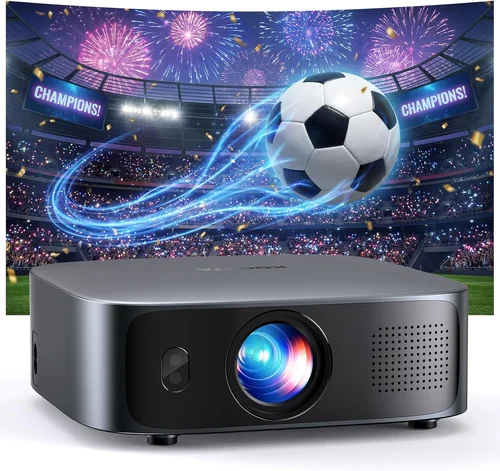
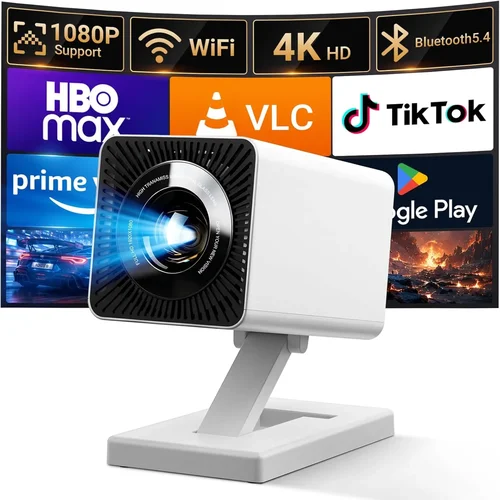
Finding a projector that delivers a decent picture without draining your wallet can feel like searching for a needle in a haystack. The market is flooded with models that promise cinema‑quality performance, yet many of them sit well above the $200 mark. That’s why this guide matters: it cuts through the hype, highlights the specs that truly impact everyday use, and points you toward the best budget projector under $200 for 2026.
In the pages that follow you’ll learn how to evaluate brightness, resolution, connectivity, and durability, as well as which features are nice‑to‑have versus essential. We’ll also compare the main projector categories, expose common buying pitfalls, and give you a clear budget roadmap. By the end, you’ll be equipped to make a confident purchase that fits your living room, dorm room, or backyard setup without breaking the bank.
The projector landscape has evolved dramatically over the past few years. LED light sources have become more efficient, bringing higher lumens to lower price points, while compact “pico” projectors now offer wireless streaming in a palm‑sized package. Even within the sub‑$200 segment, you can find models that support Full HD (1080p) input, have built‑in speakers, and offer a decent throw distance. Let’s dive into the specifics that separate the truly usable units from the ones that will leave you disappointed.

What to Look for When Buying Buying Guide
1. Budget & Price Range
Setting a realistic budget is the first step. While “under $200” is the ceiling, not all $199 projectors are created equal. Prices can vary based on brand reputation, feature set, and supply chain factors. Look for sales around major holidays (Black Friday, Cyber Monday) or manufacturer‑direct promotions. A modest price increase—say $20–$30—can sometimes unlock a model with a higher lumen rating or better warranty, delivering far more value over time.
2. Performance Specifications
Key specs to scrutinise include:
- Brightness (lumens): For a dimly lit room, 200–300 ANSI lumens are sufficient. If you plan to use the projector in a brighter environment, aim for 350+ lumens.
- Resolution: Native 720p (1280×720) is common under $200, but many models upscale 1080p input. Full HD native is rare at this price, but look for “720p native + 1080p support” for sharper images.
- Contrast Ratio: Higher contrast improves depth in dark scenes. A ratio of 2000:1 or better is a good baseline.
- Throw Distance & Ratio: Determines how far you need to place the projector from the screen. A 1.2–1.5:1 ratio works well for most living rooms.
3. Build Quality & Durability
A budget projector should still feel sturdy. Check for a solid plastic chassis, reinforced lens housing, and a reliable cooling system (quiet fans or passive heat sinks). Models with moving parts—such as zoom lenses—are more prone to wear, so a fixed‑lens design often translates to longer life at low cost.
4. Features & Functionality
Consider which extras actually improve your viewing experience:
- Built‑in Speakers: Most sub‑$200 units have 1–2W speakers. They’re adequate for casual TV shows but not for a home‑theater experience; external audio will be needed for movies.
- Wireless Connectivity: Wi‑Fi or Bluetooth streaming (Miracast, AirPlay, Chromecast) adds convenience. If you rely on a laptop or HDMI dongle, Wi‑Fi isn’t essential.
- Port Selection: HDMI is a must. USB‑C, USB‑A, and AV ports increase flexibility for gaming consoles, flash drives, and older devices.
- Keystone Correction & Lens Shift: Essential for off‑axis placement. Digital keystone is common; optical lens shift is rare under $200 but worth noting if you find it.
5. Brand Reputation
Established brands often provide more consistent quality control and better after‑sales support. In the budget segment, names like Epson, BenQ, ViewSonic, and Anker (Nebula series) have proven track records. Lesser‑known manufacturers can offer tempting specs, but research return policies and warranty terms carefully.
6. Warranty & Support
A longer warranty (2‑3 years) can save you from expensive lamp or LED replacements. Verify whether the warranty covers the light source and if the manufacturer offers easy RMA procedures. Some brands also provide online firmware updates that can improve performance over time.
7. Size & Portability
If you need a projector for travel, dorm rooms, or outdoor movie nights, size matters. Pico projectors weigh under 1 lb and can fit in a backpack, but they usually sacrifice brightness. Mid‑size portable units (around 5‑7 lb) strike a balance between portability and image quality.
8. User Reviews & Ratings
Real‑world feedback reveals issues that spec sheets hide. Look for consistent complaints (e.g., overheating, poor colour accuracy) across multiple platforms—Amazon, Reddit, and dedicated AV forums. Pay attention to the number of reviews; a product with 500+ ratings offers a more reliable consensus than one with just a handful.
Different Types of Buying Guide

Common Buying Mistakes to Avoid
❌ Mistake: Ignoring Ambient Light
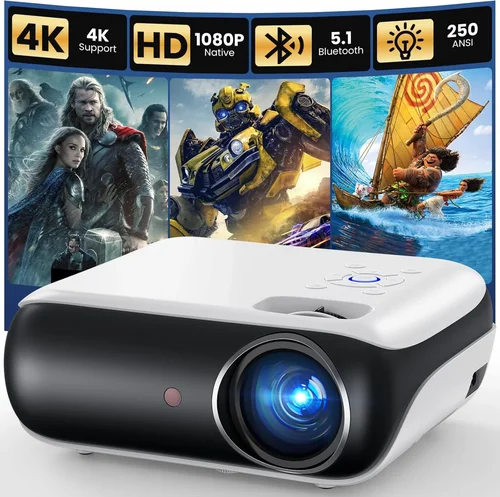
Why it’s bad: A projector rated at 250 lumens will look great in a dark bedroom but will appear washed out in a living room with windows.
What to do instead: Measure the typical lighting in your intended space. If it’s not completely dark, bump the brightness spec by at least 100 lumens.
❌ Mistake: Chasing Native 1080p at Any Cost
Why it’s bad: True 1080p panels under $200 are scarce and often compromise on brightness or colour accuracy.
What to do instead: Opt for a solid 720p native projector with good upscaling. Pair it with a HD source for crisp images without overpaying.
❌ Mistake: Overlooking Input Lag for Gaming
Why it’s bad: High input lag (>50 ms) can make fast‑paced games feel sluggish, ruining the experience.
What to do instead: Look for “Game Mode” or a listed response time under 30 ms. DLP chips usually have lower lag than LCD at this price tier.
❌ Mistake: Forgetting About Audio Needs
Why it’s bad: Built‑in speakers on cheap units are often tinny. Relying on them can lead to a disappointing soundstage.
What to do instead: Budget for a small soundbar or Bluetooth speaker. Ensure the projector has a 3.5 mm audio out or Bluetooth pairing.
❌ Mistake: Neglecting Warranty Details
Why it’s bad: Light‑source failures can happen after the first year. Without a solid warranty, repair costs can exceed the original price.
What to do instead: Choose models offering at least a 2‑year warranty that covers the LED or lamp. Register the product online promptly.
❌ Mistake: Buying Without Testing the Throw Ratio
Why it’s bad: A projector that needs to be placed 10 ft away will be useless in a small apartment.
What to do instead: Calculate your screen size and distance, then match it to the projector’s throw ratio (e.g., 1.2:1 for a 100‑inch image from 10 ft).
Budget Guidelines: How Much Should You Spend?
Even within the sub‑$200 bracket, there are subtle tiers that affect performance. Understanding these can help you set realistic expectations.
- Entry-Level ($120‑$150): Expect 200–250 lumens, 720p native, limited ports (usually HDMI + USB‑A), and basic speaker output. Ideal for dorm rooms or occasional movie nights.
- Mid-Range ($151‑$180): Brightness climbs to 300–350 lumens, better colour accuracy, added features like Bluetooth audio, and sometimes a second HDMI port. This tier offers the best value for most households.
- Premium ($181‑$200): You’ll find 400+ lumens, enhanced contrast ratios, keystone correction, and more robust build quality. Some models also include a short‑throw lens, making them versatile for small spaces.
- Luxury (Above $200): While beyond the scope of this guide, luxury units often add 4K support, laser light sources, and integrated smart OS platforms. If you can stretch the budget, these are worth a separate investigation.
Expert Tips for Getting the Best Deal
- Timing is everything: Late summer (back‑to‑school) and post‑holiday January sales often feature deep discounts on home‑theater gear.
- Buy refurbished: Certified refurbished units from the manufacturer can be up to 30% cheaper and come with a full warranty.
- Check bundle offers: Some sellers include a screen, HDMI cable, or a portable speaker as part of a “projector bundle,” delivering extra value.
- Leverage price‑tracking tools: Extensions like Keepa or CamelCamelCamel alert you when a product’s price drops below your target.
- Read the fine print on return policies: A 30‑day return window with free shipping is ideal; it lets you test the projector in your own environment.
- Consider future accessories: A matte white screen can dramatically improve image quality without changing the projector.
- Test for overheating: If possible, run the projector for at least 30 minutes before finalizing the purchase. Excessive fan noise often signals a design flaw.
- Don’t forget firmware updates: Some brands release performance‑boosting updates that improve colour calibration or fix lag issues.

Frequently Asked Questions
Q: Can I use a budget projector for gaming?
A: Yes, but look for low input lag (under 30 ms) and a refresh rate of at least 60 Hz. DLP chips generally provide smoother motion than LCD at this price point.
Q: How long does the LED light source last?
A: Most LED projectors in the sub‑$200 range are rated for 20,000–30,000 hours. That translates to roughly 5–8 years of weekly use.
Q: Do I need a separate screen?
A: Not strictly. A plain white wall works, but a matte white screen improves contrast and reduces hotspotting, especially in rooms with ambient light.
Q: What is the difference between ANSI lumens and LED lumens?
A: ANSI lumens are a standardized measurement for traditional lamps. LED lumens are often higher on paper but can appear dimmer due to colour rendering differences. Always compare real‑world reviews.
Q: Is Wi‑Fi really necessary?
A: Wi‑Fi adds convenience for streaming services without a dongle, but it can introduce latency. If you primarily use HDMI sources, you can skip Wi‑Fi.
Q: Can I mount a budget projector on the ceiling?
A: Most models include a standard ¼‑inch mounting hole compatible with universal brackets. Ensure the projector’s weight is within the bracket’s limit (usually under 5 lb).
Q: How far away should I place the projector for a 100‑inch screen?
A: Use the throw ratio. For a 1.2:1 ratio, you’ll need about 10 ft (3 m). Check the manufacturer’s throw distance chart for precise numbers.
Q: Are there any safety concerns with cheap projectors?
A: Overheating can be an issue. Verify that the unit has adequate ventilation and that the fan isn’t excessively loud, which may indicate poor cooling design.
Q: Will a projector work with my smartphone?
A: Yes, via HDMI adapters, Miracast, or Chromecast built‑in. Ensure the projector supports the necessary protocol or has a USB‑C port with video‑out capability.
Q: Do I need to calibrate the picture?
A: Basic calibration (brightness, contrast, colour temperature) can improve image quality. Many budget models come with preset modes (Cinema, Sports, Game) that are sufficient for most users.
Our Final Recommendations
- Best for Budget‑Conscious Buyers: Anker Nebula Capsule II (often on sale for $179) – Compact, 720p native, Android TV, and built‑in battery.
- Best Overall Value: ViewSonic M1 Mini Plus ($189) – 250 lumens, LED light source, dual‑tone speakers, and versatile HDMI/USB‑C inputs.
- Best Premium Option (still under $200): Epson EF‑100 Mini (priced at $199 during promotions) – 720p, 2,000:1 contrast, built‑in Android TV, and excellent colour accuracy.
- Best for Beginners: BenQ GS2 ($169) – Easy setup, wireless screen mirroring, and a rugged design for outdoor use.
- Best for Advanced Users: Optoma HD146X (often found refurbished for $199) – 1080p input, 3,600 lumens, low lag mode, and robust connectivity.
Conclusion: Making the Right Choice
Choosing a projector under $200 doesn’t have to be a gamble. By focusing on brightness, resolution, connectivity, and build quality, you can pinpoint a model that fits your viewing habits and space constraints. Remember to align the projector’s specifications with the ambient lighting of your room, consider additional audio solutions, and protect your purchase with a solid warranty.
Take the time to read user reviews, compare throw ratios, and test the unit if possible. With the insights from this guide, you’re now equipped to make an informed decision that delivers cinematic enjoyment without draining your wallet. Happy viewing, and may your next movie night be brighter than ever!