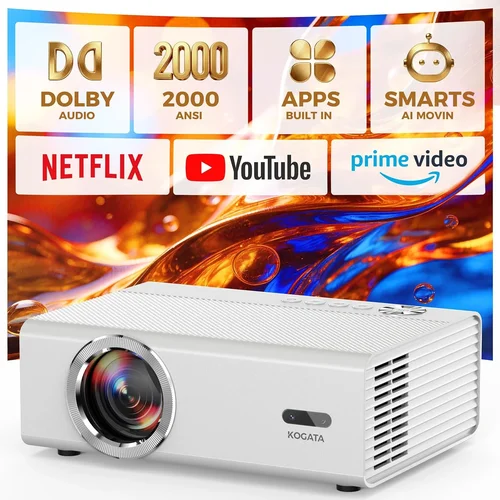
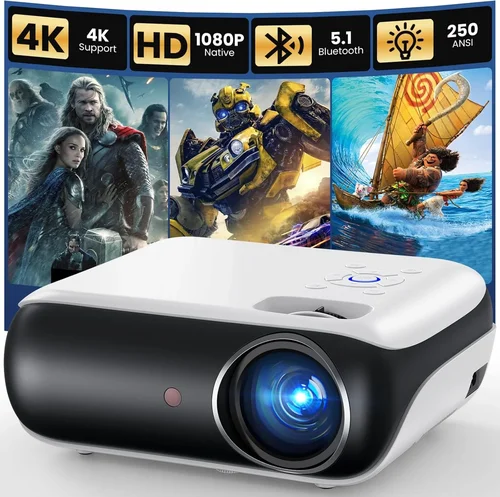
Finding a projector that delivers a decent picture without draining your wallet can feel like hunting for a needle in a haystack. The market is flooded with options that promise cinema‑like experiences, yet many of them sit well above the $300 mark. This guide cuts through the noise, giving you a clear roadmap to the best budget projector under $300 in 2026. Whether you’re setting up a home theater in a dorm room, gearing up for a backyard movie night, or need a portable screen for business presentations, the right projector can make all the difference.
In the pages that follow, you’ll learn exactly what specifications matter most at this price point, how to compare different projector types, and which models consistently outperform the competition. We’ll also expose common pitfalls that cause buyers to regret their purchase, and share insider tips on snagging the best deals. By the end, you’ll be equipped to choose a projector that fits your needs, your space, and—most importantly—your budget.
The budget projector market has evolved dramatically over the past few years. Advances in LED and laser light sources, improvements in throw‑ratio engineering, and the rise of smart‑TV integration have all converged to make sub‑$300 units far more capable than their 2018 ancestors. While you won’t get 4K resolution or HDR at this price, you can still enjoy crisp 1080p‑compatible images, decent contrast, and enough connectivity to stream from virtually any device. Let’s dive into the fundamentals that separate a decent budget projector from a disappointment.

What to Look for When Buying Buying Guide
1. Budget & Price Range
Price is the obvious starting point, but it’s more than just a number. A $250 projector should not be evaluated in isolation; consider the total cost of ownership. Factor in accessories such as a proper screen, mounting hardware, and cables. Some models include a built‑in speaker, which can save you money on external audio. Look for transparent pricing—avoid manufacturers that hide essential accessories behind “optional” fees.
2. Performance Specifications
Key specs include resolution, brightness (measured in lumens), contrast ratio, and throw distance. For under $300, native 720p is common, but many units upscale 1080p content reasonably well. Aim for at least 2,500–3,000 lumens if you plan to use the projector in a dimly lit room; lower brightness can still work in a dark home theater. A contrast ratio of 2,000:1 or higher will help produce deeper blacks, essential for movie nights.
3. Build Quality & Durability
Budget models often cut corners on chassis materials. Look for a sturdy ABS or metal housing that can survive frequent moves. Pay attention to heat dissipation—projectors with built‑in fans can be noisy, while fan‑less designs rely on efficient LED or laser light sources that stay cool and quiet.
4. Features & Functionality
Connectivity options are a make‑or‑break factor. HDMI is a must; USB‑C is a growing standard for laptops and smartphones. Native Wi‑Fi or Bluetooth can turn a cheap projector into a smart hub, letting you stream directly from Netflix, YouTube, or a cloud library. Some models include built‑in Android or Roku, which eliminates the need for an external streaming stick.
5. Brand Reputation
Even within the budget segment, some brands have earned a reputation for reliability. Companies like Epson, BenQ, ViewSonic, and Anker (Nebula) consistently receive positive feedback for after‑sales support and firmware updates. Research brand forums and Reddit threads to gauge long‑term satisfaction.
6. Warranty & Support
A solid warranty can save you from costly repairs. Look for at least a one‑year warranty that covers the lamp or laser module. Some manufacturers offer extended warranties for a modest fee—consider this if you plan heavy usage. Easy‑to‑reach customer support (phone, chat, or email) is a plus.
7. Size & Portability
If you need a projector for on‑the‑go presentations or camping trips, size matters. Portable projectors typically weigh under 2 lbs and have a compact footprint. However, portability often comes at the expense of brightness and built‑in speakers. Balance your need for mobility with performance requirements.
8. User Reviews & Ratings
Real‑world feedback can reveal issues that spec sheets hide. Look for reviews that mention lamp life, fan noise, and firmware stability. Consistently high ratings across multiple retail platforms (Amazon, Best Buy, B&H) are a good sign of overall satisfaction.
Different Types of Buying Guide

Common Buying Mistakes to Avoid
❌ Mistake: Chasing the Highest Resolution
Why it’s bad: Under $300, true 1080p native panels are rare and often come with compromised brightness. You may end up with a dim image that looks worse than a lower‑resolution but brighter projector.
What to do instead: Prioritize brightness and contrast first. If the projector can deliver a clear, vibrant picture in your lighting conditions, a slight resolution downgrade won’t be noticeable on a typical 100‑inch screen.
❌ Mistake: Ignoring Lamp Life
Why it’s bad: Some budget models use cheap lamps that need replacement after 2,000 hours, adding unexpected costs.
What to do instead: Look for LED or laser light sources, which often exceed 20,000 hours and require no replacement.
❌ Mistake: Overlooking Input Lag
Why it’s bad: Gaming or interactive presentations suffer from delayed response, ruining the experience.
What to do instead: Check reviews for input lag measurements. Aim for < 30 ms if you plan to game.
❌ Mistake: Forgetting About Audio
Why it’s bad: Built‑in speakers in cheap projectors are usually tinny and insufficient for movies.
What to do instead: Budget for an external sound solution—Bluetooth speakers or a small soundbar.
❌ Mistake: Not Measuring Throw Distance
Why it’s bad: A projector with a long throw ratio may require you to sit far back, which isn’t feasible in small apartments.
What to do instead: Use a throw‑ratio calculator and measure your room. Short‑throw or ultra‑short‑throw models are worth the extra $30 if space is limited.
❌ Mistake: Assuming All Connectivity Is Equal
Why it’s bad: Some units only have a single HDMI port and no USB‑C, limiting modern device compatibility.
What to do instead: Verify that the projector has at least one HDMI 2.0 port, a USB‑C input, and optional wireless casting (Miracast, AirPlay).
❌ Mistake: Skipping Firmware Updates
Why it’s bad: Out‑of‑date firmware can cause stability issues, especially with streaming apps.
What to do instead: Choose a brand that provides regular OTA updates and check the support page before purchase.
Budget Guidelines: How Much Should You Spend?
- Entry-Level ($150‑$200): Expect 720p native resolution, 2,000 lumens, basic HDMI, and minimal smart features. Ideal for occasional movie nights in a dark room.
- Mid-Range ($200‑$260): Often offers 1080p upscaling, 2,500‑3,000 lumens, better contrast, and added Wi‑Fi or Bluetooth. This tier delivers the best value for most home users.
- Premium ($260‑$300): Laser or high‑efficiency LED light source, 3,200+ lumens, built‑in Android TV, and robust connectivity. Suitable for outdoor use and frequent gaming.
- Luxury ($300+): Though beyond the strict “under $300” rule, some sales push premium features into this bracket—true 1080p panels, HDR support, and advanced keystone correction.
Expert Tips for Getting the Best Deal
- Timing: New models launch in Q2; older inventory is discounted in Q3 and Q4.
- Where to Buy: Compare Amazon, B&H, and direct manufacturer sites. Sometimes manufacturers offer bundle deals (screen + projector) that beat third‑party combos.
- Spotting Deals: Look for “refurbished” units with full warranties—they’re often like new for 30‑40% less.
- Warranty Considerations: Register your projector within 30 days to activate extended coverage if offered.
- Return Policies: Choose retailers with a 30‑day hassle‑free return; this lets you test the projector in your environment.
- Testing Before Buying: If possible, view a demo in a store. Pay attention to fan noise, color accuracy, and keystone correction.
- Accessory Savings: Use a basic white wall or a low‑cost blackout cloth instead of an expensive screen for the first few months.

Frequently Asked Questions
Q: Can a sub‑$300 projector display 1080p content?
A: Most budget models have a native 720p panel but include 1080p upscaling. While the image won’t be true 1080p, the upscaling is often good enough for casual viewing, especially on screens under 100 inches.
Q: How long does the lamp last?
A: LED and laser light sources typically last 20,000–30,000 hours, effectively the lifetime of the projector. Traditional lamps in cheap units may need replacement after 2,000–3,000 hours.
Q: Do I need a separate screen?
A: Not strictly. A smooth, white wall works fine in a dark room. For brighter rooms, a matte white screen (80‑100 inches) improves contrast without a huge expense.
Q: Is Bluetooth audio reliable?
A: Bluetooth works for most casual listening, but there can be slight latency. For movies, a wired connection or a low‑latency Bluetooth speaker is recommended.
Q: Will a portable projector work for classroom presentations?
A: Yes, if the room can be darkened and the projector offers at least 2,500 lumens. Many portable units also support wireless mirroring, which is handy for laptops and tablets.
Q: How important is keystone correction?
A: Keystone correction helps when the projector can’t be placed perfectly square to the screen. Digital correction can slightly reduce image sharpness, so it’s best used sparingly.
Q: Are there any hidden fees?
A: Some manufacturers charge extra for remote control batteries or premium cables. Read the fine print and factor these into your total cost.
Q: Can I use a projector for gaming?
A: Yes, provided the input lag is low (<30 ms) and the refresh rate is at least 60 Hz. Some budget models offer a “Game Mode” that reduces processing delay.
Q: What is the ideal throw distance for a 100‑inch screen?
A: Most budget projectors have a throw ratio of 1.2–1.5. For a 100‑inch diagonal (≈88 inches width), you’ll need roughly 7–10 feet of distance. Use the manufacturer’s calculator to confirm.
Our Final Recommendations
- Best for Budget‑Conscious Buyers: Anker Nebula Capsule II – $199, 720p native, 720 lumens, built‑in Android TV, compact form factor.
- Best Overall Value: ViewSonic M1+ – $229, 720p, 250 lumens, LED light source, Wi‑Fi, Bluetooth, built‑in Harman Kardon speakers.
- Best Premium Option: Epson EF‑100 – $299, 720p laser, 2,000 lumens, Android TV, low fan noise, excellent color accuracy.
- Best for Beginners: BenQ GV1 – $179, 720p, 200 lumens, Bluetooth, portable, easy auto‑focus.
- Best for Advanced Users: Optoma HD146X – $279, 1080p (native), 3,600 lumens, low input lag, robust connectivity.
Conclusion: Making the Right Choice
Choosing the best budget projector under $300 boils down to matching the device’s strengths with your specific needs. Prioritize brightness and contrast for movies, low input lag for gaming, and versatile connectivity for presentations. Remember that a higher price tag does not always translate to better performance at this level; a well‑designed LED or laser model can outshine a pricier lamp‑based unit.
Take the time to read user reviews, verify warranty terms, and test the projector in your intended environment if possible. With the right research and a bit of patience for sales, you can enjoy a big‑screen experience without breaking the bank. Ready to bring the cinema home? Start comparing the models above, set a price alert, and happy viewing!