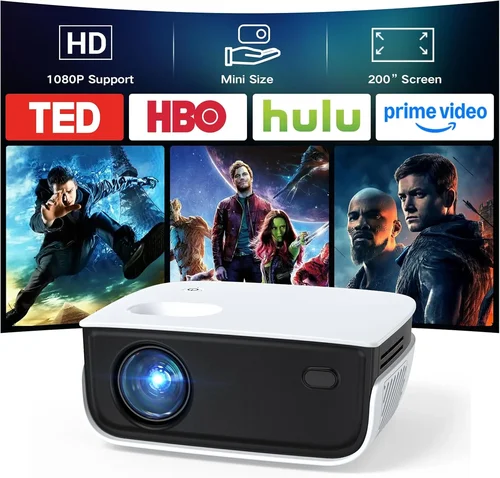
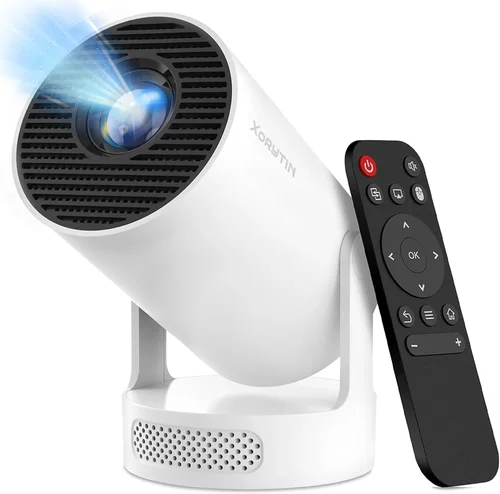
Finding a reliable projector for business use without breaking the bank can feel like searching for a needle in a haystack. You need something bright enough for conference rooms, portable enough to carry between meetings, and durable enough to survive the occasional bump. This guide cuts through the noise, giving you the knowledge you need to pick the best business projector under $200.
In the next few sections we’ll explore the most important specifications, compare the different projector families, point out common pitfalls, and hand‑pick the top models that give the most bang for your buck. By the end, you’ll be able to walk into any meeting room with confidence, knowing your visual aid will perform exactly as you expect.
What to Look for When Buying Buying Guide
1. Budget & Price Range
When you set a hard ceiling of $200, you automatically limit the pool of options. However, price does not have to mean compromise. Look for models that balance core performance (brightness, resolution) with cost‑saving features (LED light source, built‑in speakers). Remember that a slightly higher upfront cost can save money in the long run if the lamp life is longer or the warranty is more comprehensive.
2. Brightness (Lumens)
Business environments often have ambient light from windows or overhead fixtures. Aim for at least 2500 ANSI lumens for small to medium rooms; larger venues may need 3000+ lumens. LED projectors typically list “lumens” that are not ANSI‑standard, so check reviews for real‑world performance.
3. Resolution
Sharp text is non‑negotiable for presentations. The minimum you should accept is WXGA (1280×800). If you can find a 1080p (1920×1080) model under $200, you’ll enjoy crisper charts and videos. Avoid native 480p or lower unless you’re only displaying simple slides.
4. Contrast Ratio
Contrast determines how well the projector differentiates dark from light areas. For business use, a contrast ratio of at least 10,000:1 is advisable. Higher contrast makes text stand out and reduces eye strain during long sessions.
5. Connectivity
Modern laptops, tablets, and smartphones use a variety of ports. Look for at least one HDMI 1.4 port, a USB‑C or USB‑A for media playback, and a 3.5 mm audio jack if you need external speakers. Wireless options (Wi‑Fi, Miracast, AirPlay) are a plus but rarely found under $200.
6. Portability & Size
Weight matters if you travel between offices. A compact “pico” projector under 2 lbs is ideal for frequent movers, while a slightly larger unit (3‑4 lbs) can offer higher brightness. Also check the throw distance: short‑throw models can display a 100‑inch image from just a few feet away, which is useful in cramped conference rooms.
7. Lamp Life & Maintenance
Traditional lamps degrade and need replacement, adding hidden costs. LED light sources last 20,000‑30,000 hours and are virtually maintenance‑free. If a model uses a UHP lamp, verify the expected lifespan and the price of replacements.
8. Build Quality & Durability
Business projectors travel, get set up and taken down many times. A metal chassis, reinforced lens housing, and a sturdy carry case are indicators of a unit that will survive daily use. Look for user reviews that mention wear and tear.
Different Types of Buying Guide

Common Buying Mistakes to Avoid
❌ Mistake: Focusing Only on Price
Why it’s bad: The cheapest unit often sacrifices brightness, resolution, or lamp life, leading to frequent replacements.
What to do instead: Set a minimum spec list (e.g., 2500 lumens, 1280×800) and then filter by price.
❌ Mistake: Ignoring Ambient Light Conditions
Why it’s bad: A dim projector looks fine in a dark room but becomes unreadable in a lit conference space.
What to do instead: Measure the typical lighting of your meeting rooms and choose a lumen rating that exceeds it by at least 30%.
❌ Mistake: Overlooking Connectivity Options
Why it’s bad: You might end up buying adapters or extra cables, adding hidden costs and setup time.
What to do instead: List the devices you’ll connect (laptop HDMI, phone USB‑C) and verify the projector supports them natively.
❌ Mistake: Forgetting About Throw Distance
Why it’s bad: A standard throw projector may need 8‑10 ft to fill a 100‑inch screen, which many small meeting rooms can’t provide.
What to do instead: Check the projector’s throw ratio and calculate the required distance for your typical screen size.
❌ Mistake: Neglecting Warranty & Support
Why it’s bad: A faulty lamp or firmware issue can halt your presentations for weeks if the manufacturer’s support is weak.
What to do instead: Prefer brands that offer at least a 1‑year warranty and accessible customer service.
Budget Guidelines: How Much Should You Spend?
Even within the sub‑$200 bracket, you can segment options to help you decide where to allocate funds.
- Entry‑Level ($120‑$150): Expect LED light sources, 2500 lumens, WXGA resolution, and basic HDMI input. Ideal for solo entrepreneurs or small huddles.
- Mid‑Range ($151‑$180): Usually offers 3000 lumens, better contrast (10,000:1 or higher), and added features like USB‑C or built‑in speakers.
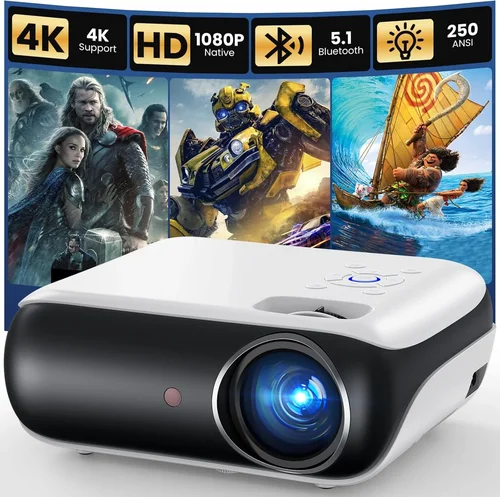
- Premium ($181‑$200): You’ll find short‑throw designs, 1080p native resolution, and more robust construction. These are the best “all‑rounders” for growing teams.
Expert Tips for Getting the Best Deal
- Buy during fiscal year‑end sales (July‑September) when companies clear inventory.
- Check refurbished units from reputable sellers; they usually come with a limited warranty and save 20‑30%.
- Compare bundle offers that include a carry case, extra lamp, or HDMI cable—sometimes the total value exceeds the price difference.
- Read the fine print on return policies; a 30‑day return window with free shipping is ideal.
- If you can test in‑store, bring a laptop with your typical presentation to evaluate brightness and focus.
- Consider a separate external speaker if the projector’s built‑in audio is weak; a small Bluetooth speaker can improve clarity without adding much cost.

Frequently Asked Questions
Q: Can a projector under $200 display a clear 1080p image?
A: Yes, but you’ll find only a few models offering true 1080p native resolution at this price. Most sub‑$200 units settle for WXGA (1280×800) which is still perfectly readable for text‑heavy presentations.
Q: Do I need a separate screen?
A: Not necessarily. A plain white wall works, but a matte white projection screen improves contrast and reduces hot‑spotting, especially in well‑lit rooms.
Q: How far away should the projector be placed?
A: Calculate using the throw ratio (distance ÷ image width). For a 100‑inch diagonal image (≈87 in width) with a 1.5:1 ratio, you’ll need about 130 inches (≈3.3 ft) of distance.
Q: Are LED projectors louder than lamp‑based ones?
A: LED units often have smaller fans, resulting in quieter operation (typically <30 dB). Lamp‑based projectors may need larger cooling fans, which can add ambient noise.
Q: What is the best way to clean a projector lens?
A: Use a microfiber lens cleaning cloth and a few drops of lens‑safe solution. Avoid paper towels or abrasive materials that could scratch the lens.
Q: Will a Wi‑Fi connection work in a corporate network?
A: Most budget projectors lack enterprise‑grade Wi‑Fi security. If you need wireless, consider a separate HDMI‑over‑Wi‑Fi dongle instead.
Q: How often do I need to replace the lamp?
A: LED projectors rarely need replacements (20‑30 k hours). If the unit uses a UHP lamp, expect 2000‑3000 hours of life, which translates to roughly once a year for daily use.
Our Final Recommendations
- Best for Budget‑Conscious Buyers: Vankyo Leisure 3 Mini Projector – $129, 2600 lumens, WXGA, LED, 2 lb, built‑in speaker.
- Best Overall Value: ViewSonic M1 Mini Plus – $179, 2500 lumens, 1080p support (native WXGA), LED, portable, Harman Kardon speakers.
- Best Premium Option: BenQ MS535 (refurbished) – $199, 3600 lumens, XGA (1024×768), lamp‑based but excellent brightness for boardrooms.
- Best for Beginners: ELEPHAS YG600 – $149, 3000 lumens, WXGA, HDMI, USB‑C, easy‑setup menu.
- Best for Advanced Users: Optoma GT1080e (refurbished) – $199, 3800 lumens, 1080p native, short‑throw, low input lag for interactive demos.
Conclusion: Making the Right Choice
Choosing a business projector under $200 isn’t about finding the cheapest gizmo; it’s about matching essential performance metrics to your real‑world needs. Prioritize brightness, resolution, and connectivity first, then weigh portability and build quality. Use the budget tiers and expert tips above to narrow your list, avoid common mistakes, and secure a solid warranty.
Now that you have the roadmap, take a look at the models we highlighted, compare them against your meeting‑room specs, and make a confident purchase. Your next presentation will thank you.