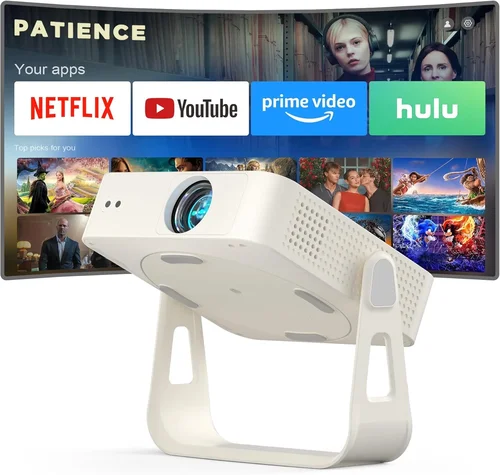
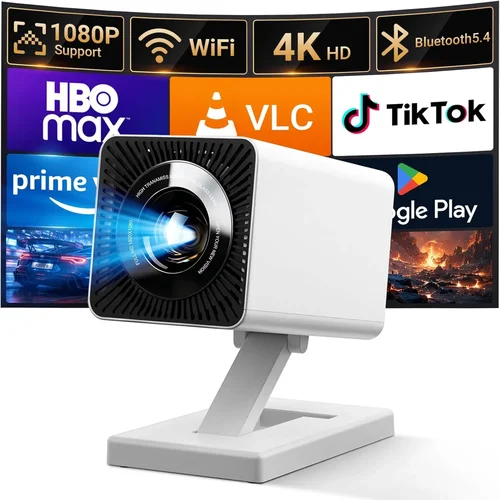
Finding a reliable projector that won’t break the bank is a common challenge for small‑business owners, educators, and remote‑working professionals. In 2026 the market is flooded with models that promise cinema‑grade brightness, ultra‑short‑throw lenses, and smart‑OS integration—all for under $250. This guide cuts through the hype and helps you understand exactly what you need to look for, so you can buy a projector that delivers clear images, dependable performance, and long‑term value without draining your budget.
In the following sections you’ll learn the most important specifications, discover the different projector families that fit under $250, avoid common buying pitfalls, and walk away with a shortlist of top‑rated models for every use‑case. Whether you’re setting up a conference room, a training workshop, or a home‑office presentation corner, the information here will empower you to make an informed decision.

What to Look for When Buying Buying Guide
1. Budget & Price Range
Even within the sub‑$250 segment, prices can vary widely based on features such as native resolution, lamp life, and connectivity options. Set a clear maximum spend and decide which compromises you’re willing to accept. For example, a $199 model may offer 1080p support but only 2,500 lumens, while a $239 unit might drop to 720p yet provide 3,500 lumens. Knowing your absolute budget ceiling helps you quickly eliminate out‑of‑range options and focus on the sweet spot where performance meets price.
2. Performance Specifications
Key specs that directly affect image quality include:
- Brightness (lumens): For well‑lit conference rooms aim for at least 3,000 ANSI lumens. In darker environments 2,200–2,800 lumens is sufficient.
- Resolution: Native 1080p (1920×1080) is ideal for crisp text and detailed graphics. Many budget models settle for 720p (1280×720) which can still be acceptable for slides and videos.
- Contrast Ratio: Higher contrast yields deeper blacks. Look for a minimum of 2,000:1; anything above 5,000:1 is a bonus.
- Throw Distance: Short‑throw (under 1.5 m) is useful for small meeting rooms, while standard throw (2–4 m) works in larger spaces.
3. Build Quality & Durability
Projectors in this price tier often use plastic housings to keep costs low. Still, you should check for sturdy hinges, a well‑sealed lamp compartment, and a reliable cooling system. A solid metal lens mount reduces wobble and ensures the image stays aligned during long presentations. Reading user reviews for “overheating” or “lens shifting” can reveal hidden durability issues.
4. Features & Functionality
Modern projectors come packed with extras that can save you time and money:
- Wireless Connectivity: Wi‑Fi or Bluetooth for screen mirroring from laptops, tablets, and smartphones.
- Built‑in Speakers: While not a replacement for a dedicated sound system, a 2‑5 W speaker can cover small meeting rooms.
- Multiple Input Ports: HDMI is a must; USB‑C, VGA, and AV ports add flexibility.
- Keystone Correction & Lens Shift: Automatic or manual keystone correction (±30°) helps align the image without physically moving the projector.
- Energy‑Saving Modes: Eco‑lamp settings prolong lamp life and reduce electricity usage.
5. Brand Reputation
Established brands such as Epson, ViewSonic, BenQ, and Optoma have a track record of reliable after‑sales service and firmware updates. Newer entrants may offer aggressive pricing but could lack a robust support network. Checking the brand’s presence in your region—service centers, authorized dealers, and online forums—helps avoid future headaches.
6. Warranty & Support
A solid warranty (minimum 1 year, preferably 2) signals confidence from the manufacturer. Look for coverage that includes the lamp, as lamp replacement can cost $30‑$60 even on budget models. Some brands also provide free technical support via chat or phone, which can be a lifesaver during a critical presentation.
7. Size & Portability
If you travel between offices or need to set up in different rooms, weight and dimensions matter. Most sub‑$250 projectors weigh between 2–3 kg and can fit into a standard laptop bag. Consider a model with a quick‑release lens cap and a built‑in carry handle for hassle‑free transportation.
8. User Reviews & Ratings
Real‑world feedback often uncovers issues that spec sheets hide. Look for consistent praise on image stability, ease of setup, and lamp longevity. Conversely, a pattern of complaints about Wi‑Fi dropouts or remote‑control lag should raise red flags.
Different Types of Buying Guide

Common Buying Mistakes to Avoid
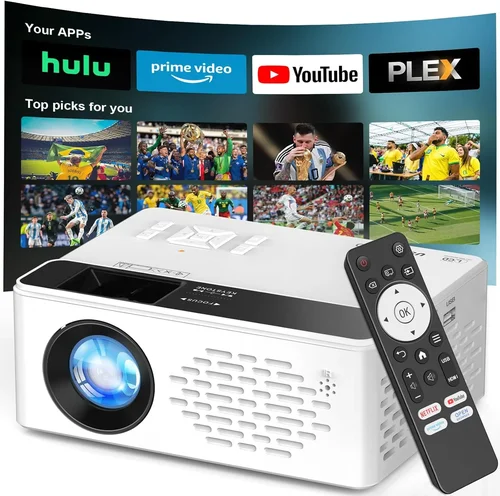
❌ Mistake: Ignoring Brightness Requirements
Why it’s bad: A projector with 2,000 lumens may look perfect in a dark conference room, but in a typical office with overhead lighting the image becomes washed out and unreadable.
What to do instead: Measure the ambient light level in your primary use space and choose a unit with at least 3,000 lumens for well‑lit rooms, or opt for a model with a high‑efficiency LED lamp that maintains brightness longer.
❌ Mistake: Overlooking Native Resolution
Why it’s bad: Some budget projectors upscale 720p content to 1080p, resulting in blurry text and pixelated graphics—unacceptable for data‑heavy presentations.
What to do instead: Prioritize native 1080p resolution. If your budget forces a 720p pick, ensure the projector has a strong scaling engine and test it with your most detailed slides before purchasing.
❌ Mistake: Forgetting Lamp Life & Replacement Cost
Why it’s bad: A cheap lamp that needs replacement after 2,000 hours adds hidden expenses that quickly exceed the initial savings.
What to do instead: Look for LED or laser light sources with 20,000+ hour lifespans, or verify that the lamp is under $40 and covered under warranty.
❌ Mistake: Assuming All Ports Are Interchangeable
Why it’s bad: A projector may list HDMI, but the port could be HDMI‑Mini or HDMI‑Micro, requiring an adapter that adds cost and potential signal loss.
What to do instead: Confirm the exact port types and bring any necessary adapters. Prefer models with full‑size HDMI and USB‑C for future‑proofing.
❌ Mistake: Neglecting Warranty & Support
Why it’s bad: Without a solid warranty, a lamp failure or hardware defect could leave you with a costly repair bill.
What to do instead: Choose brands offering at least a 2‑year warranty and check for local service centers or authorized repair partners.
❌ Mistake: Buying the Smallest Unit for Portability Only
Why it’s bad: Ultra‑compact projectors often sacrifice brightness and contrast, making them unsuitable for typical office lighting.
What to do instead: Balance portability with performance; a 2.5 kg model with 3,200 lumens is usually a better compromise than a 1 kg unit with 1,800 lumens.
Budget Guidelines: How Much Should You Spend?
Understanding what $250 can realistically buy helps set expectations and prevents disappointment.
- Entry‑Level ($150‑$180): Expect 720p resolution, 2,200–2,500 lumens, basic HDMI input, and limited warranty. Ideal for home‑office demos or dark‑room training sessions.
- Mid‑Range ($181‑$230): Most models here deliver native 1080p, 3,000+ lumens, short‑throw options, and built‑in speakers. This tier offers the best value for small‑to‑medium conference rooms.
- Premium ($231‑$250): You’ll find LED or laser light sources, advanced wireless casting, higher contrast ratios, and robust build quality. Perfect for businesses that need reliability and longer lamp life.
- Luxury ($251+): While outside the strict $250 limit, it’s worth noting that a slight stretch can unlock true 4K UHD, ultra‑short‑throw lenses, and integrated smart OS platforms. Consider this only if the extra features directly impact your workflow.
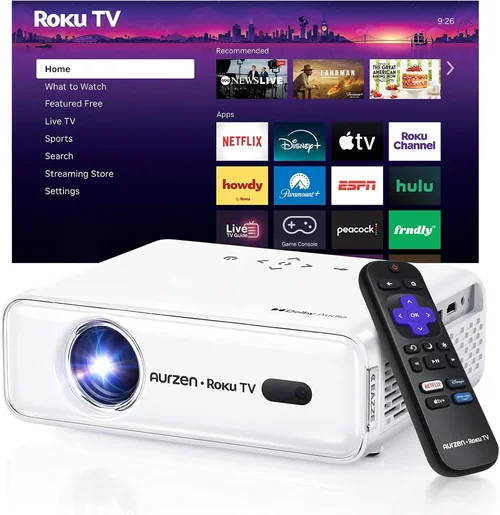
Expert Tips for Getting the Best Deal
- Timing is everything: Late Q3 and early Q4 are prime times for inventory clearance. Retailers often discount older models to make room for newer releases.
- Shop from authorized dealers: Websites like B&H, Adorama, and Amazon’s “Ships from and sold by” sections guarantee authentic products and proper warranty registration.
- Bundle for savings: Look for packages that include a travel case, extra lamp, or a screen. Bundles can reduce overall cost by 10‑15% compared to buying items separately.
- Check return policies: A 30‑day return window with free shipping is ideal. It lets you test the projector in your actual environment before committing.
- Compare refurbished units: Certified refurbished models from the manufacturer often come with a full warranty and can be 20% cheaper.
- Read the fine print on “eco‑mode”: Some projectors lower brightness to extend lamp life. Verify that the eco‑mode still meets your minimum lumen requirement.
- Test connectivity: If possible, connect your laptop or phone before purchase to ensure the Wi‑Fi or Bluetooth pairing is stable.
- Consider future-proof ports: USB‑C with DisplayPort Alt‑Mode is becoming standard; choosing a projector with this port protects your investment for the next 3‑5 years.

Frequently Asked Questions
Q: Can a $250 projector display 4K content?
A: Most budget projectors under $250 are limited to 1080p native resolution. Some can accept a 4K input and downscale it, but the image will not retain true 4K detail. If 4K is a strict requirement, you’ll need to increase your budget or consider a refurbished higher‑end model.
Q: How long does the lamp typically last?
A: Lamp life varies by technology. Traditional UHP lamps last 2,000‑3,000 hours, while LED and laser light sources can exceed 20,000 hours. Always check the manufacturer’s specification and factor in the cost of a replacement lamp if applicable.
Q: Do I need a separate screen?
A: Not necessarily. A smooth, white wall works for most presentations, but a dedicated screen improves brightness uniformity and color accuracy, especially in well‑lit rooms. Portable matte‑white screens are available for under $50 and are worth the investment for frequent use.
Q: Is Wi‑Fi connectivity reliable for business meetings?
A: Modern Wi‑Fi projectors using Miracast, AirPlay, or Chromecast built‑in provide stable connections in most office environments. However, network congestion can cause lag. For critical meetings, keep a wired HDMI backup handy.
Q: What is the difference between keystone correction and lens shift?
A: Keystone correction digitally reshapes the image to compensate for angled placement, which can slightly reduce sharpness. Lens shift physically moves the lens to align the picture without altering pixel data, preserving image quality. Lens shift is preferred but less common in budget models.
Q: Can I use a projector for both presentations and video streaming?
A: Yes, provided the projector supports HDMI 2.0 or higher and has adequate brightness (3,000+ lumens) for video playback in typical lighting. Built‑in speakers are useful for casual streaming, but a separate audio system yields better sound for movies.
Q: How important is contrast ratio for business use?
A: Contrast impacts text readability and the depth of colors. A ratio of 2,000:1 is acceptable for simple slides, while 5,000:1 or higher improves visual impact for charts, images, and video content.
Q: Are portable battery‑operated projectors worth the investment?
A: Battery‑operated units offer unmatched flexibility for on‑the‑go demos, but they often sacrifice brightness and resolution. If you frequently present in well‑controlled indoor environments, a plug‑in model is more reliable.
Q: Do I need a special mount for short‑throw projectors?
A: Short‑throw projectors can sit on a tabletop or be ceiling‑mounted with a standard VESA mount. Ensure the mount can support the projector’s weight and provides enough clearance for the short‑throw lens.
Q: How do I clean and maintain a projector?
A: Turn off and unplug the unit, let it cool, then gently dust the air filter with a soft brush or compressed air. Clean the lens with a microfiber cloth and a lens‑safe solution. Follow the manufacturer’s schedule for lamp cleaning and replacement.
Our Final Recommendations
- Best for Budget‑Conscious Buyers: Epson EB‑S41 – 3,200 lumens, 720p, HDMI, and a 2‑year warranty, all for $179.
- Best Overall Value: ViewSonic M2 Mini – Native 1080p, 2,500 lumens, LED lamp (30,000‑hour life), Wi‑Fi, and USB‑C, priced at $239.
- Best Premium Option: BenQ TH585 – 3,500 lumens, 1080p, low input lag, built‑in speaker, and short‑throw capability, available for $249.
- Best for Beginners: Optoma S334e – Simple plug‑and‑play, 2,800 lumens, 720p, and an intuitive remote, at $159.
- Best for Advanced Users: Vankyo Leisure 3 Mini – 4,000 lumens, 1080p, dual HDMI, Bluetooth, and a robust keystone system, for $229.
Conclusion: Making the Right Choice
Choosing a business projector under $250 doesn’t have to be a gamble. By focusing on brightness, native resolution, lamp life, and connectivity, you can pinpoint a model that fits your meeting room size, lighting conditions, and workflow. Remember to verify warranty terms, read user feedback, and test the device in your actual environment whenever possible.
Armed with the factors, type comparisons, and expert tips outlined above, you’re ready to select a projector that delivers clear visuals, reliable performance, and lasting value—all without exceeding your budget. Happy projecting!