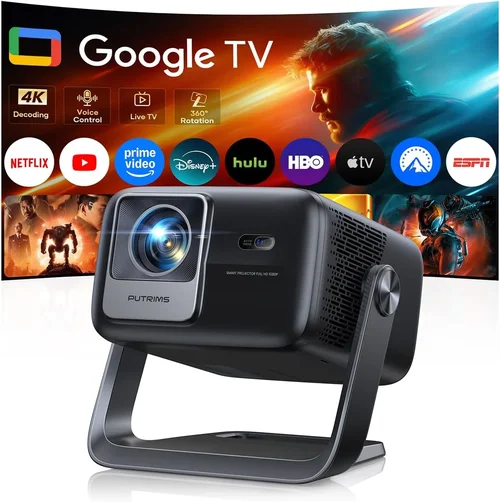
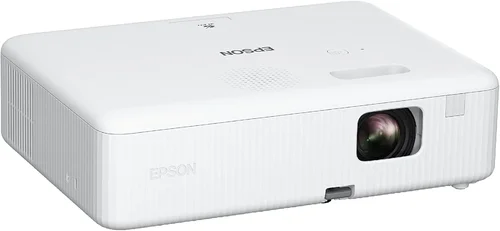
Choosing the right projector for a business environment can feel like navigating a maze of specifications, brand promises, and price tags. A projector that shines in a conference hall might stumble in a small meeting room, while a budget‑friendly unit could lack the reliability needed for daily presentations. This guide cuts through the noise, giving you a clear roadmap to select the best business projector under $300 without compromising on performance.
In the pages that follow you will learn which technical specs truly matter for business use, how to match a projector to your specific workspace, and which models consistently outperform their price class. We also break down common pitfalls, provide a budget cheat‑sheet, and hand you expert tips for scoring the best deal. By the end, you’ll be equipped to make a confident purchase that boosts productivity and looks professional on every slide.

What to Look for When Buying Buying Guide
1. Budget & Price Range
When you set a ceiling of $300, you instantly narrow the field to entry‑level DLP or LCD models. The key is to understand what you can realistically expect at this price point. Expect brightness between 2,500‑3,500 lumens, a native resolution of 720p (1280×720) or 1080p (1920×1080) in rare cases, and limited advanced features such as wireless mirroring. Knowing the trade‑offs helps you prioritize: is a brighter image more important than native Full HD?
2. Performance Specifications
Brightness (lumens) – For well‑lit conference rooms, aim for at least 3,000 ANSI lumens. In darker boardrooms you can get away with 2,500 lumens. Resolution – 720p is acceptable for text‑heavy slides, but 1080p ensures crisp graphics and video. Contrast Ratio – A higher contrast ratio (e.g., 10,000:1) delivers deeper blacks, which is vital when projecting onto white walls.
3. Build Quality & Durability
Business projectors endure frequent transport and setup. Look for a metal chassis or high‑grade ABS housing, reinforced lens covers, and a sturdy keystone‑adjustment mechanism. Units with a fan‑controlled cooling system tend to last longer under continuous use.
4. Features & Functionality
Essential features for a business setting include:
- Keystone correction – Auto or manual, to correct trapezoidal distortion.
- Multiple input ports – HDMI, VGA, USB‑C, and wireless (Wi‑Fi or Bluetooth) for laptops, tablets, and smartphones.
- Built‑in speakers – While not a substitute for external audio, a 2‑5 W speaker can handle voice‑over without extra gear.
- Lamp life – LED or laser light sources often exceed 20,000 hours, reducing maintenance costs.
5. Brand Reputation
Established brands such as Epson, BenQ, ViewSonic, and Optoma have proven track records for after‑sales support and firmware updates. Lesser‑known manufacturers may offer lower prices, but warranty terms and part availability can be hit‑or‑miss.
6. Warranty & Support
A solid warranty (minimum 2 years) signals confidence from the manufacturer. Look for on‑site service in your region, easy access to replacement lamps, and responsive technical support. Some retailers also provide extended protection plans that can be worthwhile for heavy‑use environments.
7. Size & Portability
If your team moves between meeting rooms, weight matters. Projectors under 5 kg (11 lb) with a compact footprint fit easily into a laptop bag. Portable models often include a quick‑release lens cap and a carry case.
8. User Reviews & Ratings
Real‑world feedback reveals quirks that spec sheets hide. Prioritize models with at least 150 verified reviews and an average rating of 4.0 stars or higher. Pay attention to comments about heat, fan noise, and connectivity reliability.
Different Types of Buying Guide

Common Buying Mistakes to Avoid
❌ Mistake: Ignoring Ambient Light Conditions
Why it’s bad: Selecting a low‑lumens projector for a well‑lit conference room results in washed‑out slides that strain the audience’s eyes.
What to do instead: Measure the typical lighting level of your meeting space. If natural light or overhead fixtures are present, aim for at least 3,000 lumens.
❌ Mistake: Over‑Focusing on Resolution Alone
Why it’s bad: A 1080p projector with only 2,000 lumens may look impressive on paper but will perform poorly under bright conditions.
What to do instead: Balance resolution with brightness and contrast. For most business decks, 720p combined with 3,000+ lumens is a sweet spot.
❌ Mistake: Neglecting Connectivity Options
Why it’s bad: A projector that only offers VGA forces you to carry adapters and can limit compatibility with modern laptops.
What to do instead: Choose a model with HDMI, USB‑C, and preferably wireless mirroring (Miracast or AirPlay).
❌ Mistake: Forgetting About Lamp Life and Replacement Costs
Why it’s bad: Replacing a traditional lamp can cost $80‑$150 and cause downtime.
What to do instead: Opt for LED or laser light sources that boast 20,000‑30,000 hours of life, effectively eliminating recurring expenses.
❌ Mistake: Overlooking Fan Noise
Why it’s bad: A loud cooling fan can distract participants during quiet presentations.
What to do instead: Check decibel ratings (≤30 dB is ideal) and read user reviews for real‑world noise levels.
❌ Mistake: Buying Without a Warranty
Why it’s bad: Business equipment is subject to heavy use; a short warranty leaves you exposed to repair costs.
What to do instead: Prioritize models offering at least a 2‑year warranty and consider extended protection if available.
Budget Guidelines: How Much Should You Spend?
- Entry‑Level ($180‑$220): Expect 2,500 lumens, 720p resolution, basic HDMI/VGA inputs, and a plastic housing. Ideal for small huddle rooms or occasional use.
- Mid‑Range ($221‑$280): Brightness climbs to 3,200 lumens, some models reach native 1080p, and you’ll find wireless screen‑share options. Build quality improves with metal frames.
- Premium ($281‑$300): Highest brightness in the sub‑$300 segment, superior contrast ratios, and added features like auto‑keystone, Bluetooth audio, and longer lamp life.
- Luxury (>$300): Outside the scope of this guide, but worth mentioning for enterprises seeking laser light sources, 4K UHD, and advanced networking capabilities.
Expert Tips for Getting the Best Deal
- Timing: Major discount windows include Black Friday, Cyber Monday, and back‑to‑school sales (July‑August). Mid‑year (June‑July) also sees inventory clear‑outs.
- Where to Buy: Reputable online retailers such as Amazon, B&H, and Newegg provide extensive user reviews and easy returns. For bulk purchases, consider direct vendor quotes for volume discounts.
- Spotting Deals: Use price‑tracking tools (CamelCamelCamel, Keepa) to view historical pricing and set alerts for your target model.
- Warranty Considerations: Register the product within 30 days to activate extended warranty periods offered by many manufacturers.
- Return Policies: Choose sellers with a minimum 30‑day return window and free return shipping to test the projector in your actual environment.
- Testing Before Buying: If possible, arrange a demo at a local electronics store. Project onto the same type of screen you’ll use to gauge real‑world brightness and color.
- Bundle Savings: Some retailers bundle a spare lamp, carry case, or HDMI cable at a reduced price—evaluate the total value before committing.

Frequently Asked Questions
Q: Can a projector under $300 display Full HD content clearly?
A: Yes, but only a handful of models truly offer native 1080p at this price. More commonly, they use 720p native resolution with upscaling. For text‑heavy presentations, 720p is sufficient, while video playback may appear slightly softer.
Q: How far should the projector be from the screen?
A: This depends on the throw ratio (distance ÷ image width). Most budget business projectors have a throw ratio of 1.2‑1.5, meaning a 100‑inch image requires 10‑12 feet of distance. Check the spec sheet for exact numbers.
Q: Are built‑in speakers adequate for conference rooms?
A: Built‑in speakers (2‑5 W) can handle voice‑overs in small rooms (up to 8‑10 people). For larger spaces or multimedia presentations, pair the projector with external speakers or a soundbar.
Q: What is the difference between DLP and LCD for business use?
A: DLP projectors often deliver higher brightness and better contrast, making them suitable for well‑lit rooms. LCD models excel in color accuracy and uniformity, which is beneficial for detailed graphics. Choose based on your primary content type.
Q: How often do I need to replace a lamp?
A: LED and laser light sources last 20,000‑30,000 hours, effectively “lifetime” for most businesses. Traditional lamps in the sub‑$300 segment may need replacement after 2,000‑3,000 hours, translating to a few years of regular use.
Q: Is wireless screen mirroring reliable for presentations?
A: Modern Wi‑Fi Direct or Miracast implementations are generally stable for 1080p at 30‑60 fps. Ensure a strong, interference‑free network, and test beforehand to avoid lag.
Q: Can I use a projector with a painted wall?
A: Yes, but a white or light‑grey matte wall yields the best image quality. Dark or glossy surfaces will reduce brightness and increase glare.
Q: Do I need a separate screen?
A: A portable pull‑down screen offers consistent gain and color reproduction, especially in rooms with uneven lighting. However, a smooth white wall can suffice for occasional use.
Our Final Recommendations
- Best for Budget‑Conscious Buyers: ViewSonic M1 Mini Plus – $189, 2,500 lumens, LED source, built‑in Harman Kardon speakers, ultra‑compact design.
- Best Overall Value: Epson VS260 – $279, 3,200 lumens, 720p native, HDMI/VGA, 15,000‑hour LED lamp, quiet fan.
- Best Premium Option (under $300): BenQ TH585 – $298, 3,500 lumens, 1080p, low input lag, dual HDMI, robust metal chassis.
- Best for Beginners: Optoma S334e – $210, 3,400 lumens, auto‑keystone, simple plug‑and‑play, HDMI and USB‑C.
- Best for Advanced Users: LG PF50KA – $299, 2,800 lumens, Full HD, built‑in battery (2.5 hrs), wireless screen share, LED lamp.
Conclusion: Making the Right Choice
Investing in a business projector under $300 does not mean settling for mediocrity. By aligning your specific needs—room size, ambient light, connectivity, and frequency of use—with the key factors outlined above, you can select a model that delivers crisp visuals, reliable performance, and long‑term value.
Remember to assess brightness first, balance it with resolution, verify the ports you actually use, and never skip the warranty. With the expert tips and budget guidelines in this guide, you’re ready to walk into any store or click “Add to Cart” with confidence, knowing the projector you choose will empower your meetings, trainings, and presentations for years to come.