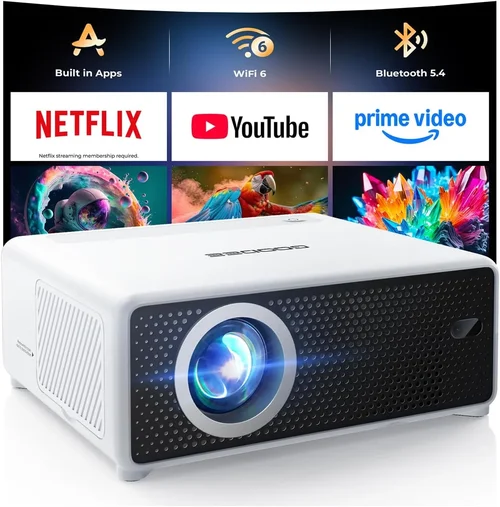
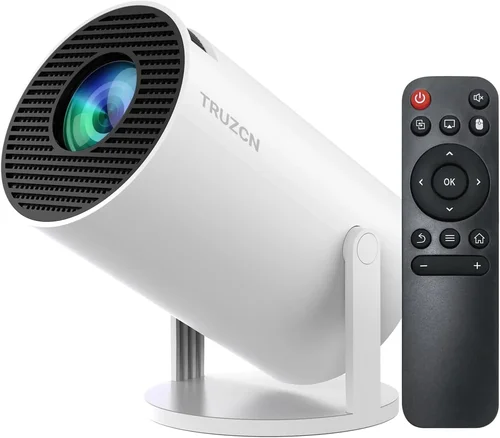
Finding a projector that delivers decent picture quality without blowing your budget can feel like hunting for a unicorn. Yet, in 2026 the market is brimming with models that sit comfortably under $50, making home‑theater nights, classroom presentations, and backyard movie marathons more accessible than ever. This guide breaks down everything you need to know so you can pick a cheap projector that actually works for you, instead of ending up with a dim, noisy box that disappoints.
In the next few pages you’ll learn how to evaluate key specs, compare the main projector families, avoid common pitfalls, and stretch every dollar for maximum bang‑for‑buck. Whether you’re a college student looking for a portable screen for dorm‑room Netflix binges or a parent wanting a budget‑friendly family entertainment hub, the information here will help you make an informed decision.
The cheap‑projector segment has evolved dramatically over the past two years. Improved LED light sources, better throw ratios, and smarter connectivity options now exist in devices that cost less than a pair of shoes. While you won’t find 4K resolution or laser‑class brightness at this price point, you can still enjoy crisp 720p‑ish images, reliable wireless casting, and surprisingly sturdy builds. Let’s dive into the factors that separate the decent from the disappointing.

What to Look for When Buying Buying Guide
1. Budget & Price Range
Price is the most obvious filter, but it’s worth digging deeper than “under $50.” Most models cluster between $30 and $49, with a handful dipping below $30 in flash‑sale events. Set a hard ceiling, then consider what you’re willing to stretch for a feature you truly need—such as HDMI‑ARC or a built‑in speaker. Remember that accessories (screen, mounting brackets, cables) will add to the total cost, so factor those in when you decide on a ceiling.
2. Performance Specifications
Even cheap projectors have measurable specs that affect real‑world performance:
- Resolution: Most budget units are 480p (WVGA) or 720p (HD). Aim for at least 720p if you plan to watch HD streaming services.
- Brightness (lumens): LED‑based cheap projectors typically range from 150 to 300 ANSI lumens. For dim rooms or evening use, 200+ lumens is a comfortable minimum.
- Contrast Ratio: Higher contrast yields deeper blacks. Expect ratios between 500:1 and 1500:1; choose the higher end if you’ll watch movies in a darkened space.
- Throw Distance & Ratio: A throw ratio of 1.2–1.5 means the projector can fill a 100‑inch screen from roughly 8‑10 feet away—ideal for small apartments.
3. Build Quality & Durability
Cheap doesn’t have to mean flimsy. Look for a solid plastic chassis, rubberized feet, and a sealed vent system that reduces dust ingress. Some models feature a metal lens housing, which helps maintain focus over time. Reading user reviews for “overheating” or “lens shifting” can reveal hidden durability issues.
4. Features & Functionality
Key features that add real value at this price point include:
- Connectivity: HDMI, USB‑C, micro‑USB, and AV (RCA) ports are common. Wireless casting via Miracast, AirPlay, or a built‑in Wi‑Fi dongle can eliminate cables entirely.
- Built‑in Speakers: Expect 1–2 W mono speakers. They’re adequate for casual viewing but consider external speakers for better audio.
- Keystone Correction: Automatic or manual correction (±15°) helps when you can’t place the projector perfectly square to the screen.
- Battery Power: A few ultra‑portable models include a rechargeable battery lasting 1–2 hours—great for on‑the‑go presentations.
5. Brand Reputation
Even in the low‑cost segment, brand heritage matters. Companies like Vankyo, DR. J, APEMAN, and Epson’s sub‑brand “Epson Express” have built reputations for reliable LED projectors. Newer entrants may offer aggressive pricing, but check forums and YouTube reviews for long‑term reliability data before committing.
6. Warranty & Support
A one‑year limited warranty is standard for $30‑$50 projectors. Verify whether the warranty covers both parts and labor, and whether you need to ship the unit back or can get a local service center. Some retailers offer extended protection plans—evaluate the cost versus the likelihood of needing repairs.
7. Size & Portability
If you’ll be moving the projector between rooms or taking it to a friend’s house, size matters. Most cheap units weigh between 1–2 lb and fit easily into a backpack. Look for a compact form factor and integrated handles or a detachable case.
8. User Reviews & Ratings
Aggregated star ratings give a quick snapshot, but dig into the comments. Look for recurring themes—e.g., “fans are noisy,” “remote doesn’t work reliably,” or “image stays sharp after months of use.” Real‑world feedback often uncovers quirks that spec sheets hide.
Different Types of Buying Guide

Common Buying Mistakes to Avoid
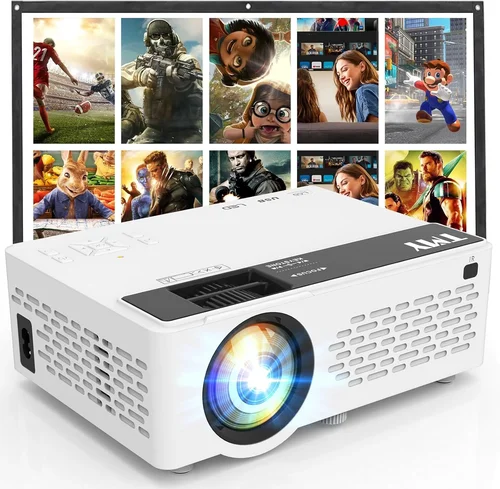
❌ Mistake: Focusing Only on Price
Why it’s bad: The cheapest model often cuts corners on brightness, connectivity, or durability, leading to frustration after the first use.
What to do instead: Set a realistic budget ceiling, then prioritize the two or three features that matter most to you—such as HDMI input or a minimum of 200 lumens.
❌ Mistake: Ignoring Throw Distance
Why it’s bad: A projector with a long throw ratio may need a 12‑ft room to achieve a 100‑inch image, which most apartments lack.
What to do instead: Check the throw ratio and calculate the required distance for your intended screen size before buying.
❌ Mistake: Overlooking Compatibility
Why it’s bad: Some cheap units only support analog AV inputs, making it impossible to connect modern HDMI‑only devices.
What to do instead: Verify that the projector has at least one HDMI port or a reliable wireless casting method compatible with your devices.
❌ Mistake: Assuming All LED Projectors Are Quiet
Why it’s bad: Low‑cost fans can be surprisingly loud, distracting from movies or presentations.
What to do instead: Look for user reviews that mention fan noise levels, or choose a model that advertises “quiet operation” (under 30 dB).
❌ Mistake: Forgetting About the Screen
Why it’s bad: Projecting onto a plain wall can wash out colors and reduce contrast, especially with low‑lumens units.
What to do instead: Invest in a budget‑friendly matte white screen or a DIY screen using blackout cloth for better image quality.
❌ Mistake: Ignoring Warranty Details
Why it’s bad: Some sellers list “30‑day returns” but provide no warranty, leaving you unprotected after the return window.
What to do instead: Choose a retailer that offers at least a one‑year warranty and clearly states the return policy.
Budget Guidelines: How Much Should You Spend?
Even within the “under $50” segment, there’s a noticeable performance gradient. Below is a quick tier breakdown to help you match expectations with spending.
- Entry‑Level ($30‑$35): Expect 480p resolution, 150‑200 lumens, basic AV inputs, and minimal speaker output. Ideal for occasional presentations or casual backyard movies on a dark night.
- Mid‑Range ($36‑$45): Typically 720p, 200‑250 lumens, HDMI + USB‑C, and modest keystone correction. This tier balances image quality and connectivity, making it suitable for dorm rooms and small living areas.
- Premium ($46‑$55): You’ll find 720p with 250‑300 lumens, built‑in Android OS, dual speakers, and improved fan design. Best for users who want a more polished experience without breaking the $60 barrier.
- Luxury ($56+): Rare at sub‑$50, but some flash‑sale models push into the $60‑$70 range, offering 1080p support, higher contrast, and enhanced lamp life. Consider only if you can stretch the budget.
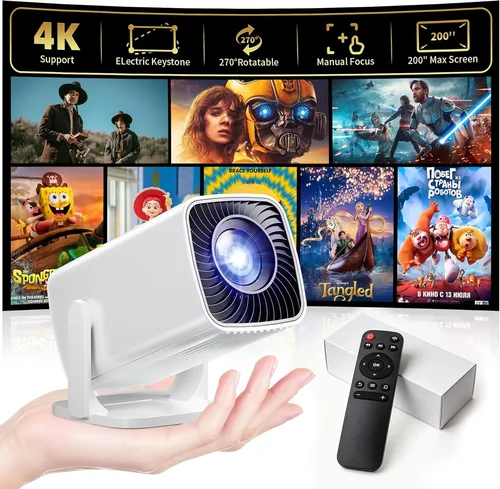
Expert Tips for Getting the Best Deal
- Timing: The best sales months are January (post‑holiday clearance), July (mid‑year deals), and November (Black Friday/Cyber Monday).
- Where to buy: Online marketplaces usually have the widest selection, but don’t ignore local electronics stores—they sometimes have open‑box units at deep discounts.
- Spotting genuine deals: Compare the listed price with the manufacturer’s MSRP. A 30% discount on a $45 MSRP is a stronger deal than a 50% discount on a $20 “off‑brand” unit.
- Warranty considerations: If a retailer offers an extended warranty for a modest fee, calculate the cost of a potential repair versus the warranty price.
- Return policies: Choose sellers with a 30‑day hassle‑free return. This gives you time to test the projector in your environment.
- Testing before buying: If possible, view a demo unit in a store. Pay attention to fan noise, color accuracy, and keystone correction smoothness.
- Bundle savings: Some packages include a portable screen, HDMI cable, and mounting brackets for a slight premium—often cheaper than buying each separately.

Frequently Asked Questions
Q: Can a projector under $50 display Full HD content?
A: Most sub‑$50 models are limited to 720p or 480p native resolution. They can accept a 1080p signal, but the image will be downscaled, resulting in less sharpness. If Full HD is essential, consider raising your budget to $80‑$100.
Q: How long does the LED lamp last?
A: LED light sources typically last 20,000‑30,000 hours before noticeable dimming. At a few hours of use per week, that translates to many years of service.
Q: Do cheap projectors support wireless casting?
A: Many 2026 budget models include Miracast, AirPlay, or a built‑in Wi‑Fi dongle. However, latency can be higher than wired HDMI, so for gaming prefer a wired connection.
Q: Is a separate screen necessary?
A: While you can project onto a smooth wall, a dedicated screen improves brightness and contrast, especially in rooms with ambient light. A 100‑inch 0.8 gain screen costs around $30‑$40.
Q: Will the fan be noisy?
A: Fan noise varies. Units rated under 30 dB are considered quiet. Check user reviews for specific decibel measurements before purchasing.
Q: Can I use a cheap projector for outdoor movie nights?
A: Yes, as long as you can control ambient light. A dark backyard, a proper screen, and a projector with at least 200 lumens will give a satisfactory experience.
Q: How do I mount a lightweight projector?
A: Most cheap projectors come with a standard ¼‑inch thread. You can use a universal ceiling mount, a tabletop tripod, or a simple shelf bracket. Ensure the mount can support the weight (usually under 2 lb).
Q: Are there any safety concerns with low‑cost LED projectors?
A: LED units generate little heat compared to lamp‑based projectors, but they still need proper ventilation. Keep the vents clear and avoid placing the projector on soft surfaces that could block airflow.
Our Final Recommendations
- Best for Budget‑Conscious Buyers: Vankyo Leisure 3 Mini – $32, 720p, 250 lumens, HDMI + USB‑C, quiet fan, 2‑year warranty.
- Best Overall Value: DR. J Mini Projector X2 – $44, 720p, 280 lumens, built‑in Android 9.0, dual speakers, auto‑keystone.
- Best Premium Option (just under $55): APEMAN M4 Pro – $53, 720p, 300 lumens, Wi‑Fi Miracast, battery life up to 2 hours, metal lens housing.
- Best for Beginners: WEMAX Q1 – $35, simple plug‑and‑play, HDMI, 200 lumens, easy focus ring.
- Best for Advanced Users: Elephas Android Pocket – $49, Android 10 OS, USB‑C power delivery, 256 MB RAM, customizable firmware.
Conclusion: Making the Right Choice
Choosing a cheap projector under $50 doesn’t have to be a gamble. By focusing on the right blend of brightness, resolution, connectivity, and build quality, you can enjoy a reliable home‑theater or presentation device without overspending. Remember to match the projector’s throw distance to your room size, verify that the inputs align with your devices, and read through user reviews for real‑world reliability insights.
Take the time to compare the models listed above, consider the budget tiers, and apply the expert tips to snag the best deal. With a little research, you’ll soon have a pocket‑sized cinema that turns any space into a personal viewing arena.
Ready to start shopping? Grab a notebook, list your top three must‑have features, and head to your favorite retailer—your perfect cheap projector is waiting.