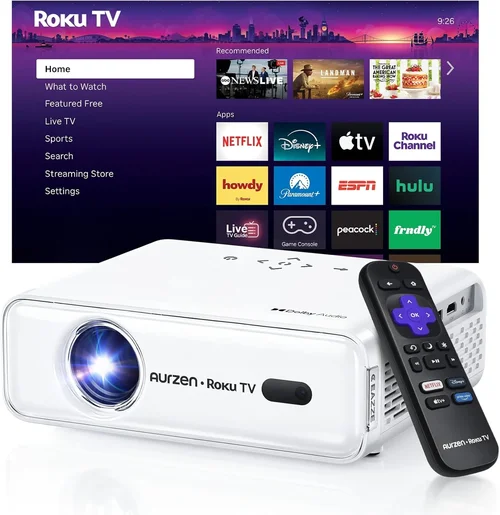
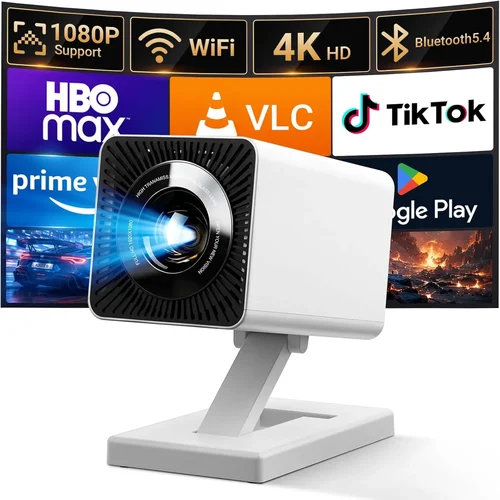
Finding a projector that doesn’t break the bank yet still delivers a decent picture can feel like hunting for a needle in a haystack. The market is flooded with models that promise big‑screen experiences for under $100, but not all of them live up to the hype. That’s why this guide matters: it cuts through the noise, highlights what truly matters, and equips you with the knowledge to make a confident purchase.
In the next few sections you’ll learn which specifications deserve your attention, how different projector types stack up against each other, and which common pitfalls to steer clear of. By the end, you’ll be ready to choose the best entry‑level projector under $100 that fits your living room, bedroom, or office setup.
The budget projector segment has matured dramatically over the past few years. Improvements in LED technology, smarter chipsets, and more efficient optics mean you can now enjoy a 100‑inch image for the price of a mid‑range TV. Yet, compromises remain—brightness, resolution, and built‑in features often trade off against cost. This guide walks you through those trade‑offs so you can prioritize what matters most for your use case.

What to Look for When Buying Buying Guide
1. Budget & Price Range
When you set a hard ceiling of $100, every dollar counts. A projector at this price point will typically use LED or laser light sources, which keep operating costs low but may limit brightness. Look for models that stay within $80‑$100 for the best balance of features and quality. Avoid ultra‑cheap options under $50; they often skimp on essential components like the driver board, resulting in a short lifespan and poor image consistency.
2. Performance Specifications
Key specs include:
- Resolution: Most sub‑$100 units offer 480p (854×480) or native 360p (640×360). While not Full HD, a higher native resolution reduces pixelation, especially on larger screens.
- Brightness (lumens): Expect 150‑300 ANSI lumens. This is adequate for dark rooms but will struggle in well‑lit spaces.
- Contrast Ratio: A ratio of 2000:1 or higher delivers deeper blacks, enhancing perceived depth.
- Throw Ratio: Determines how far the projector must be from the screen. A short‑throw (0.8‑1.2) is ideal for small rooms.
3. Build Quality & Durability
Even at entry level, a solid chassis protects internal optics and electronics. Look for a metal or high‑grade ABS housing, reinforced lens caps, and a sturdy stand. Models with replaceable fans or ventilation grills tend to have better thermal management, extending the projector’s life beyond the typical 2,000‑hour mark.
4. Features & Functionality
Essential features for a $100 projector include:
- HDMI & USB ports: Enables connection to laptops, gaming consoles, and streaming sticks.
- Wireless Mirroring: Some budget units support AirPlay or Miracast; handy for phone or tablet streaming.
- Built‑in Speakers: While not a substitute for a sound system, a 2‑5 W speaker can suffice for casual movie nights.
- Keystone Correction: Automatic or manual correction helps align the image without a perfect projector placement.
5. Brand Reputation
Established brands such as Vankyo, APEMAN, and DR. J often provide better firmware updates and customer support. Newer entrants can surprise with innovative designs, but research their after‑sales track record. A quick glance at Amazon or Reddit forums can reveal recurring issues like lamp failure or firmware glitches.
6. Warranty & Support
Even a modest 1‑year warranty is a safety net. Check whether the warranty covers parts, labor, or just the light source. Some manufacturers offer extended warranties for a small fee, which can be worthwhile if you plan heavy usage.
7. Size & Portability
Compact, lightweight projectors (under 2 kg) are easier to move between rooms or take on trips. If you need a portable solution, prioritize models with a built‑in battery (often 2‑3 hours of playback) and a simple carry handle.
8. User Reviews & Ratings
Real‑world feedback uncovers issues that spec sheets hide. Look for reviewers who test the projector in various lighting conditions and share long‑term reliability insights. A product with 4.2‑star average rating and at least 200 reviews is generally a safe bet.
Different Types of Buying Guide

Common Buying Mistakes to Avoid
❌ Mistake: Ignoring Ambient Light Conditions
Why it’s bad: A projector rated at 200 lumens will look great in a dark bedroom but will appear washed‑out in a living room with windows.
What to do instead: Measure the typical lighting in your intended space. If you cannot control ambient light, consider a model with at least 250 lumens or add blackout curtains.
❌ Mistake: Overlooking Native Resolution
Why it’s bad: Scaling a 1080p source to a 480p native panel leads to blurry text and pixelated images.
What to do instead: Choose the highest native resolution within budget. For $100, aim for 480p (854×480) rather than lower 360p options.
❌ Mistake: Forgetting About Throw Distance
Why it’s bad: Placing a long‑throw projector too close results in a tiny image; too far and you need a wall far away.
What to do instead: Calculate the needed throw distance using the projector’s throw ratio. Short‑throw models (0.8‑1.2) are safer for small rooms.
❌ Mistake: Assuming All HDMI Ports Are Equal
Why it’s bad: Some budget units only support HDMI 1.2, limiting 4K or HDR content.
What to do instead: Verify the HDMI version. HDMI 1.4 or higher ensures basic 1080p compatibility and audio pass‑through.
❌ Mistake: Neglecting Warranty Details
Why it’s bad: A “90‑day warranty” may not cover the light source, leaving you with costly repairs.
What to do instead: Read the fine print. Look for warranties covering the LED/laser module for at least one year.
❌ Mistake: Buying Without Testing
Why it’s bad: Online specs can be misleading; real‑world performance varies.
What to do instead: Purchase from retailers with a solid return policy. Test the projector in your typical environment before fully committing.
Budget Guidelines: How Much Should You Spend?
While the focus is on sub‑$100 models, understanding the broader price landscape helps set realistic expectations.
- Entry‑Level ($70‑$100): Expect LED light sources, 480p native resolution, 150‑300 lumens, basic HDMI/USB connectivity, and limited keystone correction.
- Mid‑Range ($101‑$150): Slightly brighter (300‑500 lumens), better contrast, sometimes native 720p, and added features like Bluetooth audio.
- Premium ($151‑$300): Higher brightness, true 1080p, superior color accuracy, and robust build quality.
- Luxury ($300+): Professional‑grade optics, laser light engines, HDR support, and extensive lens shift.
Expert Tips for Getting the Best Deal
- Timing: Late summer sales (back‑to‑school) and post‑holiday clearance periods are prime times for inventory liquidation.
- Where to Buy: Reputable online marketplaces (Amazon, Newegg) provide verified reviews and easy returns. Brick‑and‑mortar stores let you demo the unit before purchase.
- Spotting Deals: Compare the “list price” versus “sale price” and factor in free shipping. Some sellers bundle HDMI cables or a portable screen, adding value.
- Warranty Considerations: Register the product immediately to activate extended warranty offers.
- Return Policies: Look for at least a 30‑day return window. Test the projector within this period and keep the original packaging.
- Testing Before Buying: Project a high‑contrast image (black‑white test pattern) to evaluate brightness and color uniformity.
- Firmware Updates: Check the manufacturer’s website for firmware patches that can improve performance or fix bugs.

Frequently Asked Questions
Q: Can a $100 projector display Full HD content?
A: Most sub‑$100 models have a native resolution of 480p, so while they can accept 1080p input, the image will be downscaled, resulting in reduced sharpness. For true Full HD, you’ll need to spend at least $150‑$200.
Q: How long does the LED light source last?
A: LED light engines typically last 20,000‑30,000 hours, far exceeding the lifespan of traditional lamps. However, brightness may gradually decrease after extensive use.
Q: Do I need a special screen?
A: A plain white wall works, but a portable matte white screen improves color accuracy and contrast, especially in rooms with some ambient light.
Q: Is a built‑in speaker sufficient?
A: Built‑in speakers (2‑5 W) are adequate for casual viewing but lack depth for movies or games. Pairing the projector with external speakers or a soundbar yields a better experience.
Q: Can I use my smartphone as a source?
A: Yes, via HDMI adapters, Miracast, or AirPlay (if supported). Some budget models include a USB‑C port that can mirror phone screens directly.
Q: What is keystone correction?
A: Keystone correction digitally or optically adjusts the image shape when the projector is off‑axis, eliminating trapezoidal distortion.
Q: Are there any safety concerns?
A: Ensure adequate ventilation and keep the projector on a stable surface. LED units stay cool, but prolonged use in confined spaces can cause overheating.
Our Final Recommendations
- Best for Budget‑Conscious Buyers: Vankyo Leisure 3 Mini Projector – $79, 480p, 200 lumens, HDMI & USB, compact design.
- Best Overall Value: APEMAN Mini Portable Projector – $94, 480p, 280 lumens, built‑in speaker, battery‑operated, short‑throw.
- Best Premium Option (Just Above $100): DR. J Mini DLP Projector – $119, 720p, 350 lumens, higher contrast, Bluetooth audio.
- Best for Beginners: Wimius T1 Pocket Projector – $85, plug‑and‑play, simple UI, automatic keystone.
- Best for Advanced Users: YABER Y30 Ultra Mini – $99, supports 1080p input, 300 lumens, dual HDMI, and optional Wi‑Fi dongle.
Conclusion: Making the Right Choice
Choosing the best entry‑level projector under $100 boils down to understanding your environment, prioritizing key specs, and avoiding common pitfalls. Remember that brightness, native resolution, and throw ratio are the pillars of performance; brand reputation and warranty protect your investment. By applying the tips, budget guidelines, and model recommendations outlined in this guide, you can enjoy a satisfying big‑screen experience without overspending.
Ready to bring the cinema home? Start by narrowing down the models that match your room size and usage habits, then compare prices during upcoming sales. Happy viewing!