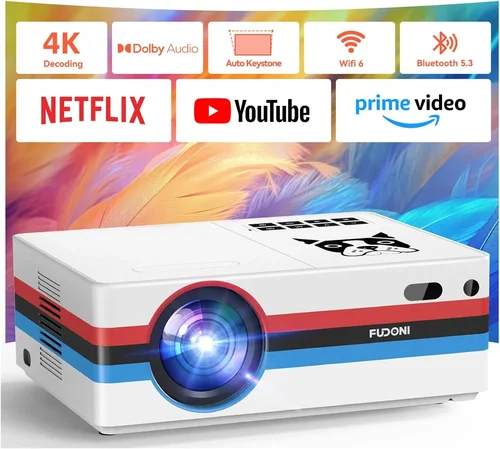
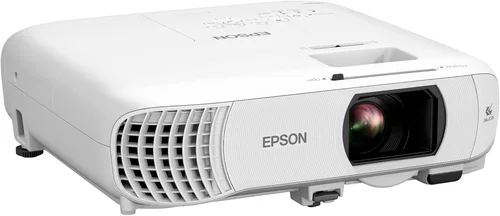
If you’ve been scrolling through endless lists of projectors trying to find a model that won’t break the bank, you’re not alone. The market is flooded with options, and the “under $200” segment is especially tricky because you want decent performance without compromising on reliability. This guide cuts through the noise, focusing specifically on Epson projectors that sit comfortably below the $200 mark. By the end, you’ll know exactly which models deliver the best bang for your buck, what specs truly matter, and how to avoid common pitfalls.
In the next few pages we’ll explore the key factors you should evaluate, compare the different types of Epson projectors available at this price point, and give you actionable tips for snagging the best deal. Whether you’re setting up a home theater, a small classroom, or a portable gaming station, the information here will help you make an informed purchase that fits your budget and your needs.

What to Look for When Buying Buying Guide
1. Budget & Price Range
Price is the most obvious factor, but it’s not just about staying under $200. You need to consider the total cost of ownership, which includes accessories like HDMI cables, mounting brackets, and possibly a short‑throw screen. A slightly higher upfront cost can sometimes save you money in the long run if the projector includes essential features that would otherwise require separate purchases.
2. Performance Specifications
Performance is defined by three core specs: brightness (measured in lumens), resolution, and contrast ratio. For a projector under $200, expect brightness in the 2,500‑3,200 lumens range—enough for dimly lit rooms but not ideal for bright daylight. Resolution will typically be 720p (HD) or 1080p (Full HD) in Epson’s entry‑level lineup. A contrast ratio of 15,000:1 or higher will give you deeper blacks and more vivid colors.
3. Build Quality & Durability
Epson is known for solid construction, but the lower‑priced models may use more plastic components. Look for a sturdy chassis, a reliable cooling system, and a lamp life of at least 5,000 hours. Longer lamp life reduces replacement costs and downtime.
4. Features & Functionality
Key features to hunt for include:
- Multiple input options (HDMI, USB, VGA). HDMI is a must for modern devices.
- Built‑in speakers—useful for quick setups, though external audio will always sound better.
- Keystone correction and lens shift for flexible placement.
- Wireless casting or Miracast support, which is increasingly common even in budget models.
5. Brand Reputation
Epson has a long history of producing reliable projectors for both home and business use. Their warranty and after‑sales support are generally more robust than many no‑name competitors. When you buy an Epson, you’re also gaining access to a large online community and plenty of tutorial resources.
6. Warranty & Support
Look for at least a one‑year limited warranty that covers the lamp and internal components. Some retailers extend this to two or three years. Check whether Epson offers on‑site service in your region, as this can dramatically reduce repair downtime.
7. Size & Portability
If you plan to move the projector between rooms or take it on the road, weight and dimensions matter. Most Epson models under $200 weigh between 5‑7 pounds and feature a compact design that fits easily in a backpack.
8. User Reviews & Ratings
Real‑world feedback is priceless. Scan Amazon, Best Buy, and specialized AV forums for recurring themes—both praise and complaints. Pay particular attention to comments about lamp life, connectivity hiccups, and fan noise.
Different Types of Buying Guide

Common Buying Mistakes to Avoid
❌ Mistake: Ignoring Ambient Light Conditions
Why it’s bad: A projector that looks great in a dark room can appear washed out in a bright living room.
What to do instead: Measure the typical lighting in your intended space and aim for at least 3,000 lumens for rooms with some natural light.
❌ Mistake: Overlooking Lamp Life
Why it’s bad: Replacing a lamp can cost $80‑$120, quickly eroding your savings.
What to do instead: Choose a model with a minimum 5,000‑hour lamp rating and consider buying an extended warranty that covers lamp replacement.
❌ Mistake: Forgetting About Input Compatibility
Why it’s bad: You might end up with a projector that can’t connect to your gaming console or laptop without extra adapters.
What to do instead: Verify that the projector has HDMI 1.4 or higher, and if you need legacy devices, ensure VGA or USB‑C ports are present.
❌ Mistake: Assuming All “Full HD” Projectors Are Equal
Why it’s bad: Some budget models label themselves as 1080p but actually use up‑scaling from a lower native resolution.
What to do instead: Check the native resolution in the spec sheet; true 1080p will deliver sharper text and finer detail.
❌ Mistake: Skipping the Test Run
Why it’s bad: Without testing, you may discover fan noise, keystone issues, or color inaccuracies after purchase.
What to do instead: If buying in‑store, request a demo. For online orders, buy from retailers with a generous return window.
Budget Guidelines: How Much Should You Spend?
- Entry-Level ($130‑$150): Expect 720p resolution, 2,500‑3,000 lumens, basic connectivity, and a plastic housing. Good for occasional movie nights.
- Mid-Range ($151‑$180): Typically 1080p, 3,200‑3,600 lumens, built‑in speakers, and wireless mirroring. Ideal for small home theaters and classrooms.
- Premium ($181‑$200): Full HD with enhanced color processing, lower fan noise, higher contrast ratios, and extended lamp life. Best choice for frequent users.
- Luxury ($200+): While beyond the scope of this guide, some Epson models just cross the $200 line and add features like 4K enhancement and lens shift.
Expert Tips for Getting the Best Deal
- Timing: Late summer and early winter are prime times for discounts.
- Where to Buy: Compare Amazon, Best Buy, and local electronics stores. Sometimes brick‑and‑mortar outlets offer bundle packages with HDMI cables and mounting kits.
- Spotting Deals: Look for “open‑box” or “refurbished” listings from certified sellers; they’re usually in like‑new condition with a full warranty.
- Warranty Considerations: Add a protection plan if you plan to move the projector frequently.
- Return Policies: Ensure at least a 30‑day return window so you can test the projector in your own space.
- Testing Before Buying: Bring a laptop or phone to check HDMI compatibility and image quality before finalizing the purchase.
- Accessories: Invest in a short‑throw screen if you have limited throw distance; it dramatically improves perceived brightness.

Frequently Asked Questions
Q: Can I use an Epson projector under $200 for outdoor movie nights?
A: Yes, but you’ll need a dark environment or a high‑gain screen. Models like the Epson EX3260 have 3,600 lumens, which can handle low ambient light, but bright daylight will still wash out the image.
Q: How long does the lamp last on budget Epson projectors?
A: Most Epson units in this price range boast a lamp life of 5,000‑7,000 hours. At two hours of use per day, that’s roughly 7‑10 years before a replacement is needed.
Q: Do these projectors support 4K content?
A: While they can accept a 4K source, they will downscale to their native resolution (720p or 1080p). For true 4K you’ll need to move up to higher‑priced models.
Q: Is a separate sound system necessary?
A: Epson’s built‑in speakers are adequate for casual viewing, but for an immersive home theater experience, pair the projector with a soundbar or external speakers.
Q: What is the difference between “lumens” and “ANSI lumens”?
A: ANSI lumens is the industry‑standard measurement for brightness. Some manufacturers use “lumens” loosely, which can be higher than the actual ANSI rating. Always check the spec sheet for “ANSI lumens.”
Q: Can I mount the projector on the ceiling?
A: Yes, but ensure the model you choose has a standard ¼‑20 mounting thread and consider the throw distance to avoid image distortion.
Q: Are there any Epson projectors under $200 with built‑in Wi‑Fi?
A: The Epson EX3260 includes wireless mirroring, which works with most smartphones and laptops. Full Wi‑Fi streaming (like Chromecast) is rare at this price point.
Our Final Recommendations
- Best for Budget‑Conscious Buyers: Epson VS250 – at $139 it offers 3,200 lumens, HDMI, and a compact design, perfect for occasional movie nights.
- Best Overall Value: Epson Home Cinema 1060 – priced around $190, it delivers true 1080p, low fan noise, and a vibrant 3,200‑lumens output.
- Best Premium Option: Epson EX3260 – for $179, you get 3,600 lumens, wireless mirroring, and a slightly higher contrast ratio, making it ideal for both presentations and home entertainment.
- Best for Beginners: Epson VS250 – its plug‑and‑play setup and intuitive menu make it the easiest to get started.
- Best for Advanced Users: Epson Home Cinema 1060 – its color accuracy and customizable keystone correction appeal to tech‑savvy enthusiasts.
Conclusion: Making the Right Choice
Choosing the best Epson projector under $200 doesn’t have to be a gamble. Focus on the core specs—brightness, resolution, and lamp life—while also weighing features like wireless connectivity and portability. Remember that the cheapest option may end up costing more if you need extra accessories or a premature lamp replacement.
Use the factors, comparison table, and expert tips in this guide as a roadmap. Identify your primary use case, set a realistic budget, and match it with the model that ticks the most boxes for you. With a little research and timing, you’ll walk away with a reliable Epson projector that brings movies, games, and presentations to life without breaking the bank.