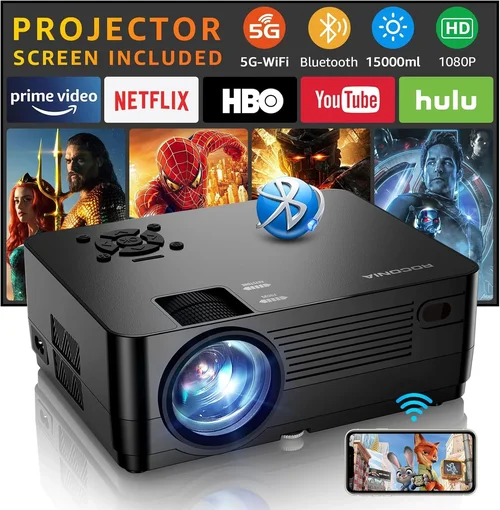
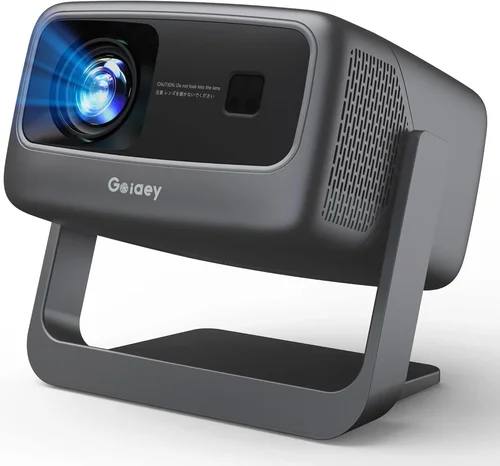
Choosing a front‑projection system can feel like stepping into a maze of technical jargon, price tags, and endless feature lists. Whether you’re setting up a home cinema, a classroom, or a small conference room, the right projector can transform a plain wall into an immersive visual experience. This guide cuts through the noise, giving you a clear roadmap to find the best front projectors under $500 in 2026.
In the pages that follow you’ll learn which specifications truly matter, how to match a projector to your space, and which common pitfalls to steer clear of. We’ll also break down the different projector categories, offer a step‑by‑step budgeting plan, and hand you expert tips for snagging the best deal. By the end, you’ll be equipped to make a confident, informed purchase that fits both your needs and your wallet.
The market for sub‑$500 front projectors has exploded over the past few years. Advances in LED and laser light sources, higher native resolutions, and smarter connectivity options mean you no longer have to sacrifice quality for affordability. Brands like Epson, BenQ, ViewSonic, and Anker are pushing the envelope, delivering bright, color‑accurate images that rival much pricier units. Let’s dive into what makes these models stand out and how to pick the perfect one for you.

What to Look for When Buying Buying Guide
1. Budget & Price Range
Price is the starting line, not the finish line. While you’ve set a ceiling of $500, think about the total cost of ownership. Some projectors require extra accessories—like a high‑lumens lamp replacement, a ceiling mount, or a quality screen—that can add $50‑$150. Factor these into your budget early to avoid surprises later.
2. Performance Specifications
The core performance metrics include:
- Resolution: Look for at least 1080p (Full HD) for crisp movies and clear text. Some budget models still offer 720p; they can be acceptable for casual TV viewing but may struggle with detailed presentations.
- Brightness (lumens): For a typical living‑room with some ambient light, aim for 2,500‑3,500 ANSI lumens. Darker home theaters can get away with 1,500‑2,000 lumens.
- Contrast Ratio: Higher contrast means deeper blacks and more vibrant colors. Ratios above 10,000:1 are desirable, but remember that manufacturers often quote peak values that may not reflect real‑world performance.
- Throw Ratio: Determines how far the projector must sit from the screen to fill it. A short‑throw (0.8‑1.2) is ideal for tight spaces; a standard throw (1.5‑2.0) works well in larger rooms.
3. Build Quality & Durability
Even at sub‑$500 price points, a solid chassis and reliable cooling system are essential. Metal housings dissipate heat better than plastic, extending lamp life. Look for models with sealed fans or dust‑proof designs if you plan to use the projector in a dusty environment.
4. Features & Functionality
Modern projectors pack a lot of convenience tools:
- Connectivity: HDMI is a must; HDMI‑ARC, USB‑C, and wireless (Wi‑Fi, Bluetooth, or Miracast) add flexibility.
- Built‑in Speakers: While not a replacement for a sound system, decent 5‑10 W speakers can be handy for quick presentations.
- Keystone Correction & Lens Shift: These let you fine‑tune the image without moving the projector.
- Smart OS: Some budget units run Android TV or Roku, turning the projector into an all‑in‑one streaming hub.
5. Brand Reputation
Brands with a long history in projection—Epson, BenQ, Optoma, ViewSonic—generally provide more reliable firmware updates and better after‑sale support. Newer entrants like Anker offer competitive specs but may lack a robust service network.
6. Warranty & Support
A solid warranty can save you hundreds down the line. Look for at least a 2‑year warranty covering the lamp or laser module. Check if the manufacturer offers on‑site service or easy RMA processes.
7. Size & Portability
If you need to move the projector between rooms or take it on the road, weight and dimensions matter. Portable pico‑projectors can be under 1 kg but often sacrifice brightness. Larger tabletop models provide better performance but require a stable surface.
8. User Reviews & Ratings
Real‑world feedback reveals issues that specs sheets hide. Scan Amazon, B&H, and specialist forums for recurring comments about heat, fan noise, or firmware glitches. A product with 4.5+ stars and a high volume of reviews is usually a safe bet.
Different Types of Buying Guide

Common Buying Mistakes to Avoid
❌ Mistake: Ignoring Ambient Light
Why it’s bad: A projector rated at 2,500 lumens may look stunning in a dark room but will appear washed out in a bright living area.
What to do instead: Measure your typical lighting conditions. If you can’t control ambient light, aim for 3,000+ lumens or consider a projector with high contrast and HDR support.
❌ Mistake: Over‑focusing on Resolution Alone
Why it’s bad: A 1080p projector with low brightness and poor contrast will still deliver a mediocre picture.
What to do instead: Balance resolution with brightness, contrast, and color accuracy. For movies, brightness and contrast matter as much as pixel count.
❌ Mistake: Forgetting About Throw Distance
Why it’s bad: Placing a standard‑throw projector too close can result in a tiny image; too far, and you may need a massive screen.
What to do instead: Calculate the throw ratio based on your room dimensions. Short‑throw models are a safe choice for cramped spaces.
❌ Mistake: Skipping Firmware Updates
Why it’s bad: Out‑of‑date firmware can cause connectivity glitches, lag, or even security vulnerabilities.
What to do instead: Check the manufacturer’s website for the latest firmware before finalizing your purchase and set reminders for future updates.
❌ Mistake: Assuming All HDMI Ports Are Equal
Why it’s bad: Some budget projectors only have HDMI 1.2, which limits 4K passthrough or HDR support.
What to do instead: Verify that the HDMI version matches your source devices. HDMI 2.0 or higher is ideal for 1080p at 60 Hz with HDR.
❌ Mistake: Neglecting Lamp/Laser Life
Why it’s bad: Replacing a lamp can cost $80‑$150, adding hidden expenses.
What to do instead: Prefer LED or laser light sources that last 20,000+ hours and are virtually maintenance‑free.
Budget Guidelines: How Much Should You Spend?
- Entry‑Level ($150‑$250): Expect 720p resolution, 1,500‑2,000 lumens, basic HDMI, and minimal smart features. Good for occasional movie nights in a dark room.
- Mid‑Range ($250‑$350): Full HD 1080p, 2,500‑3,000 lumens, decent contrast, and added connectivity like USB‑C or wireless mirroring. Ideal for mixed‑use homes.
- Premium ($350‑$500): High‑brightness LED or laser modules, HDR10 support, advanced keystone/lens shift, and built‑in smart platforms. Best for dedicated home theaters or small offices.
- Luxury ($500+): While beyond this guide’s scope, these units often deliver 4K resolution, 4,000+ lumens, and professional‑grade lens options.
Expert Tips for Getting the Best Deal
- Timing: Purchase between late October and early December for the deepest discounts.
- Retailers: Compare prices on Amazon, Best Buy, B&H, and direct brand sites. Some manufacturers offer bundle deals that include a screen or mounting kit.
- Coupon Stacking: Use manufacturer coupons together with retailer promo codes for extra savings.
- Open‑Box & Refurbished: Certified refurbished units from the brand’s official outlet often come with a full warranty at 30‑40% off.
- Warranty Extension: If you plan heavy use, a modest warranty extension (often $30‑$50) can be cheaper than a future lamp replacement.
- Return Policy: Ensure a no‑questions‑asked 30‑day return window. Test the projector in your intended environment before committing.
- Testing: Bring a laptop or streaming stick to the store and project a test image. Check for fan noise, color uniformity, and keystone correction smoothness.

Frequently Asked Questions
Q: Can a sub‑$500 projector display HDR content?
A: Yes, several models in the $350‑$500 range support HDR10. However, true HDR performance also depends on sufficient brightness (3,000+ lumens) and a good contrast ratio. Expect modest HDR impact compared to premium units.
Q: How long does the lamp last on a budget projector?
A: Traditional lamps last 2,000‑4,000 hours. LED and laser light sources, which are common in newer budget models, often exceed 20,000 hours, effectively eliminating lamp‑replacement costs.
Q: Do I need a separate screen?
A: A white, matte wall works for casual use, but a dedicated screen improves color accuracy and contrast, especially in rooms with ambient light. A 100‑inch 16:9 screen priced around $80‑$120 is a worthwhile upgrade.
Q: Is a portable pico‑projector worth it?
A: For on‑the‑go presentations or occasional backyard movies, yes. Just remember they typically offer 720p resolution and 1,000‑1,500 lumens, so they’re not ideal for a permanent home theater.
Q: What’s the difference between keystone correction and lens shift?
A: Keystone correction digitally reshapes the image, which can slightly degrade sharpness. Lens shift physically moves the lens to correct geometry without loss of quality, but it’s less common in budget models.
Q: Can I connect my projector to Wi‑Fi?
A: Many 2026 budget projectors include built‑in Wi‑Fi for screen mirroring (Miracast, AirPlay) or run a smart OS like Android TV. Check the spec sheet for “Wireless” or “Smart” features.
Q: How do I clean the projector lens?
A: Use a soft microfiber cloth and a lens‑cleaning solution. Never spray liquid directly on the lens. Power off the unit and let it cool before cleaning.
Q: Is HDMI ARC necessary?
A: HDMI ARC is only useful if you want the projector to send audio back to a soundbar or AV receiver via the same HDMI cable. For most home setups, standard HDMI plus a separate audio connection is sufficient.
Our Final Recommendations
- Best for Budget‑Conscious Buyers: Anker Nebula Capsule II – 720p, 720 lumens, Android TV, and built‑in battery for $199. Great for casual streaming and travel.
- Best Overall Value: Epson Home Cinema 1060 – 1080p, 3,200 lumens, decent contrast, and a reliable lamp life for $449. Ideal for most living rooms.
- Best Premium Option (under $500): BenQ TH585 – 1080p, 3,500 lumens, low input lag, and short‑throw lens for $479. Perfect for gamers and movie enthusiasts.
- Best for Beginners: ViewSonic M1+ – LED, 1080p, portable, built‑in Harman Kardon speakers, and Wi‑Fi for $299. Easy setup, no extra cables.
- Best for Advanced Users: Optoma UHD12 – Although slightly above $500, it often drops into the $500‑$550 range during sales, offering 4K resolution, 3,400 lumens, and extensive color gamut.
Conclusion: Making the Right Choice
Finding the best front projector under $500 is less about chasing the highest specs and more about aligning the projector’s strengths with your environment and usage habits. Remember to evaluate brightness against ambient light, balance resolution with contrast, and consider long‑term costs like lamp or light‑source replacement. By avoiding common mistakes, leveraging seasonal sales, and focusing on reputable brands, you can secure a high‑quality projector that delivers cinema‑grade experiences without breaking the bank.
Now that you’re armed with the knowledge, take a moment to assess your room, list your must‑have features, and compare the top picks we’ve highlighted. Happy projecting!