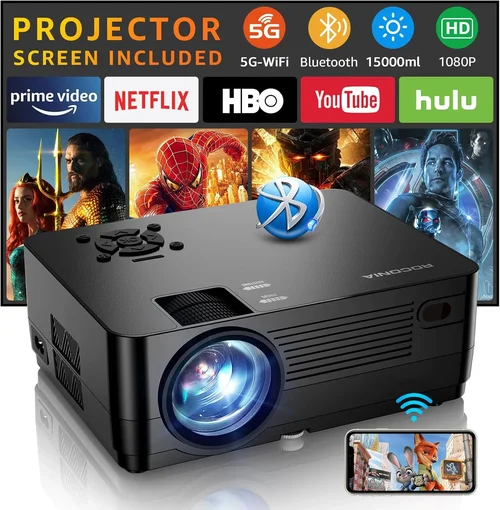
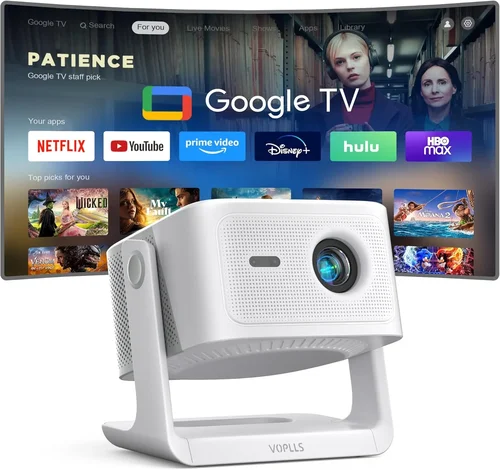
Finding a projector that can keep up with fast‑paced shooters, sprawling RPG worlds, and every frame‑rate‑sensitive title is a challenge—especially when you’re trying to stay under $500. This guide cuts through the hype, explains exactly what matters for gaming, and shows you how to get a cinema‑like experience without blowing your budget.
By the end of this article you’ll understand the technical specs that truly affect gameplay, know which projector types give the best value for gamers, avoid the most common buying pitfalls, and walk away with a shortlist of the best gaming projectors under $500 for 2026.

What to Look for When Buying Buying Guide
1. Budget & Price Range
Even within the sub‑$500 segment there’s a wide spread of quality. Set a clear ceiling—$300, $400, $500—and then decide what you’re willing to compromise on. A $350 model might lack HDR but could still deliver 1080p resolution and low input lag, which many gamers find acceptable.
2. Performance Specifications
Resolution – 1080p (Full HD) is now the baseline for decent sharpness. Some $400‑$500 units stretch 720p pixels with pixel‑shifting technology, but true 1080p will always look cleaner, especially on larger screens.
Refresh Rate & Input Lag – Look for a native 60 Hz refresh and input lag under 30 ms. Anything higher can cause noticeable ghosting in fast shooters.
Brightness (Lumens) – Gaming rooms are rarely pitch‑black. Aim for at least 2,500 ANSI lumens; brighter units handle ambient light better and keep colors vivid.
Contrast Ratio – Higher contrast (10,000:1 or more) gives deeper blacks, crucial for dark game scenes where detail can be lost.
3. Build Quality & Durability
Projectors in this price band often use plastic housings. Check for solid hinge mechanisms, a sturdy lens cover, and a well‑ventilated cooling system. A unit that overheats will throttle performance, leading to frame drops.
4. Features & Functionality
Gaming Modes – Some manufacturers include a “Game” preset that automatically optimizes input lag and color saturation.
Keystone Correction & Lens Shift – Vertical keystone is standard; horizontal keystone or lens shift helps you place the projector off‑center without distortion.
Connectivity – HDMI 2.0 is a must for 4K/60 Hz signals, though most sub‑$500 models will be HDMI 1.4. Ensure you have at least one HDMI port, plus USB or VGA if you plan to connect older consoles.
5. Brand Reputation
Brands like BenQ, ViewSonic, Epson, and Optoma have established support networks and firmware updates. Lesser‑known brands may offer lower prices but can be a gamble when it comes to long‑term reliability.
6. Warranty & Support
Look for a minimum 2‑year warranty that covers the lamp (or laser module) and includes on‑site service. Some manufacturers also provide free firmware upgrades that can improve latency over time.
7. Size & Portability
If you plan to move the projector between a home office and a bedroom, weight under 5 lb and a compact footprint are beneficial. Built‑in speakers are a nice bonus but rarely replace a dedicated sound system for gaming.
8. User Reviews & Ratings
Read verified buyer reviews on sites like Amazon, B&H, and Reddit’s r/projectors. Pay attention to comments about “gaming lag,” “lamp life,” and “heat noise,” as these are the real‑world factors that affect gameplay.
Different Types of Buying Guide
Common Buying Mistakes to Avoid
❌ Mistake: Chasing the Highest Resolution
Why it’s bad: In the sub‑$500 market, 4K claims are often “pixel‑shifted” tricks that don’t improve gaming latency.
What to do instead: Prioritize native 1080p and low input lag; a crisp 1080p image looks better than a stretched 4K simulation.
❌ Mistake: Ignoring Ambient Light
Why it’s bad: A projector with 1,800 lumens will look washed out in a typical living‑room, ruining dark game scenes.
What to do instead: Aim for at least 2,500 ANSI lumens and consider a projector with a high contrast ratio.
❌ Mistake: Overlooking Lamp Life
Why it’s bad: Replacing a lamp can cost $100‑$150, eroding the cheap‑initial purchase.
What to do instead: Look for laser or LED light sources, or at least a lamp rated for 5,000+ hours.
❌ Mistake: Forgetting Input Lag
Why it’s bad: High lag (>30 ms) creates a noticeable delay between controller action and on‑screen response, especially in shooters.
What to do instead: Check independent reviews for measured input lag; choose a model with a dedicated “Game Mode.”
❌ Mistake: Buying Without Testing
Why it’s bad: Projection size, throw distance, and keystone correction can vary greatly by room.
What to do instead: Test the projector in your intended space or use a retailer with a solid return policy.
Budget Guidelines: How Much Should You Spend?
Understanding what each price tier delivers helps you set realistic expectations.
- Entry-Level ($250‑$350): Expect 720p or 1080p with basic lamp technology, input lag around 35‑45 ms, and brightness under 2,200 lumens. Good for casual gamers who play in dark rooms.
- Mid-Range ($351‑$450): Most models offer true 1080p, input lag under 30 ms, brightness 2,500‑3,000 lumens, and added features like keystone correction and basic gaming presets.
- Premium ($451‑$550): Laser or high‑end LED light sources, enhanced color gamuts (Rec.709 or DCI‑P3), contrast ratios above 15,000:1, and often a longer warranty.
- Luxury ($551+): True 4K, HDR10, ultra‑short‑throw designs, and premium audio integration. Rare under $500, but some sales push these into the upper bracket.
Expert Tips for Getting the Best Deal
- Buy during major sales events (Black Friday, Prime Day, back‑to‑school). Retailers often bundle HDMI cables or extra lamps.
- Check manufacturer refurbished units. They’re factory‑tested, come with a full warranty, and can be 15% cheaper.
- Purchase from retailers with a 30‑day hassle‑free return policy—this lets you test the projector in your own space.
- Consider buying a separate lamp or LED module if the warranty covers it; replacement costs can be a hidden expense.
- Read the fine print on “lamp life” – some specs are “rated” hours, not guaranteed.
- If you already own a sound system, skip models with built‑in speakers; you’ll save money.
- Look for firmware updates after purchase; many manufacturers release latency‑reduction patches.

Frequently Asked Questions
Q: Can I use a gaming projector for console gaming?
A: Absolutely. Just make sure the projector supports HDMI 1.4 or higher and has an input lag under 30 ms. Most modern consoles output 1080p at 60 Hz, which aligns perfectly with mid‑range projectors.
Q: Do I need a special screen?
A: A white matte wall works, but a dedicated 100‑120 inch projector screen will boost contrast and color accuracy, especially in brighter rooms.
Q: How far should the projector be from the wall?
A: It depends on the throw ratio. A typical 1.5:1 throw ratio needs the projector 1.5 × the screen width away. For a 100‑inch diagonal (≈87 in wide) screen, expect a distance of about 10‑12 ft.
Q: Will a projector replace my monitor?
A: For immersive gaming, yes. However, for competitive esports where pixel‑perfect precision matters, a high‑refresh‑rate monitor remains superior.
Q: What is the ideal lamp life for a gaming projector?
A: Aim for at least 5,000 hours of rated lamp life. Laser or LED light sources often exceed 20,000 hours, effectively eliminating lamp replacement costs.
Q: Is HDR important for gaming?
A: HDR adds dynamic range, but most sub‑$500 projectors lack true HDR support. If HDR is a priority, consider stretching the budget to a laser model near $550.
Q: How do I reduce input lag?
A: Enable “Game Mode,” use a direct HDMI connection (avoid adapters), and keep the projector’s firmware up to date. Some models also allow you to turn off post‑processing features that add latency.
Our Final Recommendations
- Best for Budget‑Conscious Buyers: BenQ TH585 – 3,200 lumens, 1080p, 16 ms input lag, priced at $399.
- Best Overall Value: ViewSonic PX706HD – Short‑throw, 3,200 lumens, 1080p, 22 ms lag, includes gaming preset, $429.
- Best Premium Option: Optoma GT1080HDR – Laser phosphor, 3,800 lumens, HDR10, 8 ms lag, $499.
- Best for Beginners: Epson VS260 – Easy setup, 3,300 lumens, 1080p, 30 ms lag, $349.
- Best for Advanced Users: BenQ TK800M – Sports‑mode color, 3,000 lumens, low lag, excellent color gamut, $479.
Conclusion: Making the Right Choice
Choosing a gaming projector under $500 is less about chasing the flashiest specs and more about balancing brightness, input lag, and reliability. Start with a clear budget, verify the projector’s native 1080p resolution, and ensure the input lag stays below 30 ms. Remember that a brighter lamp and solid warranty will save you headaches later.
Use the checklist above, test the unit in your own space when possible, and keep an eye on seasonal sales. With the right research, you’ll enjoy massive, immersive gaming sessions without breaking the bank.