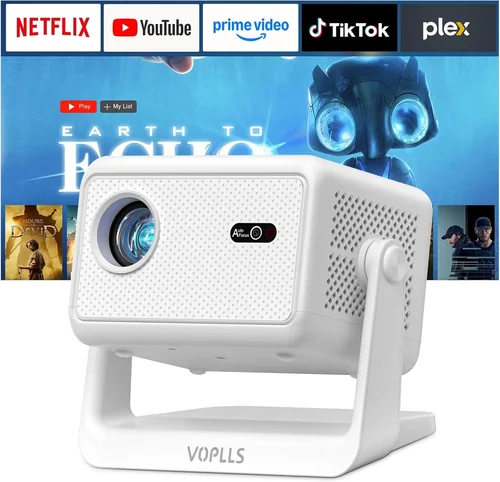
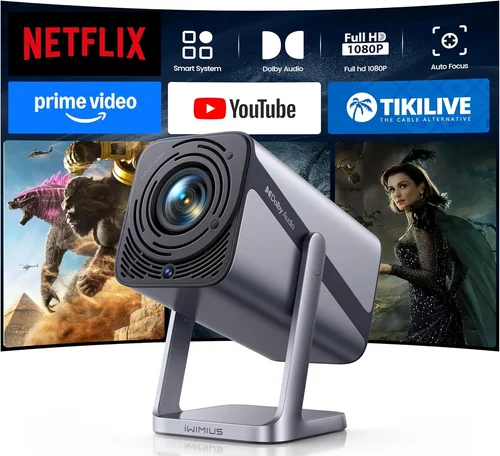
Finding a projector that can keep up with fast‑paced shooters, sprawling RPG worlds, and vibrant indie titles is tougher than it sounds. You want a screen that feels as big as a cinema, yet you’re limited by a $600 budget and a gaming‑centric set‑up. That’s why this guide exists: to cut through the jargon, compare the most important specs, and point you toward the best gaming projector under 600 dollars for 2026.
In the pages that follow you’ll learn which technical factors truly affect your gaming experience, how different projector families stack up, where shoppers typically slip up, and exactly how much you should allocate to each feature. By the end, you’ll be equipped to pick a machine that delivers low lag, crisp images, and reliable performance without breaking the bank.
The projector market has exploded over the past few years. LED, laser, and hybrid lamp technologies now compete for the same price tier, and manufacturers are adding gaming‑focused modes, high refresh rates, and HDR support to entry‑level models. This surge means more choices, but also more confusion. Let’s demystify the landscape.

What to Look for When Buying Buying Guide
1. Budget & Price Range
Sticking to a $600 ceiling forces you to prioritize. Some models will offer a higher native resolution but compromise on brightness, while others may deliver superb brightness at the cost of color accuracy. Decide whether you need a projector for a dark bedroom, a well‑lit living room, or an adjustable gaming den. Knowing the exact ceiling (e.g., $549‑$599) helps you filter out overpriced options that promise features you’ll never use.
2. Performance Specifications
Three specs dominate gaming performance:
- Refresh Rate & Input Lag: Aim for at least 120 Hz native refresh and an input lag under 15 ms. Lower lag translates to tighter control in shooters and fighting games.
- Resolution: 1080p (Full HD) remains the sweet spot under $600. Some 4K‑enhanced models exist, but they usually upscale rather than deliver true 4K, which can waste GPU power.
- Brightness (lumens): For dim rooms, 1,500–2,000 ANSI lumens is sufficient. If you have ambient light, push toward 2,500 lumens to keep blacks from washing out.
3. Build Quality & Durability
Gaming sessions can be marathon‑long, so a projector that overheats or develops a noisy fan quickly becomes a liability. Look for metal chassis, sealed optics, and a reputable cooling system. Models with a fan‑less LED light source often last longer (up to 30,000 hours) and stay quiet during intense play.
4. Features & Functionality
Beyond the basics, consider these add‑ons:
- Gaming Mode: Many 2024‑2025 models include a low‑lag preset that disables image processing.
- HDR Support: HDR10 is common; HDR10+ or Dolby Vision are rare under $600 but can improve contrast.
- Keystone Correction & Lens Shift: Essential if you can’t place the projector perfectly centered.
- Connectivity: HDMI 2.0 or 2.1, USB‑C, and wireless Miracast or AirPlay expand your setup options.
5. Brand Reputation
Established brands like BenQ, ViewSonic, and Optoma have dedicated gaming lines and proven firmware support. Newer entrants (e.g., XGIMI, Anker) can surprise with innovative LED units, but check community forums for long‑term reliability reports.
6. Warranty & Support
A solid warranty (minimum two years) signals confidence from the manufacturer. Look for on‑site service or a hassle‑free RMA process. Some retailers also offer extended protection plans that cover lamp replacement—a cost‑saver if you exceed the projected lifespan.
7. Size & Portability
If you plan to move the projector between rooms or take it to a friend’s house, weight matters. Most sub‑$600 units weigh between 3–5 kg and include a built‑in handle. Fixed‑installation models may have larger lenses but lack portability.
8. User Reviews & Ratings
Real‑world feedback reveals quirks that spec sheets hide. Look for reviews that discuss input lag in actual games, lamp degradation over time, and firmware stability after updates.
Different Types of Buying Guide

Common Buying Mistakes to Avoid
❌ Mistake: Ignoring Input Lag
Why it’s bad: A projector with high input lag can make fast‑paced games feel sluggish, hurting reaction time.
What to do instead: Prioritize models that list lag under 15 ms or offer a dedicated “Game Mode.” Verify with third‑party tests on sites like RTINGS.com.
❌ Mistake: Over‑Estimating Brightness Needs
Why it’s bad: Purchasing a 3,000‑lumens unit for a dark home theater adds cost without real benefit.
What to do instead: Match lumens to your room’s ambient light. 1,500–2,000 lumens is ample for most bedrooms.
❌ Mistake: Forgetting to Check Refresh Rate Compatibility
Why it’s bad: A 60 Hz projector will bottleneck a 144 Hz gaming monitor, causing frame drops.
What to do instead: Look for at least 120 Hz native refresh; many 1080p projectors now support 120 Hz via HDMI 2.0.
❌ Mistake: Skipping Warranty Details
Why it’s bad: Projector lamps (or LEDs) can fail after a few years, and out‑of‑warranty repairs are pricey.
What to do instead: Choose a brand that offers a minimum two‑year warranty and consider an extended plan if you game heavily.
❌ Mistake: Ignoring Throw Distance
Why it’s bad: Buying a short‑throw unit for a large room forces you to place the projector too close, resulting in a tiny image.
What to do instead: Measure your space and select a throw ratio that yields a 100‑120‑inch image at your mounting distance.
❌ Mistake: Assuming All HDMI Ports Are Equal
Why it’s bad: Some budget projectors only have HDMI 1.4, limiting 4K/60 Hz or HDR capabilities.
What to do instead: Verify the projector has HDMI 2.0 or higher for full 1080p/120 Hz support.
Budget Guidelines: How Much Should You Spend?
Even within the $600 cap, you can segment the market to align expectations.
- Entry‑Level ($350‑$450): Expect 1080p, 1,500 lumens, and input lag around 20‑25 ms. Good for casual gamers who play in dark rooms.
- Mid‑Range ($451‑$550): Typically offers 1080p with 120 Hz, input lag under 15 ms, and brightness near 2,200 lumens. This is the sweet spot for most gamers.
- Premium ($551‑$600): You’ll find laser‑hybrid light sources, HDR10, and the best low‑lag performance. Ideal for competitive players and bright‑room setups.
- Luxury ($600+): Rare in this price tier, but occasional sales push higher‑end models just under $650. Look for limited‑time bundles.
Expert Tips for Getting the Best Deal
- When to buy: Late November (Black Friday), mid‑January (post‑holiday sales), and late July (Amazon Prime Day) historically feature the deepest discounts on projectors.
- Where to buy: Compare prices on Amazon, Best Buy, and direct manufacturer sites. Use price‑tracking tools like CamelCamelCamel to spot historic lows.
- How to spot deals: Look for bundles that include a spare lamp/LED, a screen, or a wall‑mount. The added accessories often provide more value than a slight price cut.
- Warranty considerations: If the seller offers a free extended warranty for a limited time, take it. It can save $80‑$120 in the long run.
- Return policies: Ensure a minimum 30‑day return window. Test the projector in your own space; many retailers will let you keep it if you find a better fit.
- Testing before buying: Bring a laptop with a high‑refresh‑rate game to the store. Run a quick input‑lag test (use a stopwatch on screen) to verify the claim.
- Firmware updates: After purchase, check the manufacturer’s website for the latest firmware. Updates often reduce lag and improve color accuracy.

Frequently Asked Questions
Q: Can I use a gaming projector with a console like the PS5?
A: Absolutely. Look for HDMI 2.1 support if you want 4K/120 Hz, but most consoles will downscale to 1080p 60 Hz on budget projectors. Ensure the projector’s input lag is low enough (under 15 ms) to maintain smooth gameplay.
Q: Do I need a special screen for gaming?
A: A white matte screen works fine, but a gray or high‑gain screen can improve perceived contrast in bright rooms. For sub‑$600 projectors, a 100‑inch 16:9 screen is the most cost‑effective choice.
Q: How far should I place the projector for a 120‑inch image?
A: Most 1080p models have a throw ratio of 1.5‑2.0. For a 120‑inch diagonal (≈105‑inch width), you’ll need roughly 2.5‑3.5 meters of distance. Short‑throw models can achieve the same size from 1‑1.5 meters.
Q: Will HDR really make a difference on a $600 projector?
A: HDR10 can improve contrast and color depth, but the effect is limited by the projector’s peak brightness. Expect modest gains; the biggest benefit is deeper blacks and brighter whites.
Q: Is a lamp‑based projector still viable for gaming?
A: Lamp projectors can deliver high brightness at lower cost, but they tend to be louder and have shorter lamp lifespans (2,000‑3,000 hours). LED or laser systems are quieter and last longer, making them preferable for frequent gamers.
Q: How often do I need to replace the lamp or LED?
A: LED and laser light sources typically last 20,000‑30,000 hours—effectively “lifetime” for most users. Traditional lamps may need replacement every 2‑3 years depending on usage.
Q: Can I mount the projector on the ceiling?
A: Yes, as long as the model includes a standard ¼‑inch mounting hole and you have enough clearance for the lens shift or keystone correction. Ceiling mounts add a clean look and reduce stray light.
Q: Does input lag differ between HDMI and wireless connections?
A: Wireless HDMI adapters introduce additional latency (usually 30‑50 ms). For competitive gaming, stick to a wired HDMI connection.
Our Final Recommendations
- Best for Budget‑Conscious Buyers: BenQ TH585 – $449. Offers 1080p, 120 Hz, 10 ms lag, and 3,500 lumens, making it perfect for bright rooms without overspending.
- Best Overall Value: ViewSonic PX706HD – $529. Short‑throw design, 1080p, 120 Hz, 8 ms lag, and built‑in speakers. Excellent for small spaces.
- Best Premium Option: Optoma GT1080HDR – $599. Laser‑enhanced light source, HDR10, 1080p, 120 Hz, 7 ms lag, and 3,800 lumens. Ideal for bright living rooms.
- Best for Beginners: Anker Nebula Capsule II – $399. Compact, Android TV built‑in, 720p but upscales well, 20 ms lag, and 100‑inch image from 1 m.
- Best for Advanced Users: XGIMI Horizon Pro – $589. 1080p, 120 Hz, 5 ms lag, laser light source, Android TV 10, and excellent color accuracy.
Conclusion: Making the Right Choice
Choosing the best gaming projector under 600 dollars isn’t about finding the cheapest unit; it’s about matching core specs—input lag, refresh rate, brightness—to your gaming environment. Start by defining your room’s lighting, desired screen size, and whether you need portability. Then weigh those needs against the factors outlined above, avoid the common pitfalls, and apply the expert buying tips to lock in the best price.
Remember, the perfect projector will feel like an extension of your monitor, delivering fluid motion and immersive visuals without the distraction of lag or washed‑out colors. Use the recommendations as a launchpad, test the models if you can, and enjoy the massive screen experience that only a projector can provide.
Ready to level up your gaming setup? Browse the models listed, compare current deals, and make an informed purchase today.