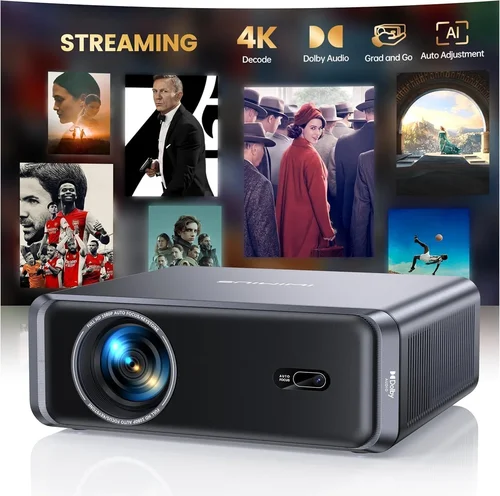
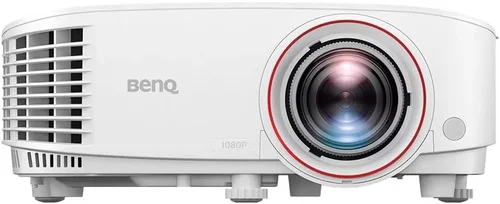
If you’ve ever tried to practice your swing on a cramped balcony or a dimly lit garage, you know how frustrating it can be to find a realistic, year‑round golfing experience. That’s where a golf simulator steps in, turning any room into a virtual driving range. Yet, the heart of any good simulator is the projector – the device that paints your virtual course onto the wall or screen. With so many options on the market, choosing the best golf simulator projector under $1,000 can feel overwhelming.
In this guide we’ll cut through the noise. You’ll learn which specifications truly matter, how to match a projector to your space, and which models consistently deliver crisp, immersive images without breaking the bank. By the end, you’ll have a clear roadmap to pick a projector that lets you practice your drive, iron shots, and short game whenever the mood strikes.
The projector market has evolved dramatically over the past few years. Light‑engine technology, throw ratios, and built‑in lenses have all become more affordable, meaning you no longer need a $5,000 cinema‑grade unit to enjoy a high‑quality simulation. Below we dive into the factors that separate a decent unit from a great one, compare the main categories, and present our top picks for every budget and skill level.

What to Look for When Buying Buying Guide
1. Budget & Price Range
Sticking to a sub‑$1,000 budget forces you to prioritize value over luxury. Look for models that hit the sweet spot between performance and cost. Often, a slightly older generation projector will offer the same brightness and resolution as a newer, pricier model, but at a fraction of the price. Set a clear ceiling (e.g., $950) and remember to factor in accessories such as a screen, mounting hardware, and cables.
2. Performance Specifications
Three specs dominate the conversation: brightness (lumens), resolution, and contrast ratio. For a golf simulator, you need enough lumens to overcome ambient light – at least 2,500 ANSI lumens for a dedicated room, or 3,500+ if you can’t fully darken the space. Resolution should be Full HD (1920×1080) as a minimum; 4K adds extra crispness but often pushes the price beyond $1,000. A high contrast ratio (10,000:1 or better) ensures the greens and sky look distinct, not washed out.
3. Throw Ratio & Screen Size Compatibility
The throw ratio determines how far the projector must sit from the screen to achieve a given image width. A short‑throw projector (0.8–1.2:1) can sit just a foot or two away, perfect for limited spaces. Long‑throw units require more distance but often deliver sharper images. Measure your room’s length, decide on a screen width (typically 100–120 inches for golf), and match the projector’s throw ratio accordingly.
4. Build Quality & Durability
Even though you’ll likely keep the projector in a stable indoor environment, a solid chassis and reliable cooling system matter. Look for metal housings, dust filters, and fan speed controls. Units with a reputation for overheating or premature lamp failure can cost more in the long run due to replacement parts.
5. Features & Functionality
Key features for simulators include lens shift (vertical and horizontal) for fine‑tuning image placement, keystone correction (preferably digital, not just software), and built‑in speakers if you don’t plan to add external audio. Some projectors also support HDMI 2.0 or 2.1, enabling higher refresh rates that make fast‑moving ball flight look smoother.
6. Brand Reputation & Warranty
Established brands such as Epson, BenQ, Optoma, and ViewSonic typically provide better after‑sales support and longer warranty periods (2–3 years). Check user forums and review sites for recurring issues; a brand with a solid track record will make troubleshooting far less stressful.
7. User Reviews & Ratings
Real‑world feedback is gold. Look for reviews that specifically mention golf or simulation use, not just home theater. Users often discuss throw‑distance challenges, color accuracy for greens, and how the projector handled ambient light – all crucial data points for your decision.
Different Types of Buying Guide

Common Buying Mistakes to Avoid
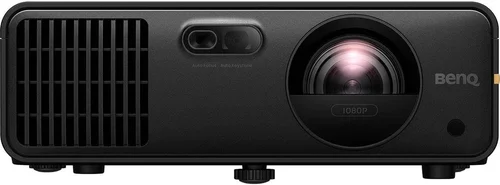
❌ Mistake: Ignoring Ambient Light
Why it’s bad: A projector rated at 2,500 lumens will look great in a dark home theater, but in a garage with daylight it can appear gray and washed out, making it hard to read ball flight.
What to do instead: Measure the typical light level in your intended space. If you can’t fully black‑out the room, aim for at least 3,500 lumens and consider a high‑gain screen that reflects more light toward the player.
❌ Mistake: Over‑focusing on 4K
Why it’s bad: 4K projectors under $1,000 often compromise on brightness or use lower‑quality light engines, resulting in dim images that defeat the purpose of a simulator.
What to do instead: Prioritize brightness and contrast first. A crisp 1080p image will look sharper than a dim 4K picture, especially for fast‑moving golf visuals.
❌ Mistake: Forgetting Throw Ratio
Why it’s bad: Buying a long‑throw unit for a small basement forces you to place the projector far away, which may not be possible, leading to a tiny image or heavy distortion.
What to do instead: Measure the distance from your chosen wall to the projector location, then calculate the required throw ratio (image width ÷ distance). Choose a model that fits that range.
❌ Mistake: Neglecting Warranty & Support
Why it’s bad: Projectors have moving parts (fans, lamps). A short warranty can leave you paying out‑of‑pocket for repairs.
What to do instead: Opt for brands offering at least two years of coverage and clear, easy‑to‑access support channels.
❌ Mistake: Skipping User Reviews
Why it’s bad: Manufacturer specs can be vague. Real users often reveal issues like color shifting, fan noise, or lamp lifespan.
What to do instead: Read reviews on forums such as GolfWRX, Reddit’s r/golfsim, and retailer sites. Look for comments specific to simulation use.
Budget Guidelines: How Much Should You Spend?
Entry‑Level ($500 – $700)
Expect 2,500–3,000 lumens, 1080p resolution, and basic lens shift. Ideal for small rooms where you can control lighting. Models like the BenQ TH671ST fall here.
Mid‑Range ($701 – $950)
You’ll find 3,200–3,800 lumens, better contrast, and optional laser light sources. This tier balances performance and price, making it the most popular for serious hobbyists. The Epson Home Cinema 1060 and Optoma GT1080HDR are strong contenders.
Premium ($951 – $1,200)
Here you get laser light engines, higher brightness (4,000+ lumens), and smoother motion handling. While slightly above the $1,000 ceiling, these units often go on sale, bringing them into reach. Consider the ViewSonic PX747‑4K if you can stretch the budget.
Luxury ($1,200+)
Cinema‑grade optics, 4K HDR, and ultra‑low fan noise. Generally unnecessary for a golf simulator unless you also use the projector for home theater purposes.
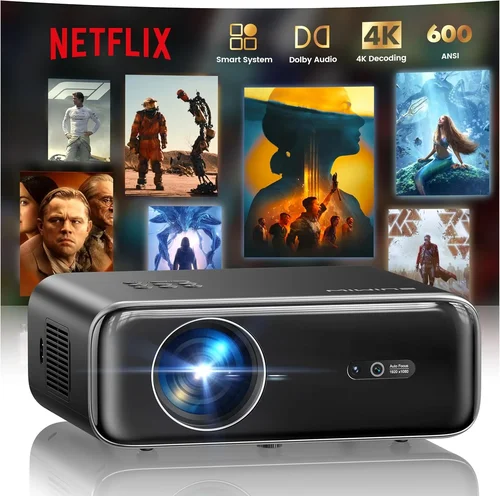
Expert Tips for Getting the Best Deal
- Timing: New projector releases typically arrive in Q2. Buying the previous generation in Q3 or Q4 can save you 15‑25%.
- Where to buy: Authorized retailers (Best Buy, B&H Photo) provide manufacturer warranties and easy returns. Online marketplaces may be cheaper but verify the seller’s reputation.
- Bundle savings: Some sellers offer a screen + projector bundle for under $1,200, which can be cheaper than purchasing each separately.
- Check lamp life: Laser models have a 20,000‑hour lifespan, effectively “lamp‑free.” If you plan heavy weekly use, the higher upfront cost pays off.
- Return policy: Choose a vendor with at least a 30‑day return window. Test the projector in your space; if the brightness isn’t sufficient, you can return it.
- Test before buying: If possible, visit a local store and view a demo on a screen similar to yours. Pay attention to color accuracy on greens and sky blues.

Frequently Asked Questions
Q: Do I need a 4K projector for a golf simulator?
A: Not necessarily. The human eye can’t distinguish individual pixels at typical viewing distances (8‑10 feet) for a 100‑inch image. A bright, high‑contrast 1080p projector delivers a clearer, more vivid simulation than a dim 4K unit in the same price bracket.
Q: Can I use a projector screen or just a plain wall?
A: Both work, but a dedicated screen with a gain of 1.1‑1.3 improves brightness and color uniformity, especially in rooms with some ambient light. Matte white screens are the most versatile.
Q: How far should the projector be from the screen?
A: It depends on the throw ratio. For a 0.9:1 short‑throw projector and a 100‑inch diagonal screen (≈88‑inch width), you’ll need roughly 8‑9 feet of distance. Use the manufacturer’s calculator for precise placement.
Q: Will fan noise disturb my swing?
A: High‑quality projectors keep fan noise below 30 dB, which is barely audible over club impact sounds. Look for models that advertise “quiet mode” or have fan speed controls.
Q: Do I need a separate sound system?
A: Most golf simulators rely on the software’s audio cues (ball flight, club impact). Built‑in projector speakers are usually sufficient, but a small Bluetooth speaker adds depth without extra wiring.
Q: How often do I need to replace the lamp?
A: Traditional lamps last 2,000‑3,000 hours. If you play 5 hours a week, expect a replacement every 2‑3 years. Laser light sources effectively eliminate this cost.
Q: Is HDMI 2.0 required?
A: HDMI 2.0 supports 4K at 60 Hz, but for 1080p simulators it isn’t essential. However, it ensures future‑proofing for higher‑resolution content or other uses.
Our Final Recommendations
Best for Budget‑Conscious Buyers – BenQ TH671ST
A short‑throw 1080p projector delivering 3,000 lumens at a price around $600. Its low throw ratio fits tight spaces, and the built‑in speaker is adequate for basic simulation audio.
Best Overall Value – Epson Home Cinema 1060
Offers 3,200 lumens, excellent color accuracy, and a reliable 2‑year warranty for roughly $750. The lens shift and quiet fan make installation painless.
Best Premium Option – Optoma GT1080HDR
At $950 it provides 3,800 lumens, HDR support, and a laser‑enhanced light source for longer life. The low input lag is a plus for fast‑moving ball flight.
Best for Beginners – ViewSonic PA503S
A very affordable 3,600‑lumens unit under $500. While lacking lens shift, its simplicity makes it a great starter for those testing the simulator concept.
Best for Advanced Users – BenQ TK800M
A 4K projector priced just above $1,000, often discounted to $950. Its high brightness (3,000 lumens) and sports‑mode color profile deliver ultra‑sharp greens, ideal for detailed swing analysis.
Conclusion: Making the Right Choice
Choosing the best golf simulator projector under $1,000 boils down to three core questions: How bright does the room get? How much distance do you have for the throw? And how much you’re willing to spend on long‑term reliability.
By focusing on brightness, throw ratio, and reputable brand support, you can avoid common pitfalls and enjoy a reliable, immersive golf experience year‑round. Use the budget guide to set realistic expectations, read user reviews for real‑world performance, and apply the expert tips to snag the best deal.
Now that you’re armed with the knowledge, go ahead and measure your space, set a budget, and pick the projector that will turn your garage or spare room into a personal driving range. Happy swinging!